Keeping billing organized shouldn’t require complicated accounting software. The invoice templates in this guide give businesses a simple way to document products, services and payment terms while keeping records clear for clients and internal tracking. Each template is free, professionally structured and designed to be easily printed for physical invoices when needed.
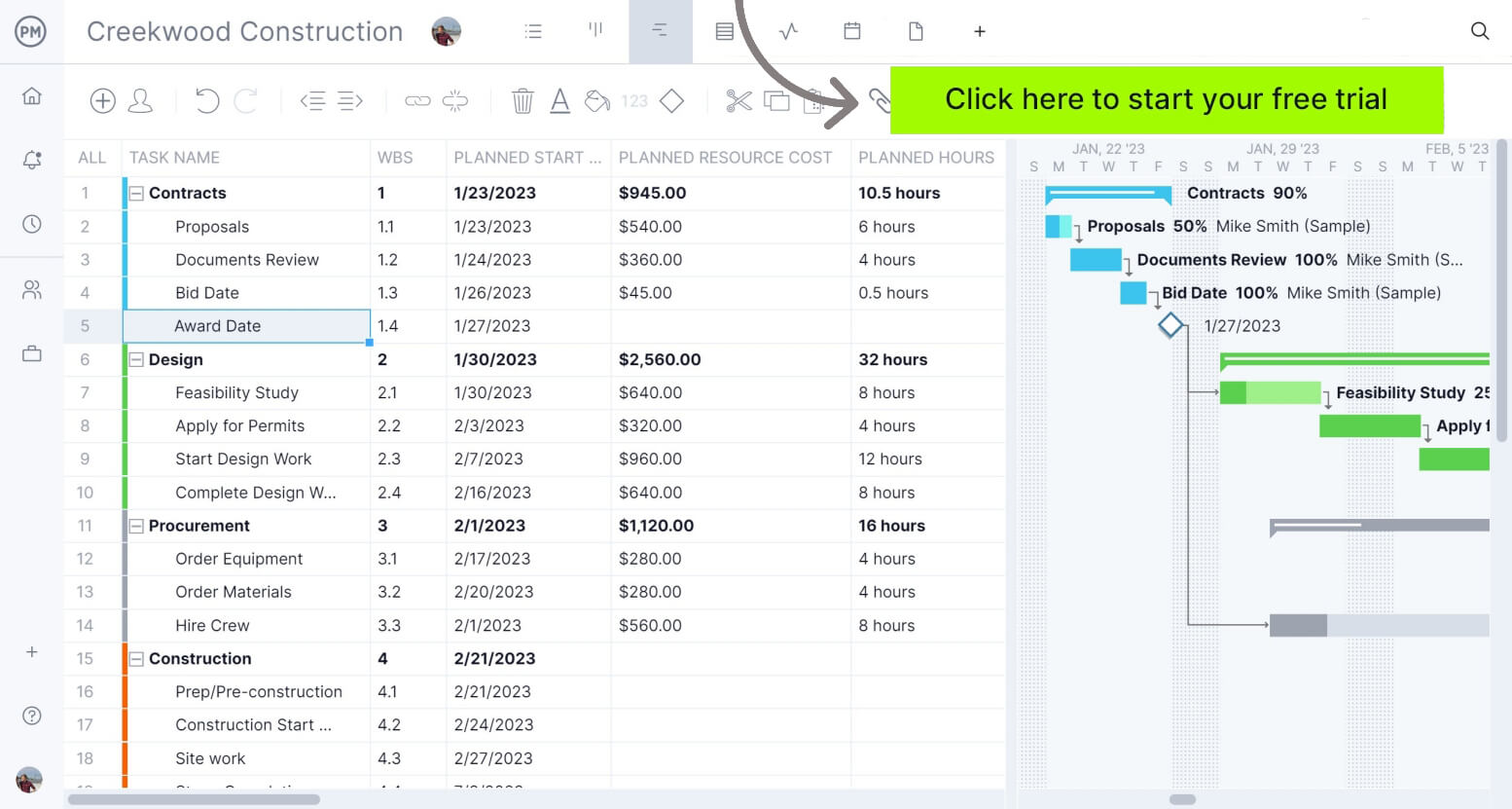
ProjectManager is an award-winning project management software equipped with advanced cost management features that allow organizations to create detailed project schedules, estimate costs, create a budget, allocate resources and monitor costs in real time as work is executed. Get started for free today.
Businesses that sell products, provide services or combine both often need flexible invoice templates that adapt to different billing situations. This invoice template for Word works for manufacturers, retailers, contractors and service providers alike.
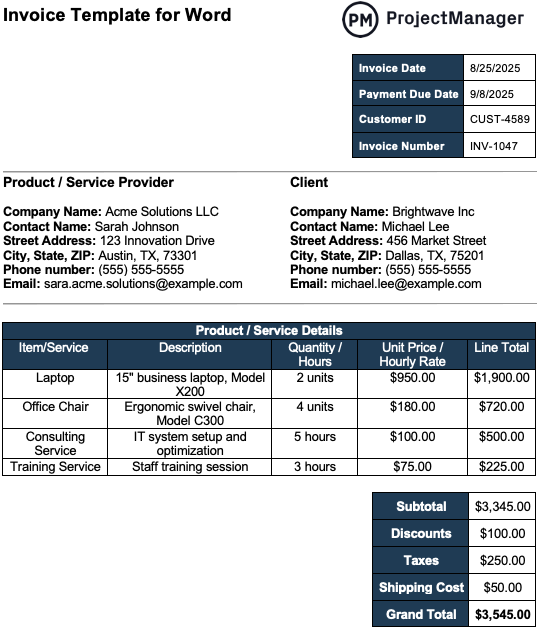
Because it’s formatted for document printing, businesses can quickly generate professional invoices that are easy to share digitally or print for records.
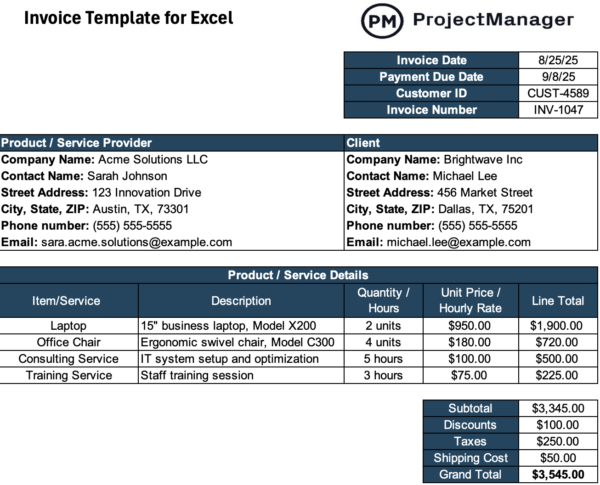
- Invoice identification details: Key billing information such as invoice date, payment due date, customer ID and invoice number clearly identify the document and help businesses track billing cycles, manage accounts receivable and quickly locate invoices when reviewing payment status or resolving billing questions.
- Product or service provider information: The template includes a complete section for the issuing business, listing company name, contact person, address, phone number and email so clients immediately know who provided the products or services and how to reach them for billing inquiries.
- Client information section: A dedicated client section records the customer’s company name, contact details and address, ensuring the invoice is properly assigned to the correct organization and helping businesses maintain accurate customer records across multiple projects, orders or service engagements.
- Product or service details table: The structured billing table lists each item or service provided, including description, quantity or hours, unit price or hourly rate and calculated line totals so both parties clearly understand what was delivered and how the charges were calculated.
- Cost summary and totals: Below the itemized list, the invoice template automatically organizes subtotal amounts, discounts, taxes, shipping costs and the final grand total, providing a transparent financial breakdown that helps clients quickly verify charges before processing payment.
- Payment terms and instructions: The final section explains payment deadlines, accepted payment methods, bank transfer details and late payment policies, giving clients clear instructions on how to pay while protecting the business with documented billing conditions and reference notes.
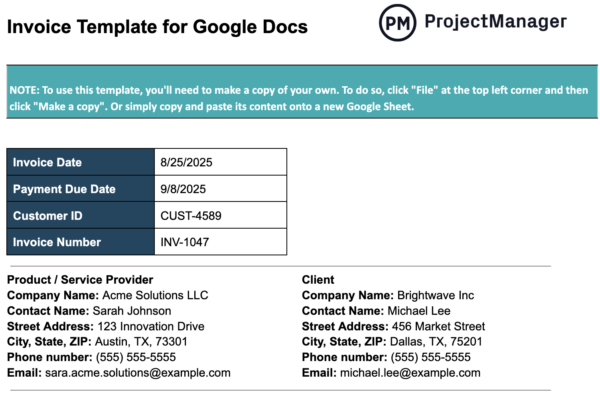
Teams that collaborate remotely often prefer invoice templates that can be edited from anywhere without sending files back and forth. This free invoice template for Google Docs allows businesses to create, update and share invoices in real time while keeping formatting consistent. Because it lives in the cloud, teams can quickly generate professional invoices and print them whenever needed.
When businesses want tighter control over calculations, Excel-based invoice templates offer a practical advantage. This invoice template for Excel allows users to track quantities, hourly rates, discounts and totals using spreadsheet formulas that automatically update billing amounts. The structure keeps financial details organized while still allowing invoices to be printed or exported for professional client delivery.
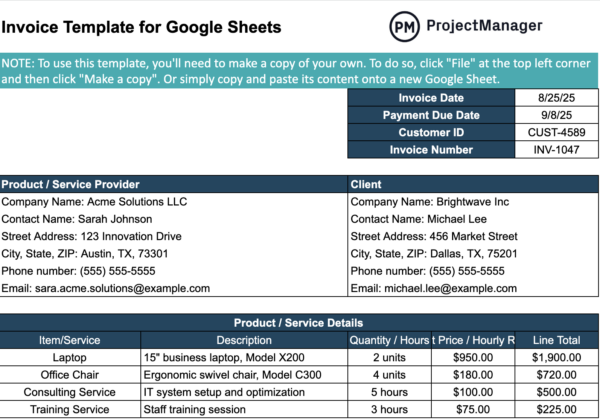
Cloud-based spreadsheets make billing easier when multiple people handle invoicing, accounting or project costs. This Google Sheets invoice template lets teams generate invoices collaboratively while maintaining automatic calculations for totals and taxes. Because the file updates in real time, businesses can track billing information, adjust invoice details and print finalized invoices directly from the shared document.
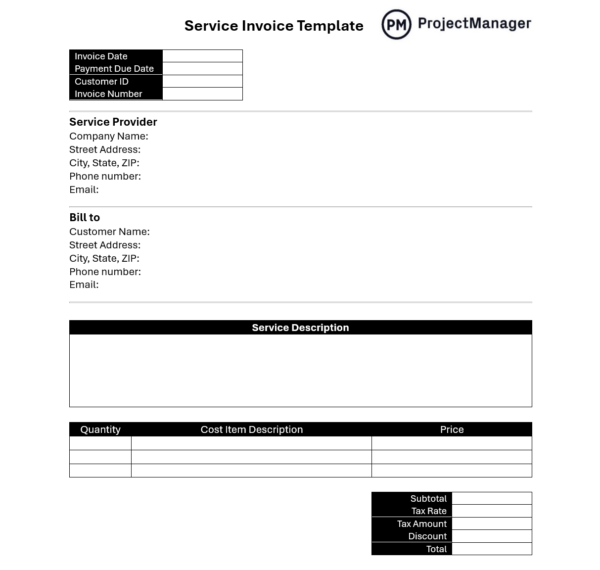
Professionals who bill for consulting, maintenance, design or other specialized work need invoice templates that clearly document services delivered and how charges are calculated. This service invoice template for Word helps businesses record invoice IDs, issue dates and customer identifiers while listing service descriptions and itemized costs. By organizing provider details, customer information and billing breakdowns in a structured format, the template supports accurate invoicing and professional communication with clients.
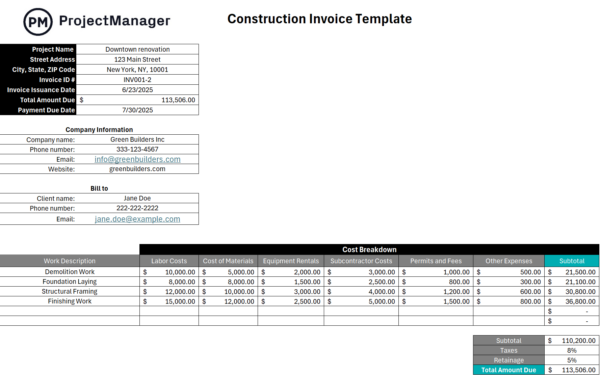
Construction companies often manage multiple cost categories, making structured invoice templates essential for clear billing and project cost tracking. This construction invoice template for Excel organizes project details, job site information and invoice identifiers while automatically calculating totals and payment deadlines. A categorized cost breakdown covering labor, materials, equipment rentals, subcontractor fees and permits ensures clients receive transparent invoices that accurately reflect construction work performed.
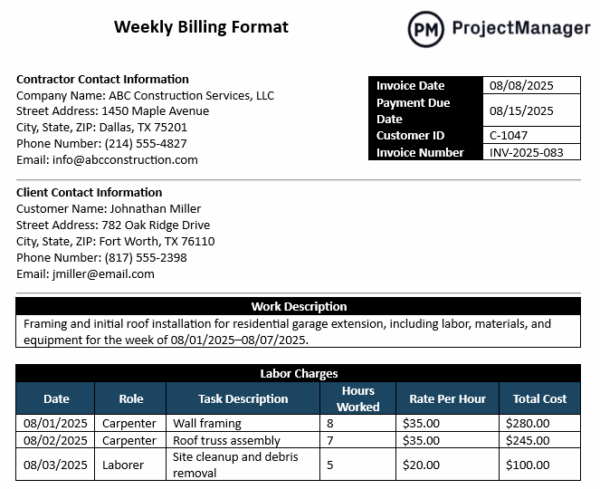
Projects that generate billable hours every week often benefit from invoice templates designed specifically for recurring billing cycles. This weekly billing format helps teams record labor hours, materials and equipment charges for a defined work period while maintaining consistent documentation. By organizing client information, work descriptions and itemized costs in one structured document, businesses can generate clear weekly invoices that simplify approvals, reduce disputes and speed up payments.
ProjectManager Is a Robust Project Cost Management Solution
ProjectManager is equipped with robust project cost management tools and features including workload management charts, timesheets, real-time project and portfolio management dashboards and reports that allow organizations to create project budgets, compare their estimates against actual project costs and monitor expenses at the task level. Watch the video to learn more!
ProjectManager is award-winning software that allows organizations across industries to manage projects from start to finish. Our collaborative platform connects everyone on the project team and lets them work with the tools they want. Plan, monitor and report on every aspect of your projects. Get started with ProjectManager today for free.