Projects are moving faster, expectations are higher and teams are expected to deliver with less friction. AI project management is becoming part of everyday workflows, helping teams plan, schedule and track work more efficiently while reducing manual effort across key project processes.
What Is AI Project Management?
AI project management is the application of artificial intelligence technologies to support, automate and improve project planning, execution and monitoring. It uses data analysis, machine learning and pattern recognition to generate plans, predict outcomes and optimize workflows, allowing project managers to make faster and more informed decisions.
In practice, this means AI tools can create schedules, assign resources, detect risks and produce reports based on real-time project data. These systems rely on historical patterns and ongoing inputs to continuously refine recommendations, helping teams respond to changes more effectively while maintaining visibility across the entire project lifecycle.
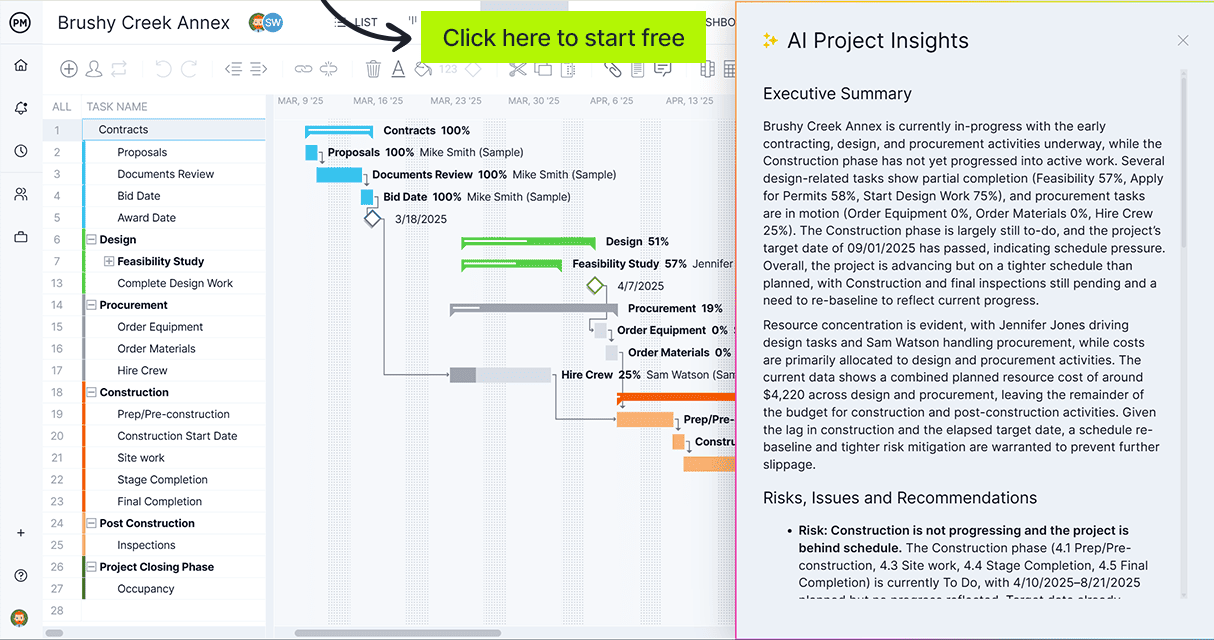
When using AI in project management, ensure you’re using the latest technologies paired with best-in-class software. ProjectManager’s AI Project Insights turns your project data into actionable insights, no manual effort required. Team can instantly generate executive summaries, uncover risks and get data-backed recommendations based on real-time progress. Get started by taking a free 30-day trial, no credit card required.
Why Should AI Be Used in Project Management?
Whether teams adopt AI project management tools is no longer the real question, because the shift is already happening. What matters now is how these tools are used and how much responsibility they take on within project workflows. Faster planning, automated reporting and predictive insights are clear advantages, especially in complex environments where manual processes slow everything down.
At the same time, relying entirely on automation creates its own risks. Project managers still need to interpret context, manage stakeholders and make judgment calls that go beyond data patterns. AI can highlight issues and suggest actions, but it does not fully understand business priorities, team dynamics or unexpected constraints. The most effective approach combines AI-driven efficiency with human oversight, where technology handles repetitive work and project managers focus on decision-making, coordination and strategic direction.
Benefits of AI Project Management
When applied correctly, AI project management tools streamline workflows, improve decision-making and reduce manual effort. Their value lies in accelerating execution while supporting project managers, not replacing their role.
- Speeds up project planning by generating structured task lists, timelines and dependencies from high-level goals, reducing time spent on repetitive setup activities.
- Improves decision-making by analyzing large volumes of project data and surfacing insights that would be difficult to identify manually under time constraints.
- Enhances visibility across projects by continuously tracking progress, highlighting delays and identifying risks before they impact timelines or budgets.
- Reduces administrative workload by automating reporting, updates and documentation, allowing project managers to focus on coordination and strategic oversight.
- Supports better resource utilization by balancing workloads, forecasting capacity needs and aligning team assignments with skills and availability.
Related: 14 Free Work Plan Templates for Excel and Word
Disadvantages of AI Project Management
Despite its advantages, AI project management introduces limitations that teams must manage carefully. Overreliance on automation can create blind spots, especially in areas where human judgment and context are critical.
- Lacks full contextual understanding of business priorities, stakeholder expectations and team dynamics, which can lead to recommendations that are technically correct but impractical.
- Depends heavily on data quality, meaning inaccurate or incomplete inputs can produce misleading outputs that affect planning, forecasting and decision-making.
- Reduces critical thinking when teams rely too heavily on automated suggestions rather than validating assumptions and analyzing project conditions independently.
- May introduce resistance from teams who are unfamiliar with AI tools or concerned about changes to established workflows and responsibilities.
- Requires ongoing oversight to ensure outputs remain aligned with project goals, as AI cannot fully interpret nuance or adapt to unexpected real-world complexities.
AI Project Management Tips & Best Practices
Getting value from AI project management tools isn’t automatic. The output depends on the quality of inputs, the setup and the level of oversight applied afterward. Teams that guide AI properly can turn it into a meaningful advantage rather than just a convenience.
1. Select Historical Data Carefully
The quality of historical data directly affects the accuracy of AI outputs. Using outdated, inconsistent or overly optimistic project data leads to unreliable schedules and forecasts. Prioritize clean, relevant data that reflects actual execution, including delays and constraints, to ensure more realistic planning, better resource allocation and improved decision-making across similar projects.
2. Validate AI Outputs Before Acting
AI-generated plans and recommendations should be treated as a starting point rather than a final decision. Reviewing dependencies, timelines and assumptions is essential to avoid errors that may not be immediately visible. A quick validation step helps identify inconsistencies early and prevents costly adjustments later during project execution.
3. Define Clear Inputs and Project Parameters
AI performs significantly better when given precise inputs. Clearly defining scope, constraints, deadlines and priorities improves the relevance of generated outputs. Ambiguous or incomplete information often results in generic recommendations, while structured inputs enable more accurate schedules, resource plans and insights aligned with project objectives.
4. Combine AI Insights With Human Judgment
While AI can process data and identify patterns efficiently, it lacks full awareness of business context, stakeholder expectations and team dynamics. Human oversight remains essential to interpret results, make trade-offs and adjust decisions. The most effective approach combines AI-driven efficiency with experienced judgment to guide project outcomes.

AI Project Management Tools
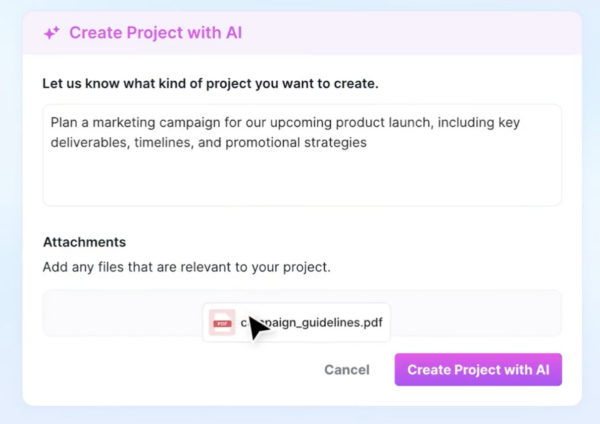
AI project management tools combine automation, data analysis and intelligent recommendations to support planning, execution and decision-making. The following tools highlight how AI is applied in real-world project workflows, from scheduling and resource management to reporting and collaboration.
1. ProjectManager
ProjectManager’s AI capabilities are designed to move project management from reactive tracking to proactive, insight-driven decision-making. Built into the platform, AI Project Insights is powered by GPT-5’s latest technology. It helps teams instantly surface executive summaries, identify risks and generate clear, actionable recommendations based on live project data. This enables managers to understand project health without digging through reports.
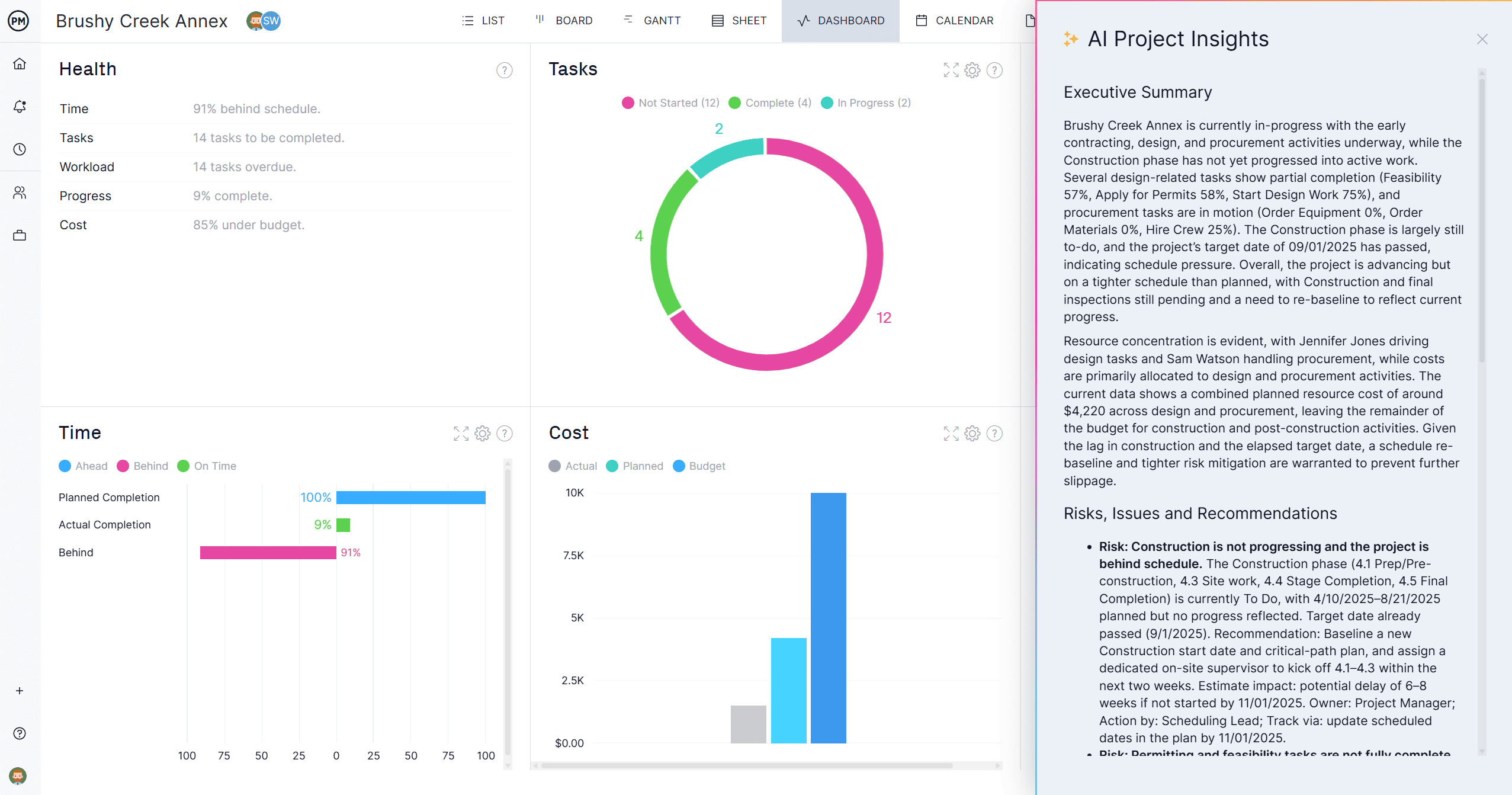
By analyzing schedules, tasks, budgets, and progress in real time, the AI highlights potential delays, workload imbalances, and emerging bottlenecks before they become issues. It also streamlines reporting and communication by turning complex project data into concise updates that are ready to share with stakeholders. The result is a smarter, more efficient workflow where teams spend less time on manual status updates and more time focusing on execution, alignment and delivery.
Key use cases and benefits include:
- Instant project summaries: Quickly generate clear, executive-ready overviews of project status without manually compiling updates.
- Early risk detection: Surface potential delays, budget concerns and bottlenecks before they escalate into major issues.
- Smarter resource visibility: Identify workload imbalances and optimize team capacity to prevent burnout and improve efficiency.
- Faster stakeholder reporting: Turn live project data into concise, easy-to-share updates for clients, leadership and team members.
- Improved decision-making: Use real-time AI-driven insights to prioritize work, adjust timelines and keep projects on track with confidence.
ClickUp (ClickUp Brain)
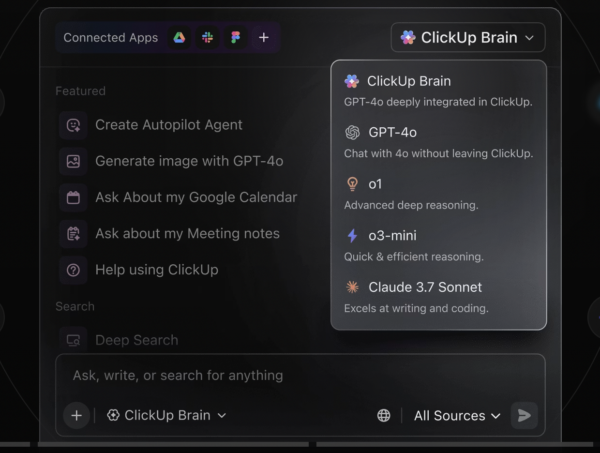
ClickUp uses AI to enhance project planning, execution and reporting by embedding intelligent assistance directly into tasks, documents and workflows. Its AI capabilities help teams automate routine work, generate content and quickly understand project status, making it a strong all-in-one solution for managing complex projects efficiently.
- Generates tasks, subtasks and project plans from simple prompts, reducing manual planning effort and speeding up project setup.
- Writes and refines documentation, status updates and communications, improving clarity without excessive drafting time.
- Summarizes comment threads, task histories and documents into concise insights for faster understanding of progress.
- Integrates AI across docs, tasks and dashboards, delivering a unified experience instead of isolated features.
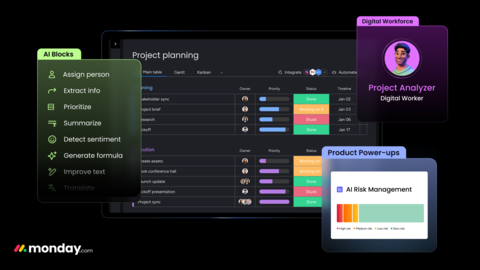
Monday.com (Monday AI)
Monday.com incorporates AI into its Work OS to automate workflows, generate insights and improve decision-making across projects. Its AI features focus on reducing manual input, enhancing visibility and helping teams proactively manage workloads, timelines and deliverables within a flexible platform.
- Automates workflows by triggering actions based on conditions, streamlining repetitive processes across projects.
- Generates summaries and updates from project data, helping stakeholders quickly understand progress.
- Provides forecasting and workload analysis to identify bottlenecks before they impact timelines.
- Analyzes trends across boards to support data-driven decisions and improve project performance.
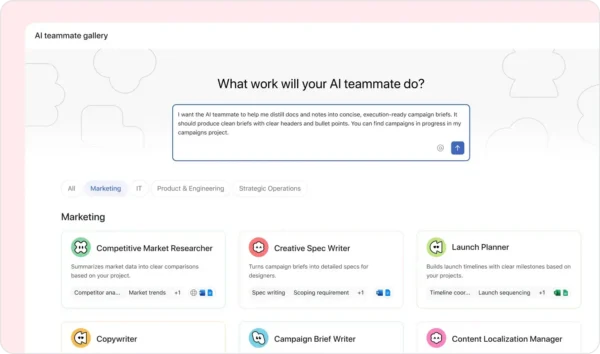
Asana (Asana Intelligence)
Asana Intelligence uses AI to support planning, prioritization and risk management by analyzing project data and team activity. It helps teams focus on the most important work, anticipate issues and streamline workflows for better project execution.
- Prioritizes tasks based on deadlines, dependencies and workload to keep teams focused on critical work.
- Detects risks and delays by analyzing progress patterns, enabling early corrective action.
- Recommends workflow improvements using historical data to optimize how teams operate.
- Provides insights across projects, reducing the need for manual data analysis.
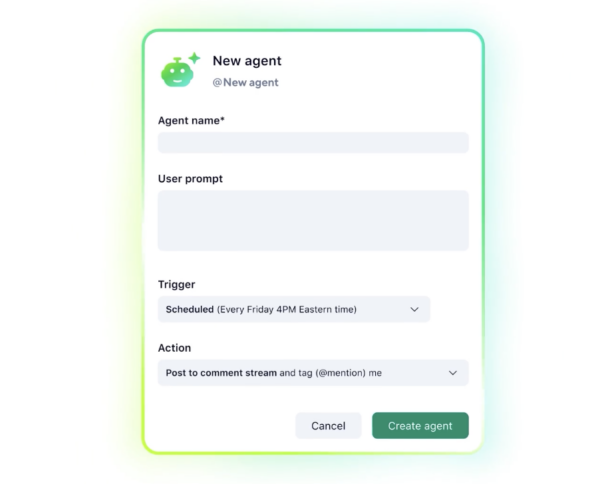
Wrike (Work Intelligence)
Wrike integrates AI into its platform to improve project visibility, automate reporting and support proactive risk management. Its AI capabilities analyze project data to surface insights and help teams stay aligned on execution.
- Uses predictive analytics to identify risks and potential delays before they affect delivery.
- Automates reporting with real-time updates and summaries, reducing manual effort.
- Prioritizes tasks based on goals, deadlines and dependencies to improve focus.
- Analyzes trends across projects to enhance visibility and execution consistency.
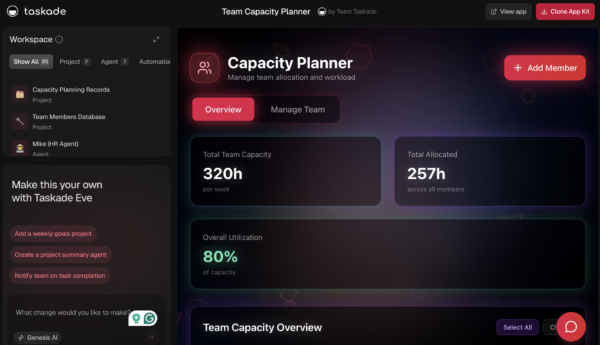
Taskade
Taskade is an AI-driven collaboration platform that combines project management with intelligent agents capable of executing workflows. It emphasizes automation, real-time collaboration and faster transition from planning to execution.
- Deploys AI agents to execute multi-step workflows, reducing manual involvement.
- Supports real-time collaboration with AI copilots for brainstorming and task execution.
- Generates project plans, task lists and documentation instantly from prompts.
- Combines communication, task management and AI into a single unified workspace.
Motion
Motion uses AI to automate scheduling and daily planning by organizing tasks based on priorities, deadlines and availability. It focuses on removing manual scheduling while adapting to changes in real time.
- Automatically schedules tasks into calendars based on urgency, deadlines and available time.
- Replans schedules dynamically when priorities shift or tasks are delayed.
- Balances workloads across time slots to prevent overcommitment and improve productivity.
- Integrates tasks with calendars to create a unified view of work and time.
Reclaim.ai
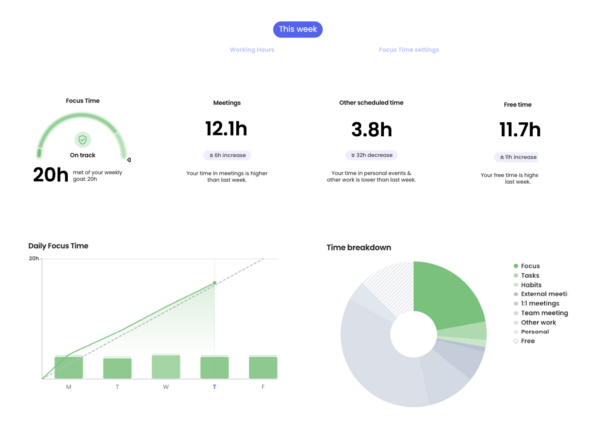
Reclaim.ai leverages AI to optimize time management and resource allocation by intelligently scheduling tasks, habits and meetings. It helps individuals and teams protect focus time and maintain productivity.
- Automatically schedules tasks and recurring habits around meetings without manual time blocking.
- Protects focus time by adjusting schedules to minimize interruptions.
- Optimizes team scheduling by analyzing availability and priorities.
- Continuously adapts calendars as workloads and priorities change.
ProjectManager Is the Ideal AI Project Management Software
The project management industry continues to evolve and adapt with the latest technology. Ensure you and your team are equipped with the right tools to excel in this changing business landscape. Gone are the days of spending invaluable time digging through dashboards or building reports from scratch. With AI Project Insights built directly into your workflow, ProjectManager empowers teams to stay ahead of issues and deliver projects with greater confidence and efficiency.
ProjectManager is online project and portfolio management software that connects teams, whether they’re in the office or out in the field. They can share files, comment at the task level and stay updated with email and in-app notifications. Get started with ProjectManager today for free.