Large construction projects create constant pressure around scheduling, budgeting, field coordination and document control. Procore has become one of the most recognized construction project management software platforms because it centralizes those workflows in a cloud-based system used by contractors, owners and subcontractors.
What Is Procore?
Procore is a construction management software platform used to plan, manage and track construction projects from preconstruction through closeout. It is commonly used by general contractors, specialty contractors and owners to manage drawings, RFIs, submittals, budgets, schedules and field collaboration. The platform also includes financial management tools, reporting capabilities, integrations and AI-powered features designed to improve communication and project visibility across teams.
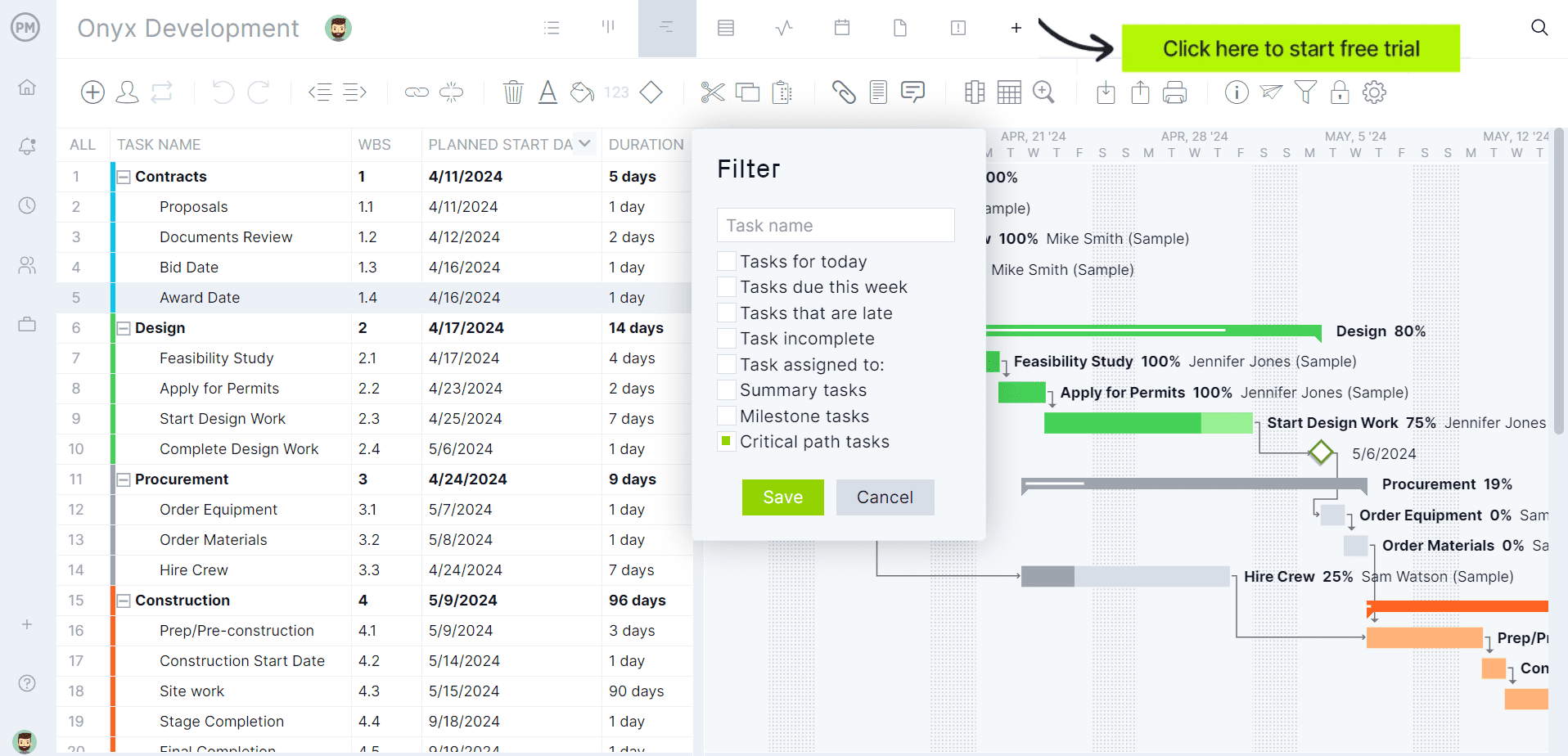
ProjectManager is award-winning construction project management software that gives construction companies tools to ensure projects are completed on time, within budget and within scope. It allows project managers to create detailed construction schedules, estimate costs, allocate resources, set budgets, track progress and compare estimated versus actual project outcomes using real-time dashboards and reports to quickly identify delays or cost overruns. Get started with ProjectManager for free today.
Procore Views
Procore offers multiple schedule and planning views that help construction teams manage work at different levels of detail. Project managers can analyze master schedules and critical paths while superintendents and field teams focus on short-term coordination and daily execution.
- List View: A spreadsheet-style scheduling view used to review tasks, resources, work breakdown structure (WBS), start dates, finish dates and percentage complete. Teams use it to organize activities, sort schedule data and quickly review project tasks.
- Calendar View: A visual scheduling layout that displays construction activities by day, week or month. Field teams use calendar view to monitor upcoming work, coordinate crews and track deadlines in an easier-to-read format than traditional Gantt charts.
- Gantt View: A timeline-based scheduling view that displays tasks as horizontal bars across the project schedule. Procore’s Gantt chart view supports dependencies, baselines, critical path visibility, filters, configurable columns and percentage-complete tracking.
- Lookahead View: A short-term planning view used to break down master schedules into one-to-six-week execution windows. Superintendents and subcontractors use lookaheads to coordinate upcoming work, identify constraints and improve field readiness before activities begin.
- Dashboard & Reporting Views: Reporting dashboards provide high-level visibility into project performance, financial metrics, schedule progress and field activity. Executives and project leaders use these views to monitor trends, risks and overall project health across one or multiple construction projects.
Procore Features
Beyond scheduling and planning views, Procore includes construction management features designed to support communication, field coordination, financial control and document management throughout the project lifecycle.
- Project Planning & Scheduling: Manage construction schedules, milestones, dependencies, lookaheads and task progress through Procore’s built-in scheduling environment. The platform also integrates with Primavera P6 and Microsoft Project for advanced construction scheduling workflows.
- Communication & Collaboration: Centralize project communication through RFIs, comments, correspondence tracking and shared project records. Office and field teams can collaborate in real time using cloud-based project data.
- Drawing Management: Store and organize drawings, revisions and markups in a centralized cloud environment. Automatic version control helps field teams access the latest plans and reduces issues caused by outdated documents.
- Submittals Management: Track submittals, shop drawings and approval workflows to maintain procurement visibility and reduce delays tied to material approvals.
- Budgeting & Cost Control: Monitor construction budgets, commitments, forecasts, invoices, change orders and actual project costs in real time. Financial tracking tools help construction teams identify budget overruns early.
- Daily Logs: Capture labor hours, weather conditions, equipment usage, deliveries and field activity directly from mobile devices. Daily logs create a historical record of jobsite operations and project events.
- Inspections & Punch Lists: Conduct safety inspections, quality checks and punch list reviews from the field. Teams can assign corrective actions, attach photos and track issue resolution in real time.
- Document Management: Manage contracts, permits, specifications, photos and project files in a centralized repository with permission controls and version tracking.
- Reporting & Analytics: Generate dashboards, productivity reports, financial summaries and project performance analytics to support forecasting and decision-making.
- Mobile App: Access schedules, drawings, RFIs, inspections and field reports from smartphones and tablets, allowing field crews to update project information directly from the jobsite.
- AI Capabilities: Procore has expanded its AI functionality with tools such as Procore Copilot and AI-powered analytics designed to surface project insights, automate workflows and improve decision-making across construction teams.
Pros and Cons of Procore
Procore is widely considered one of the strongest construction management platforms on the market, especially for document control, field coordination and contractor collaboration. At the same time, many online reviewers point out that its core project management functionality is not as advanced or flexible as dedicated project management software platforms.
Pros
- Construction-specific workflows: Procore performs particularly well for RFIs, submittals, punch lists, inspections, drawings and field coordination. Many contractors consider these workflows significantly better than what general-purpose project management software provides.
- Strong document management: Users frequently praise Procore’s centralized document environment, especially its drawing version control, markup tools and ability to keep field teams aligned with the latest project files.
- Good mobile experience for field teams: Superintendents and subcontractors can access schedules, drawings, daily logs and inspections directly from the construction site using mobile devices, which improves communication between office and field personnel.
- Real-time collaboration: Many reviewers highlight the ability to centralize communication, project records and updates in one cloud-based system accessible to owners, contractors and subcontractors.
- Comprehensive construction platform: Procore combines financial management, field operations, reporting and document control into a single ecosystem, reducing the need to manage multiple disconnected construction applications.
Cons
- Weak compared to dedicated project management software: While Procore handles construction administration very well, many users feel its scheduling and task management capabilities are not as advanced as specialized project management platforms built around planning, workload management and portfolio execution.
- Heavy dependence on external scheduling tools: Advanced scheduling workflows often still require Primavera P6 or Microsoft Project integrations. For many construction firms, Procore acts more as a coordination layer than a full scheduling engine.
- Steep learning curve: Online reviewers frequently mention that the platform can feel overwhelming for new users because of the large number of modules, settings and administrative workflows involved.
- High cost and non-transparent pricing: One of the most common complaints from reviewers is Procore’s pricing structure. Smaller contractors often describe the software as expensive compared to competing construction management tools.
- Performance and speed complaints: Some users report slow loading times, especially when managing bid packages, large document sets or complex project environments with many workflows running simultaneously.
- Limited flexibility in certain workflows: Several reviewers mention situations where teams still rely on spreadsheets or external tracking systems because some Procore workflows are not customizable enough for their operational needs.
- Administrative overhead: Maintaining permissions, workflows, document standards and system organization can require significant setup and ongoing management effort, particularly on large multi-project deployments.
ProjectManager Is the Best Procore Alternative for Construction Project Management
While Procore helps with construction-specific workflows like RFIs, submittals, inspections and drawing management, its core project management capabilities are limited compared to dedicated project management software like ProjectManager.
ProjectManager delivers a more complete construction project management solution with robust Gantt charts, critical path analysis, workload management, resource scheduling, portfolio roadmaps, real-time dashboards, kanban boards, timesheets and automated reporting in one platform. Unlike Procore’s custom enterprise-style pricing model, ProjectManager is significantly more affordable and easier to implement, making it a more cost-effective option for contractors that need strong project planning, scheduling and monitoring tools without the complexity and high cost often associated with Procore.
ProjectManager also goes beyond traditional construction scheduling software with AI-powered project insights, workflow automation and real-time performance tracking that help teams identify risks and make faster decisions. In addition, the platform offers an open API and more than 1,000 integrations with tools such as Acumatica, Quickbooks, Microsoft Project, Slack and Google Workspace, making it easier for construction companies to connect project data across their existing software ecosystem.
Watch the video below to learn more!
More Procore Alternatives
Procore is not the only option for managing construction projects. Some companies prioritize advanced scheduling and resource planning while others need stronger portfolio management, forecasting or enterprise controls. Depending on the complexity of the work, contractors may find a better fit in specialized project management and scheduling software platforms.
Microsoft Project
Microsoft Project is a strong Procore alternative for contractors that need advanced scheduling, critical path analysis, baselines, workload management and resource planning. Compared to Procore, it offers more mature project scheduling functionality and greater control over task dependencies, forecasting and project timelines, especially for planning-heavy construction environments.
Related: 20 Best Microsoft Project Alternatives for 2026 (Free & Paid)
Primavera P6
Primavera P6 is a powerful Procore alternative for large-scale construction, engineering and infrastructure projects that require detailed scheduling and portfolio management. It supports advanced critical path analysis, resource leveling, earned value management and multi-project planning, making it especially popular among enterprise contractors managing highly complex construction programs.
Procore FAQs
Is Procore Free?
Procore is not free construction project management software. The platform uses a custom pricing model based on annual construction volume, selected modules and company requirements. Procore does not publicly publish standard subscription prices, though free demos and customized quotes are available for contractors, owners and construction management teams.
How Much Does Procore Cost?
Procore has long made it difficult to know how much the software costs because the company does not publish public pricing, which many contractors see as a drawback.
Having said that, Procore pricing varies based on company size, annual construction volume, selected products and implementation needs. Most contractors must contact Procore directly for a custom quote. Online reviewers frequently describe Procore as expensive compared to competing construction management software, especially for smaller construction firms with limited software budgets.
Can Procore Replace Microsoft Project or Primavera P6?
Procore can manage construction schedules, lookaheads and project coordination, but many contractors still rely on Microsoft Project, Primavera P6 or ProjectManager for advanced scheduling. Large construction firms often use Procore alongside dedicated scheduling software because Primavera P6 and Microsoft Project offer more advanced critical path and resource management capabilities.
Related Content
ProjectManager is online construction project management software that empowers teams to plan, manage and track their projects in real time. We connect architects and engineers in the office with your work crew on the job site so they can share files and comments to foster better collaboration. Get started with ProjectManager today for free.