

General information
Name: DHTMLX Gantt
Vendor: DHTMLX
Hosting options: Needs to be self-hosted; designed to be embedded in an existing application
Cost and plans: Free 30 day trial so you can test it in your app. Perpetual licences start at $799 (individual, limited use licence) and scale up, and there are cost-efficient bundles that loop in other JS products.
Languages: 50+ languages and you can add your own translations too. Interestingly, they have several versions of many languages (e.g. Portuguese – Portugal/Portuguese – Brazil) but not English UK and English US, just “English”.
DHTMLX Gantt is a JavaScript Gantt chart library for building project planning and scheduling interfaces in web applications. It is best for product owners, CTOs and development teams that need to add interactive project timelines, task management, dependencies, resource planning, and scheduling features to their own products.
A tool for your tools
The important thing to know is that DHTMLX Gantt is not a standalone project management app, but a developer component. You use it to add Gantt functionality into custom software, whether you are building a product to sell or creating your own tool for internal PM use. It’s the component that powers GanttPro and plenty of other tools.
Alongside DHTMLX Gantt, the company offers a range of other Javascript components including a scheduler, Kanban board, and an interactive To Do list widget.
What DHTMLX Gantt offers you
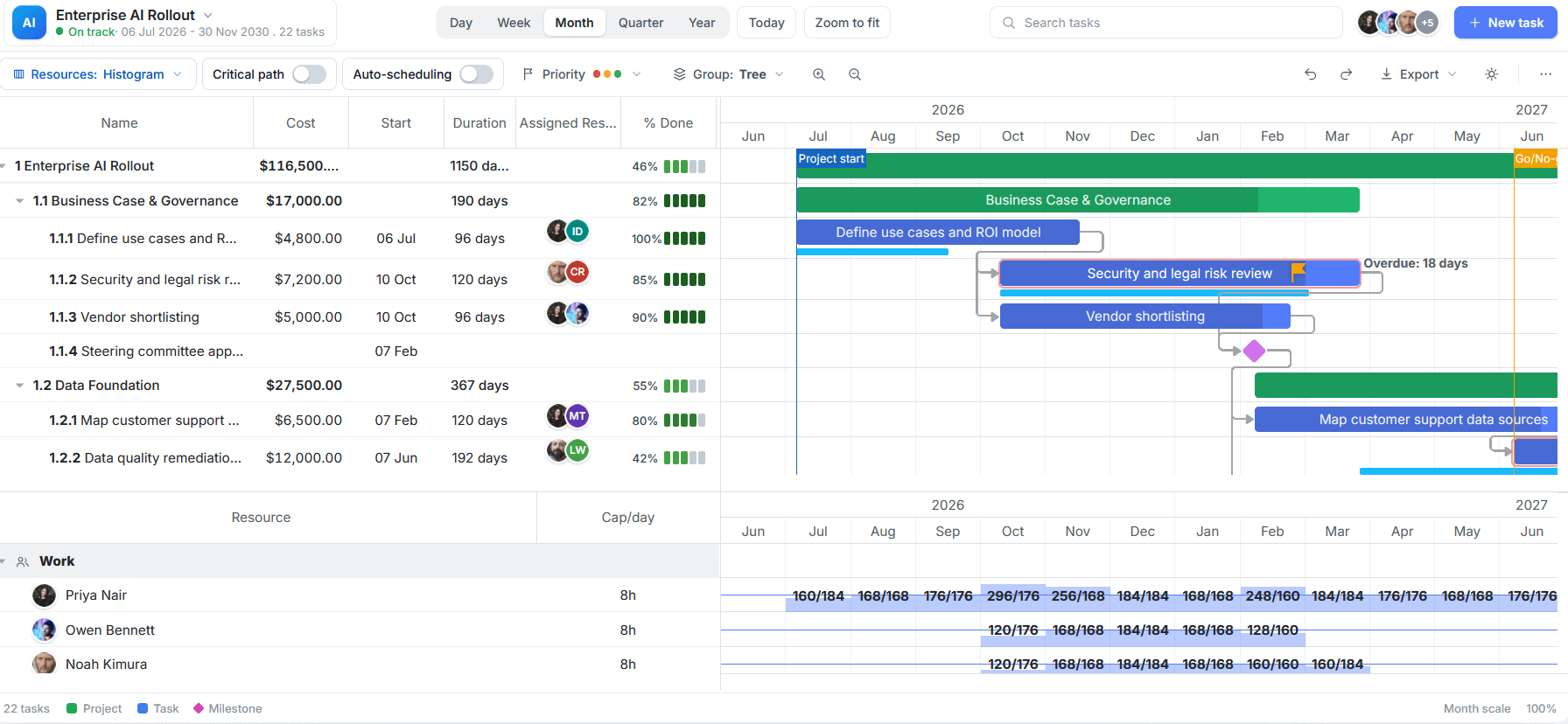
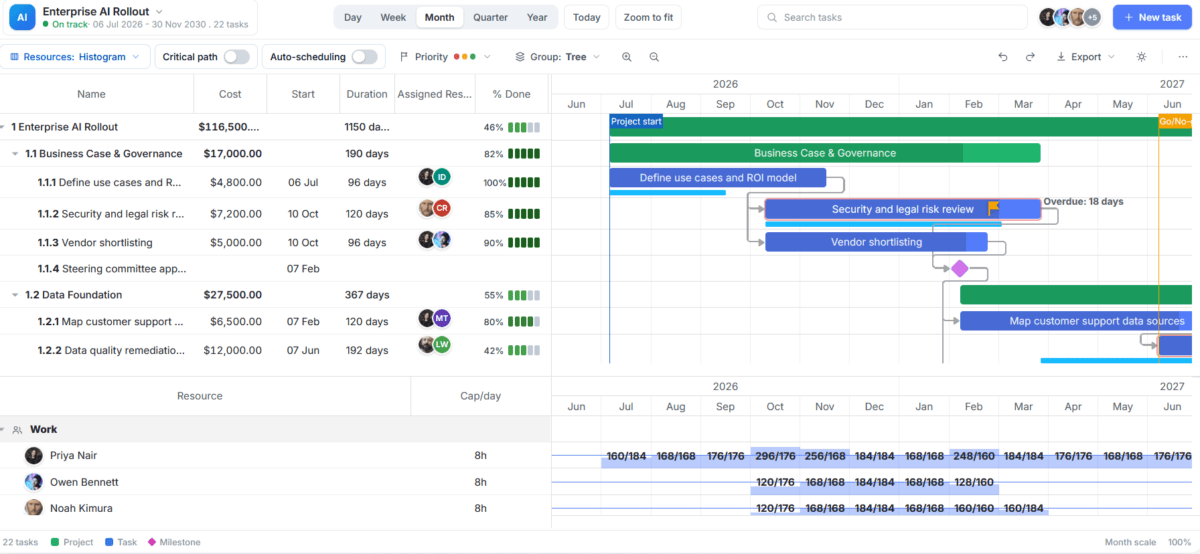
DHTMLX Gantt combines a configurable task grid with an interactive timeline, giving you a detailed view of project structure, schedules, and dependencies in one interface. You can organize tasks and milestones, create and edit dependencies directly on the chart, and visualize how changes to one task affect the rest of the schedule.
For more complex project planning, DHTMLX Gantt also supports critical path calculation, resource management, working calendars, constraints, and custom scheduling rules. These capabilities make it suitable not only for displaying a project timeline, but also for building full-featured planning and scheduling workflows.
Strengths of DHTMLX Gantt
In my experience, many companies end up building their own project management software in-house because off-the-shelf products don’t really give them what they want.
If that feels like where your PMO is right now, then DHTMLX Gantt is a configurable JavaScript Gantt chart, you can drop into your builds.
Proper Gantt chart features
This isn’t just a timeline. You get all the Gantt chart features that project managers actually need to schedule effectively. The core scheduling logic that powers the advanced PRO features such as auto-scheduling, critical path calculation, and constraints, means your schedules are realistic and help you keep everything on track.
Usability
The product feels very usable. I love the Zoom-to-fit feature and the option to collapse rows. So often we have to share Gantt charts with executive teams and they don’t want to see 500 lines. This gives you the option to screenshot a consolidated version that will fit on a slide for your exec reporting.
There is also specific guidance on making the Gantt chart responsive, essential for looking at your plans on small screens.
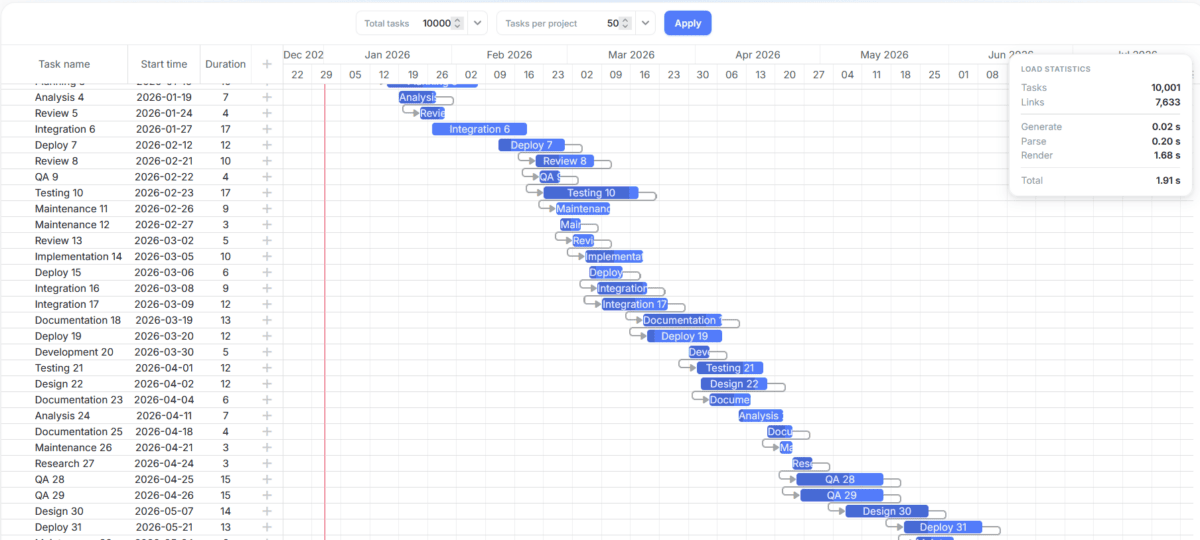
It offers smart rendering and dynamic loading for large datasets, so it works brilliantly for construction, manufacturing and other environments where you have a lot of tasks to manage.
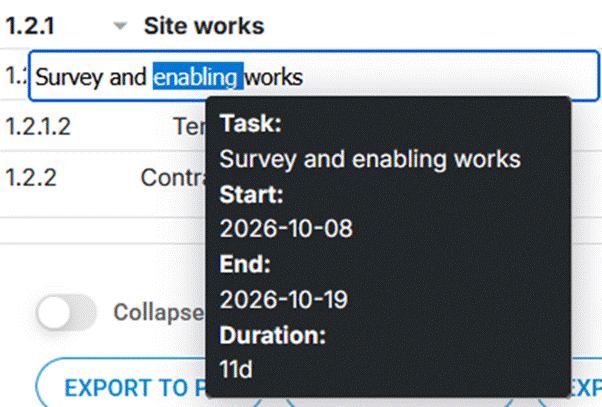
The task tooltip is fully customizable, so developers can adjust its content, appearance, and positioning to fit the application’s interface and avoid overlapping with other elements during task editing.
Configurable
The Gantt chart is highly configurable which is great if you want your team’s plans to come out in brand colors, or make other tweaks to make it fit within the context of the app you are using it in.
Add the columns you want where you want them. You can even switch to Right to Left mode to support languages that are read that way!
The customization options give you a lot of control over how the Gantt chart appears and behaves, the task grid, timeline, templates, pop up tooltips, and other UI elements to tailor it to your users.
Accessibility
DHTMLX Gantt includes built-in accessibility features for applications where keyboard and assistive technology support is important. It supports WAI-ARIA attributes for screen readers and provides keyboard navigation for tasks, grid rows, and cells.
Keyboard navigation can be enabled through the dedicated plugin, with a set of ready-to-use shortcuts for common actions such as navigating between tasks, creating and deleting tasks, opening the task editor, and expanding or collapsing the task tree. Developers can also define custom keyboard shortcuts to better match the accessibility requirements of their application.
Frontend framework integrations
DHTMLX Gantt works with popular frontend frameworks, including React, Angular, Vue, and Svelte, so you can integrate it into your existing technology stack without changing your application architecture.
AI-assisted development
DHTMLX also supports AI-assisted development. The DHTMLX MCP Server gives AI coding assistants access to up-to-date documentation and API references, while Agent Skills provide framework-specific integration patterns and help tools like Claude Code, Cursor, and Codex generate more accurate Gantt code.
Not sure how to use AI for your planning?
DHTMLX includes demo applications such as AI Theme Builder, AI Gantt Maker, and AI-powered Semantic Search, which I confess to not having tested out, but I’m sure your developers will have fun making the most of cutting-edge tech!
Exporting
DHTMLX Gantt supports export to multiple formats, including PDF, PNG, Excel, iCal, MS Project, and Primavera P6. You can also import project data from MS Project and Primavera P6, making it easier to migrate from existing project management tools or exchange data between systems – which you often need to do when working with suppliers who use different tools.
Free community edition of DHTMLX Gantt
Another thing I love about this product is that they have a free Community edition, with an MIT licence. It comes with 7 predefined skins, or you can use custom CSS to bespoke it.
The Community edition is missing some of the PRO features like resource management, but it’s still plenty to get your app up and running. You can test it out without having to commit to a paid licence.
The verdict
DHTMLXGantt is a powerful and flexible option if you need to add Gantt chart and scheduling capabilities to a web application. Its extensive customization options, range of features and support for integrations with tools such as Microsoft Project and Primavera P6 make it a good choice for organizations that want to build something tailored to their own processes.
It’s worth being clear (again) that this is a developer-focused product rather than an off-the-shelf project management tool, so you’ll need development expertise to get the most from it. Get your requirements straight before diving into the licensing structure, so you can get the best bundle for your needs, or check out the free Community edition before committing.
Overall, if you’re looking to build a bespoke project planning or scheduling application rather than buy a ready-made PM tool, DHTMLX Gantt is well worth investigating. It offers a strong combination of functionality and flexibility, with enough scope to create something that fits your organisation rather than forcing your processes into someone else’s software.
DHTMLX Gantt Chart
DHTMLX Gantt is a JavaScript Gantt chart library for building project planning and scheduling interfaces in web applications. It is best for product owners, CTOs and development teams that need to add interactive project timelines, task management, dependencies, resource planning, and scheduling features to their own products.
Application Category:
Productivity