


Last updated: November 12, 2026
The best ProjectLibre alternatives are ProjectManager, Microsoft Project, GanttPRO, Smartsheet, TeamGantt, LibrePlan, GanttProject and OpenProject. ProjectManager fits ProjectLibre users who need their team to update the schedule online and still exchange MPP files. Microsoft Project fits Windows users whose clients require native MPP files. GanttPRO fits small teams that want critical path and baselines online at a low price, and Smartsheet fits teams that like working in spreadsheets. TeamGantt fits teams that want a simple shared Gantt chart. Among the free, open-source options, LibrePlan fits teams that can host their own server and want scheduling and resources in a browser, GanttProject fits individuals who work alone offline, and OpenProject fits teams that want a free, self-hosted collaboration tool more than detailed scheduling.
ProjectManager is online project management software that opens the schedules you built in ProjectLibre. Import a Microsoft Project XML or MPP file, filter for the critical path, set a baseline and share the plan with your team. Get started with ProjectManager today for free.
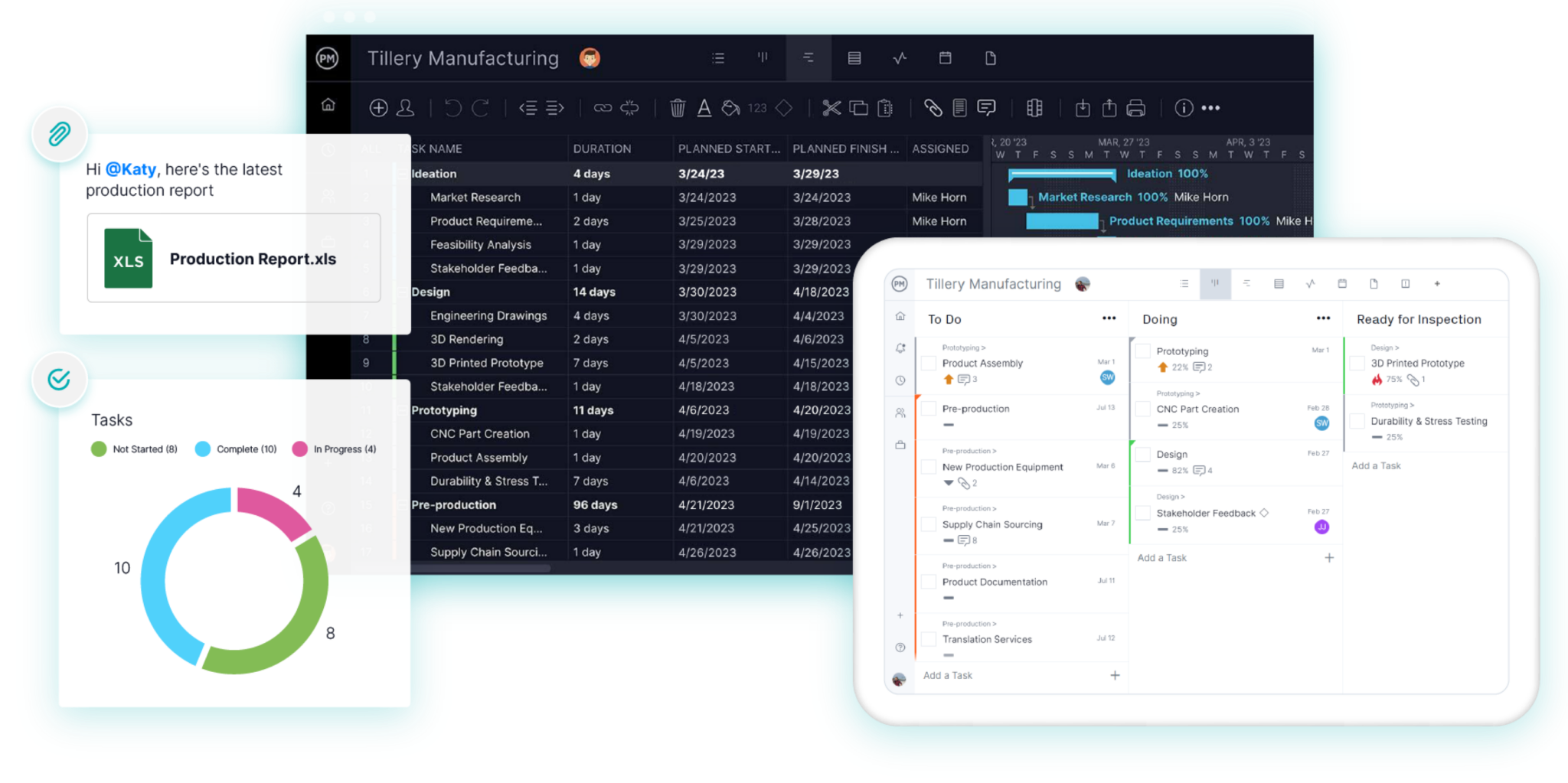
What ProjectLibre Does Well
ProjectLibre is a free, open-source desktop scheduling app for Windows, macOS and Linux. It opens MPP files from Microsoft Project, and it includes the critical path, float, baselines, a work breakdown structure, network diagrams and earned value. For a project manager who wants Microsoft Project-style scheduling without paying for a license, it covers a lot.
It’s built for one person managing a single project, and your files stay on your computer. That makes ProjectLibre a good choice for individuals who plan alone and work offline. If that describes how you work and nothing below is a problem for you, there’s no reason to switch.

Why People Look for ProjectLibre Alternatives
People look for ProjectLibre alternatives when the schedule has to leave one person’s computer. These are the main reasons:
- It’s built for a single user. The desktop app is designed for one person and one project, so a project manager who built the schedule in ProjectLibre has no shared place where the team can update their own tasks.
- No real-time collaboration in the free version. To share the plan, you send the file around or export a picture of it, and every update comes back to you to enter by hand. Real-time collaboration and shared resource pools are in ProjectLibre Cloud, its paid product.
- It can’t save back to MPP. ProjectLibre opens MPP files but saves in its own .pod format or as Microsoft Project XML. When a client asks for the updated schedule back as an MPP file, you need another tool.
- No mobile app. Team members in the field or away from their desks can’t check or update the schedule from a phone.
- One project at a time. The desktop app doesn’t show people’s workload across several projects, so it won’t catch someone booked on two projects in the same week.
What to Look for in a ProjectLibre Alternative
A good ProjectLibre alternative keeps the scheduling features you rely on and fixes what ProjectLibre doesn’t do. Check for these features:
- MPP import and export. Check whether the tool opens MPP and Microsoft Project XML files, and whether it can export back to MPP for clients and partners who use Microsoft Project. See how to open an MPP file for more.
- Collaboration and sharing. Team members should be able to update their own tasks, comment and attach files, and clients should be able to view the plan without buying a license.
- Critical path and baselines. The tool should calculate the critical path and let you save a baseline to compare the plan with actual progress, as ProjectLibre does. Check which plan includes them.
- Resource management. Look for a workload view that shows each person’s hours across all projects, not one file at a time.
- Platforms and mobile apps. ProjectLibre runs on Windows, macOS and Linux. A browser-based tool works on all three, and iOS and Android apps put the schedule on a phone.
- Price, including free options. Compare per-user pricing, flat pricing and one-time licenses, count everyone who needs access, and check whether a free tool already covers what you need.
ProjectLibre Alternatives Compared
| Tool | Best for | Price / free plan | Platforms | MPP import | MPP export | Collaboration | Critical path | Baselines |
|---|---|---|---|---|---|---|---|---|
| ProjectManager | ProjectLibre users who need the team to update the schedule online and still exchange MPP files | $15/user/month (Team), $28/user/month (Business), billed annually; no free plan, 30-day free trial | Browser (Windows, macOS, Linux), iOS and Android apps | Yes (MPP and XML) | Yes (MPP and XML) | Real-time updates, comments and files; free read-only guests | Yes, critical path filter | Yes, with variance reports |
| Microsoft Project | Windows users whose clients require native MPP files | Planner and Project Plan 3 $30/user/month, paid yearly; Project Standard 2024 $679.99 one-time; no free plan | Desktop app on Windows only; Planner in a browser with Plan 3 | Yes (native) | Yes (native) | Desktop files are single-user; team work goes through Planner | Yes | Yes |
| GanttPRO | Small teams that want critical path and baselines online at a low price | From $8/user/month (Core), billed annually; no free plan, 14-day free trial | Browser, iOS and Android apps | Yes (Microsoft Project files) | No (XML, PDF, PNG and Excel) | Shared online workspace; private links for stakeholders | Yes, all plans | Yes, all plans |
| Smartsheet | Teams that want MPP schedules in a shared spreadsheet-style grid | $9/member/month (Pro), $19 (Business), billed annually; no free plan, 30-day free trial | Browser, iOS and Android apps (Gantt in reports only) | Yes | No (Microsoft Project XML) | Shared sheets; free Contributors view and comment | Yes (Pro and above) | Yes, one per sheet (Business and above) |
| TeamGantt | Teams that want a simple shared Gantt chart at a flat price | Free Personal plan (1 user, 1 project); Base $59/month flat | Browser, iOS (list view) and Android apps | Yes (without resources) | Microsoft Project format (MPP or XML not stated) | Collaborators update progress, comment and share files | Yes, paid plans | Yes (Business and above) |
| LibrePlan | Teams that can host their own server and want free scheduling and resource load in a browser | Free and open source (self-hosted) | Browser; installed on your own server | Not documented | Not documented | Multi-user web app with progress and time entry | Not documented | Not documented |
| GanttProject | Individuals who want a free, offline desktop scheduler | Free; optional GanttProject Cloud is pay as you go | Desktop app on Windows, macOS and Linux | Yes (MPP, MPX and XML) | No (Microsoft Project XML) | Through optional GanttProject Cloud | Yes | Yes |
| OpenProject | Teams that want a free, self-hosted collaboration tool more than detailed scheduling | Community edition free (self-hosted); Enterprise from €5.95/user/month | Browser; self-hosted or OpenProject cloud | No | No | Team workspace with boards, notifications and file links | No | Compare to yesterday (Community); full baselines in Enterprise |
Prices are list prices as of November 2026 and change often. Check each vendor’s site before buying.
8 Best ProjectLibre Alternatives
1. ProjectManager
ProjectManager fits ProjectLibre users who need to share the schedule with a team, because it keeps the scheduling features ProjectLibre users rely on and puts them online. Its Gantt chart supports all four dependency types with lag, a critical path filter shows which tasks drive the finish date, and baselines and variance reports show how far the plan has drifted. It imports Microsoft Project XML files, and ProjectLibre saves schedules in Microsoft Project XML format, so a schedule saved from ProjectLibre comes straight in.
Take a project manager who built a schedule in ProjectLibre and now needs the team to update it. In ProjectManager, team members update their own tasks in a browser or on the iOS and Android apps, add comments and files, and the changes show up for everyone at once. Clients can follow along as free read-only guests. When a client asks for the schedule back as an MPP file, ProjectManager exports to MPP and XML, and its MPP import and export is lossless for schedule data: tasks, durations, dates, dependencies and WBS structure stay intact. On the Business plan, the workload page shows each person’s hours across all projects. For a side-by-side comparison, see ProjectManager vs. ProjectLibre.
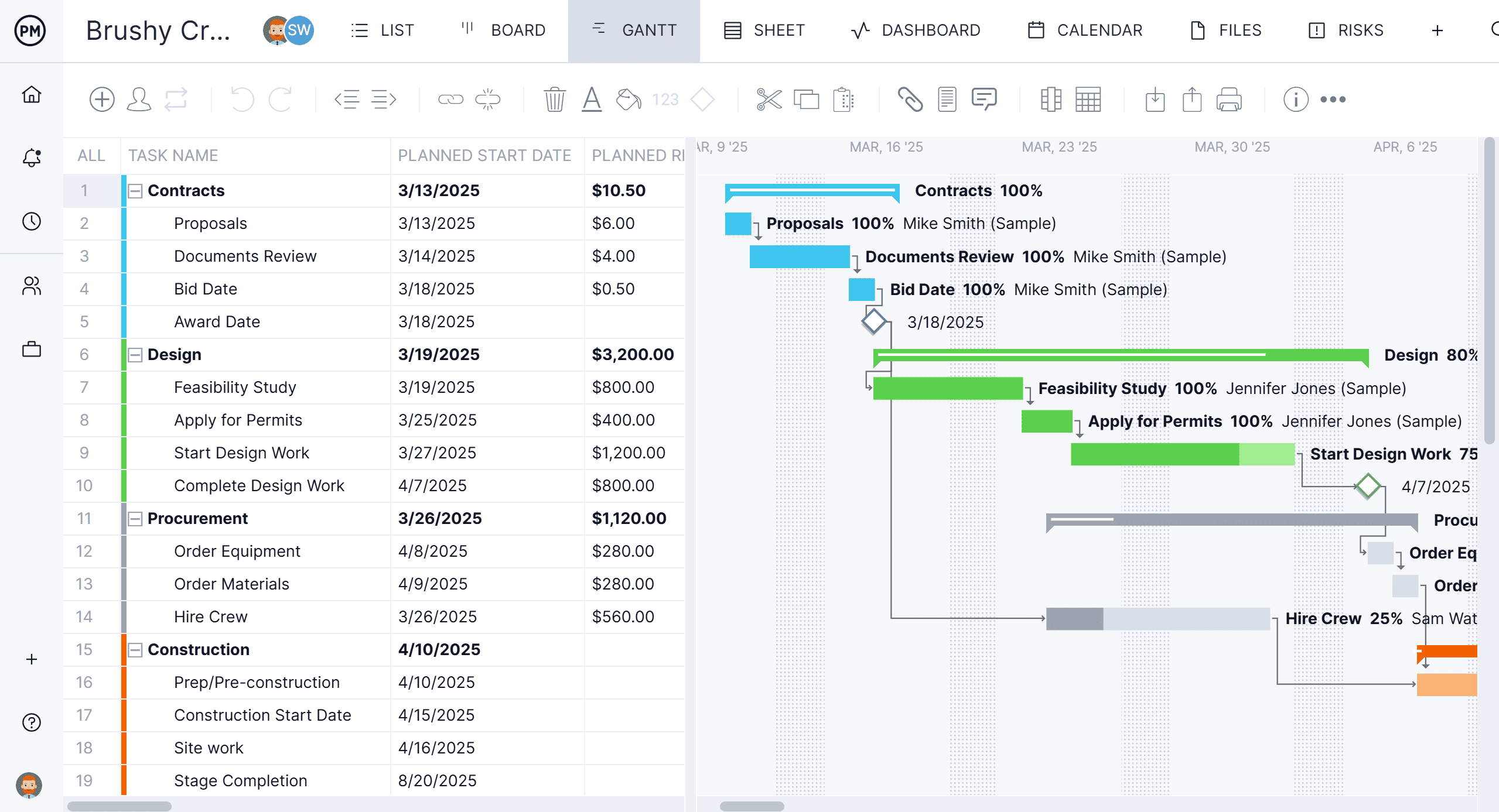
Best for: ProjectLibre users who need their team to update the schedule online, on desktop and mobile, and still exchange MPP files with clients and partners.
Key features
- Import of MPP, Microsoft Project XML, Excel and CSV files, and export to MPP, XML, Excel and CSV
- Gantt charts with finish-to-start, start-to-start, finish-to-finish and start-to-finish dependencies, plus lag
- Critical path filter, baselines and variance reports
- Workload page showing hours across all projects (Business plan and above)
- Sheet, Gantt, board, list and calendar views of the same plan
- Timesheets, dashboards and portfolio views
- Built-in RAID log and version history with restore to an earlier point in time (Business plan and above)
Pros
- Opens schedules saved from ProjectLibre and exports back to MPP, which ProjectLibre can’t do
- Team members update tasks in real time in a browser or on iOS and Android apps
- Unlimited free read-only guests for clients and stakeholders
Cons
- It isn’t free, unlike ProjectLibre’s desktop app, and there’s no free plan
- No desktop app and no offline mode, so you need an internet connection to work in the schedule
- The workload page needs the Business plan, and the Team plan is limited to 10 users and 20 projects
Pricing: Team $15/user/month, Business $28/user/month (billed annually), Enterprise by quote. 30-day free trial.
2. Microsoft Project
Microsoft Project is the desktop scheduler ProjectLibre was modeled on, and it’s the option for users whose clients require native MPP files. It opens and saves MPP files directly, with critical path, baselines and detailed resource scheduling, so a schedule you send back to a client is exactly what their own copy of Microsoft Project expects.
There are two ways to buy it. Project Standard 2024 and Project Professional 2024 are one-time desktop purchases, and Professional adds timesheets and a connection to Project Server Subscription Edition. Planner and Project Plan 3 is a subscription that includes the Project desktop client plus Planner’s premium features in a browser, so the team can work in Planner while the scheduler works in the desktop app. Project desktop runs on Windows only, which matters to ProjectLibre users on a Mac or Linux. For more options, see the best Microsoft Project alternatives and Microsoft Project alternatives for Mac.

Best for: Schedulers on Windows whose clients or partners require native MPP files and who are ready to pay for a Microsoft license.
Key features
- Native MPP files, with no conversion step
- Critical path, baselines and detailed resource scheduling
- Timesheets and Project Server Subscription Edition connection (Project Professional 2024)
- Project desktop client plus Planner in a browser (Planner and Project Plan 3)
Pros
- The standard format many clients and partners ask for
- Familiar if you’ve used ProjectLibre, which follows its layout
- Choice of a one-time license or a subscription
Cons
- Project desktop runs on Windows only, with no Mac or Linux version
- Desktop files are edited by one person at a time, so team collaboration means adding Planner or Project Server
- Expensive compared with ProjectLibre’s free desktop app, and Project Online, the former browser version, was retired on September 30, 2026
Pricing: Planner and Project Plan 3 $30/user/month, paid yearly. Project Standard 2024 $679.99 and Project Professional 2024 $1,129.99, one-time.
3. GanttPRO
GanttPRO is online Gantt chart software with all four dependency types with lag and lead, plus critical path and baselines on every plan. It imports Microsoft Project files, runs in a browser with iOS and Android apps, and recalculates linked tasks automatically when dates move.
It’s a step up from ProjectLibre for small teams that want to share a schedule without paying much. Team members work in the same online project, and stakeholders can view it through a shared private link. GanttPRO exports to XML, PDF, PNG and Excel but not MPP, and workload, portfolio views and time tracking need the Business plan. For a full comparison, see ProjectManager vs. GanttPRO.
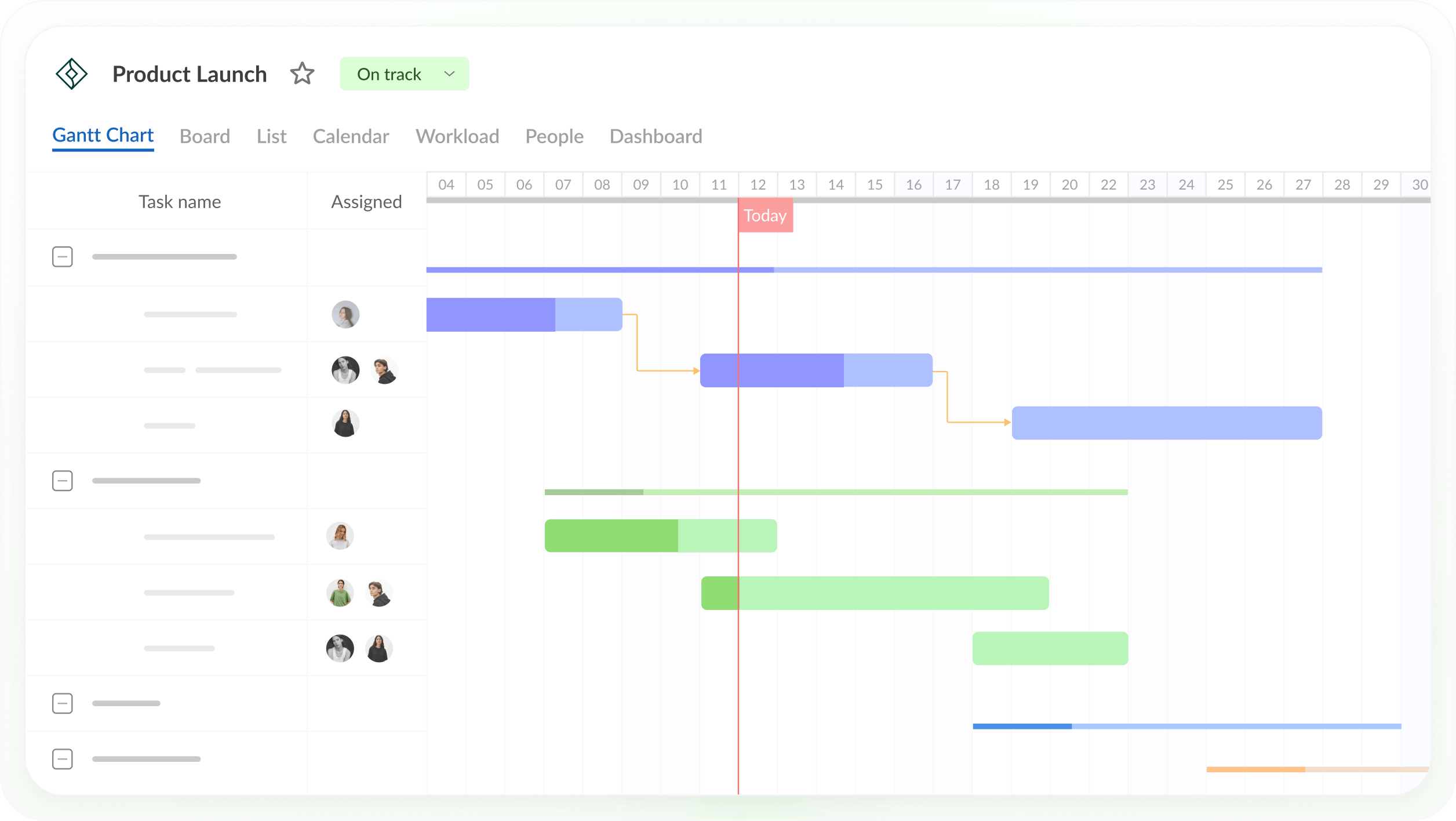
Best for: Small teams that want critical path, baselines and a shared online Gantt chart at a low per-user price.
Key features
- All four dependency types with lag and lead, and auto scheduling
- Critical path and baselines on all plans
- Import from Microsoft Project, Excel and Jira Cloud
- Workload across active projects, portfolio view and time tracking (Business plan)
- iOS and Android apps
Pros
- Critical path and baselines from the lowest plan
- Low starting price for small teams
- Shared private links for stakeholders
Cons
- No MPP export, so clients who need an MPP file need another tool
- Workload, portfolio view and time tracking need the Business plan
- The single-user plan is billed annually only, and prices depend on team size
Pricing: For teams of 1 to 15, billed annually: Core $8/user/month, Advanced $12 and Business $19. Lower rates for 20+ members, monthly billing from 5 members, and Enterprise $25/user/month for 5+ users. 14-day free trial.
4. Smartsheet
Smartsheet is a spreadsheet-style work management platform with Gantt charts, all four dependency types with lag, and critical path highlighting on the Pro plan and above. It imports MPP files directly and exports sheets with a Gantt chart as Microsoft Project XML, so a ProjectLibre schedule can move into a shared grid that the whole team edits.
Its scheduling is lighter than ProjectLibre’s in places. Microsoft Project constraints don’t carry over on import, baselines need the Business plan and you get one baseline per sheet, and full resource planning is a paid add-on. In the mobile app, the Gantt view is available only in reports. Free Contributors can view and comment but not edit, so anyone who updates tasks needs a paid seat, or, on Business and above, an invitation as a guest. For more options, see the best Smartsheet alternatives.

Best for: Teams that like working in spreadsheets and want to bring MPP schedules into a shared grid with forms and dashboards.
Key features
- Gantt charts with all four dependency types and lag
- Critical path (Pro and above) and baselines (Business and above)
- MPP import and Microsoft Project XML export
- Forms, dashboards and automated workflows
Pros
- Familiar spreadsheet layout for teams that already work in grids
- Opens MPP files directly
- Free Contributors can view and comment
Cons
- No MPP export, only Microsoft Project XML
- Baselines need the Business plan, with one baseline per sheet
- Full resource planning is a paid add-on, and the mobile app shows the Gantt view only in reports
Pricing: Pro $9/member/month and Business $19/member/month, billed annually ($12 and $24 billed monthly). Enterprise by quote. 30-day free trial.
5. TeamGantt
TeamGantt is a simple online Gantt chart tool priced per account rather than per user. It imports Microsoft Project files with task names, dependencies, dates and completion percentages, and critical path is included on every paid plan. Collaborators can update progress, comment, share files and track time.
Its depth depends on the plan. Baselines, workload management and advanced dependencies need the Business plan, the MPP import doesn’t bring over resources or assignments, and the iOS app shows a list view only. Collaborators can’t change dates or edit tasks, so the schedule stays with the managers. TeamGantt has a free Personal plan for one user and one project with up to 40 tasks, which is smaller than what ProjectLibre’s free desktop app handles. For a full comparison, see ProjectManager vs. TeamGantt.
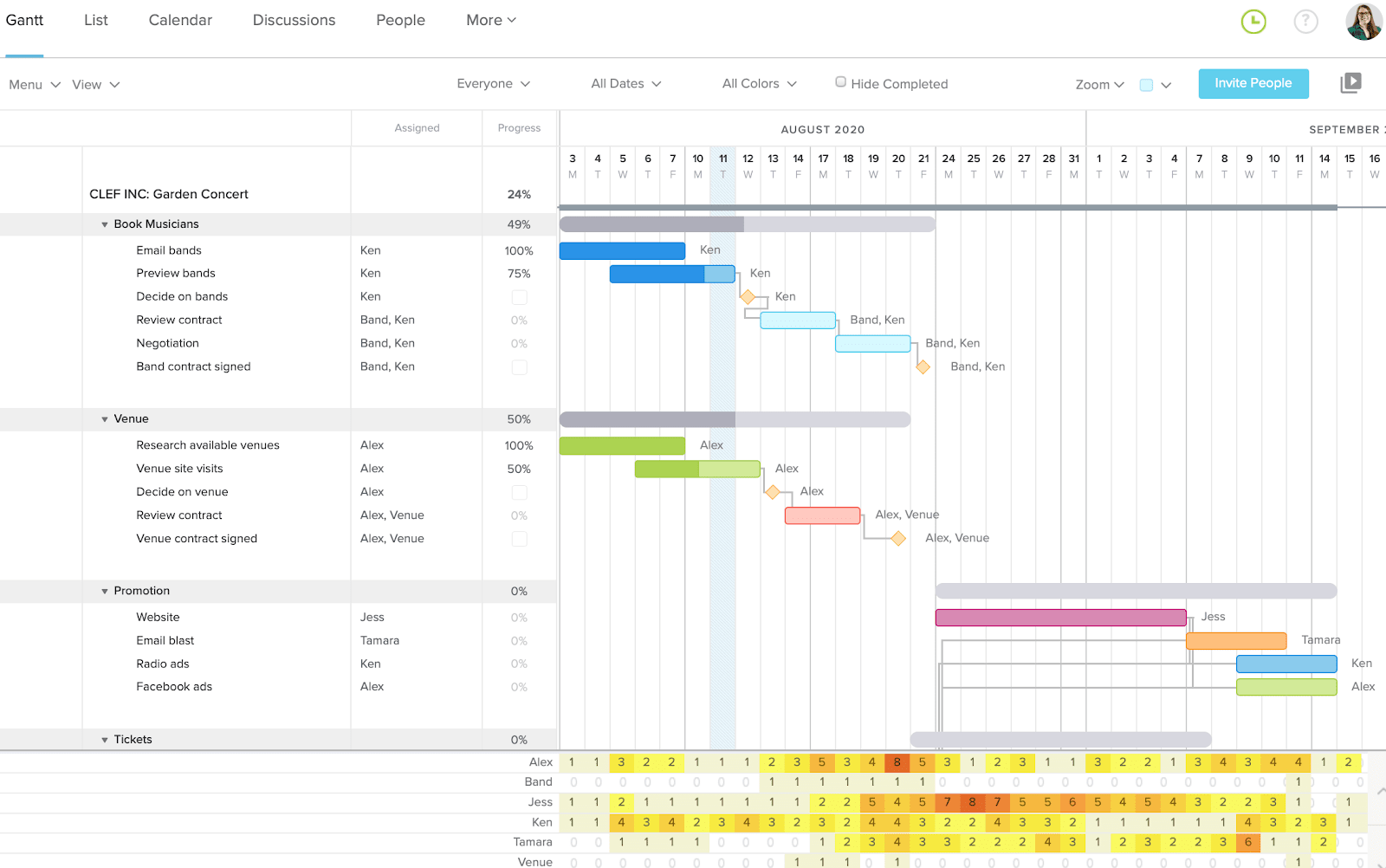
Best for: Small teams that want a simple shared Gantt chart at a flat monthly price, with managers keeping control of the dates.
Key features
- Drag-and-drop Gantt chart with all four dependency types
- Critical path on all paid plans
- Baselines, workload management and portfolio management (Business and above)
- Microsoft Project and CSV import
Pros
- Easy to learn for teams new to Gantt charts
- Flat account pricing instead of per-user pricing
- Free Personal plan for very small projects
Cons
- Baselines and workload need the Business plan, from $120/month
- MPP import leaves out resources and assignments
- The iOS app shows a list view only, and project and task limits apply on each plan
Pricing: Free Personal plan (1 user, 1 project, 40 tasks). Base $59/month (1 manager, 10 collaborators, 5 projects), Business from $120/month, Builder Edition from $199/month, Enterprise by quote. Yearly billing saves 20%. 14-day free trial.
6. LibrePlan
LibrePlan is a free, open-source project planning app that runs in a browser. You enter a work breakdown structure, link tasks with dependencies such as finish-to-start and start-to-start, assign people and machines as resources and check their load across the whole company. Team members enter progress and time spent, and each project has its own dashboard.
For ProjectLibre users who need a team in the schedule but don’t want to pay per user, LibrePlan is the closest free fit, as long as someone can host it. You install it on your own server, and LibrePlan’s site doesn’t document a hosted cloud version, Microsoft Project import, critical path or baselines, so check those before you plan a migration. The project is funded by donations and released version 1.6.1 in August 2026. For more free tools, see the free and open-source Microsoft Project alternatives.

Best for: Teams with someone to run a server who want free, browser-based scheduling and resource planning across projects.
Key features
- Work breakdown structure and task dependencies
- Resource assignment for people and machines, with resource load across the company
- Progress tracking and time entry by team members
- Per-project dashboards and issue and risk tracking
Pros
- Free and open source, with no per-user fees
- Runs in a browser, so the whole team can work in the same plan
- Shows resource load across projects, which ProjectLibre’s desktop app doesn’t
Cons
- You have to install and maintain it on your own server
- Microsoft Project import, critical path and baselines aren’t documented on its site
- No mobile app is mentioned on its site
Pricing: Free and open source. The project is funded by donations.
7. GanttProject
GanttProject is a free ProjectLibre alternative for people who work alone. It’s a free desktop Gantt chart app for Windows, macOS and Linux that runs offline and keeps your data on your computer. It reads MPP, MPX and Microsoft Project XML files and exports to Microsoft Project XML, so you can still exchange files with people who use Microsoft Project.
GanttProject solves cost, not collaboration. Like ProjectLibre, it’s a desktop app with no mobile app, and it can’t save MPP files. For sharing and co-editing, its makers offer GanttProject Cloud, an optional pay-as-you-go service. If you work alone and want a free, offline scheduler that’s still under active development, GanttProject is a better fit than the paid tools on this list. If you need your team in the schedule for free and can host a server, LibrePlan is the closer fit. For more free tools, see the free and open-source Microsoft Project alternatives.

Best for: Individuals who work alone and offline and want a free desktop scheduler on Windows, Mac or Linux that opens MPP files.
Key features
- Gantt chart with task dependencies, critical path and baselines
- Resource allocation and cost management
- Reads MPP, MPX and Microsoft Project XML, and exports Microsoft Project XML
- Optional GanttProject Cloud for sharing and co-editing
Pros
- Free, with no subscription
- Runs offline on Windows, macOS and Linux
- Opens MPP files
Cons
- Desktop only, with no mobile app
- Can’t save MPP files, only Microsoft Project XML
- Team collaboration needs the separate GanttProject Cloud service
Pricing: Free. GanttProject Cloud is optional, with pay-as-you-go pricing and no monthly subscription.
8. OpenProject
OpenProject is open-source project management software that you can host yourself or use in OpenProject’s cloud. Its free Community edition includes Gantt charts and timelines, agile boards, custom fields, notifications and a project dashboard, with no minimum number of users, so a team can share one workspace without paying per seat.
It’s a weaker fit for schedulers coming from ProjectLibre. OpenProject’s documentation says it has no critical path, supports only finish-to-start links and can’t import Microsoft Project files, so a ProjectLibre schedule has to be rebuilt. The Community edition compares the plan only with yesterday, and full baseline comparisons, Gantt PDF export and sharing work with external users are Enterprise add-ons. The free Community edition is self-hosted, and cloud hosting is part of the paid Enterprise plans.

Best for: Teams that want a free, self-hosted tool to collaborate on tasks and timelines and don’t need critical path scheduling or Microsoft Project files.
Key features
- Gantt charts and timelines with finish-to-start links
- Agile boards, custom fields and project dashboards
- Self-hosted Community edition, or Enterprise in the cloud or on-premises
- Baseline comparisons to any date and Gantt PDF export (Enterprise)
Pros
- Free Community edition with no minimum number of users
- Choice of self-hosting or cloud hosting
- Team collaboration that ProjectLibre’s desktop app doesn’t have
Cons
- No critical path and only finish-to-start links
- Can’t import Microsoft Project files, so ProjectLibre schedules have to be rebuilt
- Full baselines need Enterprise, and the Professional, Premium and Corporate plans have minimums of 25 to 250 users
Pricing: Community edition free (self-hosted). Enterprise per user per month, billed yearly: Basic €5.95, Professional €10.95 (25-user minimum), Premium €15.95 (100-user minimum), Corporate on request (250-user minimum). US dollar pricing is also available. 14-day free trial.
How to Move a ProjectLibre Project Into ProjectManager
To move a ProjectLibre project into ProjectManager, save it as Microsoft Project XML, set up a new project with matching working days, import the file and check the logic. ProjectManager imports Microsoft Project XML files, and ProjectLibre exports to that format, so you don’t need Microsoft Project installed.
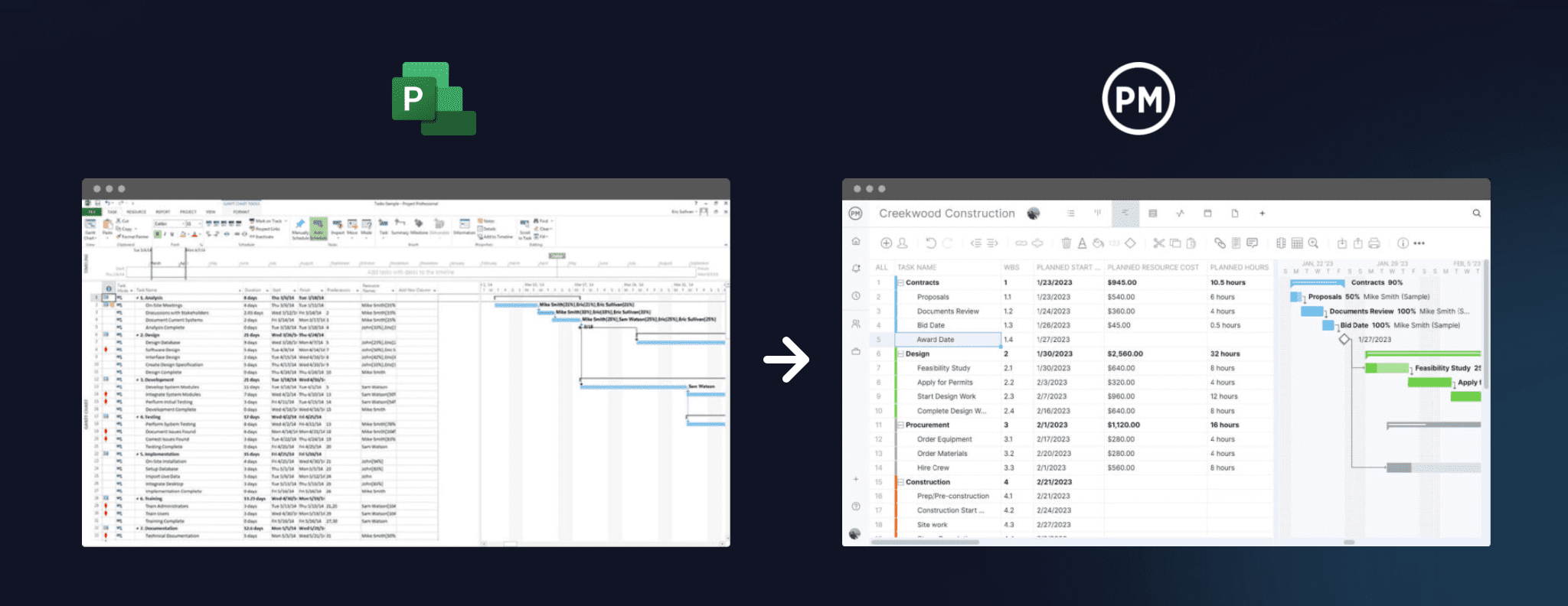
- Export from ProjectLibre. Open your project in ProjectLibre, choose Save As and pick the Microsoft Project XML format. If the project started as an MPP file, you can also import that original MPP file directly.
- Set working days first. In ProjectManager, click the + button and choose Project, then set your working days to match your ProjectLibre calendar, such as a five-day or six-day work week. Working days are hard to change once the project exists. Add any global holidays now too, since they can’t be added to existing projects.
- Import the file. Choose Import File when creating the project, or click the import icon on the Gantt ribbon of an existing project. Click select file, upload your XML or MPP file and click next. If you’re importing into an existing project, choose Keep and append with the imported data or Replace with the imported data. Replace removes everything already in the project.
- Choose all data. Choose all data to bring over tasks, assignees, dependencies and planned start and finish dates and durations. Task list only brings over the structure and dates without assignees.
- Check dependencies. Compare durations and dependencies with the original schedule in ProjectLibre, paying attention to lag. Imported actual hours don’t go into timesheets, so add those separately if you need them.
- Filter for the critical path. Turn on the critical path filter and check that it matches the critical path in ProjectLibre. If it doesn’t, look for missing links or lag.
- Set a baseline. If the file contains several baselines, ProjectManager imports the most recent one. Otherwise, once the schedule matches, set a baseline in Gantt settings so you can track variance from the start.
Keep the original ProjectLibre file. When a client asks for the schedule in Microsoft Project format, ProjectManager can export to MPP and XML.
Want to see your ProjectLibre schedule online? Start a free 30-day trial, import the XML file and invite your team to update their tasks. Get started with ProjectManager today for free.
ProjectLibre Alternatives FAQ
What is the best free alternative to ProjectLibre?
It depends on how you work. GanttProject is a free desktop app for Windows, macOS and Linux that reads MPP files and exports Microsoft Project XML, so it suits individuals who work alone offline. LibrePlan is a free, open-source web app with task dependencies and resource load across projects, for teams that can host it on their own server. OpenProject’s free Community edition is a self-hosted team workspace with Gantt charts, but it has no critical path. Teams that need real-time collaboration and MPP export without running a server should look at a paid tool such as ProjectManager. For more free tools, see the free and open-source Microsoft Project alternatives.
Is there an online version of ProjectLibre?
Yes. ProjectLibre Cloud is the company’s paid online product, with real-time collaboration, shared resource pools, portfolio management and resource leveling, and it opens MPP and XER files. ProjectLibre Core costs $9.99/user/month and Enterprise/PMO Cloud costs $29.99/user/month, both billed annually. It’s an option for ProjectLibre users who want to stay with the same vendor.
Can ProjectLibre save MPP files?
No. ProjectLibre opens MPP files but saves in its own .pod format or as Microsoft Project XML, not MPP. To send a client an MPP file, import the XML into a tool that exports MPP, such as ProjectManager or Microsoft Project. To open an MPP file without either, see the best Microsoft Project viewers.
What’s a ProjectLibre alternative for teams?
ProjectManager is a ProjectLibre alternative for teams. It imports the Microsoft Project XML file you save from ProjectLibre, keeps the critical path and baselines, and lets team members update their tasks in a browser or on iOS and Android apps, with free read-only guests for clients. GanttPRO, Smartsheet and TeamGantt are also online team options, LibrePlan and OpenProject are free team options you host yourself, and ProjectLibre Cloud adds collaboration within ProjectLibre’s own products.
Is ProjectLibre still being updated?
The most recent ProjectLibre desktop release is version 1.9.8, released on April 28, 2025. The company also sells ProjectLibre Cloud, its paid online product. If you want a free desktop scheduler with more recent updates, GanttProject released an update on November 7, 2026.