Unexpected delays can disrupt output, drain resources and complicate decision-making, which is why teams rely on a downtime report to bring clarity to operational slowdowns. This guide walks you through how the document works, how to create one effectively and what details matter most. You’ll also find an example and a free template to streamline your tracking process.

Get your free
Downtime Report Template
Use this free Downtime Report Template for Excel to manage your projects better.
What Is a Downtime Report?
A downtime report is a structured record that captures when operations stop, why the interruption occurred and how long the disruption lasted. Companies across manufacturing, construction and IT rely on this document to understand performance gaps, uncover recurring issues and guide corrective actions. By organizing causes, timestamps and impacts in one place, the report supports faster troubleshooting and builds a clearer picture of operational reliability. It also helps teams monitor trends over time, making it easier to prioritize fixes, allocate resources and reduce future downtime.
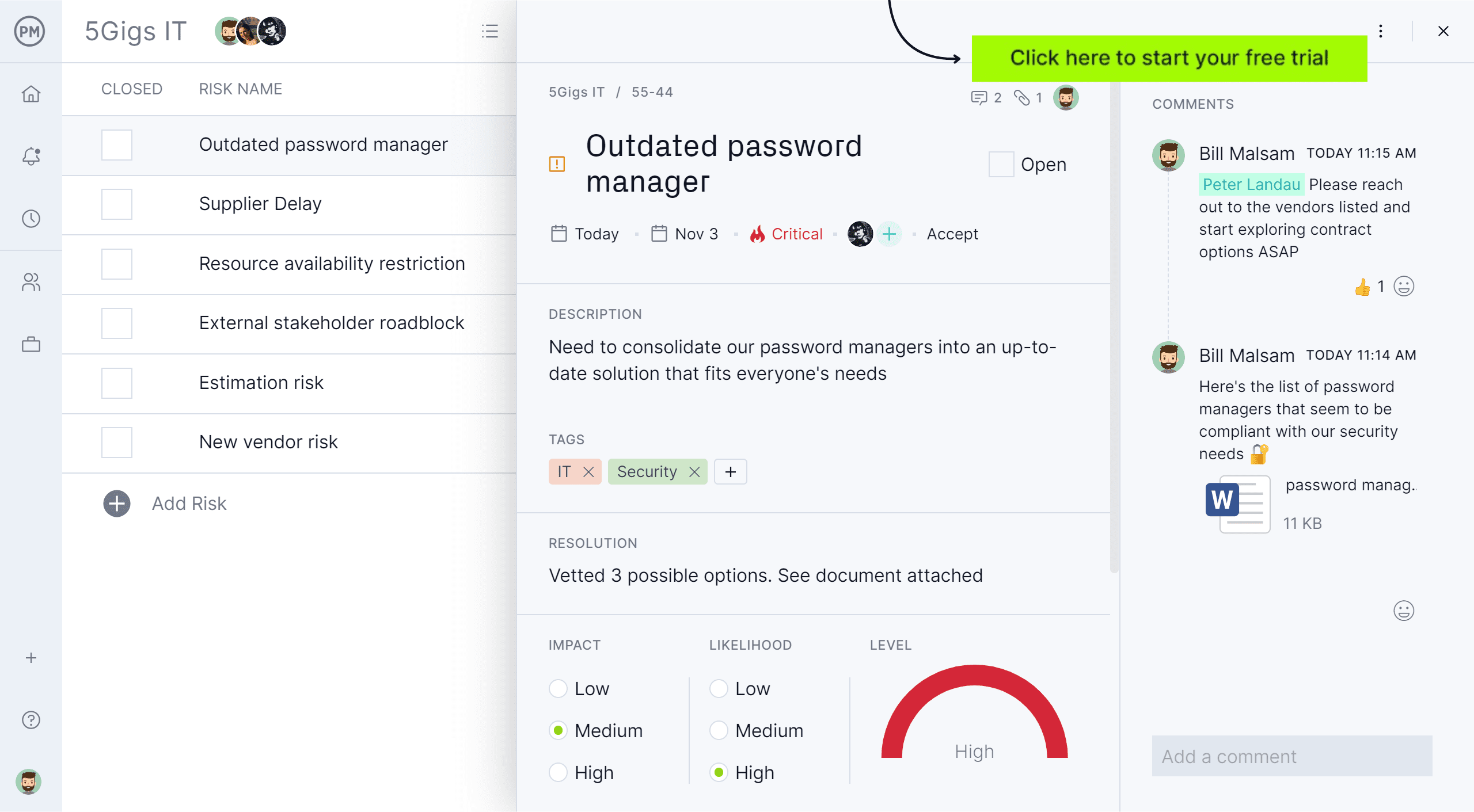
For real-time visibility into when, why and how long work or equipment is unavailable, use ProjectManager. Our award-winning software allows you to log downtime as tasks or issues, track start and end dates on the Gantt chart, assign causes and analyze impact using dashboards and reports. Automated reporting, timelines and workload views make it easier to identify patterns, quantify lost time and share data-backed reports with stakeholders. Get started with ProjectManager today for free.
Top Use Cases for a Downtime Report
Organizations depend on downtime reports to pinpoint failures, evaluate the severity of interruptions and strengthen overall operational resilience. The report’s structured insights help teams move from reactive problem-solving toward continuous improvement.
Manufacturing
Production teams use downtime reports to trace equipment failures, bottlenecks and performance inconsistencies on the factory floor. By identifying which machines stop most often and under what conditions, managers can plan maintenance more effectively, reduce scrap and avoid unexpected production pauses. The report also reveals broader efficiency patterns—such as operator delays or material shortages—helping manufacturers refine workflows and optimize throughput. Over time, this information becomes essential for setting realistic production targets and improving overall equipment effectiveness.
Construction
In construction, downtime reports help project managers assess delays that arise from equipment breakdowns, labor shortages, safety incidents or site access issues. Documenting these interruptions clarifies how each delay affects the schedule and budget, making it easier to adjust work plans or request additional resources. The report also offers valuable context for subcontractor coordination, equipment allocation and risk mitigation. When reviewed regularly, downtime data reveals trends that can improve planning accuracy and boost productivity across future phases of the build.
IT Management
IT teams rely on downtime reports to analyze service outages, software failures and network disruptions. The report captures root causes, duration and affected systems, giving teams a precise view of operational vulnerabilities. With these insights, IT managers can strengthen incident response workflows, reinforce infrastructure reliability and justify upgrades to critical systems. Over time, downtime patterns highlight where monitoring, automation or configuration changes may prevent future outages. This makes the document a core tool for maintaining service availability and meeting performance commitments.
Why Is It Important to Use a Downtime Report?
Relying on a downtime report gives organizations in manufacturing, construction and IT a clearer understanding of where operational losses originate. Instead of guessing why work stops, teams gain verified data that highlights patterns, exposes risks and guides corrective action. This structured visibility enhances planning, optimizes resource utilization and supports long-term reliability across equipment, workflows and digital systems.
Here are the main benefits of using a downtime report to manage manufacturing, construction, or IT operations.
- Identifies recurring causes of delays or system failures
- Improves scheduling accuracy and reduces unplanned interruptions
- Strengthens preventative maintenance and asset management
- Supports budget forecasting by revealing cost-driving downtime trends
- Enhances cross-team communication around performance issues
- Provides documentation for audits, compliance and client reporting
- Helps prioritize repairs and allocate resources more effectively
- Enables continuous improvement through long-term performance analytics
Related: 12 Free Action Plan Templates for Excel and Word
What Should Be Included in a Downtime Report?
A well-structured downtime report captures the details needed to understand what stopped operations, how long the interruption lasted and what actions were taken. Whether used in manufacturing, construction or IT, these elements help teams diagnose issues accurately and prevent similar disruptions from happening again.
- Start time of downtime: Records exactly when the interruption began to help pinpoint triggers and correlate events across teams or systems.
- End time and duration: Shows how long operations were halted, giving managers the data required to calculate productivity loss or service impact.
- Department/machine/workstation ID: Identifies where the disruption occurred so teams can track problematic equipment or locations over time.
- Type of downtime: Distinguishes between planned and unplanned stops, helping organizations evaluate maintenance strategies and operational readiness.
- Cause of downtime: Describes the specific issue, such as mechanical failure, setup delays, material shortages or human error, to support accurate root-cause analysis.
- Personnel involved: Notes who responded or was impacted, creating accountability and clarifying communication channels during incidents.
- Impact on production: Quantifies the operational effect, such as units lost, pipeline delays or missed deadlines, to support cost and schedule assessments.
- Corrective actions taken: Documents how the issue was resolved, offering a clear reference for future troubleshooting or training.
- Preventive measures recommended: Suggests improvements or safeguards that could reduce recurrence and strengthen operational reliability.
Downtime Report Template
We’ve created a free downtime report template that helps teams document operational interruptions with clarity and consistency. It captures when an outage occurred, what caused it, who responded and how production was impacted.

By standardizing this information, the template strengthens root-cause analysis, improves accountability and supports smarter maintenance planning across any industry or workflow.
Downtime Report Examples
The best way to learn how organizations across industries use a downtime report is to analyze a downtime report example. Here are some real-life scenarios in which a downtime report would be useful.
Manufacturing Downtime Report Example
A machining facility experienced multiple interruptions across its CNC, packaging and molding operations during a single shift. Overheating components, equipment jams and scheduled tooling changeovers created measurable production delays. Operators and technicians worked together to diagnose issues, restore functionality and record each event to refine maintenance routines and improve overall equipment reliability.
| Start time of downtime | End time & duration | Department / machine / workstation ID | Type of downtime | Cause of downtime | Personnel involved | Impact on production | Corrective actions taken | Preventive measures recommended |
| 2025-11-25 08:12 | 2025-11-25 08:47 (35 min) | Assembly Line A – CNC-04 | Unplanned | Spindle motor overheating | Operator: J. Martinez Technician: L. Chen |
42 units not processed; shift backlog increased by 11% | Cooled spindle, replaced clogged air filter, recalibrated temperature sensor | Schedule weekly filter checks; install temperature alarm threshold alerts |
| 2025-11-25 11:03 | 2025-11-25 11:29 (26 min) | Packaging Line – PKG-02 | Unplanned | Label printer jam due to worn feed roller | Operator: S. Alvarez Maintenance: R. Okafor |
120 packages delayed; shipping window pushed by 1 hour | Cleared jam, replaced roller, tested alignment | Add monthly roller inspection; stock extra feed rollers on-site |
| 2025-11-25 14:18 | 2025-11-25 14:41 (23 min) | Injection Molding – IM-07 | Planned | Tooling changeover for new production batch | Supervisor: A. Romero Team: Mold Change Crew |
Normal production pause; no units lost | Completed changeover and calibration checks | Standardize setup checklist to reduce changeover time |
Construction Downtime Report Example
A busy construction site faced equipment outages involving an excavator, concrete mixer and tower crane. Unexpected mechanical failures slowed trenching and concrete delivery, while planned crane inspections briefly paused lifting operations. Field crews and mechanics documented every incident to track asset reliability, minimize schedule setbacks and strengthen preventive maintenance for future phases.
| Start time of downtime | End time & duration | Department / machine / workstation ID | Type of downtime | Cause of downtime | Personnel involved | Impact on production | Corrective actions taken | Preventive measures recommended |
| 2025-11-25 07:26 | 2025-11-25 08:14 (48 min) | Site Prep – Excavator EX-210 | Unplanned | Hydraulic line leak discovered during morning warm-up | Operator: C. Nguyen Mechanic: E. Herrera |
Trenching delayed; foundation crew start time pushed back 45 min | Replaced damaged hose, flushed contaminated hydraulic fluid, tested pressure | Increase frequency of hydraulic inspections; add hose guard sleeves |
| 2025-11-25 10:51 | 2025-11-25 11:32 (41 min) | Concrete – Mixer TRK-55 | Unplanned | Engine stall caused by clogged air intake after strong winds | Driver: A. Rodriguez Maintenance: L. Kim |
One concrete load missed pour window; required re-mix costing extra materials | Cleaned intake system, replaced air filter, topped off DEF fluid | Install dust screens; relocate mixer staging area during high-wind days |
| 2025-11-25 13:40 | 2025-11-25 14:05 (25 min) | Structural – Tower Crane CR-08 | Planned | Daily mandatory safety inspection and lubrication | Crane Operator: P. Bello Safety Officer: K. Thompson |
Normal pause; steel lift sequence resumed without delay | Completed inspection checklist, applied lubricant to rotation bearings | Automate inspection logs; schedule quarterly load testing |
IT Downtime Report Example
An enterprise IT team responded to several outages affecting virtual machines, office network hardware and a customer-facing portal. Kernel crashes, overheating components and scheduled database optimization caused short service interruptions. Sysadmins and engineers resolved each incident quickly while capturing root causes, user impact and restoration steps to enhance system stability and operational readiness.
| Start time of downtime | End time & duration | Department / machine / workstation ID | Type of downtime | Cause of downtime | Personnel involved | Impact on production | Corrective actions taken | Preventive measures recommended |
| 2025-11-25 02:16 | 2025-11-25 03:02 (46 min) | Data Center – VM Cluster Node 3 | Unplanned | Hypervisor kernel crash triggered by a misconfigured driver update | SysAdmin: J. Patel On-Call Engineer: M. Fischer |
Seven internal apps unavailable; ~320 users experienced service interruptions | Rolled back update, rebooted node, redistributed VM workloads to remaining nodes | Implement driver update staging; enable crash alert automation via webhook |
| 2025-11-25 09:45 | 2025-11-25 10:11 (26 min) | Corporate Network – Switch SW-19 | Unplanned | Power supply failure caused by overheating due to obstructed ventilation | Network Admin: L. Chung Facilities: R. Morgan |
Wired connections lost across 2nd floor; 58 employees impacted | Replaced PSU, cleared rack obstruction, restored network interfaces | Add thermal monitoring; enforce cable management to maintain airflow |
| 2025-11-25 18:00 | 2025-11-25 18:30 (30 min) | SaaS Platform – Customer Portal | Planned | Scheduled database maintenance window for index optimization | DevOps Lead: C. Rivera DBA: A. Vlad |
Portal temporarily unavailable; advance notice sent to all clients | Completed index rebuild, updated backup snapshots, ran integrity checks | Automate index fragmentation alerts; schedule maintenance during low-traffic periods |
Free Related Templates
We have created over 100 free Excel, Word and Google Sheets templates so that teams across industries can manage their projects. Here are some that can be used along with a downtime report in manufacturing, construction or IT.
Daily Production Report
Track the units produced in a day, the material usage, labor information, machine and equipment performance, among other important details with this free daily production report template for Excel.
Construction Daily Report Template
This free construction daily report template allows users to monitor the weather conditions, work performed, crew, equipment used and other important events that occurred during a day at a construction site.
IT Disaster Recovery Plan Template
Our IT disaster recovery plan template allows organizations to document the mitigation actions that need to be taken after a major IT disaster event occurs.
How ProjectManager Helps Companies Across Industries
Templates can be helpful to keep track of downtime across industries, but project management software is superior. ProjectManager offers various project views to keep track of downtime and mitigate any issues before they derail the project. Professionals across industries rely on our software to log data related to periods of lost productivity or system outages.
Task & Schedule Tracking
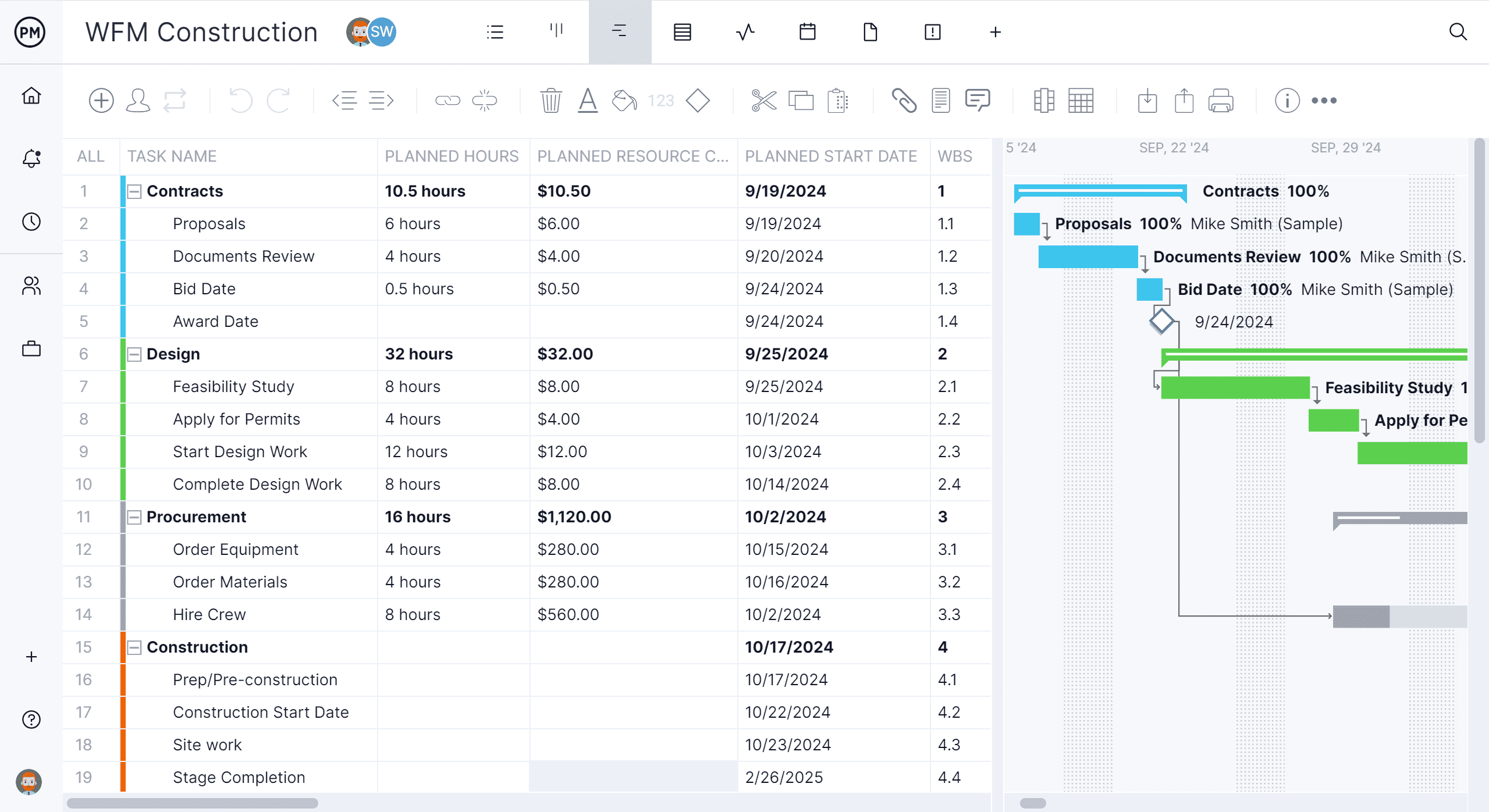
The Gantt chart is the ideal tool to see how any downtime impacts tasks or project outcomes. In a few clicks, project managers can make adjustments to tasks and schedules to create a clear record of how work stopped, how long it lasted and which activities were impacted. Plus, there’s built-in time tracking to quantify downtime by showing gaps in logged work or time spent idle due to system, equipment or resource failures.
Automated Dashboards and Reports
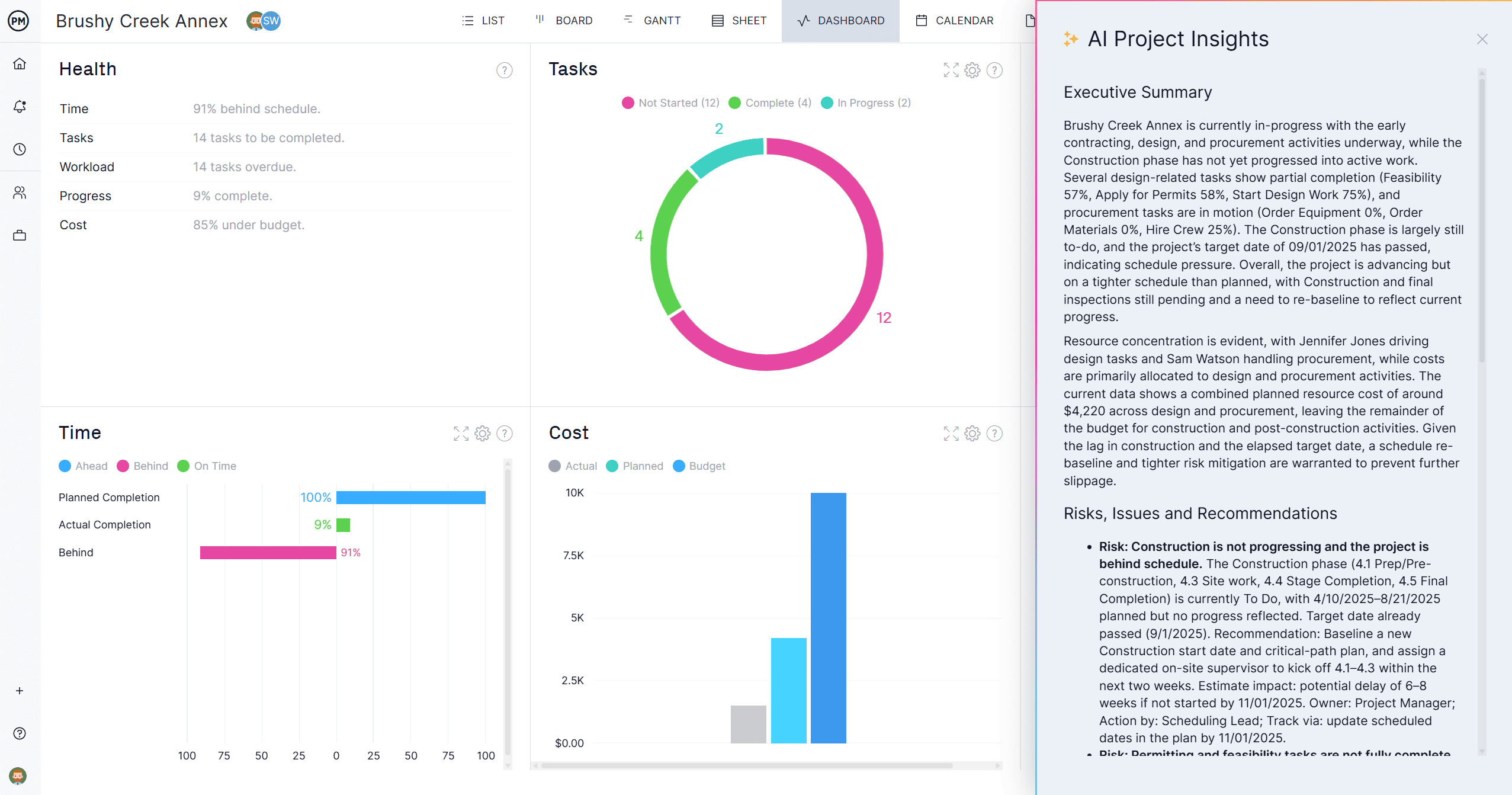
As data across the software remains consistent, custom dashboards and reports consolidate schedule delays, cost impacts and resource disruptions into one view, making downtime reporting clear and data-driven. Then, in a few clicks, generate tailored reports to share with stakeholders to keep them in the loop.
Related Content
ProjectManager is online project and portfolio management software that connects teams, whether they’re in the office or out in the field. They can share files, comment at the task level and stay up to date with email and in-app notifications. Get started with ProjetManager today for free.