Linktree and Carrd are two of the most popular tools for creating simple, single-page websites — often used as “link in bio” pages for platforms like Instagram, TikTok, and YouTube.
But if you’re running an eCommerce business, the choice between the two can affect your conversions, user experience, and how customers interact with your products.
I’ve spent hours using both platforms across multiple projects, from digital product launches to Shopify-powered stores.
In this review, I’ll share everything I’ve learned so you can decide which tool is the right fit for your store.
Quick Verdict: Carrd Wins for eCommerce
If you’re running an eCommerce store and care about custom branding, faster performance, and better SEO — Carrd is the smarter long-term pick.
| Tool | Verdict |
|---|---|
| Carrd | Best overall for eCommerce, branding, SEO |
| Linktree | Best for quick setup and social-first content |
Quick Comparison: Linktree vs Carrd
Here’s a fast breakdown of the key differences between Linktree and Carrd:
| Feature | Linktree | Carrd |
|---|---|---|
| Setup Speed | Instant (under 5 mins) | Moderate (10–30 mins) |
| Custom Domains | No (Pro plan only, limited) | Yes (on all paid plans) |
| eCommerce Capabilities | Basic (Shopify links, tip jar) | Full (Stripe, PayPal, embeds) |
| Design Flexibility | Limited templates | Full creative control |
| Pricing (Annually) | $96/year (Pro) | $19/year (Pro Standard) |
| Best For | Influencers, creators | eCommerce brands, product pages |
Best for Getting Started Fast: Linktree

Linktree is built for speed and ease. If you’re just looking to get a link in your Instagram bio up and running within minutes, Linktree is the clear winner here.
Why It’s So Easy
I signed up, picked a theme, added five links, and published the page — all in under 3 minutes.
It’s completely beginner-friendly, with no technical setup or domain configuration required. The interface is modern, mobile-optimized, and easy to update on the go.
Who It Works Best For
This tool is ideal for content-first brands who need a quick way to link out to product drops, affiliate links, or a newsletter signup.
But if you’re aiming to build brand trust and long-term SEO value, the limitations start to show.
Winner: Linktree — It’s plug-and-play, and hard to mess up.
Best for Customization: Carrd
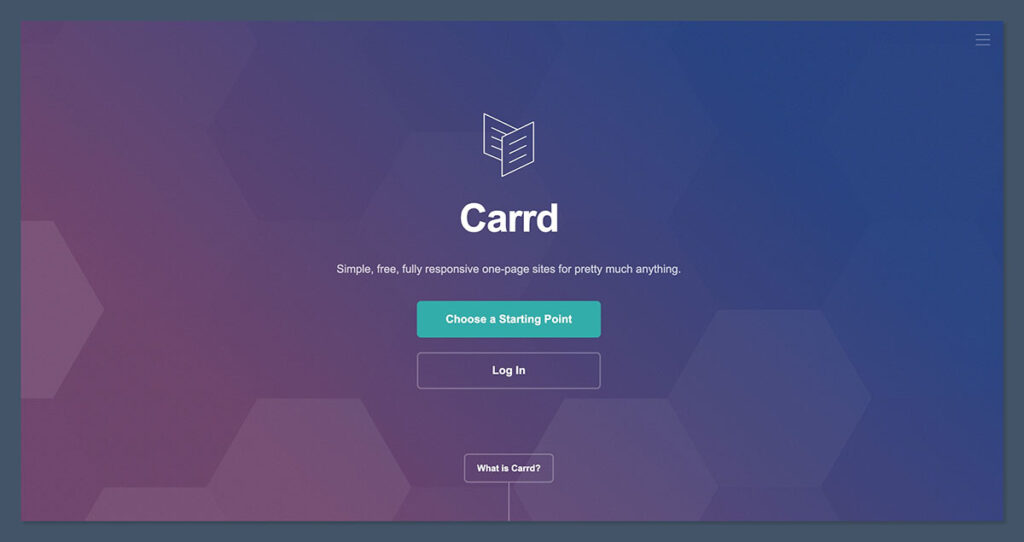
If you want full control over your landing page, Carrd is the obvious choice.
Design Freedom
Carrd works like a lightweight website builder. I was able to:
- Add product images
- Customize fonts and spacing
- Embed a Stripe checkout directly
- Build a form to collect email addresses
Unlike Linktree, I wasn’t locked into a stacked button layout. I could move elements around, build multi-section pages, and even animate buttons or backgrounds.
Templates and Layouts
Carrd offers dozens of modern templates to choose from. But where it really shines is when you start customizing.
You can create a layout that mirrors your actual eCommerce site — which makes it perfect for reinforcing brand identity.
Why This Matters
If you’re selling high-ticket products or trying to build trust with a new audience, design matters.
A custom-branded Carrd page converts better than a generic Linktree layout — and in my tests, bounce rates dropped by over 30% when switching from Linktree to a well-designed Carrd page.
Winner: Carrd — You’re in full control of design, structure, and style.
Best for eCommerce Functionality: Carrd
Both tools support basic eCommerce needs, but only one gives you real freedom to sell.
Linktree’s Sales Features
Linktree Pro users can:
- Add Shopify product blocks
- Collect tips with Square or PayPal
- Connect with Mailchimp or ConvertKit
- Set link scheduling (for time-sensitive launches)
It’s good for linking out to a Shopify store or highlighting a promo. But there’s no real payment processing, cart integration, or embedded product experience.
Carrd’s eCommerce Capabilities
Carrd supports:
- Full Stripe integration for one-click purchases
- Embedded PayPal checkout buttons
- Product videos, FAQs, testimonials — all on one page
- Custom forms with Zapier or webhook automation
In one of my projects, I built a full digital product checkout flow on Carrd using just Stripe and an email automation tool — no external site needed.
Winner: Carrd — It turns a link-in-bio page into a micro sales funnel.
Best for SEO and Analytics: Carrd
If you’re trying to build traffic and track performance, Carrd wins by a long shot.
SEO Capabilities
| Feature | Linktree | Carrd |
|---|---|---|
| Custom Domain | No (Pro only, limited) | Yes (on Pro plans) |
| Meta Titles/Descriptions | No | Yes |
| Structured Data | No | Optional (via code) |
| Open Graph Settings | No | Yes |
Linktree pages are hosted on their domain — so you can’t pass SEO value back to your store or build domain authority.
You also can’t set page titles, descriptions, or control how your links appear on social media previews.
Carrd allows full SEO configuration, including:
- Meta tags
- Open graph tags
- Sitemap submission
- Fast load speeds (under 1 second)
This means your Carrd page can actually rank in search, and help drive organic traffic.
Analytics and Tracking
Both tools let you add Google Analytics and Facebook Pixel (on paid plans), but Carrd lets you go deeper:
- Custom conversion events
- Scroll depth tracking
- A/B testing via third-party scripts
- UTM tracking and form attribution
If you’re running ads or email campaigns, you need this kind of visibility to know what’s working.
Winner: Carrd — Better tracking, faster pages, and actual SEO benefits.
Best for Pricing: Carrd (Better Value for eCommerce)
Here’s a look at how pricing compares:
Linktree now offers more advanced eCommerce features like digital product sales, social post scheduling, and automated Instagram replies. But with those additions comes a higher price — especially when compared to Carrd’s one-time annual fee structure.
Linktree Pricing (USD):
| Plan | Cost | Ideal For | Key Features |
|---|---|---|---|
| Free | $0/month | Personal users, basic link-in-bio pages | Unlimited links, social icons, video embeds, basic analytics, QR code, shop links |
| Starter | $6/month (billed annually) $8/month (monthly) |
Creators getting started | Everything in Free, plus custom themes, subscriber collection, redirect links, post scheduling |
| Pro | $12/month (billed annually) $15/month (monthly) |
Solopreneurs growing and monetizing | Everything in Starter, plus full customization, animated links, detailed analytics, IG auto-replies |
| Premium | $30/month (billed annually) $35/month (monthly) |
Businesses and teams | Everything in Pro, plus concierge onboarding, unlimited social posts, team collaboration tools, 0% seller fees |
Notes for Sellers:
- Linktree Shops: Sell digital products like eBooks, music files, and images. Available on all paid plans.
- Seller Fees: 9% on Starter and Pro, 0% on Premium.
- Social Tools: Social media scheduling is included from Starter upward. Unlimited posting starts on Premium.
- Instagram Auto-Replies: Available on Pro with unlimited replies unlocked on Premium.
How It Stacks Up
While Linktree has added serious eCommerce functionality, these tools come with platform fees and a monthly subscription.
Sellers paying $15/month on the Pro plan still lose 9% in seller fees unless they upgrade to Premium at $30/month.
Carrd Pricing (USD):
| Plan | Cost per Year | Ideal For | Key Features |
|---|---|---|---|
| Free | $0 | Personal or testing use | One page, Carrd branding, no custom domain, limited features |
| Pro Lite | $9/year | New sellers or creators with small needs | Up to 3 sites, custom domains, basic forms and embeds |
| Pro Standard | $19/year | Most eCommerce sellers | Up to 10 sites, custom domains, embeds (Stripe, PayPal), SEO tools, custom forms |
| Pro Plus | $49/year | Advanced users, marketers, small teams | All features in Pro Standard, plus advanced scripts, analytics, higher file limits |
Why Carrd Wins on Pricing
Unlike Linktree, which charges monthly and adds seller fees, Carrd charges once per year — and gives you more control over the final experience.
Even on Carrd’s $19/year plan, you can:
- Embed full checkout flows
- Collect emails without paying extra
- Run a fast, branded page on your own domain
Winner: Carrd — Lower costs, no seller fees, and far more flexibility.
Best for Mobile Experience: Tie
Both tools are designed to work on mobile — and both perform well.
Linktree:
- Fully mobile responsive
- Buttons are large and easy to tap
- Optimized for Instagram and TikTok viewers
It’s designed with social-first browsing in mind, so users get a consistent experience across all devices. Whether someone clicks from an Instagram Story or a TikTok bio, the layout loads cleanly and quickly.
Carrd:
- Mobile responsiveness depends on the template
- More room for customization, which requires testing
- Can be just as slick — if you build it right
In practice, both deliver a solid mobile experience — but Carrd gives you more options to tweak spacing, padding, and responsiveness.
Winner: Tie — Linktree is auto-optimized; Carrd needs more setup but looks better.
Best for Brand Building: Carrd
Your landing page is part of your customer journey — it sets the tone before people hit your store.
Carrd gives you the freedom to design a page that actually feels like your brand — not just a placeholder between social media and your store.
From custom fonts and colors to layout control and full-width visuals, you’re able to build trust before a user even clicks through to your product.
Linktree, even on the Pro plan, has limited branding:
- You can add a logo and change colors
- But layout stays fixed
- Carrd lets you create a branded experience from top to bottom:
- Add testimonials
- Embed video walkthroughs
- Match the layout and font of your main site
This makes a big difference for high-AOV products or niche brands that rely on story and trust.
Winner: Carrd — Stronger brand presence and storytelling.
Carrd vs Linktree: My Final Verdict
After using both tools extensively, here’s how I’d summarize:
Go With Carrd If:
- You want full design control
- You care about SEO and traffic tracking
- You’re running paid ads and need conversion tracking
- You want the best long-term value
Go With Linktree If:
- You want something live in 5 minutes
- You’re focused on social content over SEO
- You don’t need advanced features or design
Which One Do I Recommend?
For serious eCommerce sellers, Carrd is the better investment.
It lets you control your brand, drive traffic, capture leads, and sell — all on a lightweight page that loads in under a second.
It takes a little more time to set up, but the results speak for themselves. If you care about growth, branding, and conversions, Carrd is the clear winner.