Tired of bullet-point status updates?
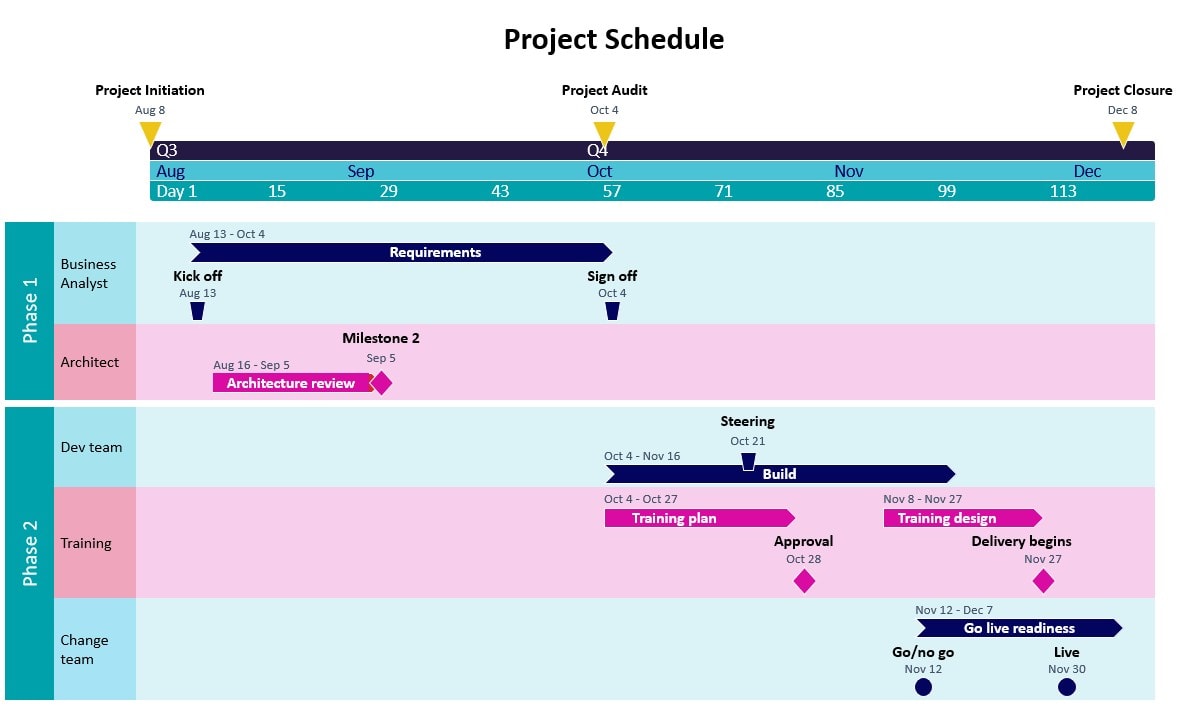
This free Status Update Timeline Template helps you show what’s completed, what’s in progress, and what’s coming up, all in one clean, visual slide.
It’s perfect for project team meetings, sprint reviews, client calls or board updates, or anywhere you want to tell a quick story about progress.
Download the Status Timeline Template
The benefits of a visual status timeline
I love my traditional project update reports but they go out on email and they can be difficult to read or to show that you are making progress. Bullet points don’t really lend themselves to seeing how work is moving on, and a list of milestones can be hard to take in at a glance.
A progress summary timeline makes it easy to show:
- What work is on the project plan
- What progress has been made against project milestones
- What is still to do.
And if you have the paid version of Office Timeline you can also show progress against your baseline to highlight slippage (or where you are ahead of schedule – ha!).
A basic timeline is much more engaging than a traffic-light RAG table or a list of milestones and dates.

Who can use a status update PowerPoint template
I have a lot of stakeholders who love getting updates in PowerPoint format – what exec doesn’t love a slide or a diagram, eh?
So as a project manager, progress reports are something I do a lot of. With that in mind, you can use a project timeline view in a number of scenarios including:
- Project managers running sprint or monthly reviews
- Product owners running roadmap sessions
- PMOs reporting on portfolio delivery
- Ops teams preparing a presentation on their initiatives
- Agencies or consultancies showing client progress on project timelines.
And I’m sure you can think of others where it would help team members to have a visualization of the work.
What the template looks like
If you need a simple timeline for a Microsoft PowerPoint presentation to show what’s done and what’s next, this template is a great place to start.
- Colour-coded markers for clarity
- Space for several swimlanes or workstreams to show key activities
- Fully editable PowerPoint format
- Minimal, clean design that works for all audiences with your brand colors.
You can adapt your slide for agile teams or traditional projects, just update the labels and milestones.
In the presentation template I’ve made as a sample, I’m using my blog colors but you can change them to whatever colors fit your portfolio office corporate branding or RAG status.
This PowerPoint timeline helps teams and execs get on the same page fast, no extra tools required (because who’s got the bandwidth to go through the approval process to get some other tool? We just have to use what we’ve got).
How to use it
You don’t need advanced software to create a timeline in PowerPoint. Just start with this editable template.
- Download the template ? Download now
- If you don’t already have Office Timeline, download the plugin for PowerPoint
- Replace the placeholder text with your activities, milestones and tasks
- Use the swimlanes if you want them or remove to have all the work in one category.
- Add color coding if you want to show ownership or priority.
- Keep it updated!
It’s quick to maintain, and works especially well as part of your recurring reporting rhythm. You can fiddle with the alignment, project milestone dates and date periods, add different items and more.
Tip!
A status update timeline is not a Gantt chart. You will probably need a more detailed schedule behind the scenes for complex projects. Think of this as a comms slide in your steering group decks that helps get everyone on the same page.
If you’re looking for something more milestone-focused, a Project Milestone Template might be a better fit.
Need to create these fast?
Templates are great but if you’re manually building timelines in PowerPoint slides on the regular, then check out Office Timeline. It integrates directly into PowerPoint, so you can update project management timelines in minutes instead of hours.
I love it because I can import data from Excel and I can change the formatting to match brand colors. It’s my go-to productivity tool for smart communications.
Download the template
Get your free Status Update Timeline Template for PowerPoint. Show progress at a glance and make your updates actually useful.
When you’ve explored our other PowerPoint timeline templates for project planning, reviews and executive updates, let me know what else you would like to see and I’ll see what I can make for you!