
Keeping sales operations organized requires more than tracking deals and revenue. Teams need reliable tools to forecast demand, monitor performance, process orders and evaluate results across products, regions and customer segments. This guide highlights six free sales templates for Excel and Word that support day-to-day sales planning, reporting and decision-making.
Designed to support revenue planning, this template captures forecast assumptions, potential risks, growth opportunities and confidence levels alongside projected sales data. Product details, expected unit volumes, pricing, revenue estimates, sales channels, target markets and geographic coverage are organized in a structured format that simplifies forecasting activities.
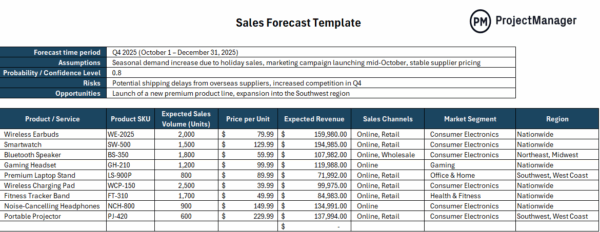
Before inventory is purchased or sales targets are finalized, teams need visibility into future demand. Using this template helps sales managers estimate revenue, compare opportunities across products, identify potential shortfalls and align sales efforts with market conditions. Better forecasts also support budgeting, staffing and production planning decisions.
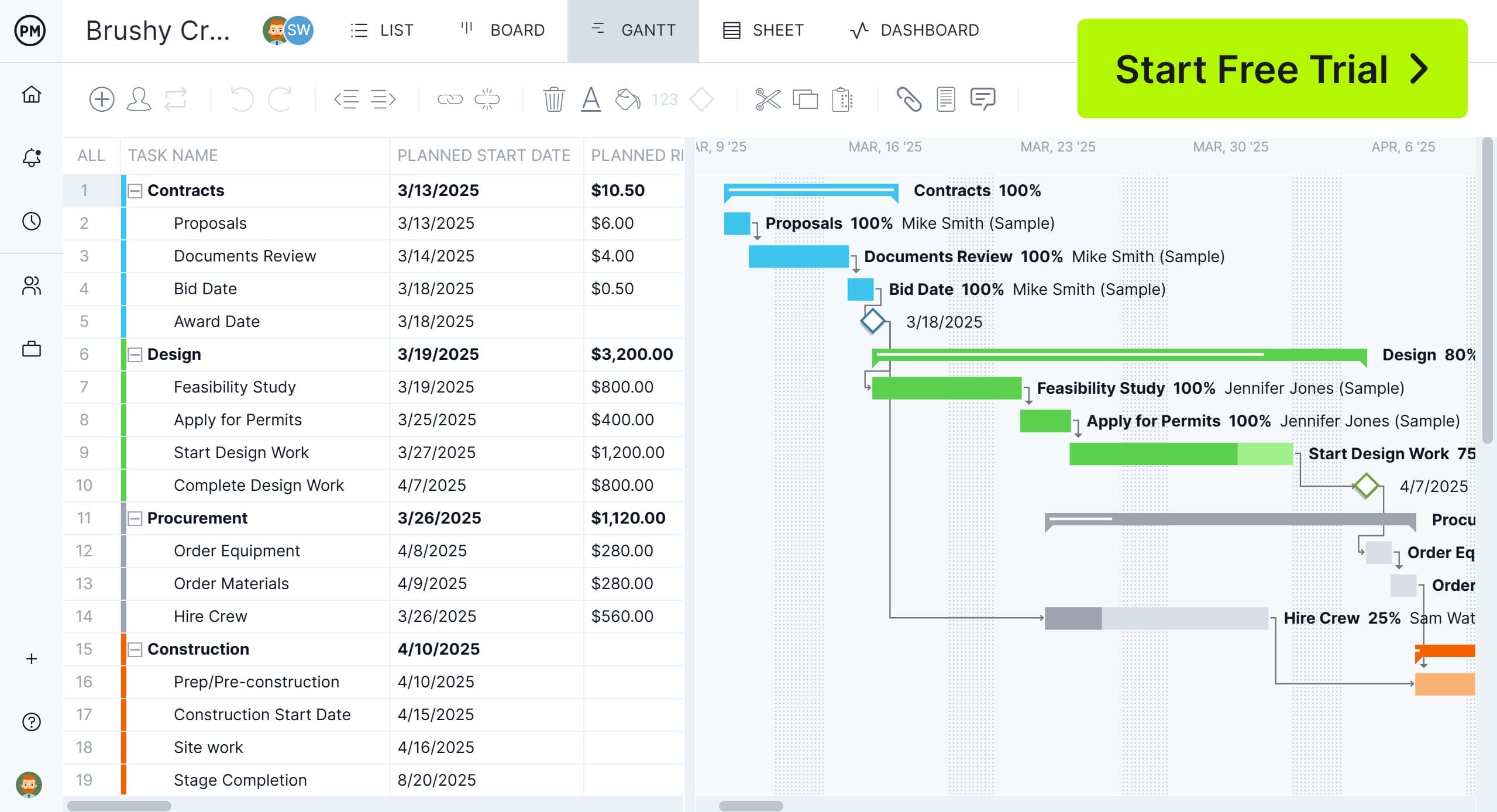
If you’re looking for project management software to plan, schedule and track sales activities and business projects, try ProjectManager. ProjectManager is a cloud-based project management software that includes Gantt charts to build project schedules, kanban boards to manage tasks and workflows, project portfolio roadmaps to oversee multiple projects simultaneously and real-time dashboards to monitor progress and costs. Workload charts and timesheets help teams allocate resources effectively and balance workloads. Try ProjectManager today for free.
Built as a centralized reporting tool, this template combines executive-level KPIs with detailed sales breakdowns and visual charts. Users can track revenue, units sold, customer acquisition, product performance, regional results, sales growth and target comparisons while reviewing trends through automatically updated dashboards and performance summaries.
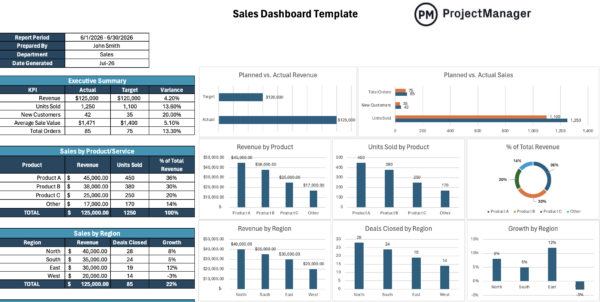
When performance data is scattered across spreadsheets, identifying problems becomes difficult. This dashboard brings key metrics into one view, allowing sales leaders to monitor progress against goals, evaluate territory performance, recognize top-performing products and uncover trends that may require corrective action or additional investment.
This template provides a complete framework for documenting customer purchases from initial order through fulfillment. It includes customer and vendor information, delivery details, payment and shipping terms, itemized product listings, quantities, pricing, tax calculations, order totals and signature fields needed to formally authorize transactions.
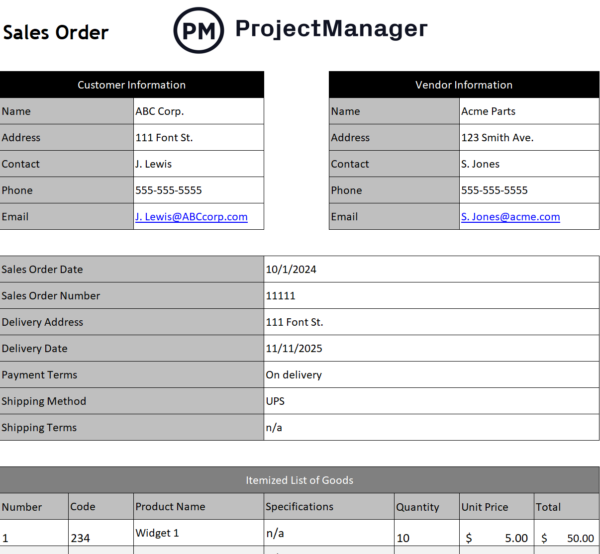
Accurate order documentation reduces fulfillment errors and improves communication between sales, operations and accounting teams. By standardizing order information, sales representatives can process transactions more efficiently, maintain clear records, track customer commitments and ensure products are delivered according to agreed terms and schedules.
Created to centralize customer records, this template combines contact information, account status, follow-up schedules, revenue tracking and sales opportunities in a single worksheet. Built-in summaries and charts provide visibility into customer segments, account activity and top revenue contributors, making relationship management easier and more organized.
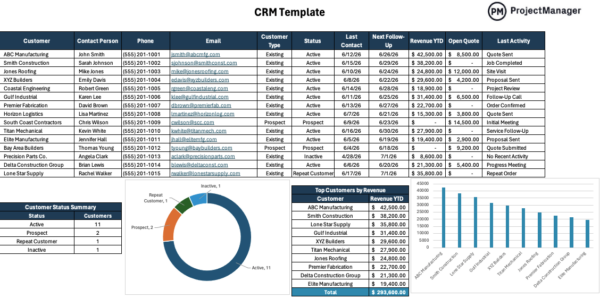
Strong sales performance depends on consistent customer engagement. By keeping account details, communication history and pipeline opportunities in one place, teams can prioritize follow-ups, identify valuable customers, monitor account health and reduce the risk of missed opportunities that could delay or prevent future sales.
Organized as a comprehensive client intake document, this template captures company details, contact information, shipping and billing addresses, requested products or services and payment arrangements. Additional fields support purchase tracking, recurring billing management and special requirements, creating a complete record for each customer relationship.
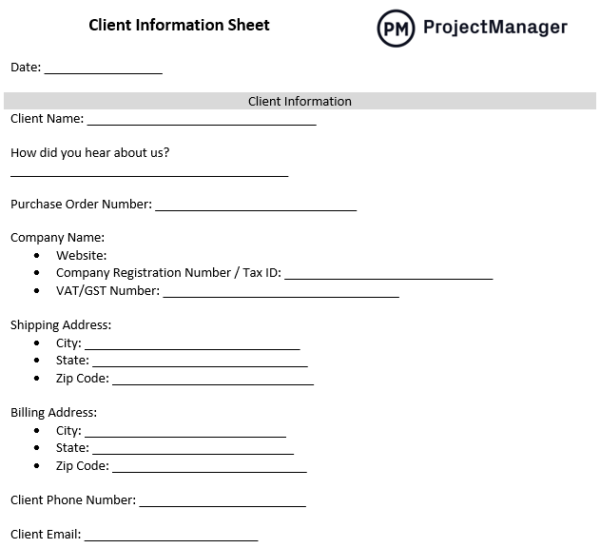
Before proposals are prepared or orders are processed, sales teams need accurate customer information. Using a standardized client information sheet reduces administrative errors, improves communication between departments and ensures every transaction begins with complete, consistent data that supports fulfillment, invoicing and customer service activities.
Structured around the customer lifecycle, this template helps teams document each stage from awareness through retention. Dedicated sections capture customer actions, touchpoints, emotions, pain points, supporting processes and improvement opportunities, providing a visual framework for understanding how prospects and customers interact with a business.
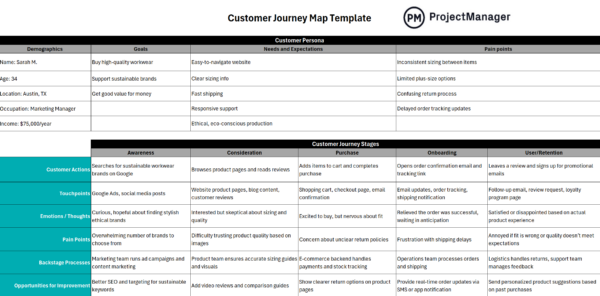
Rather than focusing only on transactions, successful sales organizations examine the entire customer experience. Mapping the journey helps identify friction points, uncover engagement gaps and improve interactions that influence buying decisions. The result is a more effective sales process that supports conversion rates, customer satisfaction and retention.
How to Make a Project Budget with ProjectManager
Free Excel and Word templates are useful for managing sales operations, but if you’re interested in managing tasks, workflows and projects, use ProjectManager instead. ProjectManager is designed to create detailed schedules, allocate resources and track costs. Simply make a list of tasks using the list, sheet or Gantt chart view, create a project schedule and allocate resources such as people, materials or equipment. Then, estimate the cost of those resources and establish a budget amount.
Once the project starts, enter actual project costs and task completion dates and ProjectManager will automatically calculate the difference between estimates and actual performance and will display this information in real-time dashboards and reports so you can check whether things are going according to plan or not.
ProjectManager also includes AI-powered project insights, workflow automation and live performance tracking that help teams identify delays, manage risks and improve decision-making. The platform also supports an open API and more than 1,000 integrations with tools like Acumatica, QuickBooks, Microsoft Project, Slack and Google Workspace. Watch the video to learn more!
ProjectManager is online project management software that empowers individuals and teams to plan, manage and track their projects in real time. Get started with ProjectManager today for free.