

Prioritization is one of the hardest things project managers do consistently well. When every stakeholder thinks their request is urgent and every project looks equally important from where they’re sitting, you need a structured way to cut through the noise and make defensible decisions. That’s what prioritization templates are for.
The templates below give you proven frameworks for ranking projects, tasks, risks and decisions by what actually matters. Each one is free to download for Excel or Word and ready to adapt to your team’s context. Whether you’re managing a backlog of competing requests or trying to allocate limited resources across multiple projects, one of these will give you a starting point that’s faster than building from scratch.
A project prioritization matrix helps teams evaluate and rank competing projects using a consistent set of criteria. Without one, prioritization decisions get made on gut feel, political pressure or whoever talks loudest in the room. A matrix forces the conversation to happen around shared criteria: strategic alignment, expected ROI, resource requirements and risk level. The result is a ranking that stakeholders can see, question and accept, even if their project didn’t come out on top.
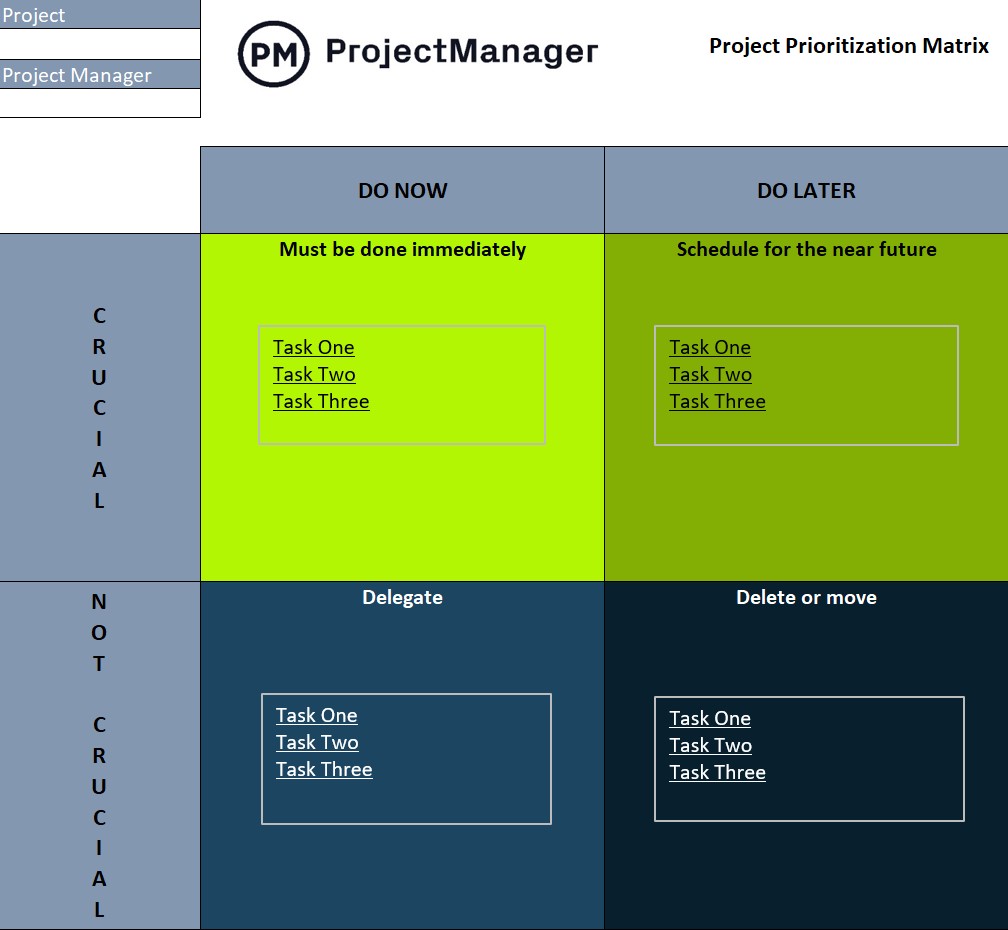
This project prioritization matrix template gives portfolio managers and PMOs a structured scoring model for ranking projects across multiple weighted criteria. Assign weights to each factor based on what your organization values most, score each project against those criteria and let the matrix surface the ranking automatically. It’s the right tool for any team that needs to make resource allocation decisions in a way that can be explained and defended to leadership.
The Eisenhower Matrix is one of the most durable prioritization frameworks in use because it’s built around a distinction that most people struggle with in practice: the difference between urgent and important. Urgent tasks demand immediate attention. Important tasks drive meaningful outcomes. The problem is that urgent tasks crowd out important ones, and without a system to separate them, the high-value work keeps getting pushed.
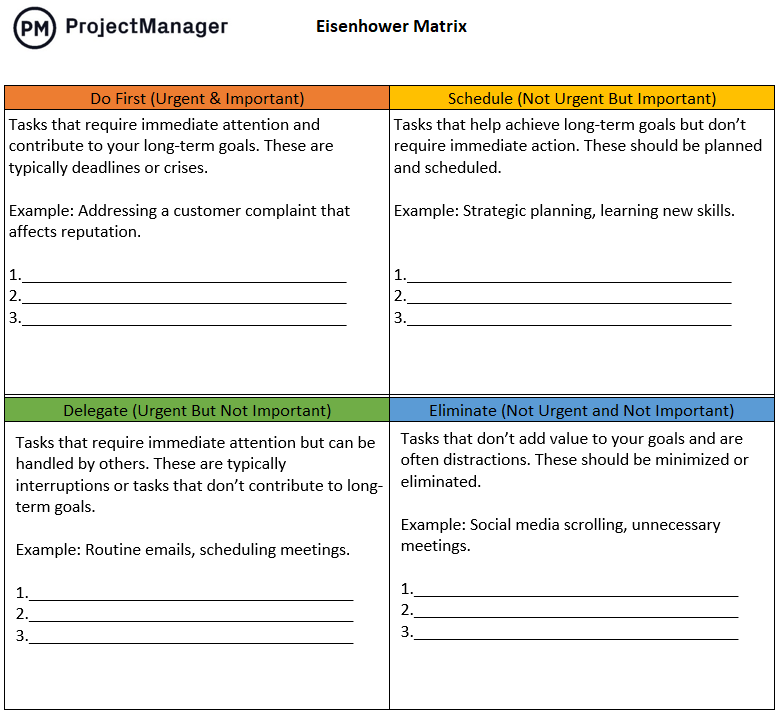
This Eisenhower matrix template divides your task list into four quadrants: do now, schedule, delegate and eliminate. It gives project managers and team leads a fast way to sort through a backlog and make clear decisions about what gets personal attention, what gets handed off and what gets dropped entirely. Use it at the start of a week or sprint to reset priorities before reactive work takes over the calendar.
When you’re choosing between options that all have merit, a decision matrix keeps the process objective. It works by listing your options as rows, defining your evaluation criteria as columns and scoring each option against each criterion. Apply weights to the criteria that matter most and the matrix calculates a total score for each option. The highest score isn’t always the final answer, but it gives the team a shared basis for the conversation instead of a room full of opinions.
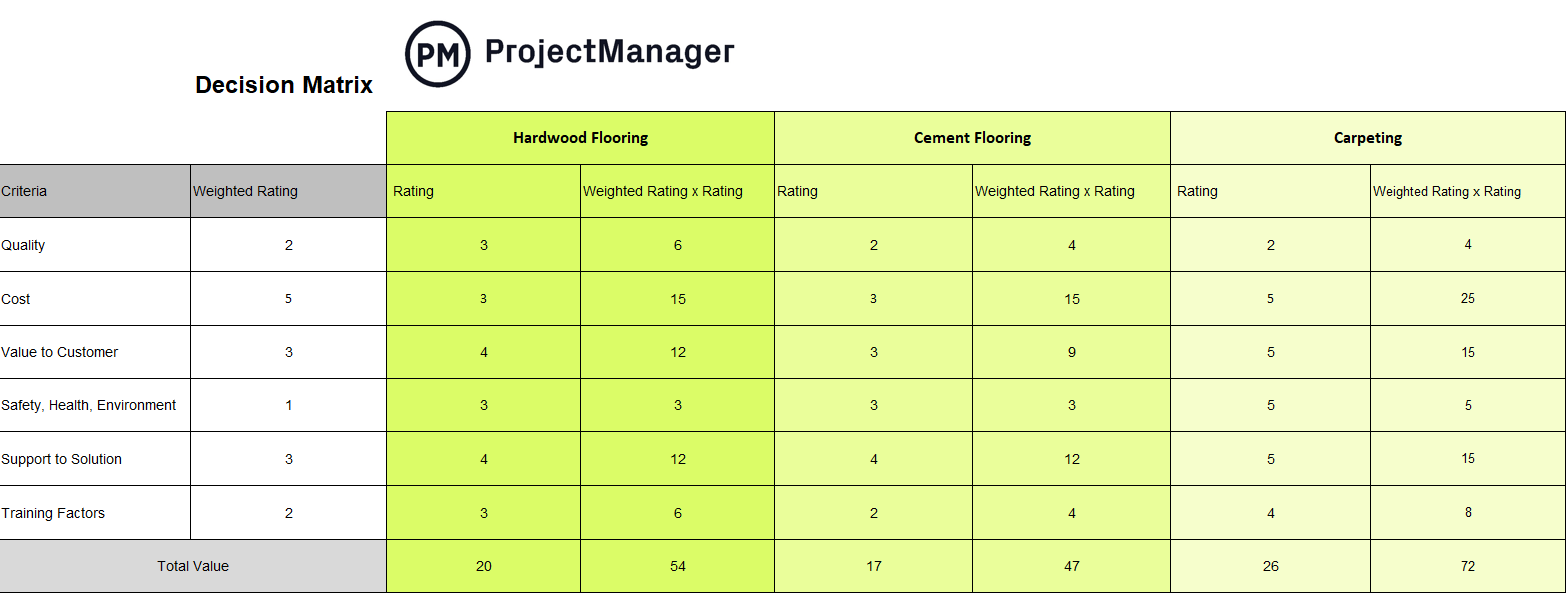
This decision matrix template gives teams a ready-to-use scoring grid for evaluating options against weighted criteria. It’s built for situations where a decision needs to be made by a group and documented for accountability, from vendor selection to technology choices to project approach decisions. Fill in the criteria, apply your weights and run the scores to take subjectivity out of the equation.
Stop rebuilding prioritization frameworks from scratch every time you need to make a call. Try ProjectManager free for 30 days and prioritize work, track progress and report to stakeholders from a single connected platform.
The impact-effort matrix is the go-to tool for teams that have more good ideas than capacity to execute them. It maps work onto two axes: the impact it’s expected to deliver and the effort required to do it. The resulting quadrants make it easy to identify quick wins, deprioritize resource-heavy long shots and have an honest conversation about which initiatives are worth the investment.
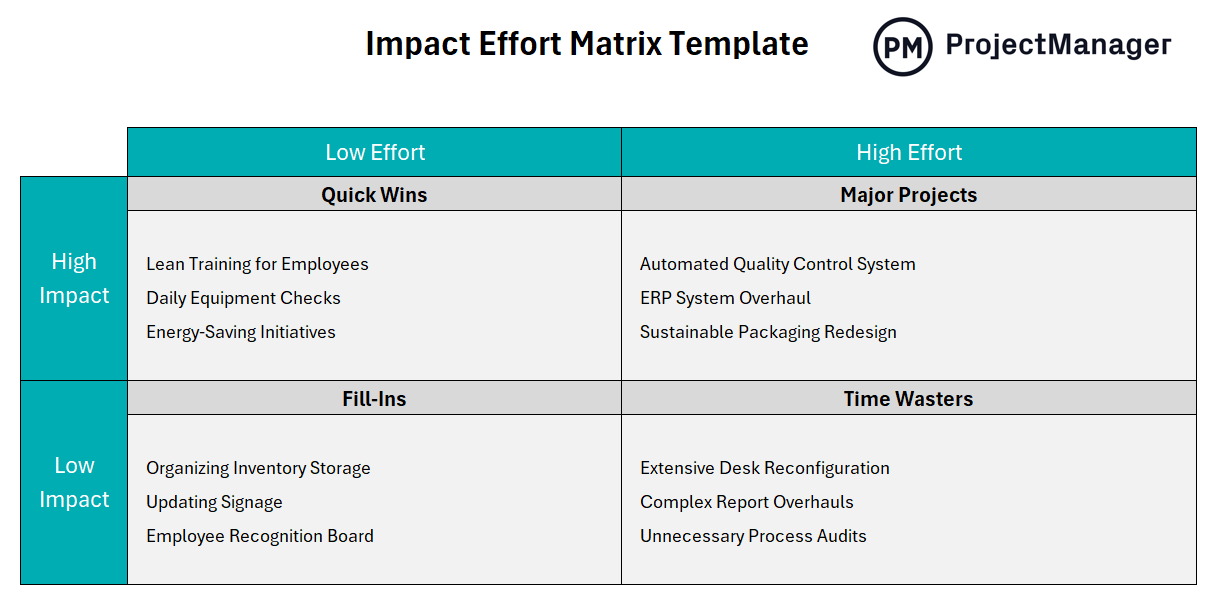
This impact-effort matrix template gives product managers, operations teams and project leads a structured grid for plotting initiatives and surfacing prioritization decisions quickly. Use it in planning sessions to align the team on which work moves first and which ideas get parked until capacity opens up. It’s particularly effective in organizations running continuous improvement programs or managing large backlogs of requests.
A backlog without prioritization is just a list. The whole point of maintaining a product or project backlog is to keep the highest-value work at the top so teams always know what to pull next. In practice, backlogs grow quickly and get messy. Features, bugs, improvements and stakeholder requests pile up, and without a regular grooming process, the team ends up pulling from the middle of the list or spending sprint planning arguing about what should come first.
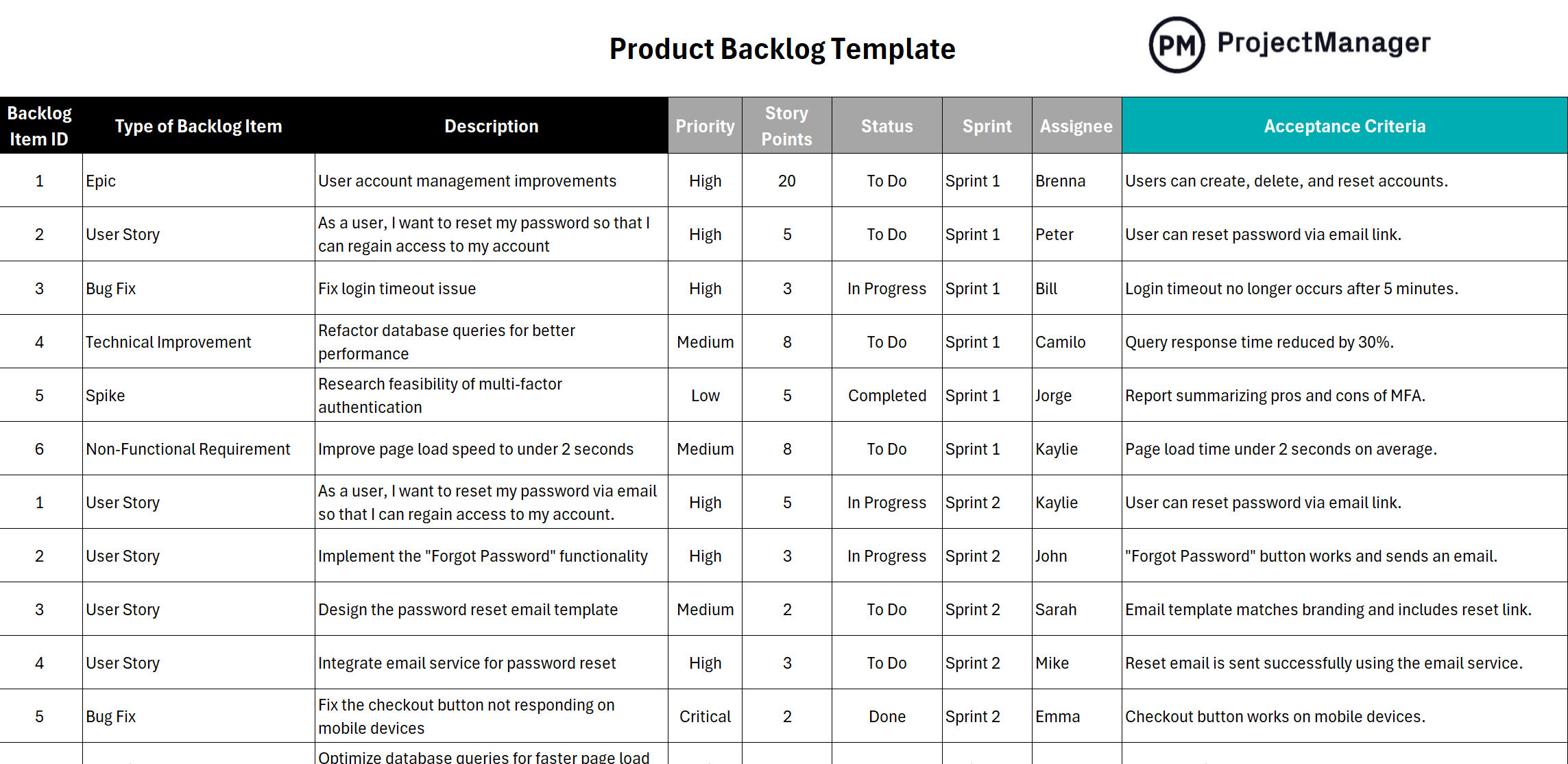
This product backlog template gives agile teams a structured format for capturing user stories, features and tasks with priority levels, effort estimates and acceptance criteria in one organized view. It supports regular grooming by making it easy to sort, rank and update items as priorities shift. Use it alongside sprint planning to keep the team focused on delivering the highest-value work in every cycle.
Prioritization often comes down to a resource question: given what this will cost, is it worth doing before something else? A cost-benefit analysis forces that question to be answered with numbers rather than assumptions. It adds up the full costs of a project or decision, quantifies the expected benefits and calculates the net value. When you have multiple options competing for the same budget, a cost-benefit analysis gives you the data to rank them objectively.
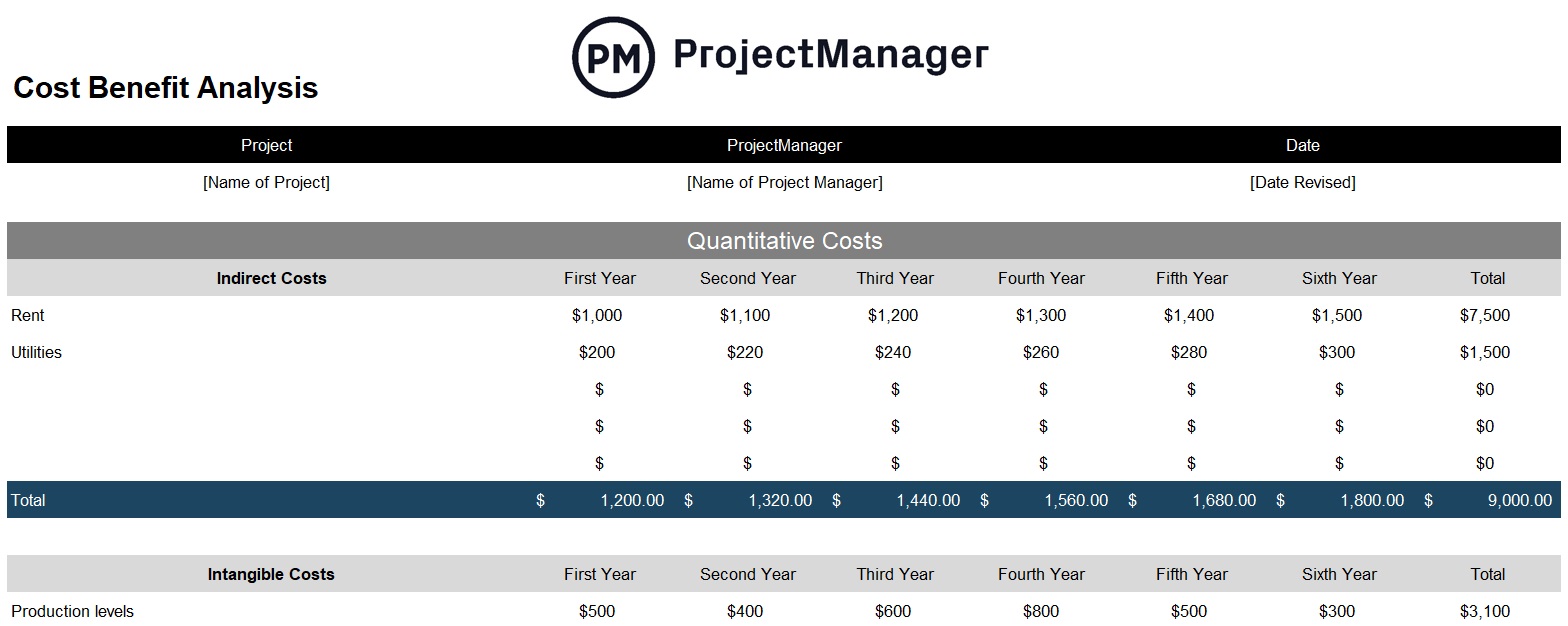
This cost-benefit analysis template gives project managers and business analysts a structured format for documenting costs, projecting benefits and calculating ROI, payback period and net present value. Use it during project selection or budget planning to compare initiatives side by side and give leadership the financial case they need to approve or reject a project with confidence.
Risk prioritization is a subset of the broader prioritization challenge: you can’t mitigate every risk on your register, so you need a way to decide which ones warrant immediate action and which can be monitored. A risk matrix does that by plotting each risk on two dimensions, likelihood and impact, and assigning a severity score based on where it lands. The result is a clear visual of which risks are critical and need a response plan now.
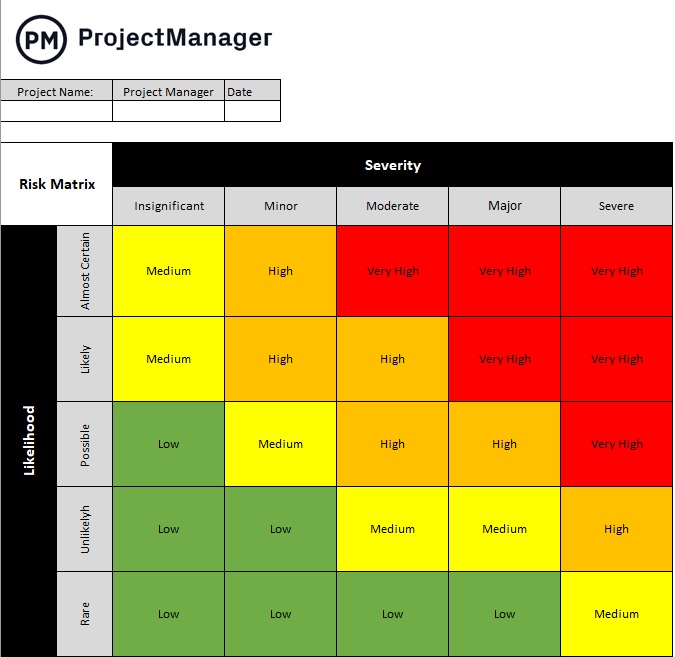
This risk matrix template for Excel gives project managers a color-coded grid for scoring and ranking project risks by likelihood and impact. Log each risk, assign scores and the matrix automatically places it into a severity band, from low to critical. Pair it with a risk register to create a complete risk management process that shows stakeholders exactly where the project’s exposure sits and what’s being done about the highest-priority items.
Prioritization isn’t only about ranking a list of work. It starts with being clear about what success actually looks like. SMART goals, which are specific, measurable, achievable, relevant and time-bound, are the foundation of any prioritization process that holds up. Vague goals produce vague prioritization decisions. When every objective is defined with a clear outcome, a timeline and a way to measure progress, it becomes much easier to sort work by what actually moves the needle.
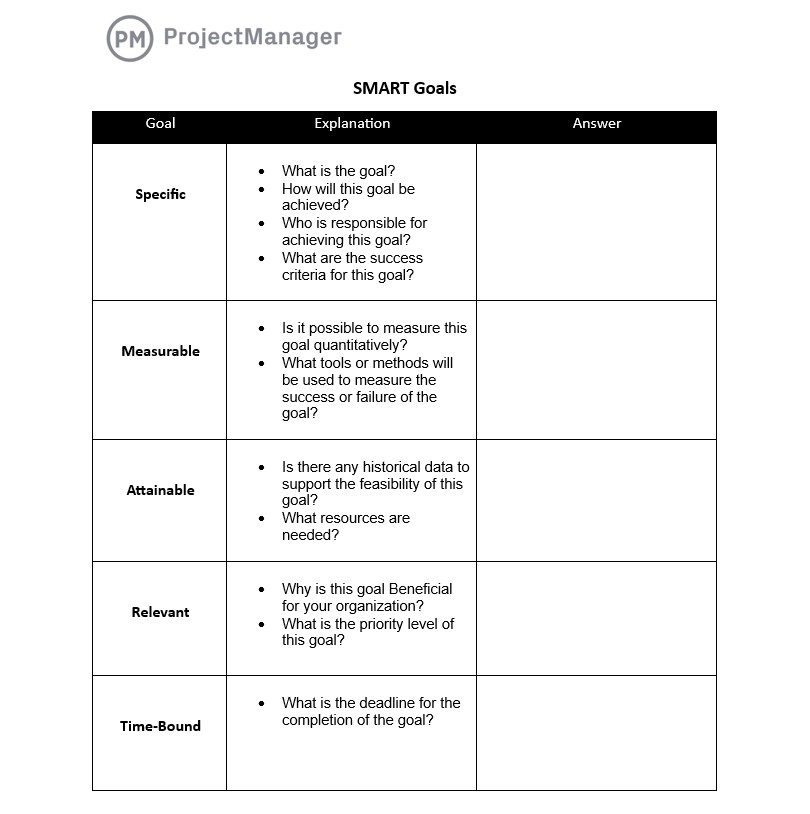
This SMART goals template gives teams a structured format for defining and documenting goals that are grounded in each of the five criteria. Use it at the start of a project, planning cycle or performance period to align the team on what they’re working toward before deciding how to prioritize the work that gets them there. It’s a simple but high-leverage starting point for any team that wants better prioritization decisions downstream.
ProjectManager Is Better Than Prioritization Templates
Prioritization templates give you a framework for making decisions, but once the decision is made, you still need a system to execute it. Static spreadsheets don’t connect your priorities to the actual work. ProjectManager does, giving teams a live environment where priorities are visible, work is tracked in real time and the people managing the project always know what’s moving and what’s stuck.
Project Portfolio Management to Execute Your Priorities
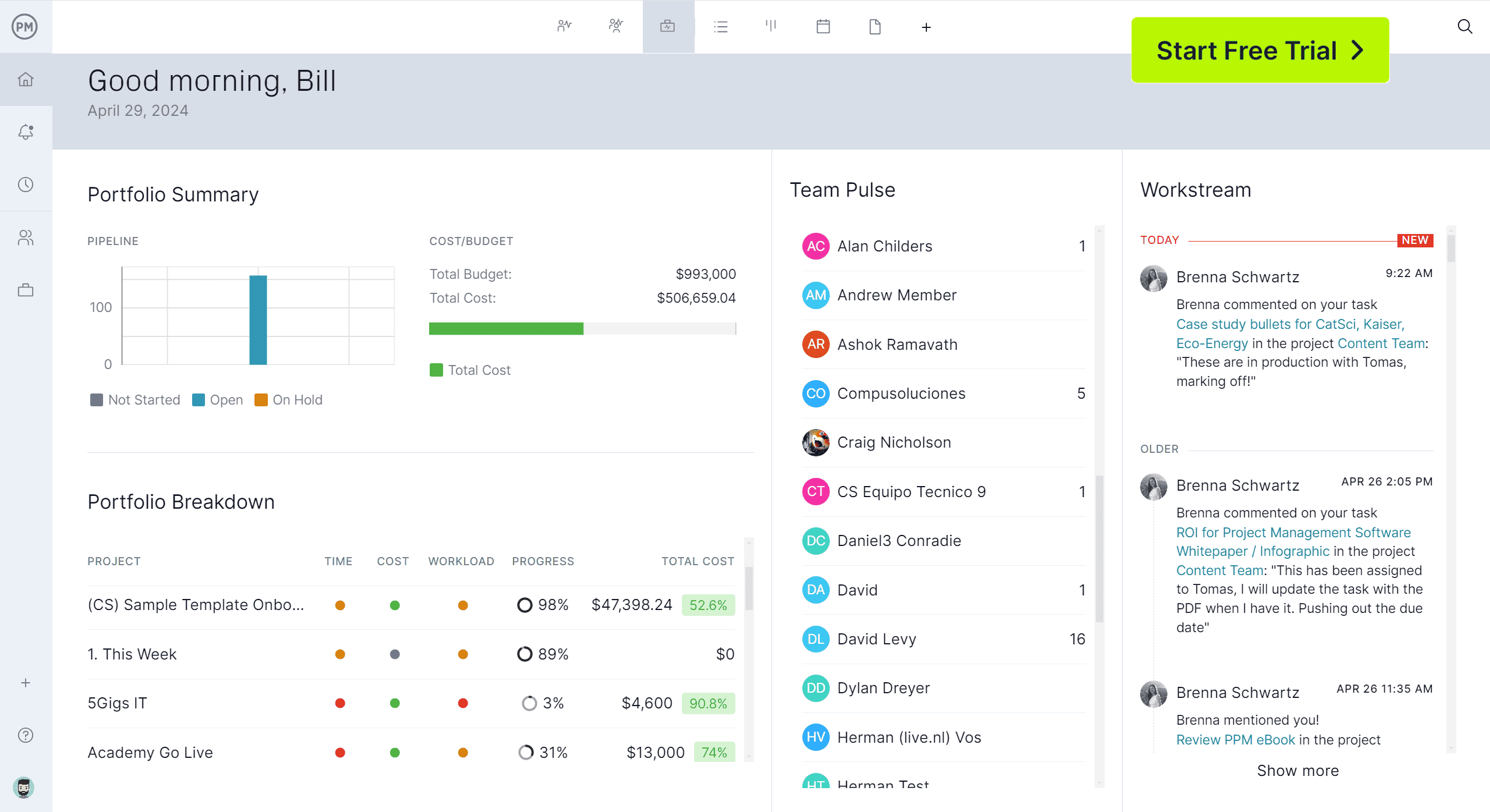
Prioritization decisions only matter if the organization can act on them. ProjectManager’s project portfolio management tools give portfolio managers and PMOs a single place to track every active project, see how resources are allocated across the portfolio and monitor progress against strategic priorities in real time. When a higher-priority project needs more resources, you can see exactly where capacity exists and reallocate without rebuilding your spreadsheets. The portfolio dashboard surfaces health, budget and schedule data across all projects simultaneously, so the decisions you make with a prioritization matrix actually get reflected in how the team works.

AI Project Insights for Smarter Prioritization
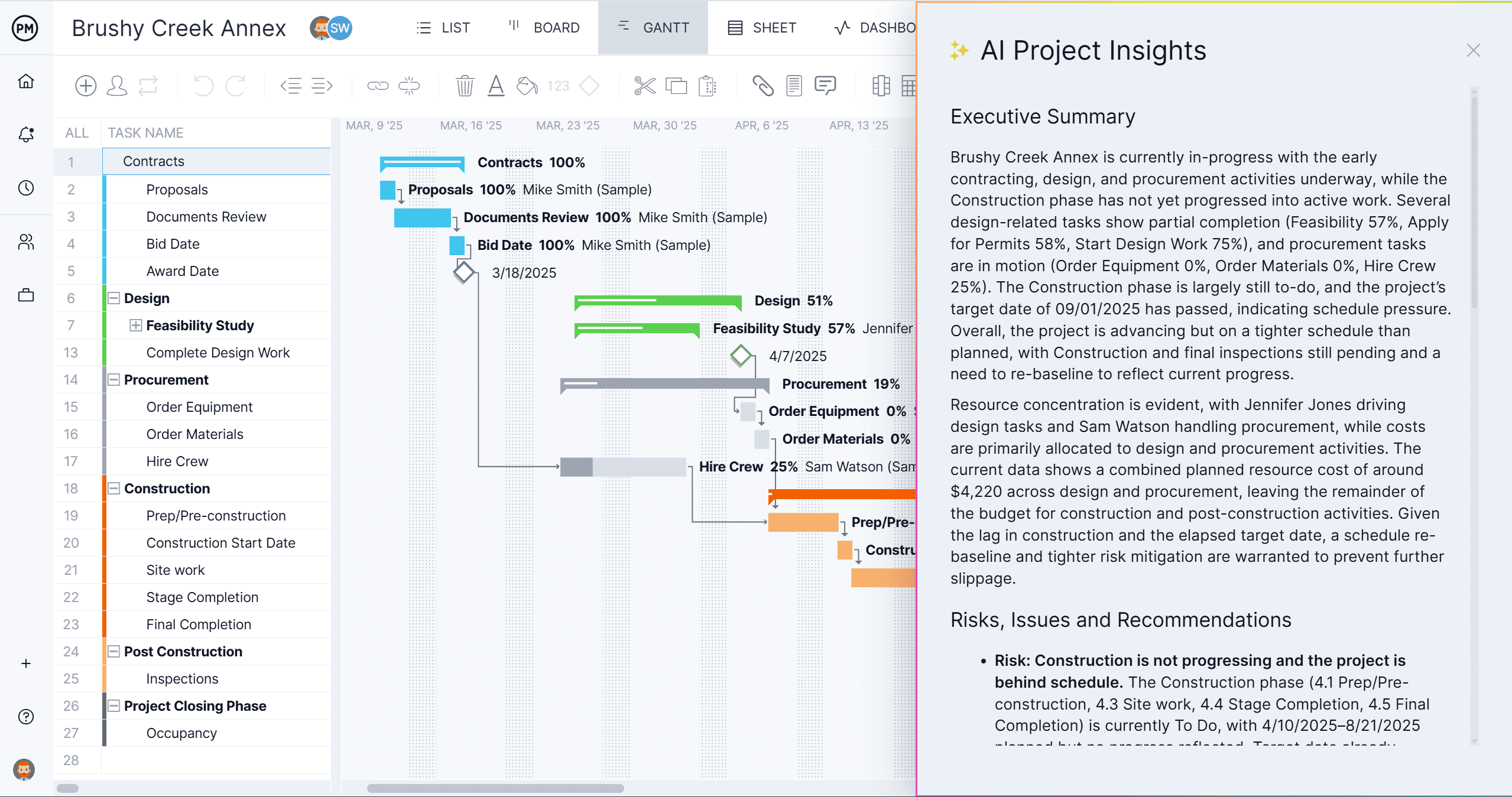
Knowing what to prioritize next is easier when you have data telling you where the project is at risk. ProjectManager’s AI Project Insights analyzes your schedule, resource allocation and task progress in one click, flagging work that’s behind, identifying bottlenecks before they affect delivery and surfacing patterns that manual review would miss. It gives project managers the information they need to reprioritize in real time, not after the fact.