



Every worksite, facility and office has people entering for different reasons, from deliveries and inspections to meetings and equipment maintenance. Keeping track of who arrived, why they were there and where they went becomes much more important once safety requirements, security concerns and accountability enter the picture. A visitor register format creates a simple record that helps teams manage access and maintain visibility over daily activity.
What Is a Visitor Register?
A visitor register is a document used to record and track people entering and leaving a workplace, facility or jobsite. It is commonly used in construction, manufacturing, offices and secure environments to monitor visitor activity, maintain access records and support safety procedures. Information typically includes visitor names, company details, purpose of visit, locations accessed and check-in and check-out times.
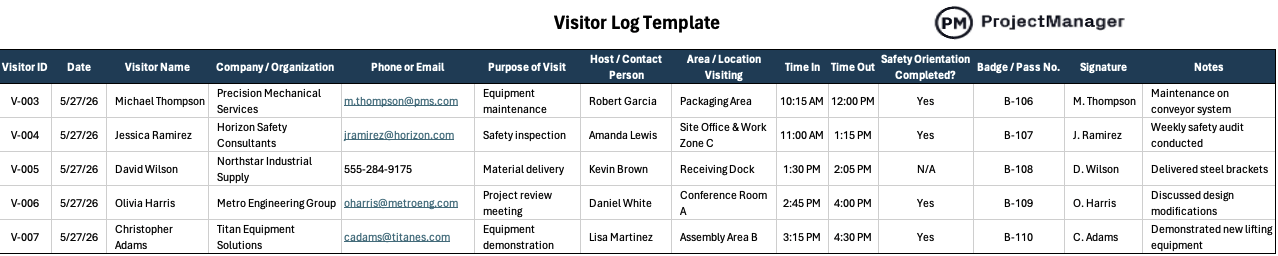
Get your free
Visitor Log Template
Use this free Visitor Log Template for Excel to manage your projects better.
If you need a project management tool that’s designed for managing projects across industries, try ProjectManager. ProjectManager is award-winning project management software that gives businesses across industries the tools they need to ensure projects are completed on time, within budget and within scope. It allows project managers to make detailed project schedules, estimate costs, allocate resources, set budgets, track progress and compare planned versus actual project outcomes using real-time dashboards and reports to identify delays or cost overruns quickly. Get started with ProjectManager for free today.
Who Uses a Visitor Register?
Different organizations rely on a visitor register format because outside individuals routinely enter their work environments for inspections, deliveries, meetings, maintenance work and operational support. The exact use varies by industry, but the underlying goal stays consistent: maintain visibility over who is on-site and create a record that can be referenced later if needed.
Construction Firms
Construction sites experience constant movement as subcontractors, suppliers, inspectors, engineers and clients enter throughout the day. Safety requirements and changing work conditions make tracking site access necessary. A visitor register gives project teams a reliable way to document arrivals, confirm orientation requirements and know who was present during specific work activities.
- Recording building inspectors entering the site to perform structural, electrical or safety inspections.
- Tracking delivery drivers arriving with steel, concrete, equipment or other construction materials.
- Documenting subcontractors visiting temporary work zones before beginning specialized installation activities.
- Monitoring architects and engineers conducting walkthroughs to review design progress and field conditions.
- Logging owner representatives and clients attending scheduled site meetings or progress reviews.
Manufacturing Firms
Manufacturing facilities regularly receive suppliers, equipment technicians, auditors and outside contractors throughout daily operations. Production environments often contain restricted areas, specialized machinery and safety protocols that require oversight. A visitor register format allows facility managers to document access, verify visitor activity and maintain records for audits, security reviews and operational control.
- Recording maintenance technicians arriving to repair or inspect production equipment.
- Tracking supplier representatives delivering materials, parts or manufacturing components to facilities.
- Documenting external auditors performing quality control or compliance assessment activities.
- Logging contractors entering restricted production areas for installation or upgrade projects.
- Monitoring customer tours visiting assembly lines, warehouses or product demonstration areas.
Healthcare Facilities
Healthcare facilities receive a continuous flow of patients, vendors, family members, medical representatives and service providers during daily operations. Controlled access becomes essential because staff must protect patient privacy and maintain secure environments. A visitor register creates documented records that support security procedures, visitor accountability and facility access management requirements.
- Recording pharmaceutical representatives visiting physicians or healthcare administrative departments.
- Tracking medical equipment vendors delivering devices or performing equipment maintenance services.
- Documenting family members visiting patients in restricted treatment or recovery areas.
- Logging contractors entering laboratories, operating rooms or specialized medical facilities.
- Monitoring external healthcare inspectors conducting accreditation or regulatory compliance reviews.
Corporate Offices
Corporate offices frequently host clients, consultants, vendors and job candidates for meetings and business activities. Employee security and access control become more important when outside individuals enter office spaces. A visitor log book gives reception teams a structured way to document arrivals, track building access and maintain accountability records.
- Recording clients arriving for project discussions, presentations or contract negotiation meetings.
- Tracking job applicants attending scheduled interviews with hiring managers or teams.
- Documenting consultants visiting offices to support business process improvement initiatives.
- Logging IT vendors entering server rooms or technical infrastructure work areas.
- Monitoring delivery personnel bringing office equipment, supplies or business materials onsite.
What Should Be Included in a Visitor Register?
Creating an effective visitor register starts with collecting information that supports security, accountability and day-to-day operations. Some fields identify who entered the facility, while others help teams track movement, confirm safety requirements and create records that can be referenced later during audits, investigations or emergency situations.
- Visitor ID: Assign a unique identifier to distinguish visitors with similar or identical names.
- Visitor Name: Record the full name of every individual entering the site or facility.
- Company / Organization: Identify the visitor’s employer, contractor, supplier or associated organization.
- Contact Information: Include phone numbers or email addresses for emergency communication and follow-up needs.
- Purpose of Visit: Specify reasons such as inspections, meetings, deliveries, maintenance or audit activities.
- Host / Contact Person: Record the employee responsible for receiving or supervising the visitor onsite.
- Area / Location Visiting: Document specific departments, buildings or work areas the visitor will access.
- Time In / Time Out: Capture arrival and departure times for security and emergency accountability purposes.
- Safety Orientation Completed: Confirm whether required safety briefings or site training were completed.
- Badge / Pass Number: Track temporary identification badges issued during the visitor check-in process.
- Signature: Obtain visitor acknowledgment for access records, policies and documentation requirements.
- Notes: Add details about PPE issued, vehicle information or visitor access restrictions.
Designed for construction sites, manufacturing facilities and office environments, this visitor log template captures key information needed to monitor site access and maintain accountability. The visitor register format includes visitor details, check-in and check-out times, host information, location access, safety orientation status, badge numbers and notes for documenting important visit details.
Visitor Register Example
To better understand how a visitor log book works, imagine a manufacturing facility that receives a steady flow of outside visitors throughout the day. Maintenance technicians arrive to repair equipment, suppliers deliver materials, safety consultants perform inspections and vendors demonstrate new machinery. The example below shows how each visit is documented by recording the visitor’s company, reason for entering, assigned contact person and the specific area they accessed. Reviewing these details gives managers and security personnel a clear record of who entered the facility and what activities took place.
| Visitor Name | Company / Organization | Purpose of Visit | Host / Contact Person | Area / Location Visiting |
| Michael Thompson | Precision Mechanical Services | Equipment maintenance | Robert Garcia | Packaging Area |
| Jessica Ramirez | Horizon Safety Consultants | Safety inspection | Amanda Lewis | Site Office & Work Zone C |
| David Wilson | Northstar Industrial Supply | Material delivery | Kevin Brown | Receiving Dock |
| Olivia Harris | Metro Engineering Group | Project review meeting | Daniel White | Conference Room A |
| Christopher Adams | Titan Equipment Solutions | Equipment demonstration | Lisa Martinez | Assembly Area B |
Free Related Templates
We’ve created over 100 free project management templates for Excel, Word and Google Sheets. Here are some that can be helpful in conjunction with a visitor register format.
Daily Report Template
Daily activities can quickly become difficult to track when multiple tasks, teams and priorities move at the same time. This daily report template helps users document completed work, monitor active tasks and prepare for upcoming activities while creating a clear record of progress, responsibilities and work outcomes.
Incident Report Template
Unexpected events require accurate documentation to support investigations and corrective actions. This incident report template helps teams record key details about workplace incidents, capture witness information, assess impacts and identify contributing factors so organizations can improve safety procedures and prevent similar situations from occurring again.
Policies and Procedures Template
Consistent processes become easier to follow when expectations and workflows are documented clearly. This policies and procedures template helps organizations define responsibilities, establish internal rules and outline step-by-step instructions while creating a reliable reference for daily operations, compliance requirements and employee guidance.
ProjectManager Is a Robust Project Management Software
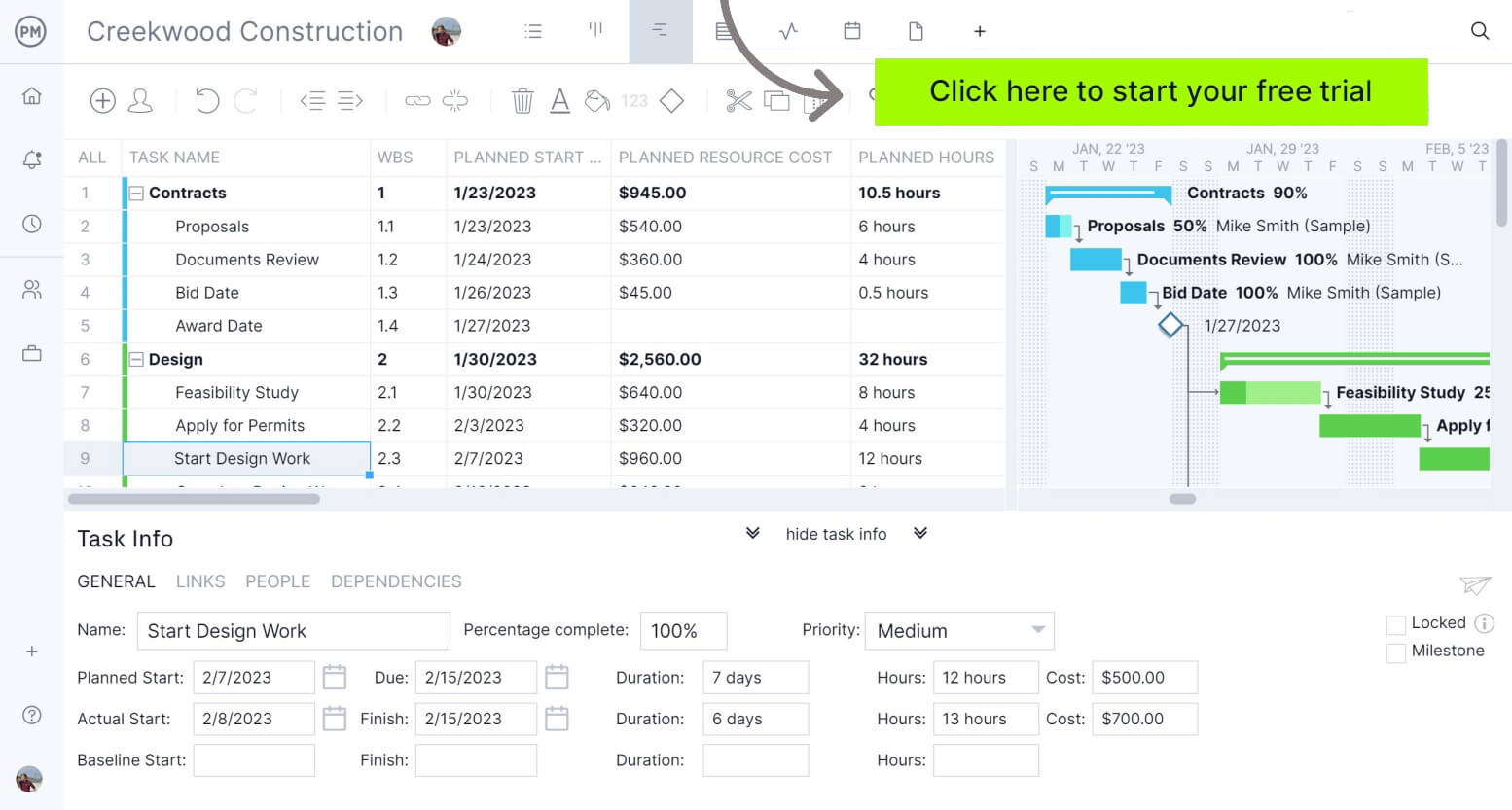
ProjectManager is an online project management software that provides a robust feature set of project planning, scheduling and tracking tools, including Gantt charts, kanban boards, task lists and real-time dashboards and reports. With these tools, teams across industries can build detailed schedules, assign resources and monitor progress, costs and timelines.
ProjectManager also delivers AI-powered project insights to support better decision-making and connects with over 100 tools like Microsoft Project, Acumatica and Jira. With its open API and wide range of integrations, organizations can seamlessly link ProjectManager to their existing systems.
Watch the video below to learn more!
If you need a tool to help you manage projects, then sign up for our software now at ProjectManager. Our online software helps teams across industries plan, track and oversee projects as they unfold. Sign up for a free 30-day trial today!