Whether you’re building project schedules, assigning resources or tracking costs, knowing how to use Microsoft Project effectively can make a significant difference in project performance. The challenge is finding Microsoft Project training that matches your experience level, learning style and career goals.
Related: 20 Best Microsoft Project Alternatives for 2026 (Free & Paid)
Some programs focus on the fundamentals, while others dive into advanced scheduling, resource management and reporting techniques. This guide explores the best courses, training programs and certifications available today to help beginners, project managers and experienced schedulers strengthen their Microsoft Project skills.
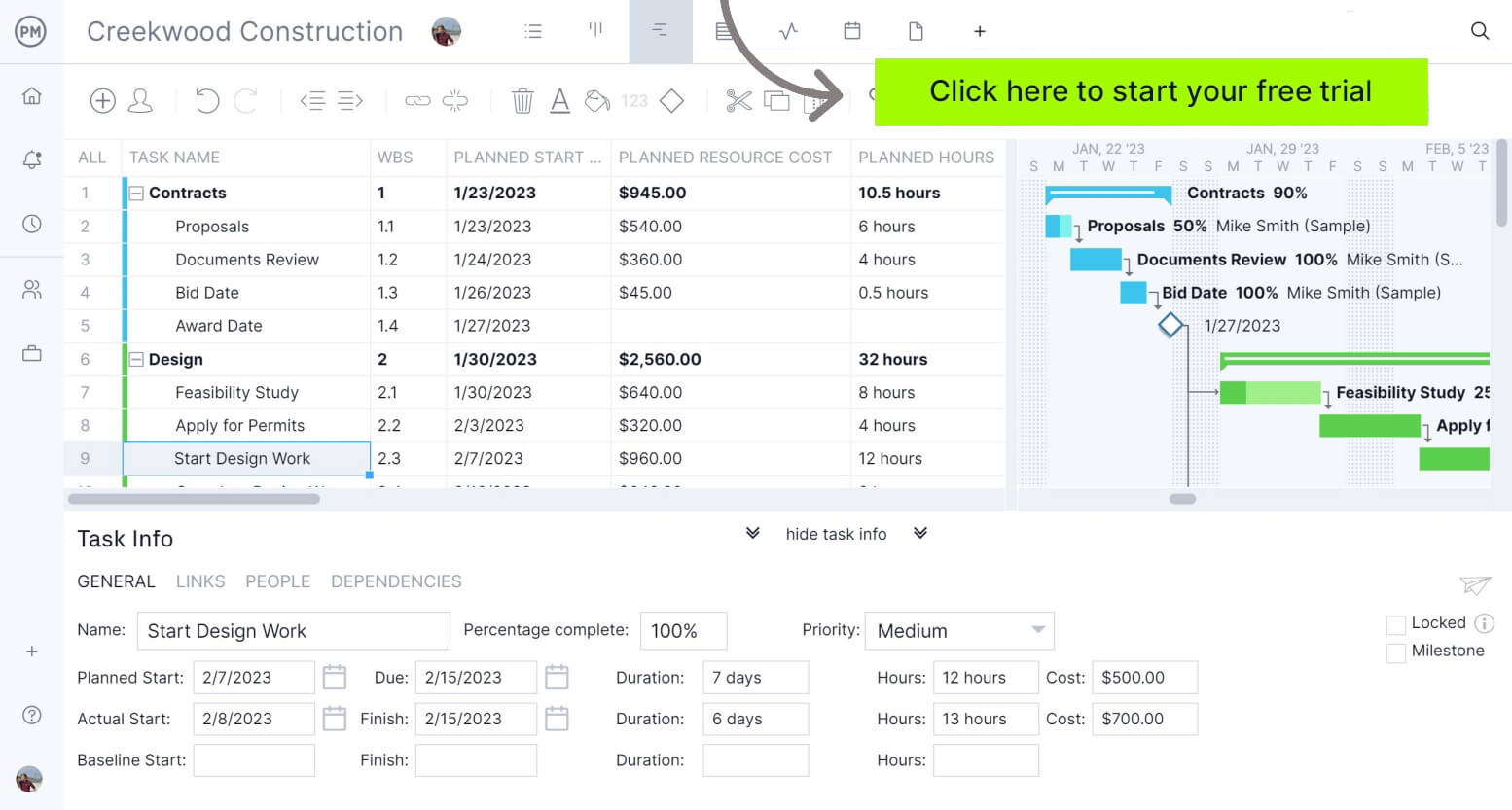
If you’re looking for software that can do what Microsoft Project does, in a more modern, user-friendly and cost effective platform, try ProjectManager instead. ProjectManager is an award-winning project management software that delivers the same powerful scheduling, resource planning and tracking capabilities as Microsoft Project, but at a significantly lower cost and in a more dynamic platform. Its intuitive, user-friendly interface makes it easier for teams across industries to adopt and manage projects efficiently, with real-time data, collaboration tools and flexible workflows designed for modern project execution. Get started for free today
Does Microsoft Offer an Official Microsoft Project Training?
Microsoft has offered official MS Project training for decades through a combination of product documentation, instructor-led courses, certification exams and online learning resources. During the Microsoft Project 2010 and 2013 era, users could earn Microsoft’s official Exam 74-343, “Managing Projects with Microsoft Project 2013,” which validated proficiency in scheduling, resource management, reporting and project tracking.
Passing the exam could also contribute toward broader Microsoft Project management credentials. Microsoft later shifted its certification strategy toward cloud, role-based and Microsoft 365 certifications, retiring Exam 74-343 on July 31, 2019 without announcing a replacement.
Today, Microsoft still provides official training materials through Microsoft Support and Microsoft Learn, but it no longer offers a dedicated Microsoft Project certification exam or certification pathway. Existing certifications remain on earned transcripts as retired credentials.
Having said this, we’ve looked for the best Microsoft Project training programs, courses and certifications available online.
Microsoft Project Training from Microsoft Support is a free collection of tutorials, guides and learning resources created by Microsoft. Rather than offering a structured course, it provides task-based training that teaches users how to build project schedules, assign resources, manage tasks, create reports and collaborate using Project.
The content is integrated into Microsoft’s broader Project help center and reflects the latest transition from Project for the web into Microsoft Planner. While it’s a good place to start, many users complain that the learning materials available in this Microsoft Support portal aren’t nearly as thorough as they should be for a software this complex.
| Training Details | Information |
| Target Audience | Beginners, Microsoft 365 users, project coordinators and project managers learning Microsoft Project |
| Cost | Free |
| Difficulty Level | Beginner to Intermediate |
| Microsoft Project Editions Covered | Primarily Project for the web, Microsoft Planner (formerly Project for the web) and Microsoft Project within Microsoft 365 environments |
| Certification Provided | No |
LinkedIn Learning offers one of the largest libraries of Microsoft Project courses available online. Learners can choose from beginner, intermediate and advanced training covering Microsoft Project 2021, Project Online Desktop, Project for the Web and specialized topics such as agile project management, scheduling and resource planning. Most courses include exercise files, quizzes and practical demonstrations, and learners receive a certificate of completion after finishing each course.
| Training Details | Information |
| Target Audience | Beginners, project managers, project coordinators, schedulers and experienced Microsoft Project users |
| Cost | LinkedIn Learning subscription required (free trial available) |
| Difficulty Level | Beginner to Advanced |
| Microsoft Project Editions Covered | Microsoft Project 2021, Project Online Desktop, Project for the Web (Planner Premium) and legacy Microsoft Project versions |
| Certification Provided | Yes, certificate of completion for individual courses |
Unlike many Microsoft Project courses that focus exclusively on software functionality, this professional certificate teaches project management principles alongside Microsoft’s project planning tools. The program combines videos, assessments and hands-on activities that help learners build scheduling, planning, communication and project execution skills. It is designed for beginners seeking project management knowledge and can also help prepare learners for the PMP certification exam.
| Training Details | Information |
| Target Audience | Aspiring project managers, career changers, students and entry-level professionals |
| Cost | Monthly Coursera subscription (pricing varies by region and promotions) |
| Difficulty Level | Beginner |
| Microsoft Project Editions Covered | Uses Microsoft Project management tools and workflows; not focused on a specific Microsoft Project edition |
| Certification Provided | Yes, Microsoft Project Management Professional Certificate |
Master of Project Academy provides self-paced MS Project training that focuses on building practical scheduling and project control skills. Students learn how to create project plans, define task relationships, manage resources, monitor schedules and generate reports.
The course includes quizzes, practice questions and completion credentials. While Microsoft discontinued its official Project certification exam in 2019, this program helps professionals demonstrate software proficiency through structured training and assessment exercises.
| Training Details | Information |
| Target Audience | Project managers, schedulers, project coordinators and professionals who use Microsoft Project |
| Cost | Subscription-based training (starting around $47/month according to the provider) |
| Difficulty Level | Beginner to Intermediate |
| Microsoft Project Editions Covered | Microsoft Project Professional and traditional desktop versions of Microsoft Project |
| Certification Provided | Yes, course completion certificate |
ONLC delivers instructor-led Microsoft Project courses through both live online classes and in-person training centers. Its curriculum is organized into separate levels, allowing learners to progress from schedule creation and task management to advanced topics such as resource leveling, earned value analysis, custom reporting and project tracking.
A notable feature is the hands-on classroom structure, which combines guided instruction with practical exercises completed directly within Microsoft Project.
| Training Details | Information |
| Target Audience | Project managers, schedulers, project coordinators, PMO staff and Microsoft Project users seeking formal training |
| Cost | Paid instructor-led training courses (pricing varies by course level and delivery format) |
| Difficulty Level | Beginner to Advanced |
| Microsoft Project Editions Covered | Microsoft Project Professional desktop editions, including recent versions used in enterprise environments |
| Certification Provided | Yes, course completion certificate |
Learning Tree structures its Microsoft Project training around the practical tasks project managers perform every day. The course covers schedule development, task dependencies, resource allocation, baseline creation, progress tracking and project reporting.
Training is delivered through live instructor-led sessions and emphasizes hands-on exercises rather than software demonstrations alone. One aspect that stands out is its focus on applying Microsoft Project to real project scenarios instead of isolated feature tutorials.
| Training Details | Information |
| Target Audience | Project managers, project coordinators, schedulers and professionals responsible for planning and tracking projects |
| Cost | Paid instructor-led training (pricing varies by delivery format and location) |
| Difficulty Level | Beginner to Intermediate |
| Microsoft Project Editions Covered | Microsoft Project Professional and modern desktop versions used in business environments |
| Certification Provided | Yes, Learning Tree course completion certificate |
New Horizons offers a multi-level training pathway that allows learners to build Microsoft Project skills progressively. Rather than combining all topics into a single course, the provider separates instruction into beginner and advanced classes covering project planning, schedule development, resource management, cost tracking and reporting.
The training is available through live online and classroom formats, making it suitable for both individual learners and organizations seeking structured software training programs.
| Training Details | Information |
| Target Audience | Beginners, project managers, schedulers, project coordinators and business professionals |
| Cost | Paid instructor-led training (pricing varies by course and training center) |
| Difficulty Level | Beginner to Advanced |
| Microsoft Project Editions Covered | Microsoft Project Professional and current desktop versions of Microsoft Project |
| Certification Provided | Yes, course completion certificate |
PRINCE2.com offers a dedicated Microsoft Project training course focused on helping users build practical scheduling and project planning skills. The course covers project creation, task management, calendars, resource assignments, critical path analysis, baseline tracking, reporting and schedule control.
Unlike many broader project management programs, this training concentrates specifically on using Microsoft Project to manage project timelines and resources. Students can complete the course online at their own pace and receive a certificate upon successful completion.
| Training Details | Information |
| Target Audience | Project managers, project coordinators, schedulers, PMO professionals and Microsoft Project users |
| Cost | Paid online training (pricing varies by package and promotions) |
| Difficulty Level | Beginner to Intermediate |
| Microsoft Project Editions Covered | Microsoft Project Professional and desktop-based Microsoft Project environments used for project scheduling and resource management |
| Certification Provided | Yes, certificate of completion |
Udemy’s Complete Microsoft Project Training & Certification course teaches Microsoft Project Professional through one section, 15 lectures and about 5 hours of video. The course covers calendars, task relationships, WBS creation, constraints, resources, resource leveling, tracking, earned value analysis, multiple projects, filters, groups and reports. It is built for students or professionals who want practical Microsoft Project scheduling skills.
| Training Details | Information |
| Target Audience | Students, project managers, project coordinators and professionals who want to learn Microsoft Project |
| Cost | Paid Udemy course, with pricing that changes based on Udemy promotions |
| Difficulty Level | Beginner to Intermediate |
| Microsoft Project Editions Covered | Microsoft Project Professional |
| Certification Provided | Yes, Udemy course completion certificate |
Techcanvass offers MS Project training in foundation, advanced and live online formats. The course includes lectures, chapter-wise quizzes, hands-on training, practical examples, expert access and a proficiency certificate. Its syllabus moves from basic project setup into calendars, Gantt charts, task dependencies, WBS creation, baselines, resource allocation, cost tracking, reports, templates and project tracking.
| Training Details | Information |
| Target Audience | Team leads, project leads, entry-level project managers and professionals who already know basic project management concepts |
| Cost | Paid course; listed pricing starts at $25 for one level, $37 for foundation plus advanced and $117 for live online training |
| Difficulty Level | Beginner to Advanced |
| Microsoft Project Editions Covered | Latest MS Project version according to the provider |
| Certification Provided | Yes, Techcanvass proficiency certificate |
Graduate School USA’s Microsoft Project Level I course is a 6-hour beginner class available live online or self-paced. It teaches users how to set up tasks, allocate resources, track progress and generate reports in Microsoft Project Professional. The course includes Microsoft Office access for one month, recordings, a free retake and a verified digital certificate of completion.
| Training Details | Information |
| Target Audience | People overseeing multiple projects, controlling project costs or managing project resources |
| Cost | $249 full tuition |
| Difficulty Level | Beginner |
| Microsoft Project Editions Covered | Microsoft Project Professional; PC-only course |
| Certification Provided | Yes, verified digital certificate of completion |
GoSkills offers a self-paced Microsoft Project Fundamentals course built around Microsoft 365. The training includes 44 lessons and approximately 3.5 hours of video instruction covering task scheduling, resource allocation, project reporting, progress tracking, budgeting and project management workflows.
One notable feature is that learners can earn 19 PDUs or contact hours that can be applied toward PMI certification requirements. Students receive a certificate upon course completion.
| Training Details | Information |
| Target Audience | Project managers, team members and professionals who want to learn Microsoft Project fundamentals |
| Cost | Subscription-based pricing through GoSkills |
| Difficulty Level | Beginner to Intermediate |
| Microsoft Project Editions Covered | Microsoft Project for Microsoft 365 |
| Certification Provided | Yes, certificate of completion and 19 PDUs/contact hours |
Simplilearn’s Microsoft Project training introduces learners to project planning, scheduling, resource management and project tracking using Microsoft Project.
The program combines video-based instruction with practical demonstrations that teach users how to build project schedules, manage dependencies, allocate resources and monitor project performance. The course is designed for professionals who want to strengthen their Microsoft Project skills while building broader project management knowledge.
| Training Details | Information |
| Target Audience | Project managers, project coordinators, team leads and professionals learning Microsoft Project |
| Cost | Paid online training (pricing varies by region and promotions) |
| Difficulty Level | Beginner to Intermediate |
| Microsoft Project Editions Covered | Microsoft Project desktop environments and scheduling workflows |
| Certification Provided | Yes, course completion certificate |
The Project Group (TPG) offers specialized Microsoft Project training aimed at organizations that use Microsoft’s project and portfolio management tools in enterprise environments.
Unlike many general software training providers, TPG focuses heavily on practical scheduling, resource management, project portfolio management and Microsoft Project Server or Project Online implementations. Training is available through instructor-led formats and can be tailored to organizational requirements.
| Training Details | Information |
| Target Audience | Project managers, PMO professionals, portfolio managers and enterprise Microsoft Project users |
| Cost | Custom pricing based on training format and organizational requirements |
| Difficulty Level | Intermediate to Advanced |
| Microsoft Project Editions Covered | Microsoft Project, Project Online, Project Server and Microsoft PPM environments |
| Certification Provided | Varies by training program |
ProjectManager Is the Best Microsoft Project Alternative
ProjectManager is ideal for teams that want a robust project management solution without the drawbacks and expensive price tag of Microsoft Project. It provides a complete set of planning, scheduling and tracking tools, including Gantt charts, kanban boards, task lists and project and portfolio roadmaps. Teams can build detailed schedules, assign resources and monitor progress, costs, workload and timelines through real-time dashboards, timesheets, workload charts and performance reports.
Built as a cloud-based platform, ProjectManager allows teams to update schedules, manage tasks and generate reports in real time from any location. It also delivers AI-powered project insights to support better decision-making and connects with over 100 tools like Jira, Power BI and Azure DevOps. With its open API and wide range of integrations, organizations can seamlessly link ProjectManager to their existing systems. Watch the video below to learn more!
Free Microsoft Project Tutorials
Microsoft Project Training FAQs
Why Do People Look for Microsoft Project Training?
Many professionals seek Microsoft Project training because the software has a steep learning curve. Its interface can feel “old” and overwhelming for new users, especially when working with task dependencies, resource allocation, critical paths and project baselines. Training helps users understand the software faster and avoid costly scheduling and planning mistakes.
What Is the Best Microsoft Project Training Course?
The best MS Project training course depends on your experience level and learning goals. Beginners often benefit from structured courses that teach scheduling fundamentals, while experienced users may prefer advanced training focused on resource management, reporting, earned value analysis and portfolio management.
Is Microsoft Project Training Worth It?
Microsoft Project training can be worthwhile for professionals who regularly manage project schedules, resources or budgets. Formal training often helps users avoid common mistakes, improve planning accuracy and learn advanced features more quickly than relying solely on documentation or trial-and-error learning. However, it’s important to be cautious when choosing online courses as many of them can be expensive, and in many cases, they simply explain things that could otherwise be learnt through free tutorials.
How Long Does It Take to Learn Microsoft Project?
Most users can learn the basic features of Microsoft Project within a few days of focused training. However, mastering advanced topics such as resource leveling, earned value management, reporting and portfolio management can take weeks or months of practice depending on experience and project complexity.
Does Microsoft Offer an Official Microsoft Project Certification?
Microsoft previously offered Exam 74-343, Managing Projects with Microsoft Project 2013, but retired the certification in 2019. Today, Microsoft provides training resources through Microsoft Learn and Microsoft Support, but it no longer offers a dedicated Microsoft Project certification exam or certification pathway.
Related Microsoft Project Content
ProjectManager is online project and portfolio management software that connects teams whether they’re in the office or out in the field. They can share files, comment at the task level and stay updated with email and in-app notifications. Join teams at Avis, Nestle and Siemens who use our software to deliver successful projects. Get started with ProjectManager today for free.