



The decrease in organic search traffic is forcing businesses to find new marketing channels. Social media has long been an effective way to build brand awareness and generate sales.
Prominent social media sites offer native analytics tools for follower growth and engagement. Yet those tools do not provide stats beyond their own platforms — in organic search, for example.
A new option in Search Console enables account holders to track organic search activity for their social profiles. After a slow rollout, the option is available for everyone and supports YouTube, TikTok, X, and Instagram professional accounts.
Search Console calls social media profiles “platform properties” and treats them like websites. To activate, click “Add property” in the top-left drop-down menu and follow the authentication steps. Receive data within 36 hours.
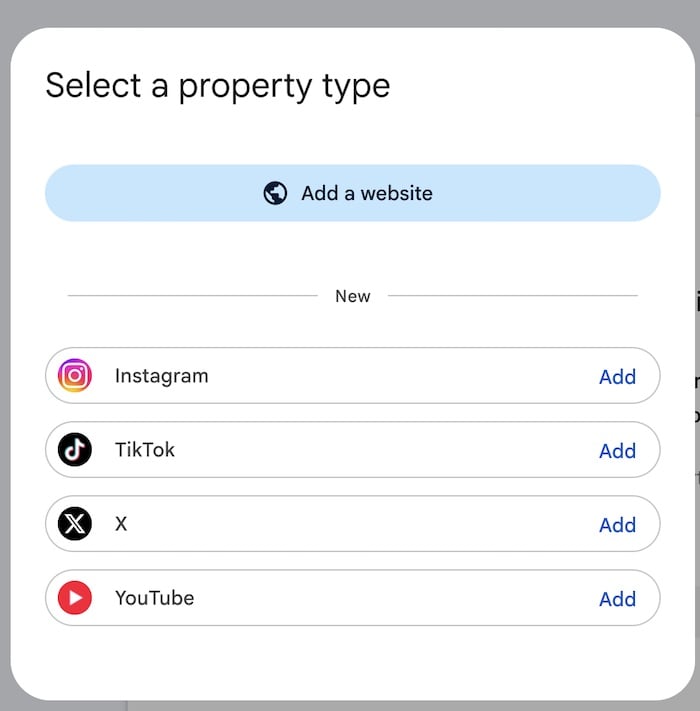
Click “Add property” in the top-left drop-down menu and follow the authentication steps.
Search Console’s social-media-profile dashboard includes only the Insights tab and the Performance section. The latter includes Search metrics (filtered by text or multimodal web search, image search, video search, and News) and also Discover visibility.
The Video option is especially useful because YouTube content typically ranks well in Google Search and is now widely cited in AI Overviews, AI Mode, and Gemini. Until now, tracking individual video rankings was burdensome.
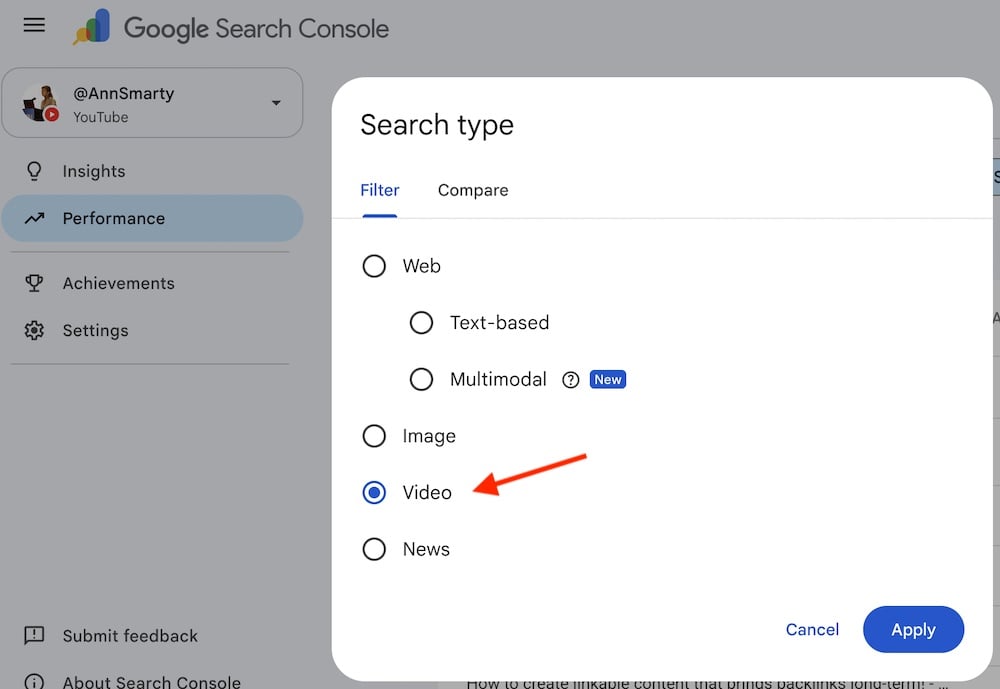
The Video option is useful because YouTube content typically ranks well in Google Search.
After adding your YouTube channel in the property drop-down, go to its Performance dashboard section and click the “Videos” search type to see which YouTube videos rank in Search and generate clicks. Click each video link in the list to see the queries.
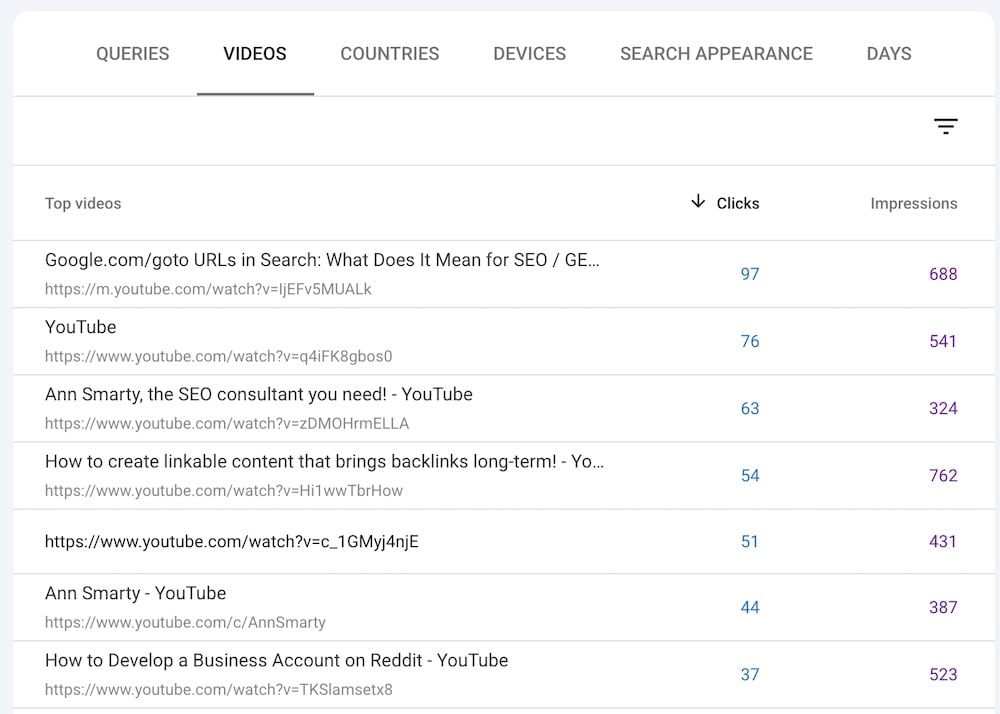
Click each video link in the list to see the queries it ranks for.
Video SEO
Traditional optimization tactics can improve each video’s performance in organic search.
For example, identify queries with many views, few clicks, and an average position lower than 4; then include the query in the video title. Also, find the top-ranking queries and experiment with video titles and descriptions to rank even higher.
Ecommerce businesses that post product photos on Instagram should monitor the “Multimodal search” performance filter for their Instagram property. The filter shows whether the photos appeared in an Image Search.
The new social metrics don’t include the Branded search filter. But you can manually filter queries to see where your social profiles and updates rank for your name and variations.
The new option elevates cross-channel marketing. For example, a merchant can publish an article, create a video on the same topic, and share related product images on Instagram. She can then annotate Search Console with the date each asset went live and track its organic search performance.
Moreover, the option is likely to reveal new target keywords from queries that rank for YouTube videos.