


Last updated: October 30, 2026
The best Buildertrend alternatives for home builders are ProjectManager, Contractor Foreman, Buildxact, JobTread, Houzz Pro and Procore. ProjectManager is the best fit for builders who run many homes at once and need to schedule crews and subcontractors across all of them, while Contractor Foreman suits budget-conscious builders who want an all-in-one tool, Buildxact suits builders who start from estimates, JobTread suits builders who want the closest all-in-one replacement for Buildertrend, Houzz Pro suits remodelers and design-build firms, and Procore suits larger production builders who want a full construction platform.
Buildertrend is one of the most widely used platforms for residential construction, and it covers a lot: sales, estimating, scheduling, selections, change orders, financials and a homeowner portal. That breadth is the reason many builders choose it, and also the reason some start looking elsewhere. A builder running 15 homes at once may care less about lead tracking and more about one question: when framing slips on three houses this week, what happens to drywall, inspections and the subs booked behind them?
This guide explains what to look for in a Buildertrend alternative and compares six options on scheduling depth, client communication, field access and price, with an honest note on where each one falls short. For a head-to-head comparison, see Buildertrend vs. ProjectManager.
ProjectManager is online project management software for construction scheduling. Build each home’s schedule on a Gantt chart with dependencies and lag, filter for the critical path and see every crew’s hours across all your builds in one place. Get started with ProjectManager today for free.

What Is Buildertrend?
Buildertrend is all-in-one construction management software for residential home builders and remodelers. It combines lead and sales tools, estimating, scheduling with a Gantt view, selections, change orders, budgets and a client portal where homeowners follow the job. CoConstruct, another residential platform, was acquired by Buildertrend in 2021, and its customers are now being moved onto Buildertrend.
Buildertrend doesn’t publish prices. Its pricing page asks you to answer a few questions and schedule a call, and says pricing is based on your business size and project volume, not the features you choose. Every plan includes unlimited users and the full feature set. Buildertrend offers free personalized demos rather than a free trial. Learn more in What Is Buildertrend?
Why Home Builders Look for Buildertrend Alternatives
Home builders look for Buildertrend alternatives mainly because of cost, complexity and how much scheduling control they need across many homes. Buildertrend works well for plenty of builders, but these are the reasons others compare options:
- Cost you can’t see up front. Because pricing comes from a sales call and depends on business size and project volume, it’s hard to compare Buildertrend with other tools until you’ve been through a demo. Smaller builders often want a published price they can budget for.
- More platform than they use. Buildertrend covers sales, estimating, selections, financials and client management. A builder who already has an estimator and an accounting system may only need strong scheduling and field updates, and the rest adds setup and training time.
- Scheduling across many homes at once. When you run several builds, the hard part isn’t one schedule. It’s seeing that the same framing crew is booked on four houses next week, or that a truss delivery delay on one lot pushes the drywall sub off three others. Builders who live in the schedule want dependencies, a critical path and a view of crew workload across every job.
- Getting subcontractors to use it. Subs split their time across several builders, and each one has its own software. The easier it is for a sub to see their dates and confirm work, the more likely they are to keep the schedule current.
If Buildertrend’s client portal, selections and financial tools are central to how you sell and run jobs, an all-in-one residential platform will be the closest replacement. If your biggest problem is keeping schedules and crews in line across many homes, a scheduling-focused tool may serve you better.
What to Look for in a Buildertrend Alternative
A good Buildertrend alternative for home builders should handle scheduling across many builds, keep subcontractors informed and fit a price you can predict. Check for these features:
- Scheduling across multiple builds. You should be able to see every home in one place, not open one schedule at a time. Look for a portfolio or multi-project view and a way to compare crew workload across jobs.
- Dependencies and critical path. Link tasks so that when framing slips, drywall, trim and the final inspection move with it. A critical path view shows which delays actually push the closing date. Lag handles cure times, inspection holds and material lead times.
- Subcontractor coordination. Subs should be able to see their dates, and you should be able to see which subs are booked on which homes. Check whether subs need a paid seat.
- Field and mobile access. Superintendents and site leads need to update progress, add photos and flag inspection holds from the job site, on a phone or tablet.
- Client communication. Decide whether you need a homeowner portal with schedules, selections and payments, or whether sharing updates and reports is enough.
- Estimating and change orders. Some builders want estimating, selections and change orders in the same tool as the schedule. Others already handle them in separate estimating and accounting software.
- Predictable pricing. Compare per-user pricing with flat company pricing, and check which features sit on higher tiers. Count everyone who needs access, including supers, office staff and subs.
Buildertrend Alternatives Compared
| Tool | Best for | Scheduling depth | Client portal | Field/mobile access | Starting price |
|---|---|---|---|---|---|
| ProjectManager | Builders scheduling crews and subcontractors across many homes at once | All four dependency types with lag, critical path filter, baselines, workload across all projects | No dedicated portal; free read-only guest access to selected projects | Browser on any OS, iOS and Android apps | $15/user/month (Team), $28/user/month (Business), billed annually |
| Contractor Foreman | Budget-conscious builders who want an all-in-one tool with solid scheduling | Gantt with all four dependency types and lag, baselines, links across projects (Plus plan and above) | Yes, on Pro and Unlimited plans | iOS and Android apps | $49/month for the company (Basic, billed annually); Gantt scheduling from $166/month (Plus) |
| Buildxact | Builders and remodelers who build schedules from their estimates | Gantt with dependencies and critical path highlighting (Pro plan and above) | Yes, with digital selections (Pro and above) | Buildxact Onsite app for iOS and Android (Pro and above) | $169/month (Foundation, billed annually); schedules from $339/month (Pro) |
| JobTread | Builders who want an all-in-one residential platform with a published price | Gantt, calendar and list views with dependencies and lag | Yes, with selections and online payments | Mobile web app installed from the browser (not in app stores) | $199/month including one internal user, plus $20/month per additional user |
| Houzz Pro | Remodelers and design-build firms that sell on design and client experience | Gantt, calendar and list views with dependencies and lag; baselines | Yes, client dashboard with approvals, payments and selection boards | Houzz Pro mobile app | Free plan; Pro $199/month (one user) |
| Procore | Larger production builders who want a full construction management platform | Procore Scheduling with dependencies, lag and critical path | Not listed on its homebuilder pages | iOS and Android apps to view schedules and update percent complete | Quote only, based on annual construction volume |
Prices are list prices as of October 2026 and change often. Check each vendor’s site before buying.
6 Best Buildertrend Alternatives for Home Builders
1. ProjectManager
ProjectManager is the best Buildertrend alternative for home builders whose main problem is scheduling crews and subcontractors across many homes at once. Each home’s schedule is built on a Gantt chart with all four dependency types and lag, so when framing slips two days on one lot, drywall, trim and the final inspection move with it. A critical path filter shows which tasks set the completion date, and baselines and variance reports show how far each home has drifted from plan.
Where ProjectManager stands out for multi-home builders is visibility across jobs. The workload page shows each person’s assigned hours across all projects on one chart, so you can see that the same framing crew is booked on four homes next week and move work before it becomes a delay. Portfolio views and dashboards roll up progress across every build, and site leads update tasks, log time and attach files from the iOS and Android apps. Equipment and subcontractors can be added as resources without buying them a license, and guests get free read-only access to the projects you share with them. See how it’s used in construction project management.
ProjectManager isn’t an all-in-one residential platform. It has no homeowner portal, selections, estimating or takeoff, and no dedicated change order workflow. Builders who rely on those features in Buildertrend would keep them in other tools or track them with tasks and the built-in change log.
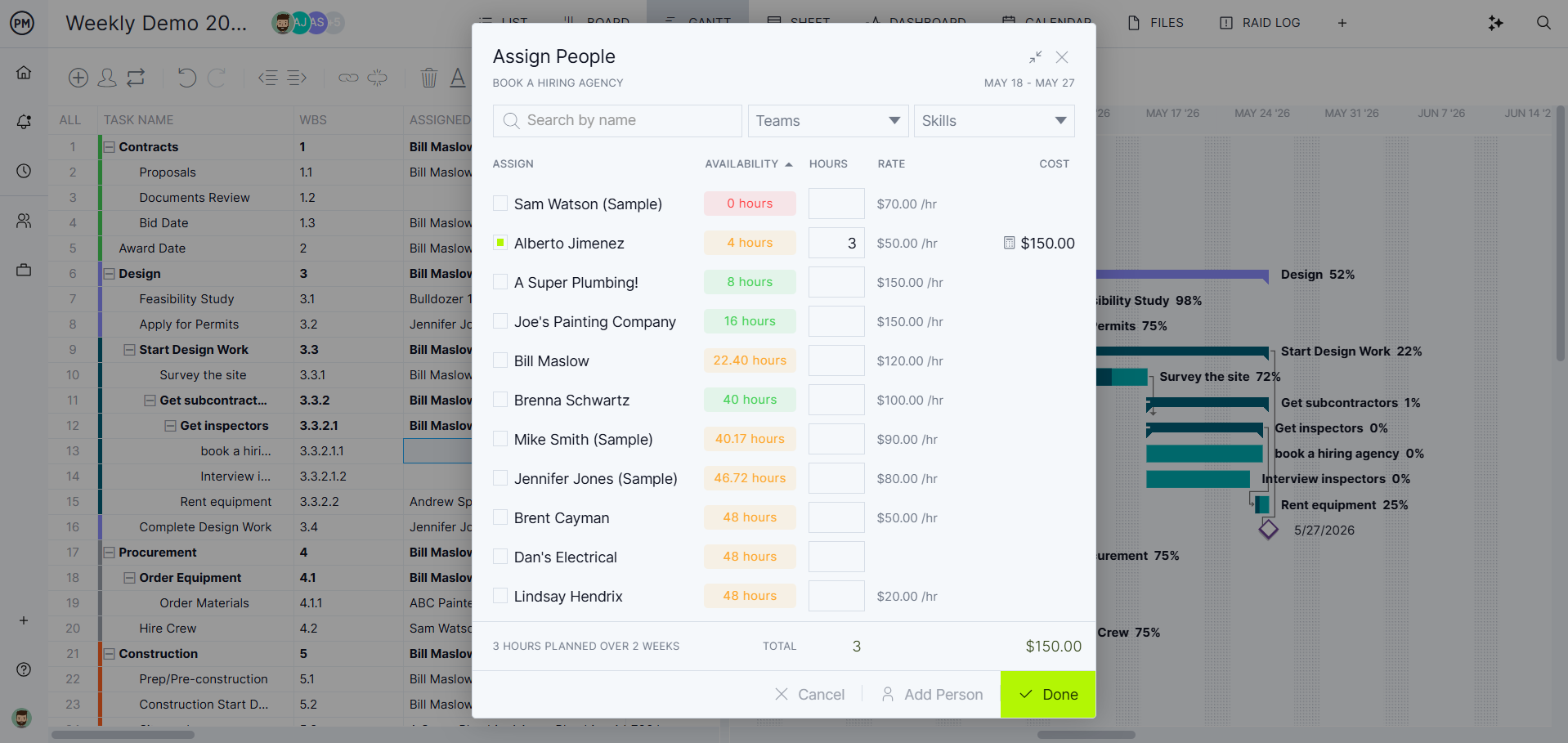
Best for: Home builders and remodelers running many builds at once who need to schedule crews and subcontractors across all of them.
Key features
- Gantt charts with finish-to-start, start-to-start, finish-to-finish and start-to-finish dependencies, plus lag
- Critical path filter, baselines and variance reports
- Workload page showing hours across all projects (Business plan and above)
- Equipment and subcontractors as resources with no license cost, and free read-only guests
- Portfolio roadmap and dashboard across projects (Business and above), plus timesheets and project dashboards
- Import of MPP, Microsoft Project XML, Excel and CSV files
- Browser access on any operating system, plus iOS and Android apps
- QuickBooks Online integration (free on Business)
Pros
- Scheduling depth suited to builders who live in the schedule
- One view of crew workload across every home
- Published prices and a 30-day free trial
Cons
- No homeowner portal, selections, estimating or takeoff, so it doesn’t replace Buildertrend’s client-facing and pre-construction tools
- No dedicated change order workflow
- The workload page, cost tracking, project templates and QuickBooks need the Business plan or above, and the Team plan is limited to 20 projects, which matters if you set up one project per home
- Per-user pricing adds up if every office and field person needs edit access
Pricing: Team $15/user/month, Business $28/user/month (billed annually), Enterprise by quote. 30-day free trial.
2. Contractor Foreman
Contractor Foreman is an all-in-one construction management tool for residential and commercial contractors, priced per company rather than per user. It covers estimating, scheduling, crew scheduling, bid management, change orders, subcontracts, time tracking and a client portal, depending on the plan.
Its scheduling goes further than many tools in its price range. The Gantt scheduler supports all four dependency types with lead and lag, shows baselines, and can link tasks across projects so a delay on one home updates related tasks on another when auto scheduling is turned on. The catch is that the Gantt scheduler starts on the Plus plan, and the client portal starts on Pro.
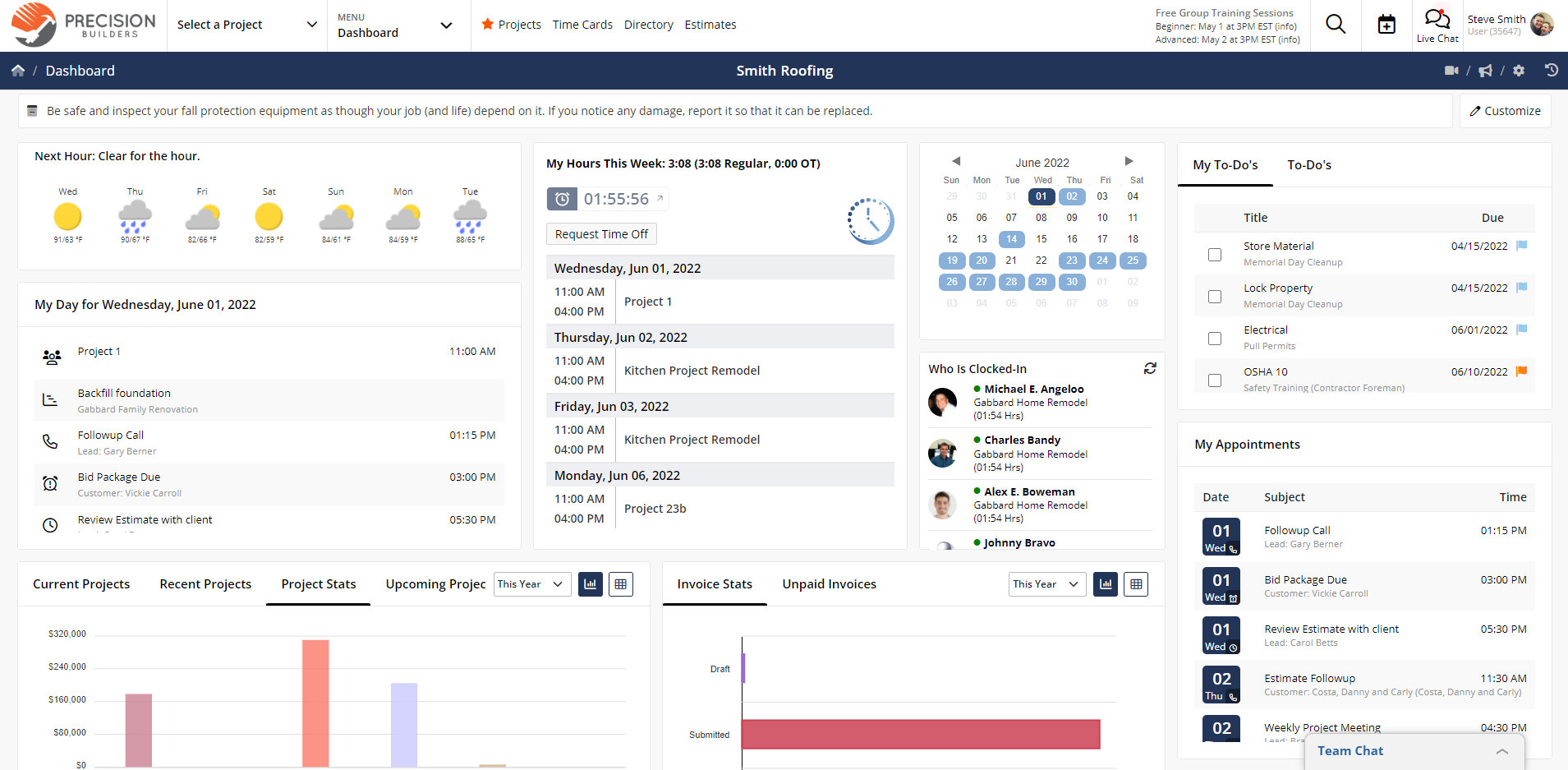
Best for: Budget-conscious builders and remodelers who want an all-in-one tool with solid scheduling at a published price.
Key features
- Gantt scheduling with all four dependency types, lag and baselines (Plus and above)
- Task links across projects, so a delay on one job can update another
- Bid management, where vendors can submit bids without creating an account (Plus and above)
- Estimates on all plans; change orders with e-signature approval (Plus and above)
- Client portal (Pro and Unlimited)
- iOS and Android apps; QuickBooks Online (Plus and above)
Pros
- Flat company pricing within each plan’s user limit
- Scheduling depth close to dedicated scheduling tools
- 30-day free trial, with a 100-day money-back guarantee on annual Plus, Pro and Unlimited plans
Cons
- The Basic plan has no Gantt scheduling, so scheduling-focused builders start at Plus
- The client portal needs the Pro plan, and clients see the schedule but not the Gantt chart
- No selections module listed on its pricing page
- Users are capped by plan, so growing teams move up tiers
Pricing: Basic $49/month (1 user), Standard $105/month (up to 3 users), Plus $166/month (up to 8 users), Pro $221/month (up to 15 users) and Unlimited $332/month, all billed annually. Monthly billing costs more, and Basic is annual only. 30-day free trial.
3. Buildxact
Buildxact is estimating and job management software for residential builders and remodelers. Builders start with digital takeoffs and estimates, then turn the estimate into a job with a schedule, selections, change orders and a client portal.
For scheduling, Buildxact offers Gantt charts with dependencies and a tool that highlights the critical path. Subcontractors assigned to tasks get booking emails they can accept or decline, and Buildxact flags clashing bookings, which helps when the same sub works across several homes. Scheduling, selections, the client portal and the Onsite mobile app are on the Pro plan and above.
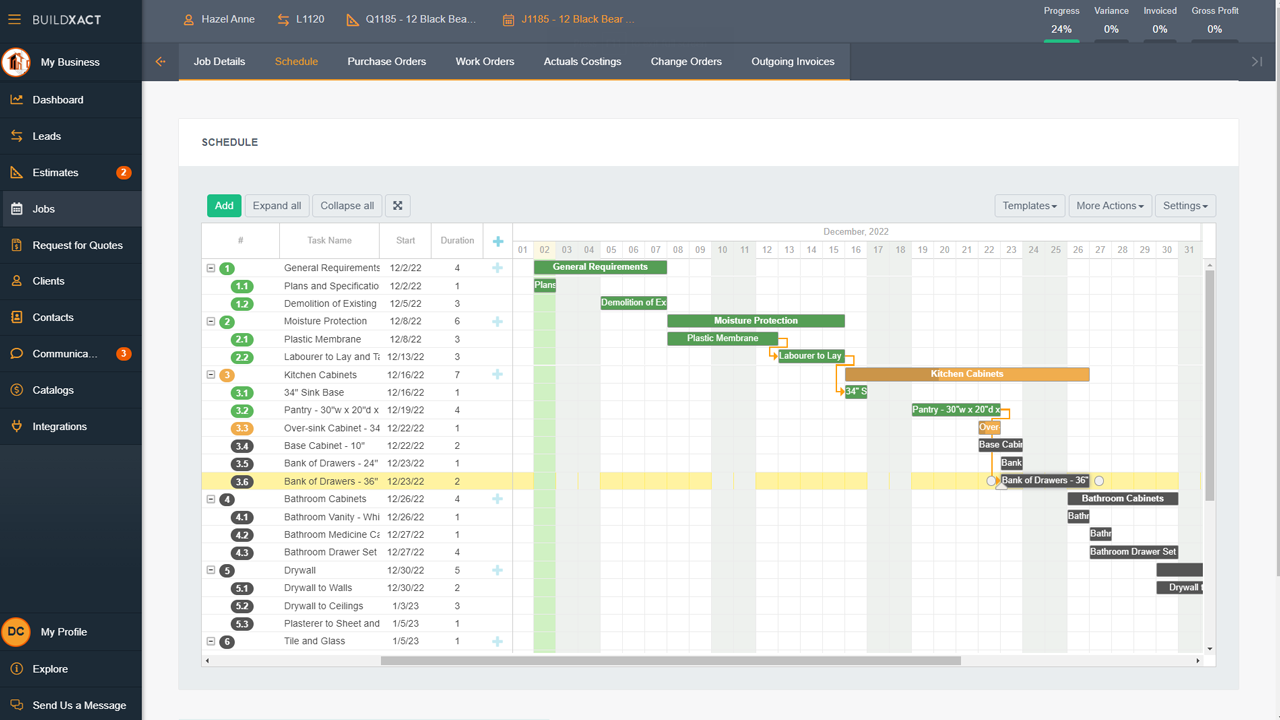
Best for: Builders and remodelers who build schedules from their estimates and want residential estimating at the center of the tool.
Key features
- Digital takeoffs, estimates and quote letters (all paid plans)
- Gantt schedules with dependencies and critical path highlighting (Pro and above)
- Subcontractor booking emails with accept and decline, plus clash warnings
- Client portal with digital selections, and change orders (Pro and above)
- Buildxact Onsite app for iOS and Android; QuickBooks and Xero integrations (Pro and above)
Pros
- Estimating built for residential work
- Unlimited users on every paid plan
- 14-day free trial, plus a free Go plan for estimating
Cons
- Scheduling, the client portal and the mobile app need the Pro plan, so the entry price doesn’t cover them
- Documented dependency types are end-to-start and start-to-start; other types and baselines aren’t listed
- Annual plans require a 12-month commitment
Pricing: Go free (estimating credits only), Foundation $169/month, Pro $339/month and Master $509/month billed annually, or $199, $399 and $599 billed monthly. Unlimited users. 14-day free trial.
4. JobTread
JobTread is construction management software for home builders, remodelers and specialty contractors, and it’s the closest all-in-one replacement for Buildertrend on this list. It covers estimating with takeoff, budgets, scheduling, a customer portal, selections, change orders and invoicing in one plan.
Schedules can be viewed as a calendar, a Gantt chart or a list, with dependencies and lag between tasks. The customer portal lets you show homeowners the full schedule, a phase or only what’s assigned to them, and customers can make selections, approve change orders and pay invoices online. Customer, vendor and subcontractor portal users are free and unlimited.
Best for: Builders who want an all-in-one residential platform similar to Buildertrend, with a published price.
Key features
- Gantt, calendar and list schedule views with dependencies and lag
- Estimating with budget templates, on-screen takeoff and branded proposals
- Customer portal with schedules, selections, change order approvals and online payments
- Free, unlimited portal users for customers, vendors and subcontractors
- Two-way sync with QuickBooks Online
Pros
- Covers most of what Buildertrend does in a single plan
- Published pricing, with lower per-user rates as you add people
- A customer success manager assigned to every client
Cons
- No free trial, though monthly subscriptions have a 30-day money-back guarantee
- No native app in the App Store or Google Play; the mobile app is a web app installed from the browser
- The base fee makes it more expensive than per-user tools for very small teams
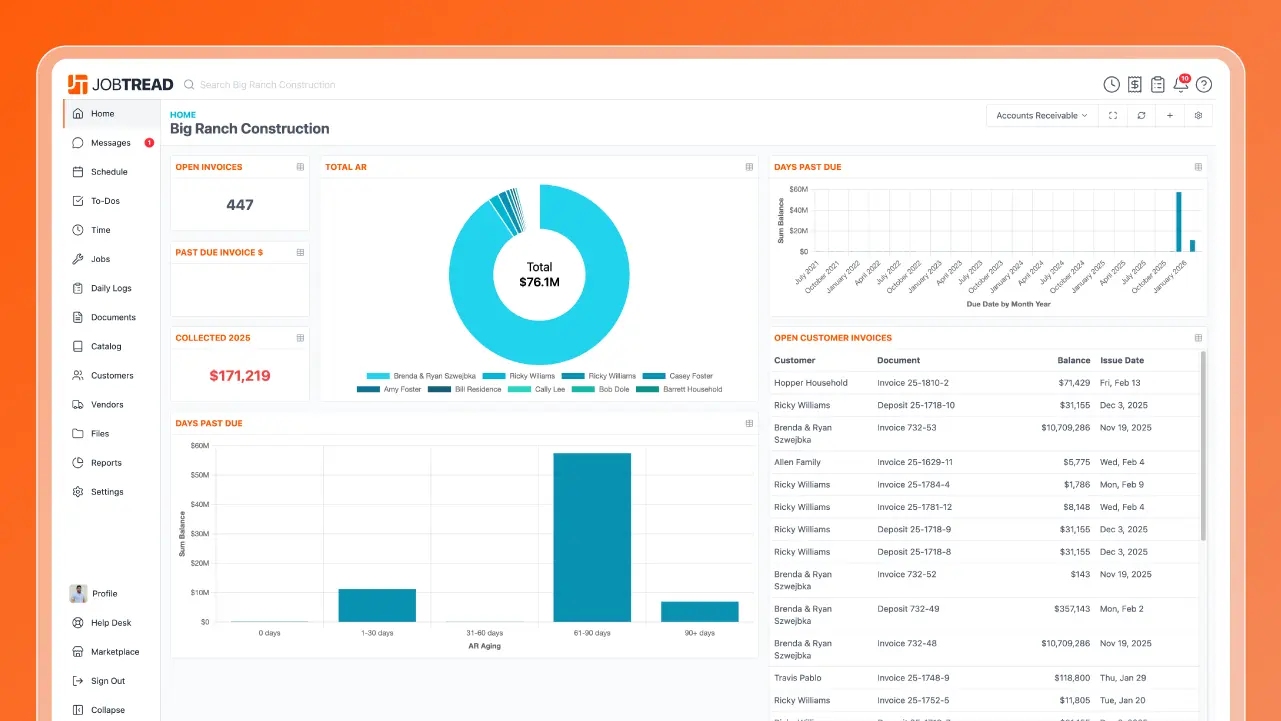
Pricing: $199/month including one internal user, plus $20/month for each additional user (2–10 users), with lower per-user rates above 10 users. Save 20% with annual billing. No free trial.
5. Houzz Pro
Houzz Pro is business software for home builders, remodelers and designers, with tools that lean toward design and the client experience. It includes estimating and takeoffs, proposals, selection boards, a client dashboard, change orders, scheduling and invoicing.
Its scheduler switches between Gantt, calendar and list views, with dependencies, adjustable lag and baselines to compare planned against actual dates. Clients use the dashboard to review and approve estimates and proposals, make payments and interact with selection boards. Houzz Pro is a good fit for remodelers who sell on design; builders who need deep scheduling across many homes may find it lighter than they want.
Best for: Remodelers and design-build firms that sell on design and want a polished client experience.
Key features
- Gantt, calendar and list schedules with dependencies, lag and baselines
- Estimating, takeoffs and proposals
- Client dashboard with approvals, payments and selection boards
- Change orders that charge the client only for the difference in cost
- Schedule export to PDF or PNG; QuickBooks Online integration
Pros
- Strong client-facing tools for design-led remodelers
- Published pricing and a free plan
- 30-day free trial
Cons
- No critical path feature listed on its scheduling page
- Paid plans have a 12-month minimum contract
- Extra users cost $50/user/month, which adds up for larger teams
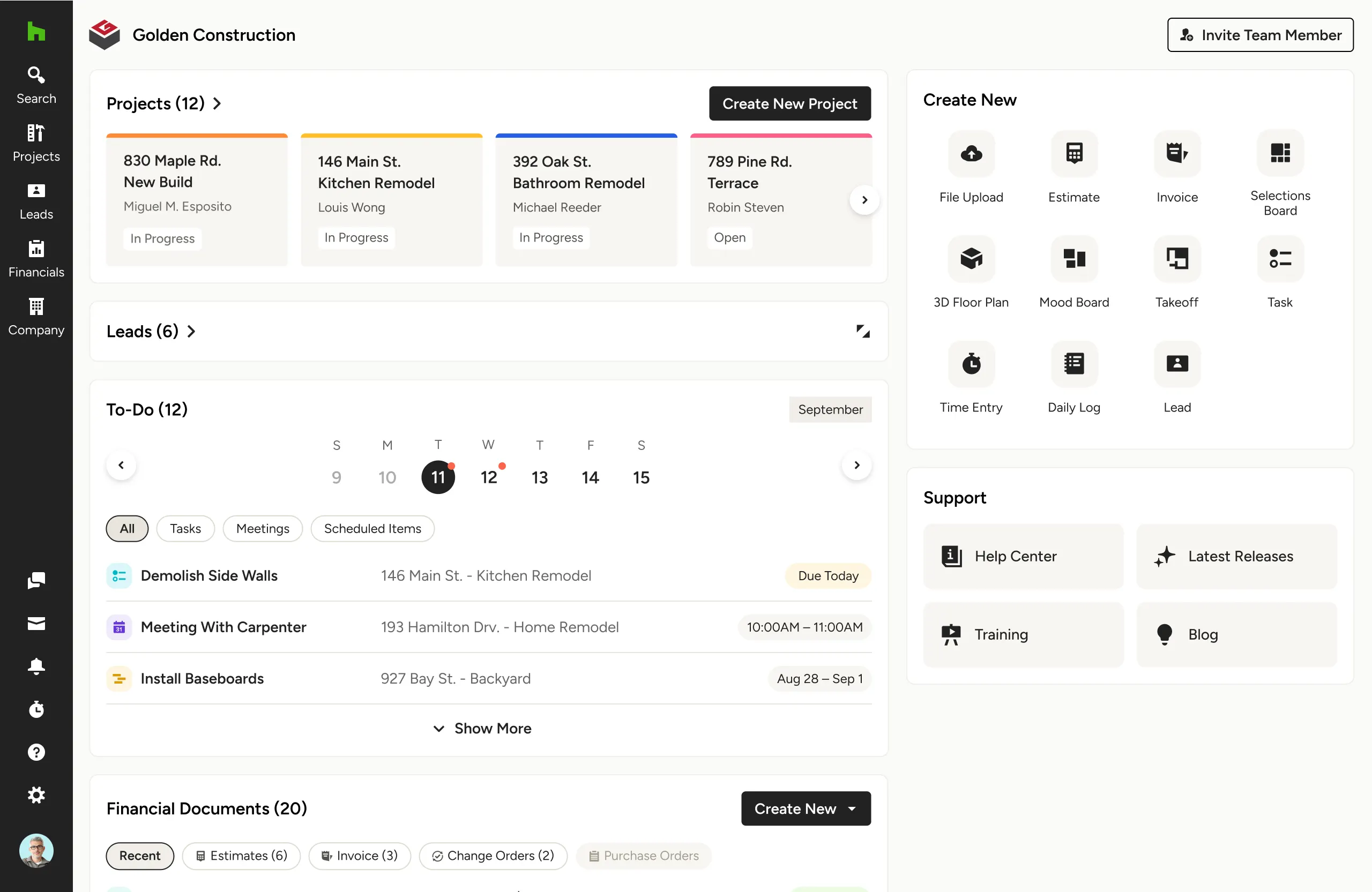
Pricing: Free plan; Pro $199/month (1 user); Teams from $399/month (5 users); additional users $50/user/month; Enterprise by quote. 30-day free trial.
6. Procore
Procore is a construction management platform that markets itself to homebuilders as well as commercial contractors. It covers documents, bid management, budgets, quality and safety, and now includes its own scheduling tool. Procore Scheduling, generally available since February 2026, lets teams build schedules with dependencies and lag, highlight the critical path and switch between the master schedule and lookahead plans.
For home builders, Procore makes the most sense at production-builder scale, where many people across the company need the same project record. Its homebuilder pages don’t list homeowner selections or a client portal, and pricing is based on annual construction volume, which can be high for a smaller builder. For more options in this category, see the best Procore alternatives.
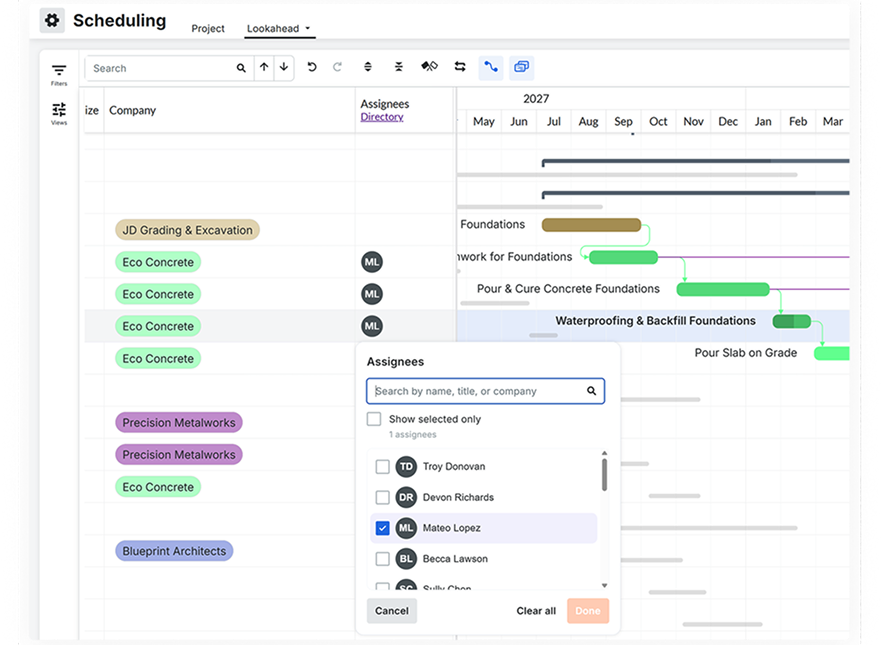
Best for: Larger production builders who want scheduling inside a full construction management platform.
Key features
- Procore Scheduling with dependencies, lag, critical path and lookaheads
- Import of schedules from Primavera P6 and Microsoft Project
- Bid management, budgets, documents, quality and safety tools
- iOS and Android apps to view schedules and update percent complete
- QuickBooks Online and Desktop connectors
Pros
- Puts the schedule next to the rest of the project record
- No charge for adding users
- Widely used by general contractors and larger builders
Cons
- No homeowner selections or client portal listed for homebuilders
- Pricing is based on annual construction volume and can be high for smaller builders
- More platform than you need if scheduling is the main problem
Pricing: By quote, as an annual fee based on the products you choose and your annual construction volume. No charge for additional users.
How to Move Your Schedules Into ProjectManager
To move your schedules into ProjectManager, set up one project per home with matching working days, import or build each schedule, then check the logic and set a baseline. ProjectManager imports Excel and CSV files with column mapping, as well as Microsoft Project MPP and XML files, so you can bring over a schedule exported from another tool or a template you keep in a spreadsheet.
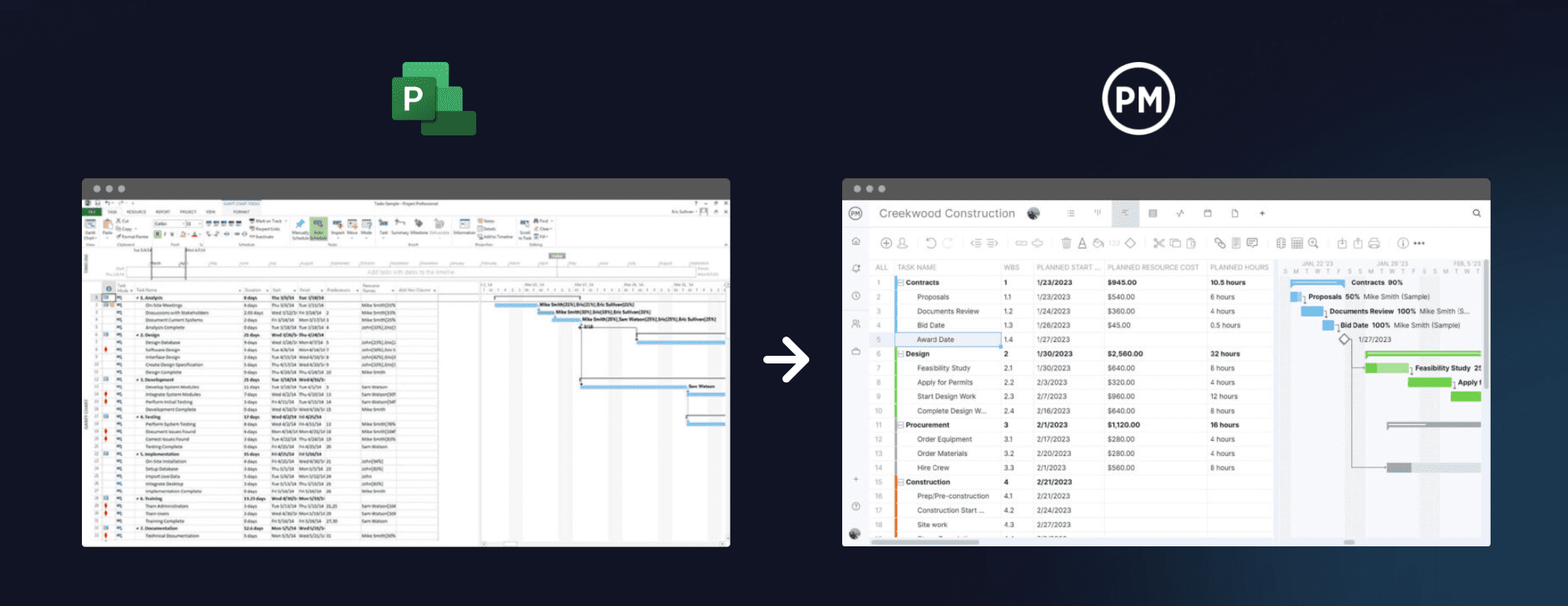
- Set working days first. In ProjectManager, click the + button and choose Project, then set your working days, such as a five-day or six-day work week. Working days are hard to change once the project exists. Add any global holidays now too, since they can’t be added to existing projects.
- Create one project per home. Name each project by lot or address so it’s easy to find on the portfolio and workload views. If you build the same plans repeatedly, save a finished schedule as a project template (Business and above) or copy an existing project and set a new start date.
- Import the file. Choose Import File when creating the project, or click the import icon on the Gantt ribbon of an existing project. Click select file, upload your Excel, CSV, MPP or XML file and click next. If you’re importing into an existing project, choose Keep and append with the imported data or Replace with the imported data. Replace removes everything already in the project.
- Map the columns. For Excel and CSV files, map each column in your file, such as task name, start, finish and duration, to the matching Gantt column, then click import. For MPP and XML files, choose task list only or all data.
- Check the logic. Compare durations and dependencies with your original schedule, and add any links that didn’t come through. Add lag where you need it, such as an inspection hold between rough-in and insulation or a lead time on windows.
- Filter for the critical path. Turn on the critical path filter and check that it shows the tasks that drive the completion date. If it doesn’t, look for missing links or lag.
- Set a baseline. Once the schedule is right, set a baseline in Gantt settings so you can track variance from the start of the build.
- Add crews and subcontractors. Add your crews and subs as team members or as resources with no license cost, assign them to tasks and use the workload page to see their hours across every home (Business and above).
Keep your original files. If you’re leaving Buildertrend, export what you need before your subscription ends.
Want to see your homes in one place? Start a free 30-day trial, set up a project for each home and check crew workload across all of them. Get started with ProjectManager today for free.
Buildertrend Alternatives FAQ
Is there a cheaper alternative to Buildertrend?
Buildertrend doesn’t publish prices, so you’ll need a quote to compare directly. Among the alternatives with published prices, Contractor Foreman starts at $49/month for the company billed annually (Gantt scheduling starts at $166/month), ProjectManager starts at $15/user/month billed annually, and JobTread and Houzz Pro start at $199/month. Houzz Pro and Buildxact also have free plans with limited features.
What’s the best Buildertrend alternative for small builders?
It depends on what you need most. Small builders who mainly need scheduling and crew coordination can start with ProjectManager’s Team plan. Those who want an all-in-one tool at a low company price can look at Contractor Foreman, and those who start every job from an estimate can look at Buildxact.
Can I export my data from Buildertrend?
Partly. Buildertrend’s help center says you can select Export on any grid that supports it to download an Excel file, schedules can be exported as PDFs, and estimate worksheets can be downloaded as CSV files. Buildertrend’s help center doesn’t describe a one-click export of an entire account, so export each job’s schedule, budget, contacts and documents before your subscription ends.
Does Buildertrend offer a free trial?
No. Buildertrend offers free personalized demos instead of a free trial. Several alternatives have free trials, including ProjectManager (30 days), Contractor Foreman (30 days), Houzz Pro (30 days) and Buildxact (14 days).
Which Buildertrend alternative has the best scheduling for multiple homes?
ProjectManager is the strongest fit for scheduling across many homes, because it combines all four dependency types, a critical path filter and baselines with a workload page that shows crew hours across every project. Contractor Foreman is also worth a look, since it can link tasks across projects so a delay on one job updates another.
Is CoConstruct still available?
CoConstruct was acquired by Buildertrend in 2021, and its customers are being moved onto Buildertrend. If you’re a CoConstruct user deciding where to go next, the alternatives above are worth comparing before you migrate.