



Last updated: November 10, 2026
The construction Gantt chart software worth comparing in 2026 is ProjectManager, Microsoft Project, GanttPRO, Smartsheet, TeamGantt, Asta Powerproject, Contractor Foreman, Procore and Primavera P6. ProjectManager sits between dedicated Gantt chart tools and all-in-one construction platforms: it’s a Gantt-first tool with construction-ready features, including crew workload across jobs, baselines and field access, which makes it the strongest fit for general contractors, subcontractors and builders. Microsoft Project suits teams that want detailed CPM schedules in Project desktop, GanttPRO and Smartsheet suit teams that want a capable Gantt chart at a low per-user price, TeamGantt suits builders who want lookaheads at a flat price, Asta Powerproject and Primavera P6 suit professional schedulers on large or complex programs who need that scheduling depth, Contractor Foreman suits budget-conscious contractors who want an all-in-one tool and Procore suits teams already running jobs in Procore.
A construction Gantt chart has a harder job than most. When framing slips three days, drywall, electrical rough-in and the inspection behind it need to move with it, the inspection hold needs its lag, and the superintendent needs to see the new dates on a phone the same day. If the same drywall crew is booked on two jobs next Tuesday, someone needs to catch it before the trucks roll.
This guide compares nine tools on exactly that: how each Gantt chart handles dependencies and lag, the critical path, baselines, crews across jobs and sharing with the field and subcontractors. It focuses on the Gantt chart itself. For a broader look at construction scheduling tools, see the best construction scheduling software.
ProjectManager is online project management software with Gantt charts built for construction schedules. Link tasks with all four dependency types and lag, filter for the critical path, set a baseline and see every crew’s hours across your jobs. Get started with ProjectManager today for free.

What to Look for in Construction Gantt Chart Software
Good construction Gantt chart software is easy to build, read and update, gets the current schedule to everyone who builds from it and keeps the schedule’s logic intact when dates move. Check for these features:
- Visual clarity. Phases, milestones and dependency lines should be easy to read at a glance, whether an owner is looking at the schedule in a meeting or a superintendent is checking it on a phone. Learn more about Gantt chart software.
- Drag-and-drop editing. Moving a bar should change its dates and move linked tasks with it, without retyping dates in a table. When framing slips three days, you drag it and drywall, electrical rough-in and the inspection follow.
- Construction phase templates. Starting from a template with typical phases, such as site work, foundation, framing, MEP rough-in and finishes, or copying a past job, saves rebuilding the same schedule for every project.
- Mobile progress updates. Superintendents and foremen should be able to view the schedule and update progress from a phone or tablet, so the Gantt chart reflects the job site, not last week’s meeting.
- Sharing with people who don’t have a license. Owners, subcontractors and field staff need to see their dates. Check whether they can view the schedule without a paid seat, and whether they can update it.
- Scheduling logic. The Gantt chart should support all four dependency types with lag for inspection holds, cure time and lead times, reschedule linked tasks automatically, show the critical path and save baselines. See the critical path method in construction for more.
- Crew and subcontractor workload across jobs. See each crew’s and sub’s assignments across every project, so a crew booked on two jobs on the same day shows up before it causes a delay.
- MPP and Excel import. Most construction schedules already live in Microsoft Project or a spreadsheet. Check which files the tool imports and whether dependencies come through.
Construction Gantt Chart Software Compared
| Tool | Best for | Gantt editing | Mobile progress updates | Share without a license | Scheduling logic | File import | Starting price |
|---|---|---|---|---|---|---|---|
| ProjectManager | GCs, subs and builders who need the Gantt chart and crew workload in the field | Drag and drop in any browser | iOS and Android apps | Free read-only guests | All four dependency types with lag; critical path filter; baselines | MPP, Microsoft Project XML, Excel, CSV | $15/user/month (Team), $28/user/month (Business), billed annually |
| Microsoft Project | Teams that want detailed CPM schedules in Project desktop | Project desktop on Windows; Planner timeline in a browser with Plan 3 | Limited; new Planner features reach desktop and web first | No free viewer from Microsoft; share PDFs or use an MPP viewer | All four with lead and lag; critical path; up to 11 baselines in Project desktop | Project desktop opens MPP; Planner can’t | Project Standard or Professional 2024, one-time purchase; Planner and Project Plan 3 $30/user/month, paid yearly |
| GanttPRO | Small teams that want a focused Gantt chart with critical path and baselines on every plan | Drag and drop in a browser | iOS and Android apps | Shared private links | All four with lag and lead; critical path and baselines on all plans | Microsoft Project, Excel, Jira Cloud | Core $8/user/month, billed annually (teams of up to 15) |
| Smartsheet | Teams that want a spreadsheet-style schedule | Gantt view on a sheet in a browser; drag bars to change dates | iOS and Android apps; Gantt view only in reports | Free Contributors view and comment; free Guests can edit (Business and above) | All four with lag; critical path (Pro and above); one baseline per sheet (Business and above) | MPP, Excel, CSV | Pro $9/member/month, billed annually |
| TeamGantt | Builders who want a simple Gantt chart with lookaheads at a flat price | Drag and drop in a browser | iOS and Android apps; list view on iOS | Public share links; unlimited collaborators on Business and above | All four with lag and lead (advanced on Business and above); critical path; baselines (Business and above) | MPP (no resources), CSV | $59/month flat (Base); Builder Edition from $199/month |
| Asta Powerproject | Professional construction planners on large or complex programs who need P6-level depth | Desktop application, mainly Windows | Asta Siteprogress app, licensed separately | Not documented | Detailed CPM logic; critical path; baselines | XER, XML; MPP only with Microsoft Project installed | Quote only |
| Contractor Foreman | Budget-conscious contractors who want Gantt scheduling in an all-in-one tool | Gantt in a browser (Plus plan and above) | iPhone, iPad and Android apps | Client portal (Pro and above) | All four with lead and lag; critical path; per-task baselines | Microsoft Project (XML) | Gantt scheduling from $166/month for the company (Plus, billed annually) |
| Procore | GCs already running jobs in Procore | Drag bars in Procore Scheduling in a browser | iOS and Android apps; user guide lists Scheduling actions as web-only | Unlimited users at no extra charge | All four with lag; critical path; automatic version snapshots | XER and MPP, as read-only schedules | Quote only, based on annual construction volume |
| Primavera P6 | Professional schedulers on very large or complex programs who need that scheduling depth | P6 Professional on Windows; P6 EPPM in a browser | P6 mobile apps for assigned activities | Shared as XER or XML files | All four with lag; critical path by total float or longest path; multiple baselines | XER, P6 XML, Microsoft Project XML (not MPP) | Quote only |
Prices are list prices as of November 2026 and change often.
9 Best Construction Gantt Chart Software
1. ProjectManager
ProjectManager is online project management software, and its Gantt chart covers what construction schedules need without a desktop install. Tasks link with all four dependency types and lag, so when framing slips three days, drywall, electrical rough-in and the inspection move with it, and the inspection hold keeps its lag. A critical path filter shows which tasks set the completion date, and baselines with variance reports show how far each job has drifted from plan.
The workload page shows each person’s assigned hours across all projects, so a drywall crew booked on two jobs next Tuesday shows up before it becomes a delay, and you can reassign the hours from the same page. Equipment and subcontractors can be added as resources with no license cost, and superintendents update progress from the iOS and Android apps. ProjectManager imports MPP, Microsoft Project XML, Excel and CSV files, and its MPP import and export are lossless for schedule data.
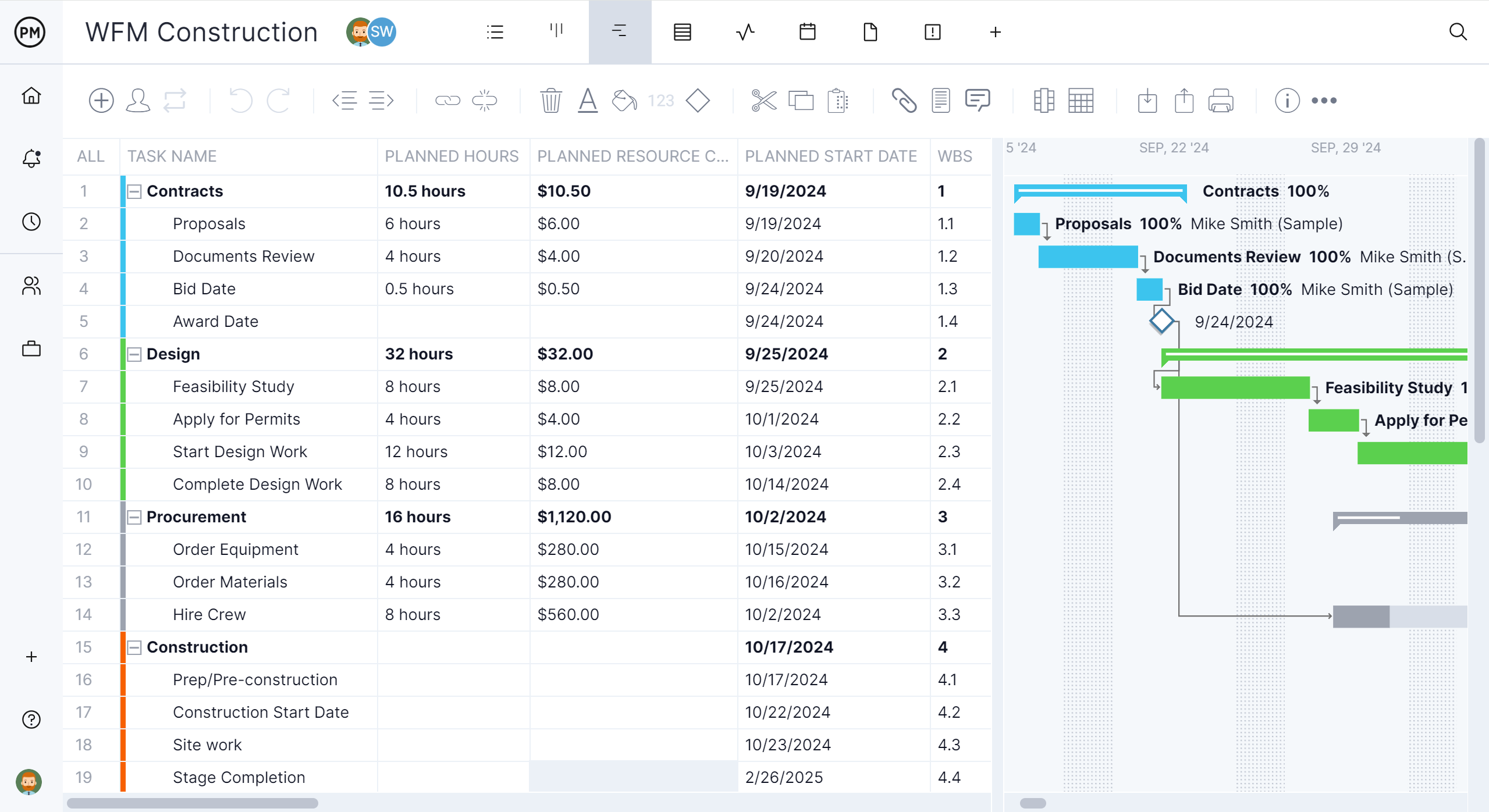
Best for: General contractors, subcontractors and builders who want a Gantt-first tool with construction-ready features, including crew workload across jobs, baselines and field access, without moving to an all-in-one construction platform.
Gantt chart features
- All four dependency types with lag, and automatic rescheduling of linked tasks
- Critical path filter, baselines and variance reports
- Workload page with hours across all projects (Business plan and above)
- Equipment and subcontractors as resources with no license cost
- Sheet, board, list and calendar views of the same tasks, plus timesheets and dashboards
- Import of MPP, Microsoft Project XML, Excel and CSV files, and export to MPP, XML, Excel and CSV
Pros
- Critical path, baselines and crew workload in one browser-based tool
- Opens existing Microsoft Project and Excel schedules
- Published prices and a 30-day free trial
Cons
- No RFI, submittal or drawing management
- No Primavera XER import or export, no desktop app and no offline mode
- The workload page needs the Business plan, and the Team plan is limited to 10 users and 20 projects
Pricing: Team $15/user/month, Business $28/user/month (billed annually), Enterprise by quote. 30-day free trial.
2. Microsoft Project
Microsoft Project is Microsoft’s CPM scheduling software, and there are two ways to get it: Project Standard 2024 or Project Professional 2024 as a one-time purchase, or Planner and Project Plan 3, a subscription that includes the Project desktop client. Project desktop calculates the critical path, saves up to 11 baselines and opens the MPP files many owners and schedulers still send, and Plan 3 also adds Planner’s timeline (Gantt) view with all four dependency types and lead and lag in the browser.
The gaps are in the field and across jobs. Project desktop runs only on Windows, Planner can’t open MPP files directly and holds one baseline, and Planner’s People view shows workload within one plan rather than across every job. For more, see the best Microsoft Project alternatives for construction.

Best for: Construction teams that want detailed CPM schedules in Project desktop, bought outright or through a Microsoft 365 subscription.
Gantt chart features
- Gantt Chart view in Project desktop with critical path
- Up to 11 baselines in Project desktop
- All four dependency types with lead and lag, also in Planner’s timeline view with Plan 3
- Works with Teams, Outlook and other Microsoft 365 apps
Pros
- Project desktop handles detailed CPM schedules
- Opens MPP files from owners and other schedulers
- Basic Planner is included in many Microsoft 365 plans
Cons
- Project desktop runs only on Windows
- Planner can’t open MPP files directly and holds only one baseline
- No workload view across plans, so crews on several jobs are hard to see together
Pricing: Project Standard 2024 and Project Professional 2024 are one-time purchases. Planner and Project Plan 3 costs $30/user/month, paid yearly, and includes the Project desktop client. Planner Plan 1 ($10/user/month) doesn’t include the desktop app, and Planner and Project Plan 5 is no longer sold to new customers.
3. GanttPRO
GanttPRO is online Gantt chart software focused on the schedule itself. Every plan, including Core, links tasks with all four dependency types with lag and lead, reschedules linked tasks automatically and includes the critical path and baselines. The Business plan adds workload across the current or all active projects, time tracking and portfolios, and GanttPRO imports Microsoft Project, Excel and Jira Cloud files and has iOS and Android apps.
For construction, it’s a general-purpose tool. It has no lookahead schedules, subcontractor confirmations or other construction-specific features, and its listed export formats are PNG, PDF, XML and Excel, not MPP. Prices depend on team size, with the lowest rates for teams of 20 or more. For a closer look, see ProjectManager vs. GanttPRO.
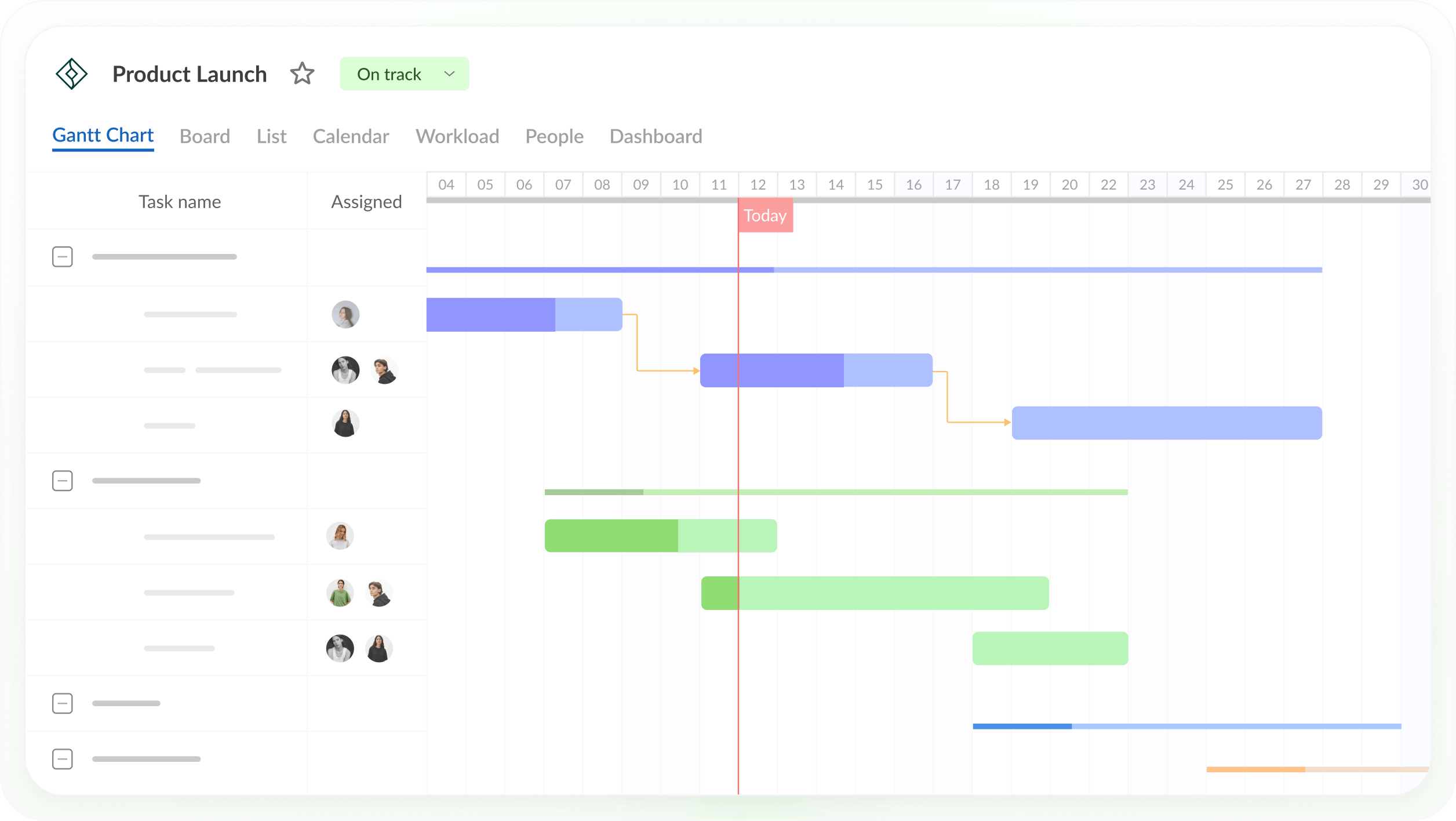
Best for: Small teams that want a focused Gantt chart with critical path and baselines on every plan at a low per-user price.
Gantt chart features
- All four dependency types with lag and lead, and auto scheduling
- Critical path and baselines on every plan
- Workload across the current or all active projects (Business and above)
- Import of Microsoft Project, Excel and Jira Cloud files
- iOS and Android apps
Pros
- Critical path and baselines on the entry-level Core plan
- Low per-user prices
- 14-day free trial with no credit card required
Cons
- Workload and time tracking need the Business plan
- No construction-specific features such as lookaheads or subcontractor confirmations
- MPP isn’t among its listed export formats, and single-user plans are annual only
Pricing: Core $8, Advanced $12 and Business $19 per user per month, billed annually, for teams of up to 15 ($7, $10 and $17 for 20 or more members). Monthly billing ($9, $15 and $24) starts at 5 members. Enterprise $25/user/month for 5 or more users. 14-day free trial.
4. Smartsheet
Smartsheet is a spreadsheet-style work management tool with a Gantt view. It supports all four dependency types with lag, highlights the critical path on the Pro plan and above and offers one baseline per sheet on the Business plan and above. It imports MPP files directly, though Microsoft Project constraints don’t carry over.
For construction, the gaps are crews and the field. Full resource planning is a paid add-on, and on the mobile app the Gantt view is available only in reports. Free Contributors can view and comment on shared sheets, and free external Guests on the Business plan and above can also edit. For more, see the best Smartsheet alternatives for construction.
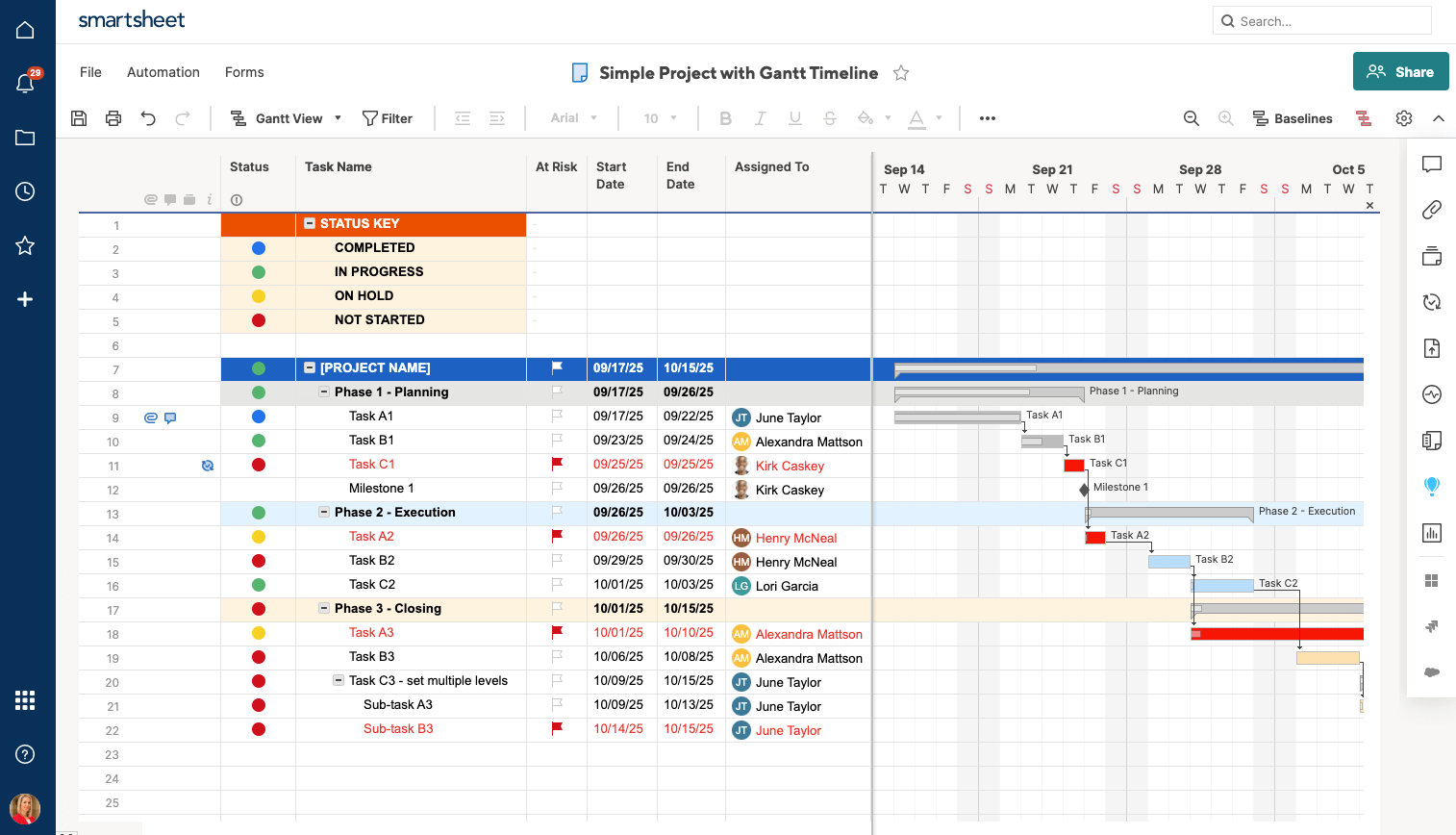
Best for: Construction teams that want a spreadsheet-style schedule and don’t need crew workload across jobs.
Gantt chart features
- All four dependency types with lag
- Critical path (Pro and above) and one baseline per sheet (Business and above)
- Direct import of MPP, Excel and CSV files
- Free Contributors and, on Business and above, free external Guests
Pros
- Familiar spreadsheet layout
- Imports MPP files without Microsoft Project
- 30-day free trial
Cons
- Full resource planning is a paid add-on
- Gantt view on mobile only in reports
- One baseline per sheet
Pricing: Pro $9/member/month billed annually ($12 monthly), Business $19/member/month billed annually ($24 monthly), Enterprise by quote. 30-day free trial.
5. TeamGantt
TeamGantt is Gantt chart software with a construction plan, Builder Edition. Its drag-and-drop Gantt chart includes the critical path on every paid plan, and the Business plan adds advanced dependencies, baselines and workload management. Builder Edition adds lookahead schedules and lets subcontractors confirm schedule changes.
TeamGantt charges a flat monthly fee per account rather than per user, with a cap on projects: Base allows 5, Business includes 5 and allows up to 20, and Builder Edition starts with 10. Its iOS app shows projects as a list, not a Gantt chart, and MPP imports don’t bring in resources.
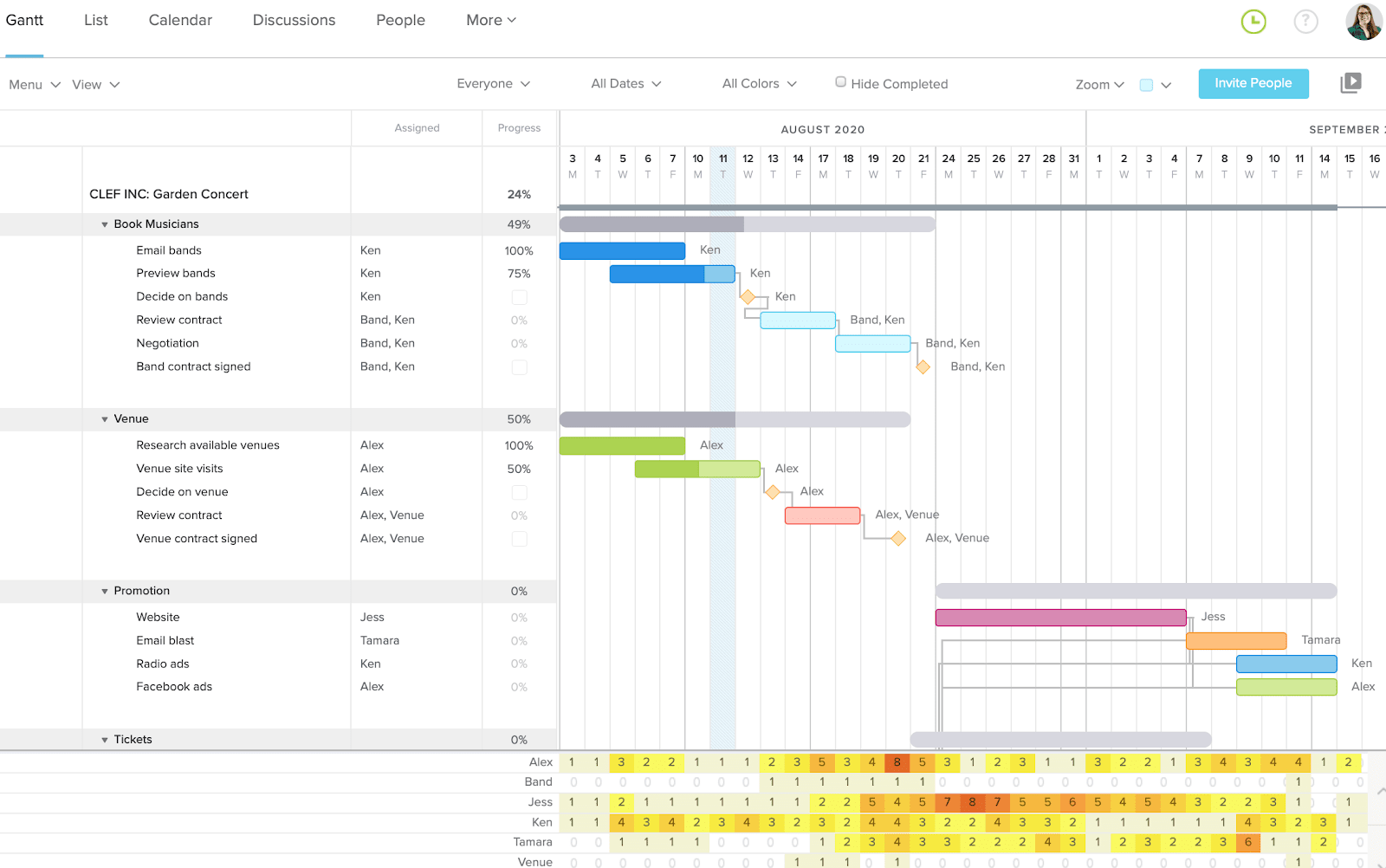
Best for: Builders and small contractors who want a simple Gantt chart with lookaheads and subcontractor confirmations at a flat price.
Gantt chart features
- All four dependency types with lag and lead (advanced dependencies on Business and above)
- Critical path on all paid plans; baselines on Business and Builder Edition
- Lookahead schedules and subcontractor schedule confirmation (Builder Edition)
- Workload management (Business and above)
- Import of MPP and CSV files
Pros
- Flat pricing with unlimited users on Business and Builder Edition
- Lookaheads and sub confirmations built for construction
- Free Personal plan for one user and one project
Cons
- Every plan caps projects
- Baselines, workload and advanced dependencies need the Business plan
- The iOS app shows a list view only, and the free trial requires a credit card
Pricing: Base $59/month; Business from $120/month; Builder Edition from $199/month. Save 20% with yearly billing. 14-day free trial.
6. Asta Powerproject
Asta Powerproject is construction planning software from Elecosoft and the closest match to P6 in scheduling depth. It supports CPM scheduling with detailed logic, calendars, constraints and resource loading, and it imports P6 XER and XML files, which helps contractors who exchange schedules with P6 users.
Like P6, it’s a specialist tool. It’s mainly a Windows desktop application, MPP files only import when Microsoft Project is installed on the same computer, and field updates come through Asta Siteprogress, a separately licensed app. For more, see the Asta Powerproject alternatives.
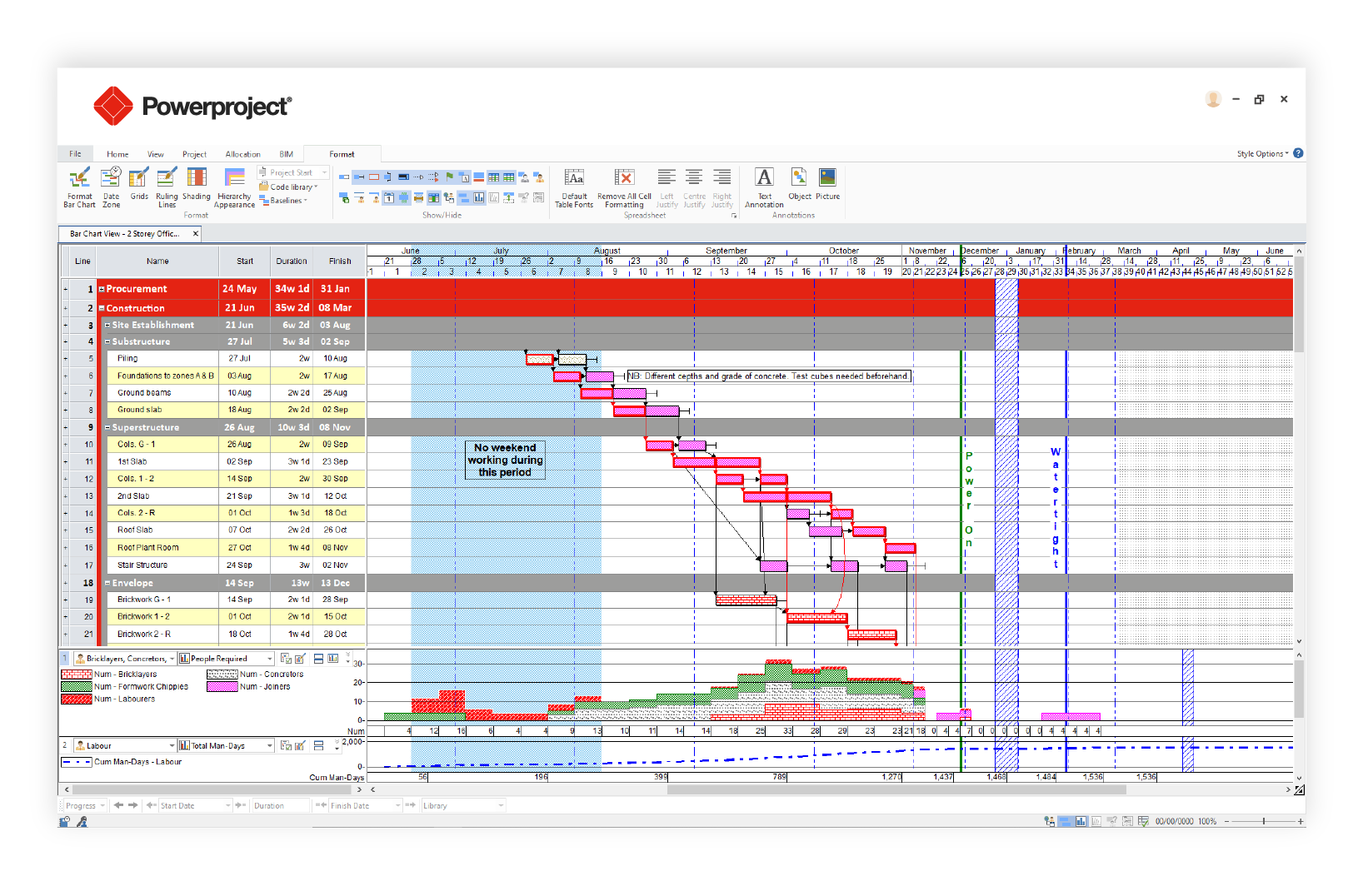
Best for: Professional construction planners on large or complex programs who need P6-level scheduling depth built for construction.
Gantt chart features
- CPM scheduling with critical path analysis, calendars and constraints
- Import of P6 XER and XML files, and MPP with Microsoft Project installed
- Resource loading
- Asta Siteprogress app for site progress updates, licensed separately
Pros
- Built for construction planning
- Scheduling depth close to P6
- Free trial
Cons
- A specialist tool with a learning curve for supers and project managers
- Mainly a Windows desktop application
- Prices aren’t published
Pricing: By quote. Free trial.
7. Contractor Foreman
Contractor Foreman is an all-in-one construction management tool, priced per company rather than per user, with scheduling that goes further than most tools in its price range. Its Gantt chart supports all four dependency types with lead and lag, tracks the critical path, shows baselines and can link tasks across projects so a delay on one job updates related tasks on another.
Two things to know. Linked tasks only move when Auto Scheduling is turned on, and the Gantt chart and crew schedule start on the Plus plan. Its help center doesn’t describe warnings when a crew is double-booked.
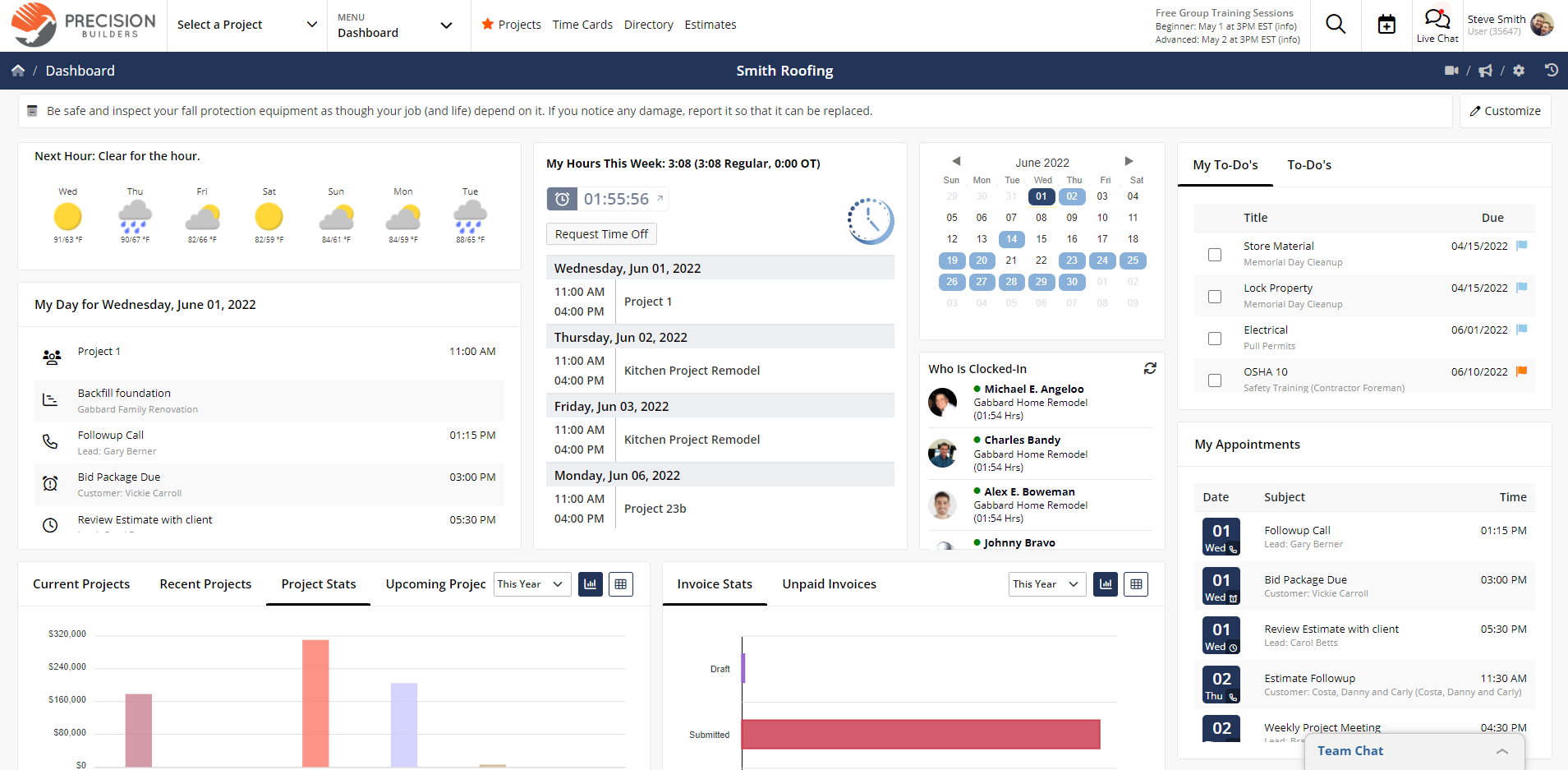
Best for: Budget-conscious contractors who want Gantt scheduling with all four dependency types inside an all-in-one tool at a published company price.
Gantt chart features
- All four dependency types with lead and lag, and task links across projects
- Critical path and per-task baselines
- Crew schedule with text and email reminders (Plus and above)
- Microsoft Project import and export, and schedule templates
Pros
- Scheduling depth close to dedicated scheduling tools
- Flat company pricing within each plan’s user limit
- 30-day free trial
Cons
- The Basic and Standard plans have no Gantt scheduling
- Dependencies don’t move dates unless Auto Scheduling is on
- No documented double-booking warnings
Pricing: Basic $49/month (1 user), Standard $105/month (up to 3 users), Plus $166/month (up to 8 users), Pro $221/month (up to 15 users) and Unlimited $332/month, all billed annually. 30-day free trial.
8. Procore
Procore is a construction management platform, and Procore Scheduling, generally available since February 2026, adds a Gantt chart to it. Teams build and edit schedules with all four dependency types and lag, see the critical path and create lookaheads, and Procore captures schedule versions for comparison. It also imports Primavera XER and Microsoft Project MPP files.
The trade-offs for a scheduling buyer are cost and flexibility. Imported schedules come in read-only rather than becoming editable Procore schedules, Procore’s user guide lists Scheduling actions as web-only, and pricing is based on annual construction volume. For more options, see the best Procore alternatives.
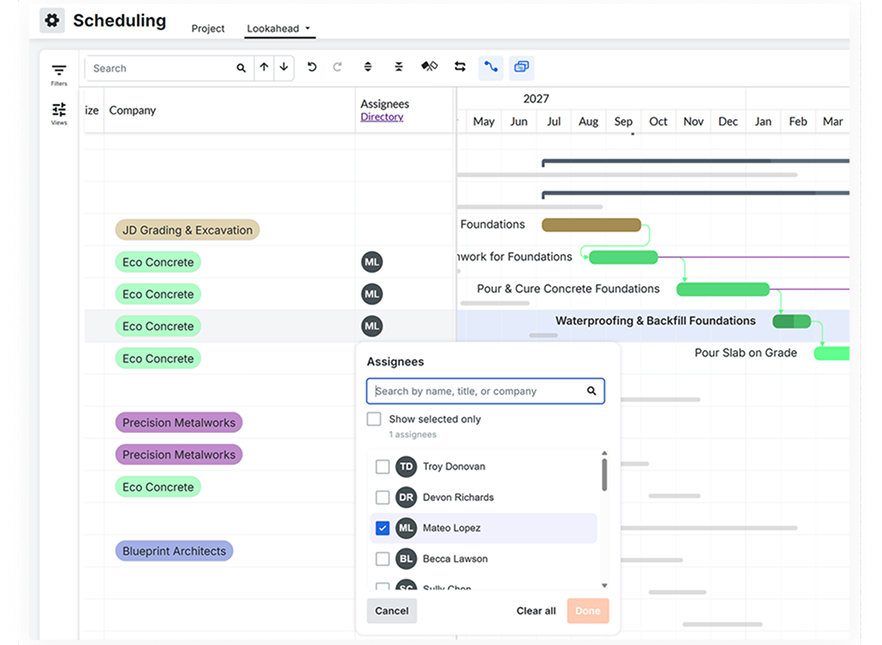
Best for: General contractors already running jobs in Procore who want the schedule next to documents, RFIs and financials.
Gantt chart features
- All four dependency types with lag
- Critical path and lookaheads
- Automatic schedule version snapshots for comparison
- Import of XER and MPP files as read-only schedules
Pros
- Puts the schedule next to the rest of the project record
- No charge for adding users
- Widely used by general contractors
Cons
- Imported MPP and XER schedules stay read-only
- Procore’s user guide lists Scheduling actions as web-only
- Pricing is based on annual construction volume and can be high for smaller contractors
Pricing: By quote, based on the products you choose and your annual construction volume. No charge for additional users.
9. Primavera P6
Primavera P6 is Oracle’s scheduling software for very large construction, infrastructure and energy programs. Its Gantt chart calculates the critical path by total float or longest path, supports multiple baselines and handles schedules with tens of thousands of activities. Many public owners require P6 schedules as XER files.
For most general contractors and builders, P6 is more than the job needs. P6 Professional is a Windows desktop application, P6 EPPM runs in a browser, the learning curve is steep and prices aren’t published. P6 reads Microsoft Project XML but not MPP files. For more options, see the best Primavera P6 alternatives.
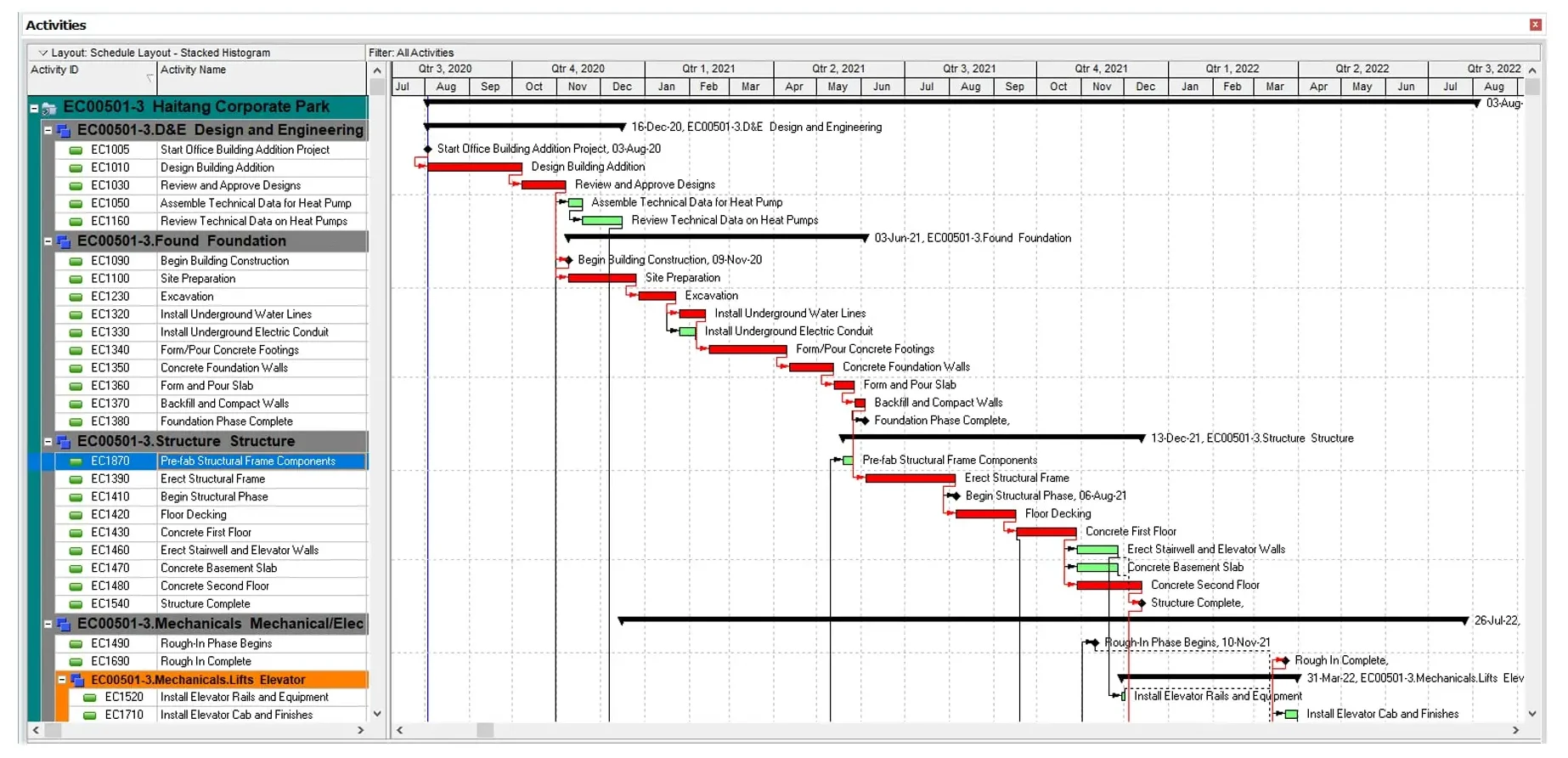
Best for: Professional schedulers on very large or complex programs who need P6’s scheduling depth, and contractors whose owners require P6 or XER submittals.
Gantt chart features
- CPM scheduling with critical path by total float or longest path
- All four dependency types with lag, and multiple baselines
- Detailed resource loading across enterprise projects
- P6 mobile apps for updating assigned activities
Pros
- The standard for very large construction and infrastructure schedules
- Produces XER files for owners who require them
- Handles schedules far larger than most tools can
Cons
- Steep learning curve, usually needing formal training
- Reads Microsoft Project XML, not MPP
- Oracle doesn’t publish current prices
Pricing: By quote through Oracle or a reseller.
How to Build a Construction Gantt Chart in ProjectManager
To build a construction Gantt chart in ProjectManager, set the project’s working days, add phases and tasks with durations, link them with dependencies and lag, then filter for the critical path and set a baseline. You can also start from the construction Gantt chart template or import an existing schedule.
- Set working days first. Click the + button, choose Project and set working days to match the job, such as a five-day or six-day week. Working days are hard to change once the project exists, and global holidays can’t be added to existing projects.
- Add phases as summary tasks. Create a summary task for each phase, such as site work, foundation, framing, MEP rough-in, drywall and finishes, and add the tasks under it. To start from an existing schedule, choose Import File and upload an MPP, Microsoft Project XML, Excel or CSV file.
- Enter durations. Give each task a duration in working days, so dates calculate from the project calendar.
- Link dependencies and add lag. Link tasks with finish-to-start, start-to-start, finish-to-finish or start-to-finish dependencies. Add lag for inspection holds, concrete cure time and material lead times, such as two days between rough-in and the inspection.
- Add milestones. Mark key dates such as permit approval, inspections and substantial completion as milestones.
- Assign crews and subcontractors. Assign team members, or add crews, subcontractors and equipment as resources with no license cost.
- Filter for the critical path. Turn on the critical path filter to see the tasks that drive the completion date.
- Set a baseline. Once the schedule is right, set a baseline in Gantt settings so you can track variance as the job progresses.
Want to see your construction schedule in ProjectManager? Start a free 30-day trial and build or import your first Gantt chart. Get started with ProjectManager today for free.
Construction Gantt Chart Software FAQ
What is a construction Gantt chart?
A construction Gantt chart is a bar chart of a construction schedule, with each task shown as a bar along a timeline and lines linking tasks that depend on each other. It shows phases such as foundation, framing, rough-in and finishes, along with milestones like inspections. In construction scheduling software, the bars move automatically when a linked task slips, and the chart can highlight the critical path. Learn more about the Gantt chart in construction.
Is a Gantt chart good for construction scheduling?
Yes, when it supports real scheduling logic. A construction Gantt chart works best when it links tasks with all four dependency types, handles lag for inspections and cure times, shows the critical path and saves a baseline. Without those, it’s a picture of the schedule that has to be redrawn every time a date slips. Very large programs may also need the deeper float analysis of tools like Primavera P6.
Can I make a construction Gantt chart in Excel?
Yes, but Excel doesn’t link tasks or calculate the critical path, so dates have to be updated by hand when something slips. A spreadsheet works for a simple schedule or a first draft, and ProjectManager has a free construction Gantt chart template. When the schedule needs dependencies, lag and a baseline, you can import the Excel file into scheduling software such as ProjectManager and link the tasks there.
What’s the difference between a Gantt chart and the critical path in construction?
A Gantt chart shows every task on a timeline, while the critical path is the chain of linked tasks that sets the completion date. Any delay on the critical path pushes the finish date, while tasks off it have float. Most construction Gantt chart software calculates the critical path from the chart’s dependencies and highlights or filters those tasks, as ProjectManager does with its critical path filter.
What’s the best free Gantt chart software for construction?
Free options are limited for construction. TeamGantt’s free Personal plan covers one user, one project and 40 tasks, and Fieldwire’s free Basic plan covers up to 5 users and 3 projects, but Fieldwire’s related tasks don’t move each other’s dates. Most tools with all four dependency types, critical path and baselines are paid. ProjectManager, Smartsheet and Contractor Foreman each offer a 30-day free trial.
Is Fieldwire good for construction Gantt charts?
Fieldwire is built for field work from drawings, tasks and punch lists rather than CPM scheduling. Its Gantt view shows tasks on a timeline and links related tasks, but Fieldwire’s own scheduling guide says changing a task’s dates doesn’t automatically move related tasks, and it doesn’t document baselines. Many teams pair Fieldwire with a scheduling tool such as ProjectManager for the master schedule.