



ChatGPT launched nearly four years ago. Claude started a few months later. Yet we still have little data on consumers’ prompts and the platforms’ response methodologies.
We’re left with traditional search query data to infer genAI interactions. Only Bing provides AI transparency by reporting the prompts (“Grounding Queries”) that drove “fan out” responses.
However, we now know that Google’s AI Mode records initial and follow-up prompts as search queries.
Anastasia Kourou is SEO Manager for Greece-based Relevance Digital Agency. She tagged Google’s John Mueller on LinkedIn and asked why Search Console listed genAI-like prompts as search queries, such as “yes” and “yes, pricing.”
Mueller replied that these were follow-up prompts from users on AI Mode, confirming the Search Console data.
Here’s how to identify and act on potential AI prompts in Search Console.
Use regex
Filter long queries in Search Console using regular expressions. To start, go to “Performance” > “Add filter.” Then choose “Query” > “Custom (regex).” Then type:
([^” “]*\s){10,}?
You’ll see long, prompt-like queries:
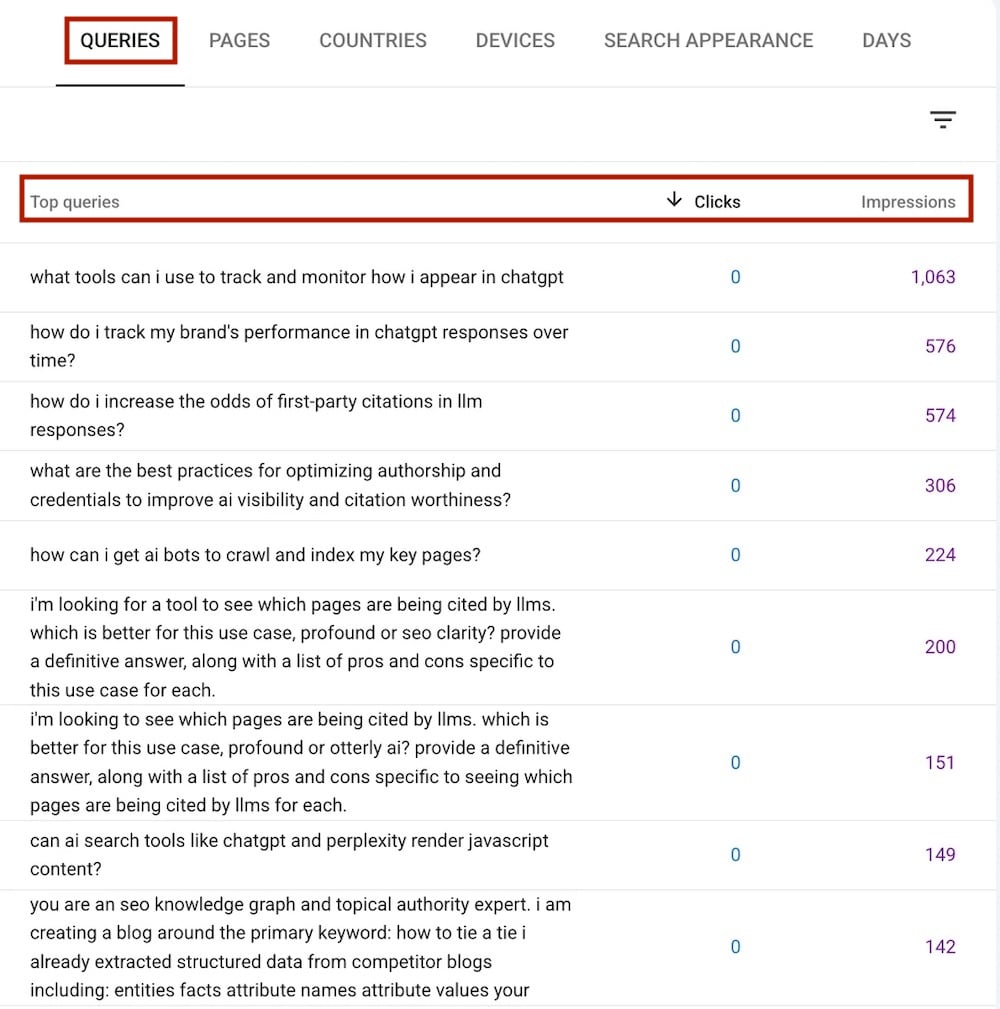
Regular expressions in Search Console can reveal long queries — potential AI Mode prompts. Click image to enlarge.
An SEO strategist at Tripadvisor, Jean-Christophe Chouinard, posted a more detailed regex that includes follow-up prompts, such as “yes, please” and “tell me more.”
External tools
Search Console’s API provides more data than does the front-end interface. Third-party tools can provide that access without involving a developer. The downside is sharing your confidential data with those tools, but the benefits include additional data, plus the tools’ features and export capabilities.
I rely on two such tools, both free:
- Queries pulls data from Search Console to extract prompt-like AI Mode queries. You can then (i) categorize prompts by topics and intent, (ii) obtain impressions for each prompt, (iii) block “likely bot” prompts, and (iv) export the data into a spreadsheet.
- Search Analytics for Sheets, a Google spreadsheet extension, exports data from Search Console into Google Sheets. To use, (i) install and authenticate the extension, (ii) add your website, and (iii) group by query and use the regex above
Pull up to 25,000 queries and use the tool’s built-in Gemini capabilities to analyze and group the data.
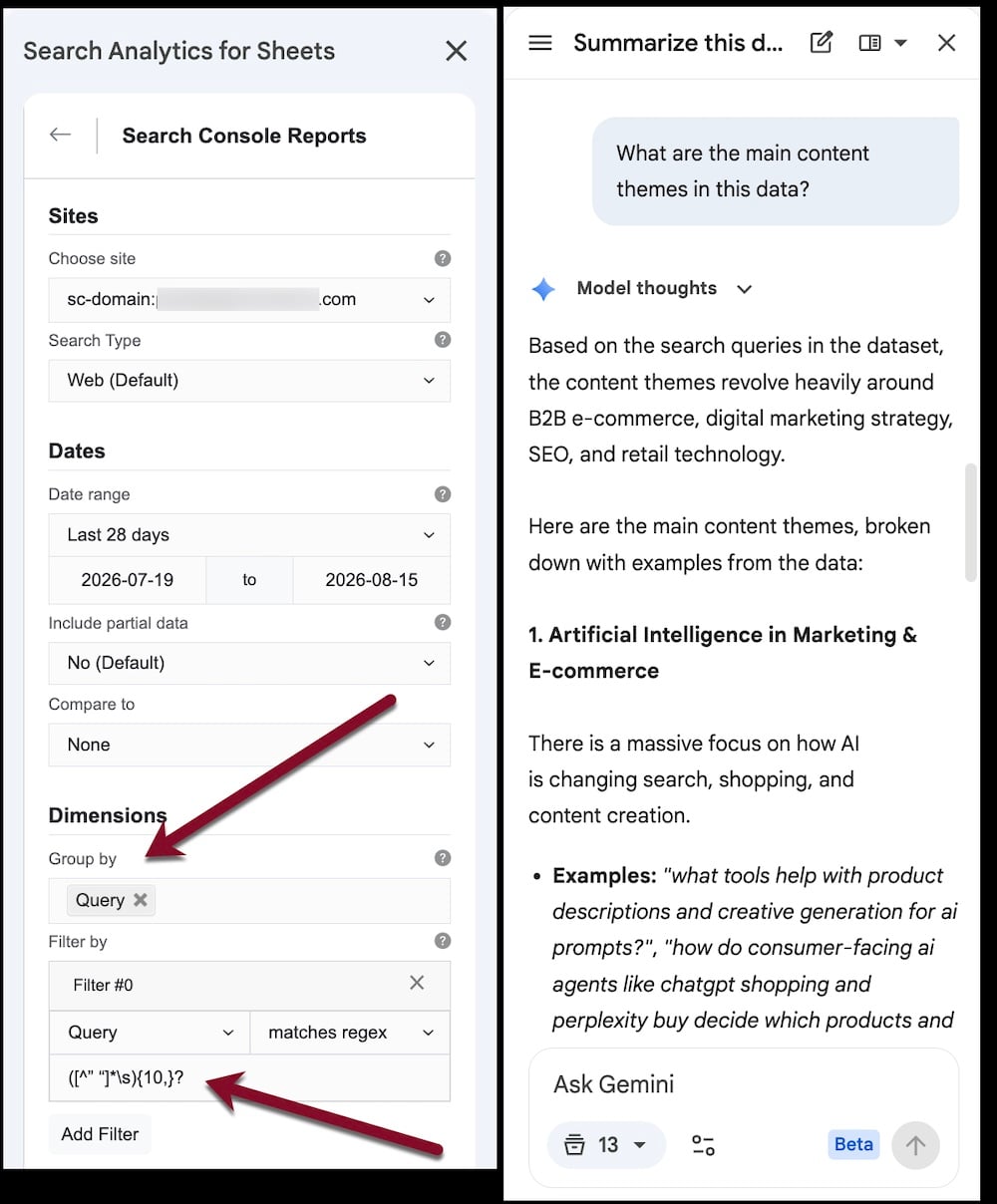
Search Analytics for Sheets exports data from Search Console into Google Sheets. Click image to enlarge.
Apply the data
Search Console doesn’t definitively state which queries are prompts, but it’s usually clear from the wording.
Some long queries have many impressions, which could stem from prompt-tracking software, not humans. Yet even that is useful, as it reveals what likely competitors track and monitor.
Prompts are typically detailed and unique. They don’t fit into obvious categories or metrics. We’re learning how to interpret and apply the data for optimization tactics.
Consider:
- Using ChatGPT, Gemini, or Claude to analyze and categorize the prompts. This could help align existing or new content to those needs.
- Focusing on target customers. Identify your audience’s pain points to surmise their likely prompts.