
Early project decisions shape everything that follows, yet teams often struggle to align quickly. A project canvas offers a structured way to capture ideas, clarify direction and get everyone on the same page before detailed planning begins.
What Is a Project Canvas?
A project canvas is a visual project initiation framework that organizes key project elements into a single-page layout, split in sections such as objectives, scope, stakeholders and risks. A project canvas is often created through collaborative brainstorming, which results in a clear, shared understanding of a project’s direction.
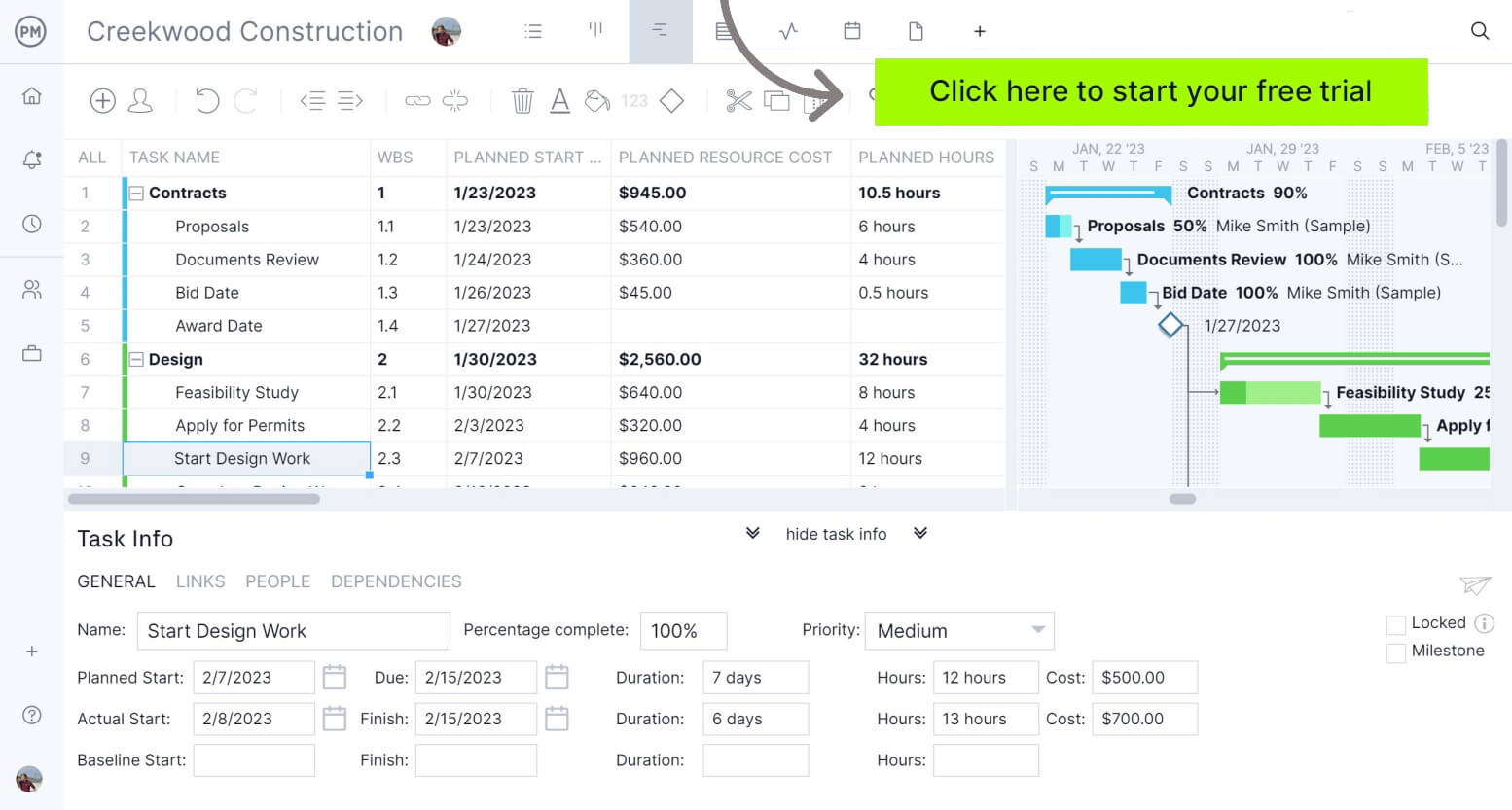
ProjectManager is award-winning project management software that gives teams across industries the tools they need to ensure projects are completed on time, within budget and within scope. It allows project managers to create detailed project schedules, estimate costs, allocate resources, set budgets, track progress and compare estimated versus actual project outcomes using real-time dashboards and reports to identify delays or cost overruns quickly. Get started with ProjectManager for free today.
What Is the Purpose of a Project Canvas?
The main purpose of a project canvas is to provide a structured format to capture the most important details of a project. Organizing information visually helps individuals, project managers and PMOs to get an idea of the project’s potential and feasibility, which sets a strong foundation for future project planning.
When to Use a Project Canvas
Before schedules, budgets or resource plans are developed, teams must first define what the project is about. The project canvas is most effective during the project initiation stage, when ideas are still being shaped and validated. It should be used by individuals, project managers and PMOs at the beginning of project ideation to explore feasibility and alignment. Once direction is clear, more detailed tools can take over during the project planning phase.
Benefits of the Project Canvas Model
Using a project canvas offers several advantages during the early stages of a project. It helps teams quickly organize ideas, align stakeholders and evaluate feasibility without overcomplicating the process. This clarity allows for faster decision-making and creates a strong foundation that supports more detailed planning and execution later on.
- Early feasibility insight: Quickly determine whether a project idea is viable before committing time, budget or resources
- Clear project direction: Transform rough ideas into defined objectives, scope and expected outcomes
- Stronger stakeholder alignment: Ensure everyone involved understands priorities, roles and expectations from the start
- Faster decision-making: Give leaders a concise overview to evaluate, approve or reject project ideas efficiently
- Smoother transition to planning: Establish a solid foundation that makes detailed scheduling, budgeting and execution easier
Disadvantages of the Project Canvas Model
Despite its usefulness, a project canvas also has limitations that teams should consider. Because it focuses on high-level information, it may overlook critical details needed for execution. Relying too heavily on it can lead to gaps in planning, especially when complex projects require deeper analysis and more structured documentation.
- Lacks detailed depth: Provides only a high-level view, which can leave important technical, financial or operational details undefined
- Risk of oversimplification: Complex projects may be reduced too much, leading to misunderstandings or overlooked dependencies
- Not suitable for execution: Cannot replace detailed project plans, schedules or resource management tools needed later
- Depends on input quality: Unclear or incomplete information during brainstorming can result in a weak or misleading foundation
- May create false alignment: Stakeholders might agree at a high level, but still interpret details differently when planning begins

What Should Be Included In a Project Canvas?
Every project canvas is built around a set of core elements that capture the most important aspects of a project at a glance. These components help structure early thinking, making it easier to define direction, align stakeholders and prepare for more detailed project planning activities.
1. Project Purpose
The purpose of a project is the underlying reason why a project exists, defining the problem it aims to solve or the opportunity it seeks to capture. It should explain the intended outcome at a high level, often driven by business needs, market demands or operational gaps, and result in a clear justification for initiating the project.
Without a defined purpose, early discussions can drift and lead to misaligned expectations. Including this section in a project canvas ensures everyone understands why the project matters, helping teams stay focused on meaningful outcomes and avoid pursuing initiatives that lack clear value or strategic relevance.
2. Project Objectives
Project objectives are specific, measurable targets that define what the project must achieve to be considered successful. They translate the broader purpose into actionable goals, characterized by clear metrics and timelines, often shaped by stakeholder expectations and resulting in a structured path to guide project execution and performance evaluation.
Capturing objectives within a project canvas helps transform abstract ideas into concrete goals. This section provides direction for decision-making and prioritization, ensuring that all efforts contribute to defined outcomes while making it easier to assess whether the project is progressing as intended from the very beginning.
3. Project Scope
The scope of a project is the defined boundary of what is included and excluded in a project, outlining the work required to achieve its objectives. It specifies tasks, features or outputs, characterized by clear limits, often shaped by resource constraints and stakeholder agreements, and resulting in controlled execution and reduced ambiguity.
Adding scope to a project canvas prevents confusion about what the project will and won’t cover. This clarity helps teams avoid scope creep early on, supports realistic expectations and ensures that initial ideas remain manageable before transitioning into more detailed planning and scheduling activities.
4. Project Deliverables
Project deliverables are the tangible or intangible outputs that a project produces upon completion of its activities. These can include products, services or documents, characterized by defined quality standards, often driven by project objectives, and resulting in measurable outcomes that demonstrate the project’s success and completion.
Listing deliverables in a project canvas helps teams visualize what the project will actually produce. This section connects objectives to real outputs, making it easier to communicate expectations, track progress and ensure that all stakeholders agree on what constitutes a completed and successful project.
5. Project Stakeholders
Project stakeholders are individuals or groups who have an interest in or are affected by a project’s outcomes. They include internal teams, clients or external partners, characterized by varying levels of influence and expectations, often identified through stakeholder analysis and resulting in defined communication and engagement strategies throughout the project lifecycle.
Identifying stakeholders in a project canvas ensures that key voices are recognized from the start. This section helps anticipate expectations, manage influence and reduce conflicts, allowing teams to align communication early and avoid surprises that could disrupt progress once the project moves into planning and execution phases.
Related: 18 Free Stakeholder Management Templates for Excel & Word
6. Project Team
Defining the team within a project canvas provides early clarity on who will do the work. This helps assess whether the right skills and resources are available, supports realistic planning and ensures accountability is considered before detailed schedules and resource allocation plans are developed.
7. Project Timeline
In a project canvas, the timeline is intentionally simple. Instead of detailed schedules or exact dates, it usually takes the form of a basic set of milestones that show how the project will progress from start to finish. These milestones represent key phases or checkpoints, giving teams a clear sense of flow without getting into scheduling details too early.
This approach fits the purpose of a project canvas, which is to keep things high-level and easy to understand. By focusing only on major milestones, teams can align on the overall direction and sequence of work while leaving detailed timelines, dependencies and dates for the project planning phase.
8. Project Resources
Project resources are the assets required to execute project activities, including people, equipment, materials and budget. They are characterized by availability and constraints, often determined by project scope and objectives, and result in the allocation decisions that enable tasks to be completed efficiently and within planned limits.
Outlining resources in a project canvas helps teams assess feasibility early. This section highlights whether sufficient capacity exists to support the project, allowing stakeholders to identify gaps, adjust expectations or reallocate resources before committing to detailed planning and execution.
9. Project Risks
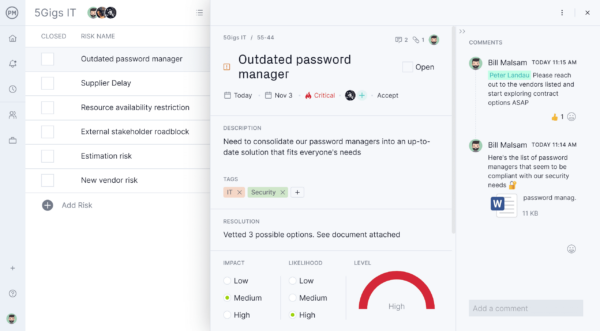
Project risks are uncertain events or conditions that may impact project objectives if they occur. They are characterized by probability and potential impact, often identified through early analysis, and result in the need for mitigation or contingency strategies to reduce negative effects on scope, timeline or cost.
Capturing risks in a project canvas encourages proactive thinking from the start. This section helps teams anticipate challenges, prepare responses and avoid reactive decision-making later, improving the project’s chances of success before detailed risk management plans are developed.
10. Project Benefits
Project benefits are the positive outcomes or value a project is expected to deliver upon completion. They are characterized by measurable improvements such as revenue growth, cost savings or efficiency gains, often aligned with strategic goals, and result in justification for the project’s initiation and continued investment.
Including benefits in a project canvas ensures the project’s value remains visible. This section connects effort to outcomes, helping stakeholders understand why the project matters and supporting decision-making by reinforcing alignment with business objectives from the very beginning.
Project Canvas Template
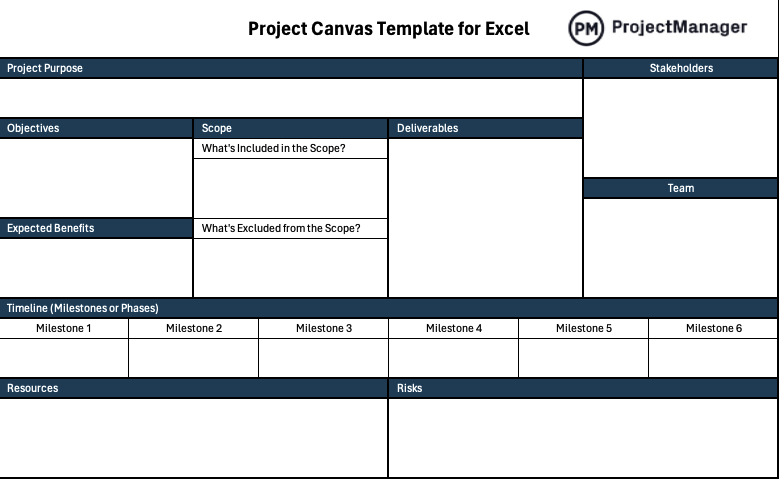
This project canvas template for Excel provides a structured, single-page layout to define purpose, objectives, scope, deliverables, stakeholders, team, milestones, resources, risks and benefits. It serves both as a working example and a reusable template to help teams quickly organize ideas and evaluate project feasibility.
Project Canvas Example
Imagine a real estate development firm evaluating a new opportunity in a growing suburban area where housing demand has started to outpace supply. The team gathers to outline a mid-sized residential apartment project that must balance profitability, construction timelines and regulatory requirements. Instead of jumping straight into detailed planning, they use a project canvas to quickly structure the idea and align stakeholders.
At a glance, the canvas lays out the project’s intent, objectives and scope, giving decision-makers a clear picture of what the project aims to achieve and what work is involved. The inclusion of deliverables alongside scope helps connect activities to tangible outcomes, while the stakeholders and team sections clarify who is involved both from a governance and execution perspective.
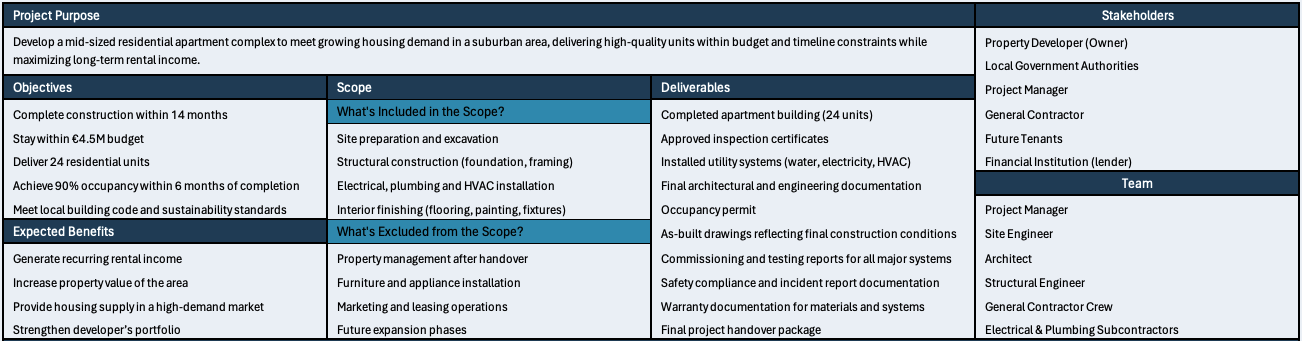
Lower sections of the canvas shift focus toward feasibility and execution readiness. A simple milestone-based timeline shows how the project progresses through key construction phases without getting into scheduling details. Resources and risks provide a realistic view of constraints and uncertainties, while expected benefits reinforce the business case, helping stakeholders quickly assess whether the project is worth pursuing.

What Other Project Management Templates Can Help with Project Planning?
We’ve created over 100 free project management templates for Excel, Word and Google Sheets. Here are other free templates that can be used in conjunction with a project canvas during the project initiation phase.
Gantt Chart Template
This Gantt chart template organizes project tasks along a visual timeline, showing how activities are sequenced and how long they take. It helps teams plan schedules, understand task dependencies and monitor progress, making it easier to spot delays and keep the project on track.
RASCI Matrix Template
This RASCI matrix template defines who is responsible, accountable, supporting, consulted and informed for each task. By clearly assigning roles, it helps teams avoid confusion, improve collaboration and ensure that every activity has clear ownership throughout the project.
ProjectManager Is Award-Winning Project Management Software
ProjectManager provides a complete set of planning, scheduling and tracking tools, including Gantt charts, kanban boards, task lists and project and portfolio roadmaps. Teams can build detailed schedules, assign resources and monitor progress, costs, workload and timelines through real-time dashboards, timesheets, workload charts and performance reports.
Built as a cloud-based platform, ProjectManager allows teams to update schedules, manage tasks and generate reports in real time from any location. It also delivers AI-powered project insights to support better decision-making and connects with over 100 tools like Jira, Power BI and Azure DevOps. With its open API and wide range of integrations, organizations can seamlessly link ProjectManager to their existing systems. Watch the video below to learn more!
ProjectManager is online project and portfolio management software that connects teams, whether they’re in the office or out in the field. They can share files, comment at the task level and stay updated with email and in-app notifications. Get started with ProjectManager today for free.