
Construction companies juggle drawings, tasks and documents across multiple systems. Fieldwire brings these workflows together by combining mobile‑first plan viewing with task management, punch lists and reports into one application. Its role‑specific views and integrations make it relevant for contractors who need real‑time jobsite coordination.
What Is Fieldwire?
Fieldwire is a jobsite management platform used to coordinate tasks, track progress and manage construction documents. It is commonly used on commercial, industrial and civil projects to assign work on digital plans, share updates between field crews and office staff and maintain a single source of truth for plans, tasks and inspections.
Hilti announced the acquisition of Fieldwire in November 2021 to strengthen its software portfolio and become a digital transformation partner for customers. The acquisition closed that year, giving Fieldwire operational autonomy while leveraging Hilti’s sales network; by late 2022 the teams had launched Fieldwire in the U.S. and European markets. Hilti’s backing has accelerated product development and allowed the Fieldwire brand to expand globally.
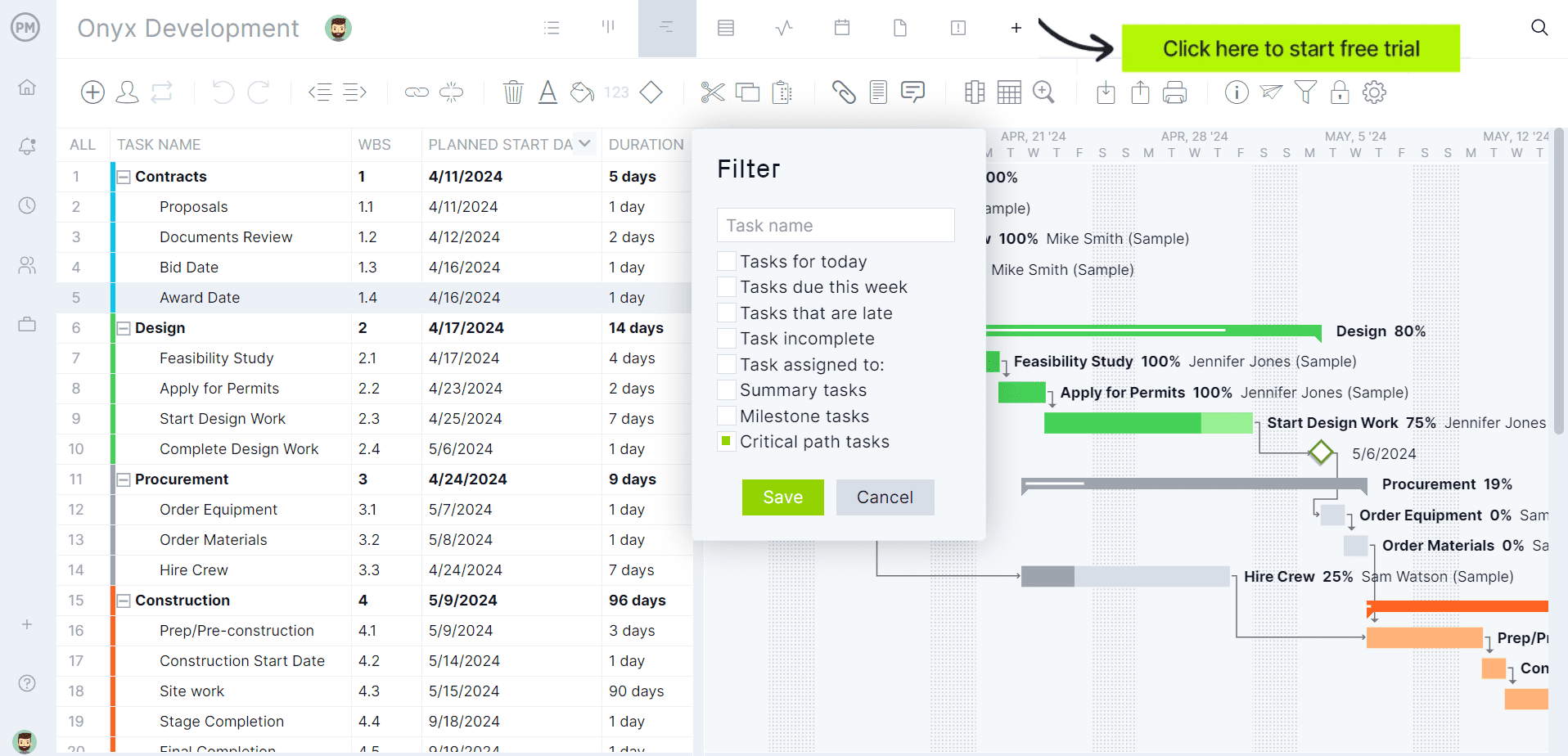
If you’re looking for software to plan, schedule and track construction projects from start to finish, try ProjectManager instead. ProjectManager is award-winning construction project management software that gives construction companies tools to ensure projects are completed on time, within budget and within scope. It allows project managers to create detailed construction schedules, estimate costs, allocate resources, set budgets, track progress and compare estimated versus actual project outcomes using real-time dashboards and reports to quickly identify delays or cost overruns. Get started with ProjectManager for free today.
Fieldwire Plans & Pricing
Fieldwire offers four subscription tiers. Basic is a free entry‑level plan for small teams. Pro, Business and Business Plus are paid plans billed annually per user. Higher tiers unlock more features and support.
| Pricing plan name | Price (per user/month) | What’s included |
| Basic | $0 | Includes plan viewing, task management, specifications, files/photos and checklists. Limited to 5 users, 3 projects and 100 sheets. |
| Pro | $39 (annual) | Adds reports and exports, sheet compare, project templates and custom task statuses on top of Basic features. |
| Business | $64 (annual) | Includes Pro features plus custom forms, app integrations, BIM viewer and Field Intelligence AI. |
| Business Plus | $89 (annual) | Includes Business features and adds RFIs, Submittals, Change Orders and Budget management. |
Fieldwire Views
Fieldwire presents the same task data through different perspectives so that each role sees information in the way it needs. Real‑time updates and custom statuses ensure that changes in one view automatically appear in the others.
- Kanban view. This board‑style layout gives superintendents and foremen a snapshot of task status across categories, with columns like “Not Started,” “In Progress,” “Ready for QA” and “Verified” showing bottlenecks in real time.
- Gantt chart view. Project managers and schedulers can use Fieldwire’s Gantt chart view to coordinate multiple trades by viewing task dependencies and overlapping scopes on a timeline, helping crews avoid conflicts and stay aligned.
- Calendar view. Daily and weekly scheduling is easier because crews can see what’s happening today, this week and next week; dispatchers use this view to assign resources effectively.
- List view. Mobile users track punch list items and closeout documentation in a detailed table format; every item is accounted for while crews are still in the field.
- Integrated data. All views pull from the same task database, so an update on the kanban board immediately appears on the Gantt chart and calendar, eliminating duplicate entries.
Fieldwire Key Features
Beyond task coordination, Fieldwire includes a broad suite of modules that cover document management, project controls and reporting. Each feature is designed to streamline collaboration between the field and office.
- Task management: Users pin tasks directly onto digital plans, assign them to trades, set due dates and attach photos or checklists; role‑specific views and real‑time notifications keep every crew aligned.
- Plan viewing & version control: Teams access, edit and annotate as‑built drawings from any device; the system automatically hyperlinks sheets, syncs with cloud storage providers and tracks markups to maintain a searchable as‑built record.
- Project scheduling: Fieldwire combines kanban boards, Gantt charts and calendar‑based scheduling to coordinate trades and accurately track progress across the jobsite.
- Punch lists & inspections: Crews capture deficiencies with photos and markups, generate PDF reports and assign punch list items or inspection issues directly to responsible teams, ensuring nothing falls through the cracks.
- RFIs: Fieldwire’s RFI module lets teams create and assign requests for information from the field or office, link them to plans and maintain a central log that improves visibility and accountability.
- Submittals: The software automates submittal log creation from specifications, supports collaborative workflows with reviewers and suppliers and tracks responses so materials are ordered on time.
- Change orders: Automatic cost calculations help teams monitor financial exposure; change orders are tracked throughout approval, simplifying collaboration and reducing risk.
- Budget management. Users import cost codes, assign costs to subcontractors and link change orders to budget line items; the module provides a real‑time view of financial health.
- BIM viewer. Fieldwire’s BIM viewer allows crews to access federated 3D models in the field, take measurements, combine multiple models into one view and create tasks in 3D with precise coordinates.
- Field Intelligence AI: This AI capability lets users ask questions about their project data and get instant answers; it automates updates, organizes information, offers voice‑driven task creation and can convert form issues into tasks.

Pros and Cons of Fieldwire
Fieldwire excels at unifying field and office workflows through a mobile‑first interface, but its tiered pricing and focus on jobsite management mean it may not fit every organization perfectly.
Pros
The platform is purpose‑built for construction crews. Its ease of use and customer‑driven design ensure quick adoption.
- Designed for ease of use and strong mobile performance, enabling rapid on‑site adoption.
- Dedicated support provides access to product experts via phone, email or live chat with interactive training.
- Role‑specific views and real‑time notifications minimize miscommunication between field and office teams.
Cons
While powerful, Fieldwire’s functionality is not uniform across its plans, and certain enterprise capabilities are locked behind higher tiers or custom contracts.
- The free Basic plan limits teams to five users, three projects and 100 sheets, making it unsuitable for larger organizations.
- Advanced modules such as RFIs, Submittals, Change Orders and Budget management are only available in the Business Plus tier.
- API access, single sign‑on (SSO) and dedicated account managers require custom contracts and are not included in standard subscriptions.
- Fieldwire focuses on jobsite execution; full project accounting and complex financial management still require integration with external systems.
- Field Intelligence AI features are in beta and available with higher‑level plans, so not every team can access the AI‑powered workflows.
- Project planning and scheduling are hampered by the Basic plan’s restrictions: teams are limited to five users, three projects and 100 sheets, so larger projects cannot be fully planned or scheduled within the tool.
- Advanced project management functions such as RFIs, submittals, change orders and budget tools – essential for monitoring and cost control – are only available on the top‑tier Business Plus plan.
- Full resource and cost management often requires integration with external systems; features like API access, single sign‑on and dedicated account managers are provided only through custom contracts.
ProjectManager Is the Best Fieldwire Alternative for Construction Project Management
Fieldwire is particularly strong for field coordination, task management, punch lists, inspections and construction drawing management. However, its project planning and scheduling tools are less robust than those offered by dedicated project management software such as ProjectManager.
ProjectManager offers a more comprehensive construction project management solution with advanced Gantt charts, critical path tracking, workload management, resource scheduling, portfolio roadmaps, real-time dashboards, kanban boards, timesheets and automated reports in a single platform.
In addition to traditional construction scheduling capabilities, ProjectManager includes AI-powered project insights, workflow automation and live performance tracking that help teams identify delays, manage risks and improve decision-making. The platform also supports an open API and more than 1,000 integrations with tools like Acumatica, QuickBooks, Microsoft Project, Slack and Google Workspace, allowing construction companies to connect operational and project data across their existing systems.
Watch the video below to learn more!
More Fieldwire Alternatives
Some contractors need broader platforms that cover the entire project lifecycle, from preconstruction through cost and resource management. The following construction software alternatives offer deeper functionality for different types of construction professionals.
Procore
Procore is a cloud‑based construction management platform used to manage projects from preconstruction through closeout. General contractors, owners and specialty contractors use it to keep projects within budget, improve returns and connect teams across the field and office. The platform supports project execution, cost management, resource management and project lifecycle management, unifying budgets, contracts and field progress into a single source of truth.
Related: Procore for Project Management: Features, Pros and Cons
CoConstruct
CoConstruct, now unified with Buildertrend, is a construction management platform built to simplify the business for busy builders with a focus on financial management. Home builders, remodelers and specialty contractors use it to run their businesses in one place, manage kitchens, baths, additions and whole‑home remodels, and keep subcontractors aligned. The software provides tools for estimating, budgeting, change orders, scheduling and client communication to guide profitability and reduce day‑to‑day chaos.
e‑Builder (Trimble Unity Construct)
e‑Builder is a digital project delivery solution for capital improvement programs that helps maximize productivity and reduce risk across every phase of a project. Owners and capital program managers in sectors like local government, airports, utilities, healthcare and education use it to control budgets, schedules and documents for major infrastructure projects. Modules for capital planning, funding allocation, bidding, contract management, cost management, schedule management and asset handover provide end‑to‑end oversight for capital program lifecycles.
ProjectManager is online construction project management software that empowers teams to plan, manage and track their projects in real time. We connect architects and engineers in the office with your work crew on the job site so they can share files and comments to foster better collaboration. Get started with ProjectManager today for free.