


A project progress tracker is an essential tool for monitoring project performance, keeping tasks on schedule and ensuring deliverables are met. Using a project progress tracker helps teams visualize progress, identify bottlenecks and manage deadlines effectively. Whether through software or spreadsheets, tracking progress allows managers to maintain accountability, allocate resources wisely and adjust workflows proactively. By implementing a project progress tracker early, organizations can reduce risk, improve communication and ensure successful project outcomes.
Using Excel as a Project Progress Tracker
Excel spreadsheets have long been a popular method for maintaining a project progress tracker. They allow users to list tasks, assign responsibilities, set deadlines and update progress manually. Conditional formatting, formulas and charts provide visual cues for project status. Excel is flexible and accessible, but requires manual updating, which can increase the risk of errors. While simple for small projects, it becomes cumbersome for larger initiatives, making dedicated project progress tracker tools more efficient.
Best Free Project Progress Tracker Templates & Spreadsheets
There are many free project progress tracker templates and spreadsheets available for managers seeking a quick start. Templates often include built-in formulas, Gantt chart visuals and pre-formatted tables for task tracking. They allow users to monitor task completion, resource allocation and deadlines at a glance. These free spreadsheets are ideal for small teams or individual projects but may lack automation, real-time updates and collaboration features that larger organizations require for effective project tracking.
This project progress tracker template provides a clear layout for tracking tasks, deadlines and completion status. Each task can be assigned to team members with start and end dates, priority levels and percentage completed.
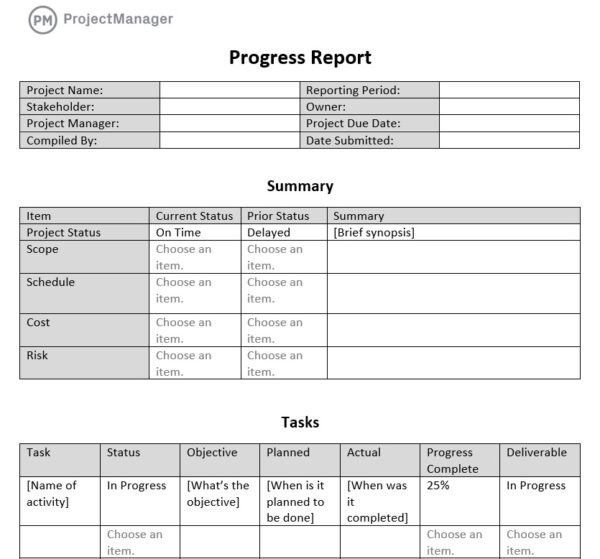
Conditional formatting highlights overdue tasks or milestones that require attention, while summary charts give managers a visual overview of overall progress. This template is ideal for single projects, helping teams stay organized and accountable while ensuring every deliverable is completed on time.
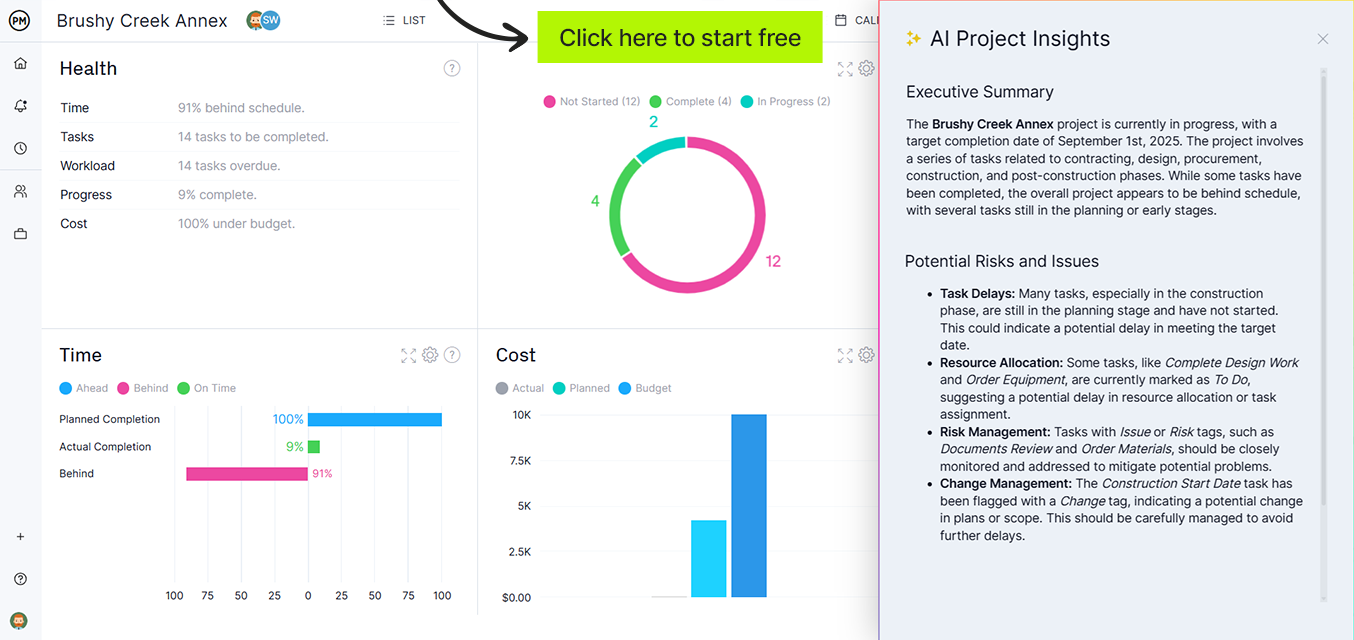
However, templates have their limitations. To avoid those pitfalls, use ProjectManager, award-winning project and portfolio management software with real-time dashboards that collect live data and display it on easy-to-read graphs and charts. Even better, with AI-powered analytics and recommendations, users can get instant summaries and expert advice. Get started with ProjectManager today for free.
The to-do list progress tracker template simplifies task management by focusing on individual assignments. Team members can check off completed items, update progress percentages and note any blockers.
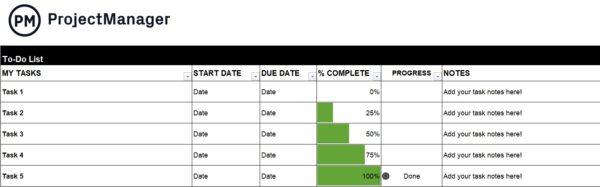
This template is particularly useful for small teams or personal projects, providing a quick and easy way to monitor daily or weekly tasks. Managers can see which tasks are behind schedule at a glance, ensuring work is prioritized effectively and the project stays on track.
The multiple project progress tracker template is designed for organizations managing several projects simultaneously. It allows managers to view tasks, milestones and deadlines across multiple initiatives in one consolidated spreadsheet.
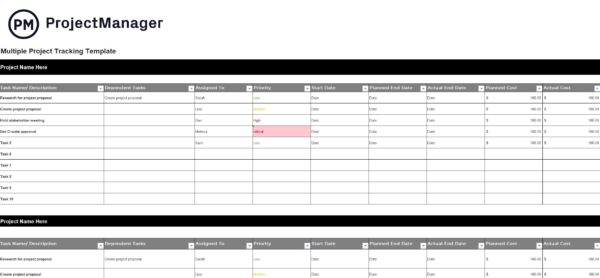
Each project can have its own tab, while summary dashboards provide overall progress insights. This template supports resource allocation, identifies potential bottlenecks and enables better decision-making, making it ideal for teams handling complex workloads and needing a comprehensive view of progress across all projects.
The action plan progress tracker template helps teams break down strategic objectives into actionable steps. Each action item is assigned to a team member with start and end dates, priority and completion status.
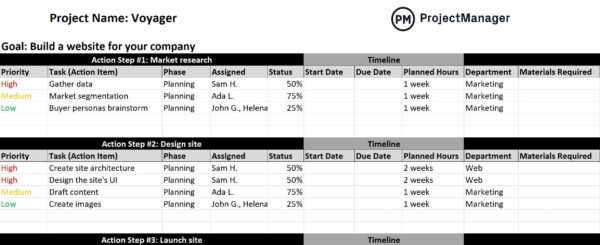
Conditional formatting highlights overdue or delayed tasks, while summary charts provide a visual overview of overall progress. This template ensures accountability, keeps teams focused on key objectives and allows managers to monitor execution against the plan efficiently, making it ideal for structured project management and strategic initiatives.
The task progress tracker template is designed to monitor individual tasks within a project. It includes columns for task name, owner, start and end dates, priority, status and percentage complete.
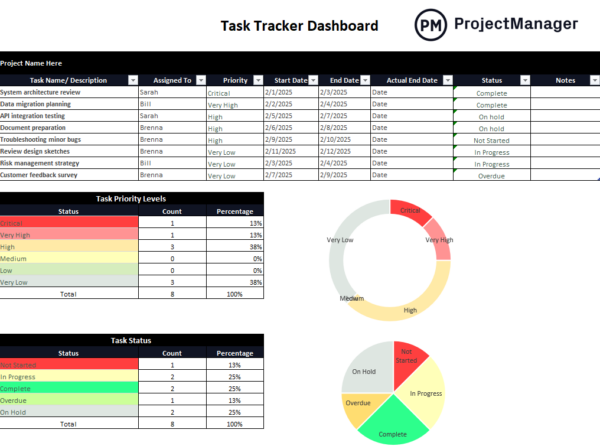
Visual cues such as color coding or progress bars quickly highlight completed or delayed tasks. This template is suitable for both small and medium projects, providing an easy way to track workload, identify potential bottlenecks and ensure tasks are completed on schedule, keeping the project aligned with its objectives.
Related: Best Task Management Software: Free & Paid Options (2025)
The timeline progress tracker template provides a visual Gantt-style layout of project tasks along a timeline. Each task is represented with start and end dates, dependencies and progress percentage.
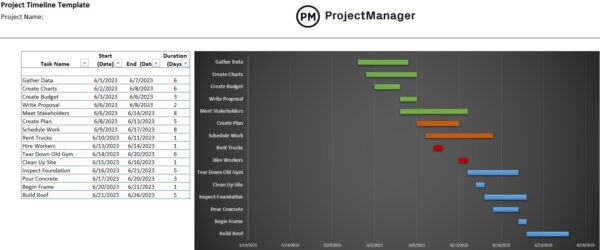
This allows managers to see overlaps, critical paths and project milestones at a glance. Ideal for projects with multiple phases, the timeline template ensures that deadlines are visible, resources are managed effectively and teams remain on track. It simplifies complex schedules and helps prevent delays by highlighting potential conflicts early.
The project dashboard tracker template consolidates project data into one visual report for quick analysis. It displays task progress, resource allocation, budget status and timeline metrics using charts and graphs.
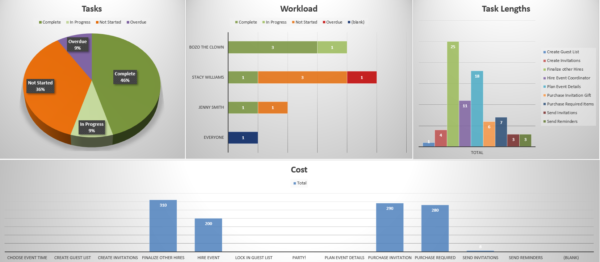
Managers can instantly identify delays or risks and make informed decisions. This project progress tracker is ideal for teams managing multiple deliverables since it provides a high-level overview without digging through spreadsheets. It helps improve communication, supports executive reporting and keeps every stakeholder aligned on performance and project health.
The budget tracker template helps monitor project expenses, compare actual costs against forecasts and manage financial performance throughout the project lifecycle. Each line item lists planned and actual costs, remaining budget and variance.
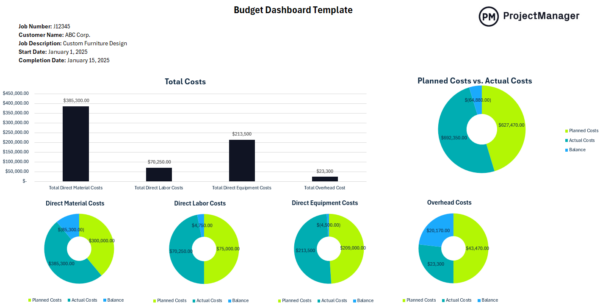
Charts or conditional formatting highlight overspending and help maintain cost control. As part of a project progress tracker system, it ensures teams stay financially accountable and enables project managers to make data-driven adjustments before cost overruns occur, promoting better transparency and long-term financial planning.
Related: 13 Budget Templates for Business & Project Budgeting
The KPI tracker dashboard template allows project managers to measure performance against key success indicators such as cost variance, schedule adherence, resource utilization and milestone completion.
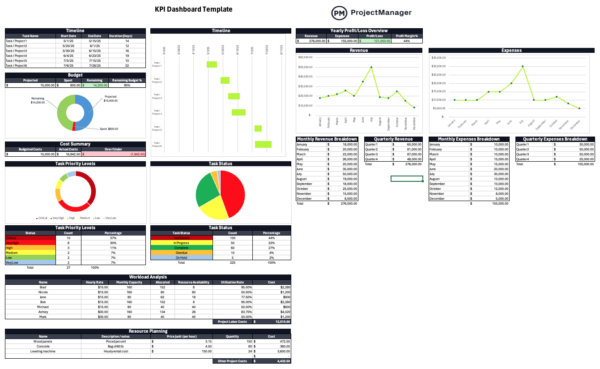
Data is displayed in charts, gauges and summary cards to provide a real-time view of progress. This project progress tracker simplifies complex reporting by centralizing metrics in one place, ensuring stakeholders can quickly assess performance. It supports continuous improvement by revealing trends, identifying inefficiencies and driving actionable insights for better decision-making.
The project status tracker template provides a structured way to summarize overall project performance across schedule, budget and deliverables. It highlights progress through color-coded indicators such as “on track,” “at risk” or “delayed.”
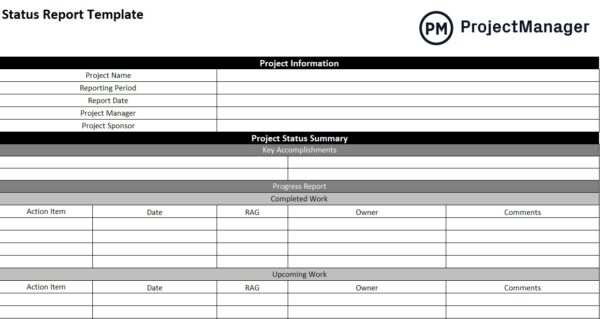
This project progress tracker helps project managers report status updates clearly to stakeholders while maintaining visibility across multiple phases. By using this template, teams can align on project priorities, ensure accountability and quickly address areas needing attention before they escalate into larger issues that affect timelines or budgets.
The project risk tracker spreadsheet helps identify, assess and monitor potential risks that could impact project success. It includes fields for risk descriptions, probability, impact level, mitigation strategies and contingency plans.
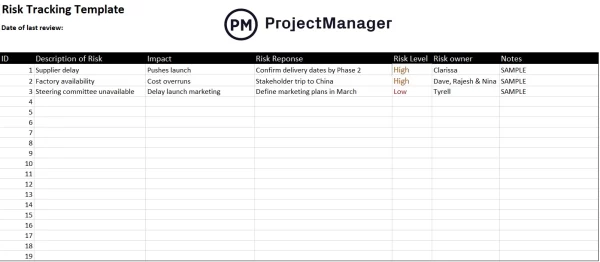
Using this as part of a broader project progress tracker allows teams to manage uncertainty proactively and maintain control over project outcomes. Project managers can track evolving risks, assign ownership and regularly update statuses to ensure preventive actions are taken before risks turn into costly delays or disruptions.
The project change tracker spreadsheet records and evaluates all approved or pending changes to project scope, schedule or budget. It lists change requests, justifications, impacts and approval statuses in one organized view.
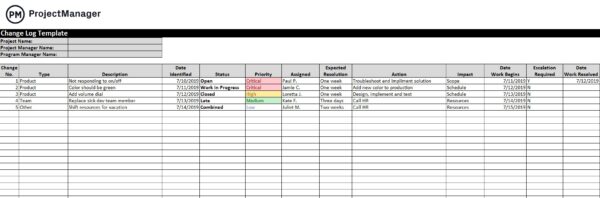
Incorporating this into a project progress tracker ensures transparency and helps manage scope creep effectively. Teams can document decision history, evaluate trade-offs and maintain alignment with stakeholders when adjustments are needed. This structured approach improves governance and prevents miscommunication across departments and project teams.
Executives and stakeholders often care more about major achievements than individual tasks. That’s where this milestone chart template for Excel comes in. Instead of displaying every activity in a project schedule, it highlights the most important dates and deliverables on a visual timeline.
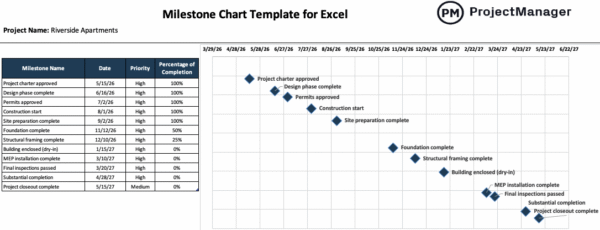
Project managers use it to communicate progress quickly and identify whether key targets are being met. The template combines milestone names, target dates, priorities and completion status into a format that simplifies schedule reporting and decision-making.
Every project encounters unexpected problems, but unresolved issues can quickly affect budgets, schedules and deliverables. This issue tracking template provides a structured process for documenting, prioritizing and resolving those challenges before they escalate.
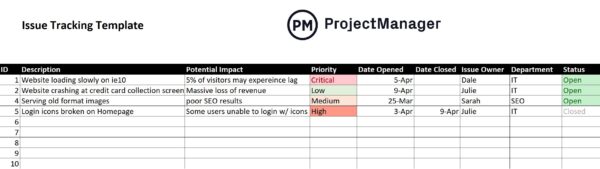
It is commonly used by project teams, IT departments and operations managers who need visibility into open issues. Key sections capture ownership, priority levels, status updates, impacts and resolution details, creating a centralized record that supports accountability and faster problem resolution.
Rather than pulling information from multiple reports, managers can use this project update template for Excel to create a comprehensive status report in one place. The template is designed for recurring stakeholder communications and helps summarize what happened during the reporting period, what is planned next and where attention is needed.
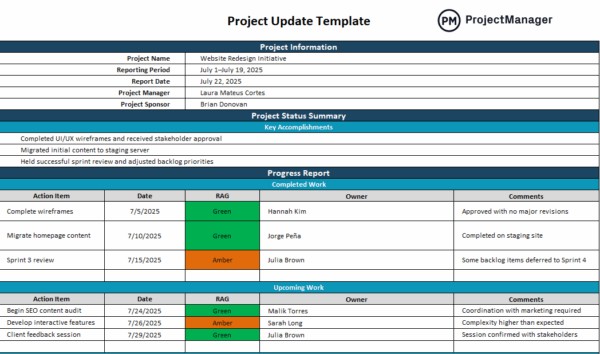
Information is organized into sections covering accomplishments, completed work, upcoming activities, milestones, deliverables, project health, risks and change requests, making project performance easier to evaluate.
Before assigning additional work to a team member, managers need a clear picture of available capacity. This workload analysis template makes that process easier by comparing resource availability with scheduled work hours throughout the month. Resource managers, project managers and department leaders use it to balance workloads and control labor costs.
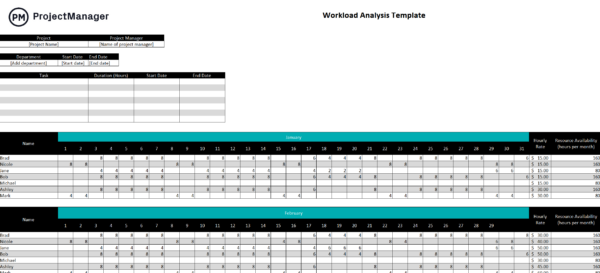
Built-in utilization calculations help reveal overallocated and underutilized employees, while fields for hourly rates, availability and assignments provide the information needed to make informed staffing decisions.
ProjectManager Is a Better Project Progress Tracker Than Excel Templates
While Excel templates offer a static way to record project data, ProjectManager transforms tracking into a dynamic, real-time experience. This online project progress tracker connects tasks, resources and budgets across multiple projects, so updates automatically sync across dashboards and reports. Managers can import Excel data instantly, visualize dependencies and monitor performance through interactive dashboards that update in real time. Use Gantt, kanban, list, calendar and sheet views that update instantly as tasks move forward.
This flexibility lets project managers plan at a high level or zoom in on details, depending on the stage of work. Gantt charts show dependencies and critical paths, while kanban boards enable agile workflows. Calendar and list views make daily prioritization easier, ensuring no milestone is missed.
Robust Resource Planning and Cost Tracking Tools
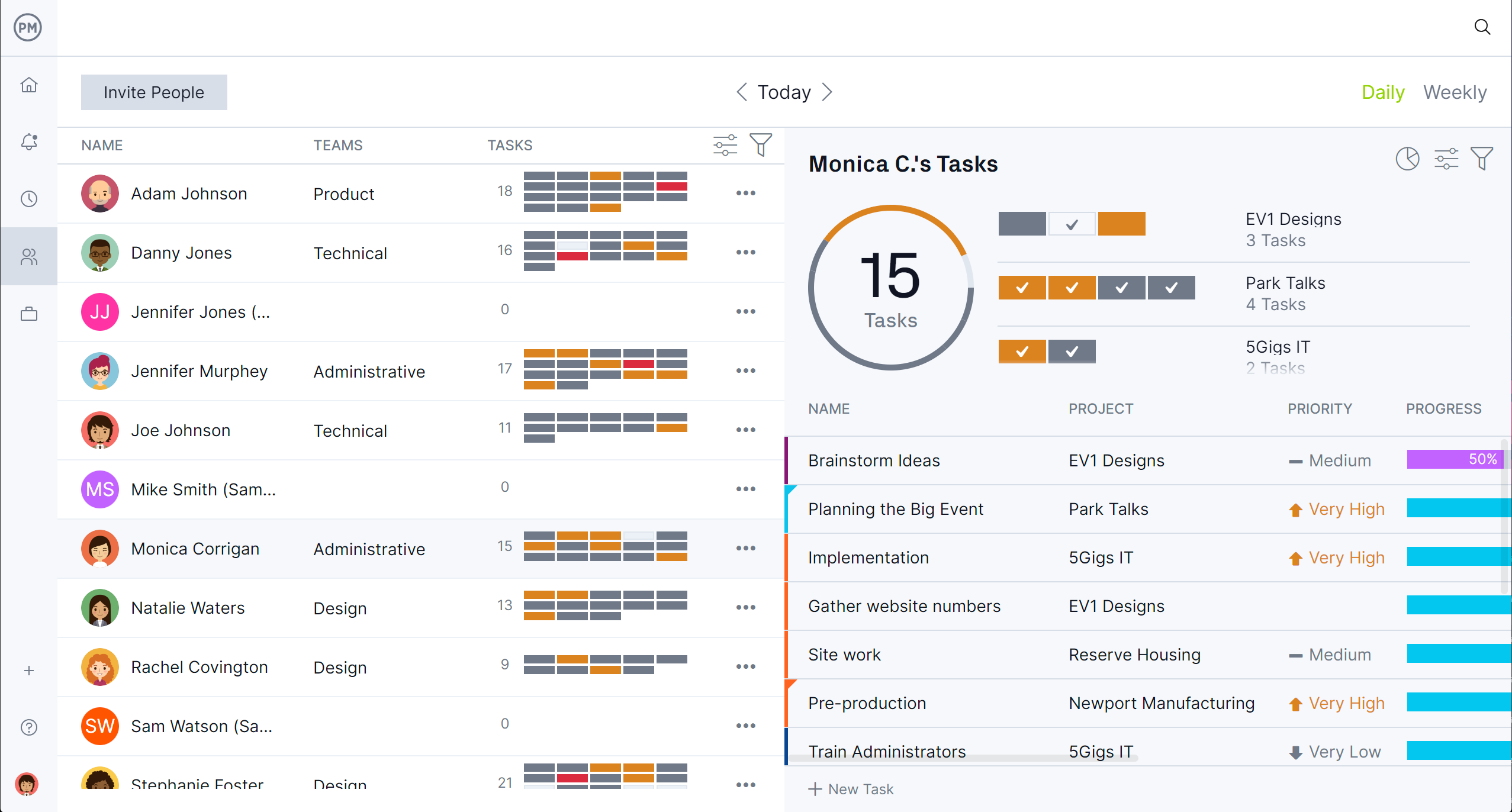
Plan and balance workloads with ProjectManager’s built-in resource management tools. The team page provides a centralized view of every team member’s assignments and availability, while workload charts display utilization across projects to prevent burnout or bottlenecks. Managers can allocate hours, adjust schedules and rebalance workloads with a few clicks.
Cost tracking features connect directly to tasks, letting you monitor labor rates, expenses and budgets in real time. This live resource data eliminates the guesswork common in Excel-based project progress trackers and ensures financial accuracy from start to finish.
Real-time Project Management Dashboards and Reports
Track performance instantly with live dashboards that pull data directly from active projects. ProjectManager’s dashboards display metrics such as task completion rates, time logged, budget variance and workload distribution. Teams can create AI-powered reports that analyze project health, flag risks and recommend adjustments automatically.
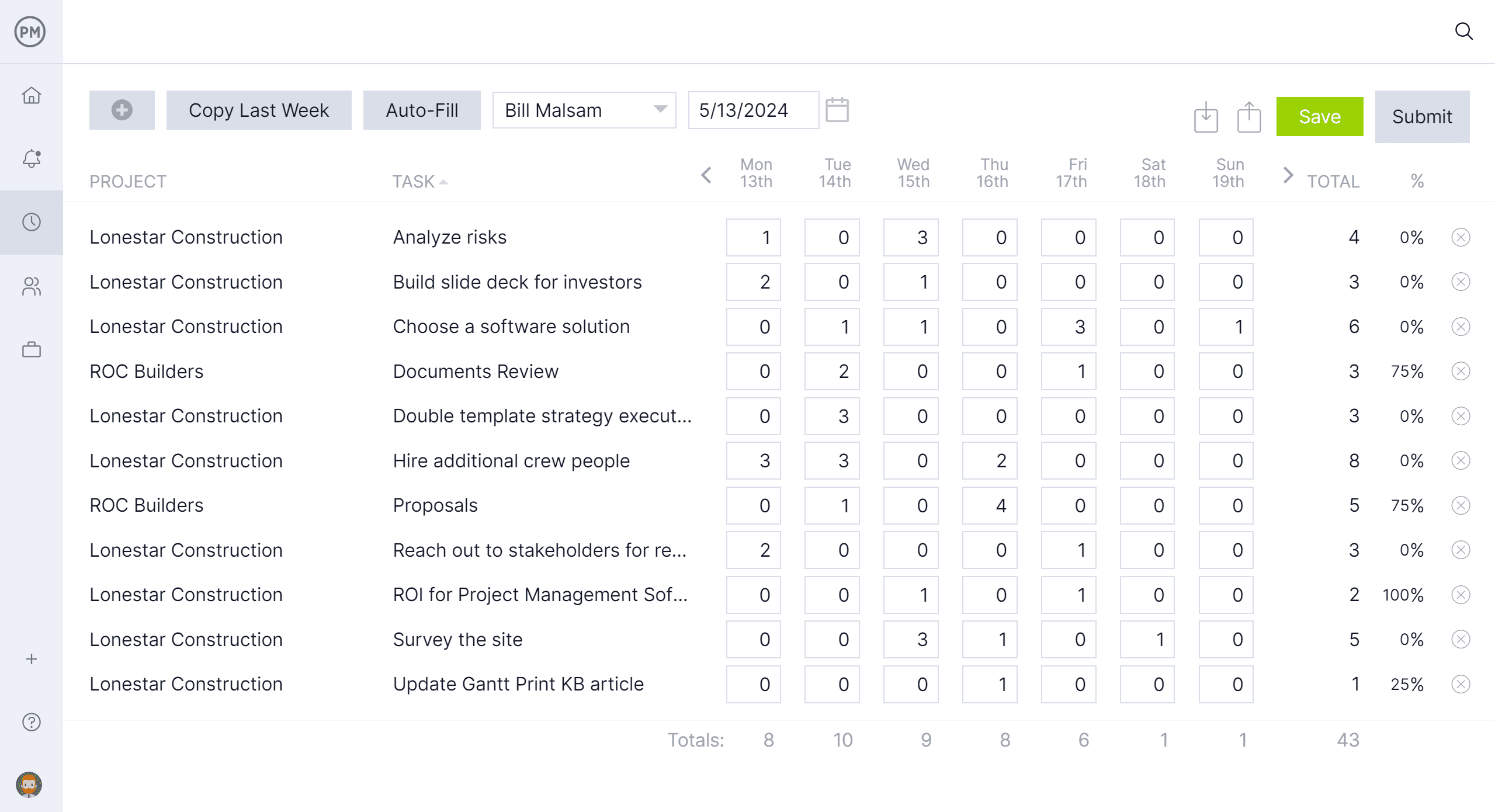
Secure online timesheets integrate with these dashboards, providing up-to-date insight into labor costs and productivity without manual input. Compared to Excel templates, which require constant data entry and static reporting, ProjectManager delivers continuous visibility and actionable intelligence that drive better project outcomes.
Related Project Progress Tracking Content
Looking for more information on project progress tracking? You’ve come to the right place. Below are a number of links to articles on time tracking, cost tracking and other related subjects.
ProjectManager is online project and portfolio management software that connects teams, whether they’re in the office or out in the field. They can share files, comment at the task level and stay updated with email and in-app notifications. Get started with ProjectManager today for free.