
Construction project management teams rely on accurate drawings, organized documentation and timely communication to keep projects moving. As projects become more complex and involve more stakeholders, many contractors turn to digital platforms such as ProjectSight to centralize project information, coordinate field and office teams and maintain visibility into day-to-day activities.
Whether you’re evaluating construction project management software for the first time or comparing alternatives to platforms like Procore, understanding ProjectSight’s capabilities, pricing structure and intended use cases can help determine whether it’s the right fit for your organization.
What Is ProjectSight?
ProjectSight is a construction management software platform commonly used by general contractors, specialty contractors and construction teams to organize, manage and share project information throughout the construction lifecycle. Instead of relying on email chains and disconnected spreadsheets, teams can use ProjectSight to work from a shared source of project data. Key functionality includes document management, issue tracking, daily reporting, drawing management, BIM collaboration and field-to-office communication, making it well suited for coordinating construction activities and project documentation.
Although Trimble positions ProjectSight as construction project management software, its strongest capabilities are centered on document management, drawings, RFIs, submittals, field reporting and project collaboration. Contractors looking for advanced scheduling, resource planning, budget forecasting and other project controls functions may find that ProjectSight serves better as a construction coordination and document control platform than as a comprehensive project management solution.
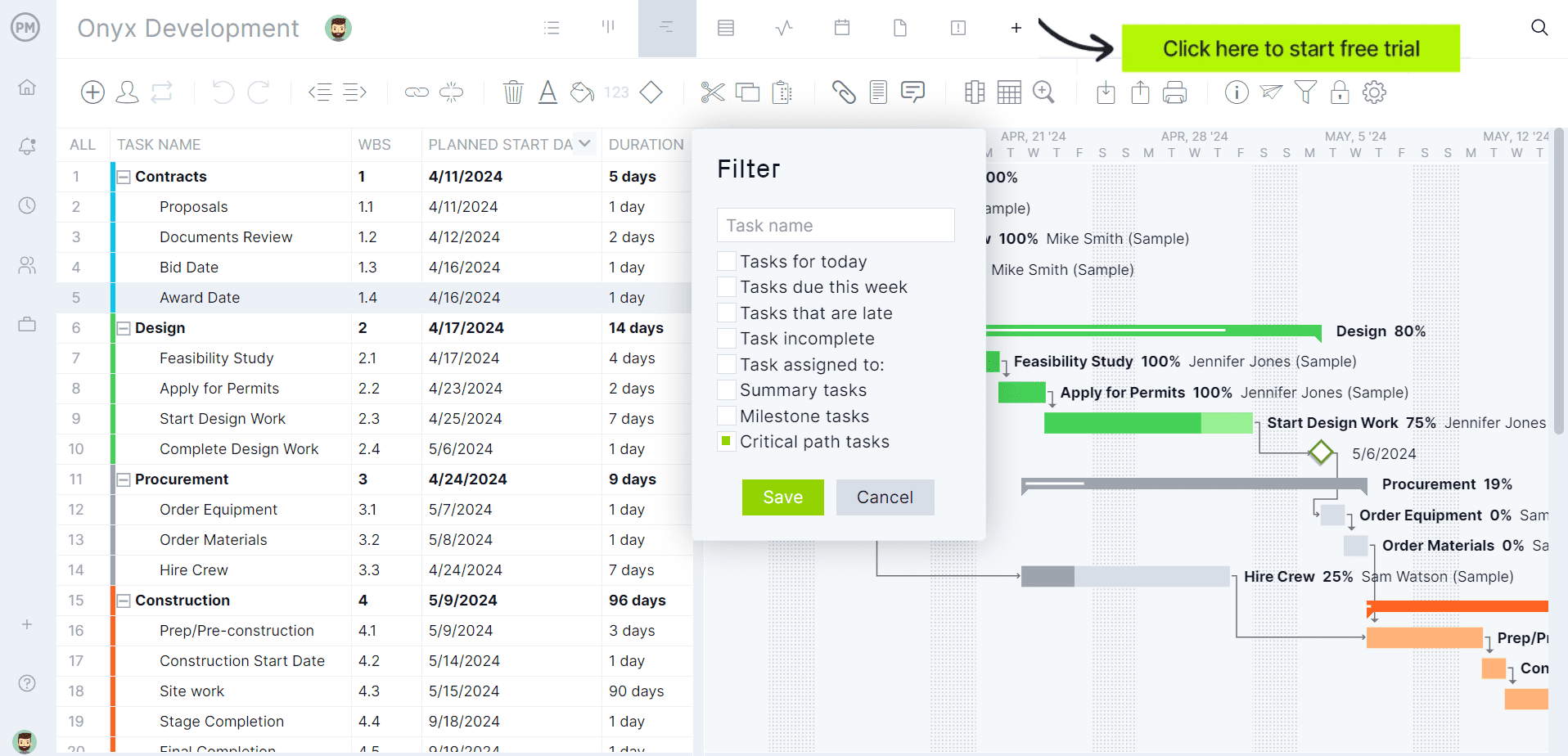
If you’re looking for software to plan, schedule and track construction projects from start to finish, try ProjectManager instead. ProjectManager is award-winning construction project management software that gives construction companies tools to ensure projects are completed on time, within budget and within scope. It allows project managers to create detailed construction schedules, estimate costs, allocate resources, set budgets, track progress and compare estimated versus actual project outcomes using real-time dashboards and reports to quickly identify delays or cost overruns. Get started with ProjectManager for free today.
ProjectSight Plans & Pricing
Trimble offers ProjectSight through three pricing tiers designed for organizations with different levels of project management needs. Smaller contractors can begin with the free version, while growing and enterprise-level organizations can access additional collaboration, workflow and project control capabilities through paid subscriptions.
| Pricing Plan | Price | What’s Included |
| Free | $0 | Drawings, photos, specifications, RFIs, submittals, punch lists, dashboards and project collaboration tools for getting started. |
| Go | $29/user/month (billed annually) | Unlimited projects, additional storage, BIM collaboration, advanced project management capabilities and expanded team collaboration features. |
| Enterprise | Custom pricing | Unlimited data, advanced cost management, field management, workflow automation and integrations with Trimble Viewpoint Vista and Spectrum. |
ProjectSight Modules
ProjectSight organizes project information into dedicated work areas that help construction teams manage documents, communications, field activities and project records. Rather than forcing users to navigate through complex menus, the platform provides focused views that allow project managers, superintendents and subcontractors to access the information they need for their role and responsibilities.
- Drawings: Provides centralized access to current drawing sets with AI-assisted uploads, annotations and links to RFIs, punch items and other project records.
- RFIs: Allows teams to create, track and manage requests for information while assigning responsibility, monitoring due dates and maintaining communication records.
- Submittals: Organizes submittal documentation throughout the review and approval process while providing visibility into statuses, deadlines and supporting files.
- Daily Reports: Records daily site activities, labor hours, weather conditions, equipment usage and project events to maintain a detailed jobsite history.
- Dashboards: Displays personalized project metrics, assigned work, overdue items and key project records through configurable widgets and reports.
- BIM: Provides access to 3D models and visualization tools that help office and field teams review project information and coordinate work.
- Action Items: Enables teams to assign tasks, track responsibilities and monitor progress on project-related actions requiring follow-up.
- Issues & Punch Items: Tracks field issues, deficiencies and closeout work while assigning responsibility and monitoring resolution progress.
ProjectSight Features
ProjectSight combines document control, field management and project collaboration tools into a single construction management platform. Its feature set is designed to help contractors maintain accurate project information, improve communication and reduce delays caused by disconnected workflows.
- AI-Powered Drawing Management: Uses artificial intelligence to accelerate drawing uploads and helps teams organize, publish and distribute updated plans.
- Photo Documentation: Captures and stores jobsite photos that can be attached to reports, RFIs, issues and other project records.
- Issue Management: Allows project teams to document field issues, assign responsibility and track corrective actions through completion.
- Custom Dashboards: Gives users personalized project visibility through widgets that highlight assignments, deadlines, progress indicators and project metrics.
- BIM Collaboration: Connects project teams to 3D models, enabling visualization, coordination and improved communication between office and field personnel.
- Digital Checklists: Supports inspections and quality assurance processes with configurable checklists that standardize field procedures and documentation.
- Workflow Automation: Uses workflow templates and approval processes to standardize project procedures and reduce manual administrative work.
- Field-to-Office Communication: Creates a shared environment where project information can be accessed and updated from both the construction site and office.
- Custom Fields and Security Roles: Allows organizations to configure project data structures and user permissions to match internal requirements.
- Trimble Ecosystem Integrations: Connects with solutions such as Viewpoint Vista, Spectrum and Trimble Connect to support broader construction workflows.
Pros and Cons of ProjectSight
No construction project management platform is perfect for every organization. ProjectSight offers a strong set of document control, field management and collaboration capabilities, but some teams may find that certain advanced functionality, integrations and administrative tools are only available through higher-tier subscriptions.
Pros
ProjectSight excels at centralizing construction project information and connecting field and office teams through a shared platform. Its strengths revolve around document management, drawing control, project communication and collaboration workflows that help stakeholders work from consistent, up-to-date information.
- Provides a centralized location for drawings, RFIs, submittals, photos and project records.
- Supports collaboration between contractors, architects, engineers and project owners.
- Includes AI-powered drawing management features that reduce manual administrative effort.
- Offers mobile access for documenting field activities and reviewing project information.
- Integrates with other Trimble construction solutions for broader project and business workflows.
Cons
ProjectSight focuses heavily on document control, field collaboration and construction communication workflows. However, contractors looking for a complete construction project management solution may find that some core project controls capabilities, particularly scheduling, resource planning and portfolio-level management, are less developed than specialized alternatives.
- Lacks native construction scheduling tools comparable to dedicated CPM scheduling platforms.
- Does not provide advanced Gantt chart functionality for building and managing detailed project schedules.
- Project managers overseeing multiple large projects may require additional tools for portfolio management and cross-project reporting.
- Organizations seeking a complete all-in-one construction management platform may need supplemental software for scheduling, estimating or advanced project controls.
- Resource planning functionality is limited compared to platforms that provide workload balancing, resource forecasting and long-term labor allocation tools.
- Cost management features are primarily available in higher-tier plans and are not as comprehensive as dedicated construction financial management systems.
- Budget tracking capabilities focus more on project records and financial documentation than on detailed budget forecasting, earned value analysis and cost performance reporting.
ProjectManager Is the Best ProjectSight Alternative for Construction Project Management
Although ProjectSight performs well for construction-specific processes like RFIs, submittals, inspections and drawing management, its construction planning and scheduling functionality is more limited than what dedicated project management software such as ProjectManager.
ProjectManager offers a more comprehensive construction project management solution with advanced Gantt charts, critical path tracking, workload management, resource scheduling, portfolio roadmaps, real-time dashboards, kanban boards, timesheets and automated reports in a single platform.
In addition to traditional construction scheduling capabilities, ProjectManager includes AI-powered project insights, workflow automation and live performance tracking that help teams identify delays, manage risks and improve decision-making. The platform also supports an open API and more than 1,000 integrations with tools like Acumatica, QuickBooks, Microsoft Project, Slack and Google Workspace, allowing construction companies to connect operational and project data across their existing systems.
Watch the video below to learn more!
ProjectManager is online construction project management software that empowers teams to plan, manage and track their projects in real time. We connect architects and engineers in the office with your work crew on the job site so they can share files and comments to foster better collaboration. Get started with ProjectManager today for free.