
Construction teams rely on accurate schedules, resource plans and cost controls to keep projects moving. This guide examines Microsoft Project construction capabilities through a practical construction management lens, exploring its planning, scheduling, resource management, budgeting and tracking features to determine how well it supports construction projects from start to finish.
What Is Microsoft Project?
Microsoft Project is project management software used to plan, schedule, resource and track projects. It is commonly used in construction, engineering and other project-driven industries to create schedules, manage resources, monitor costs and track progress. The software includes tools for task dependencies, Gantt charts, resource allocation, budgeting and project reporting that help teams manage complex project timelines and workloads.
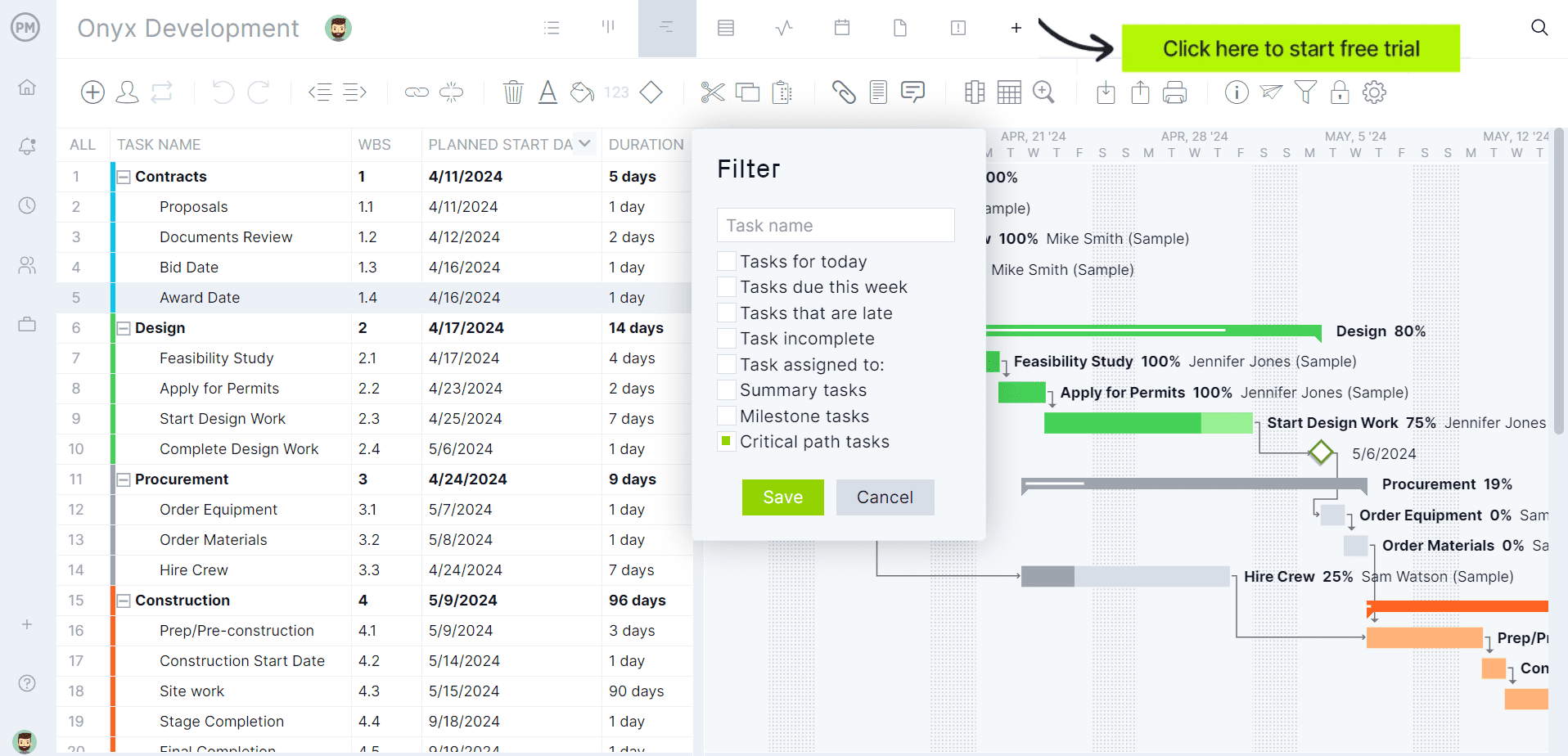
If you’re looking for software to plan, schedule and track construction projects from start to finish, try ProjectManager instead. ProjectManager is award-winning construction project management software that gives construction companies tools to ensure projects are completed on time, within budget and within scope. It allows project managers to create detailed construction schedules, estimate costs, allocate resources, set budgets, track progress and compare estimated versus actual project outcomes using real-time dashboards and reports to quickly identify delays or cost overruns. Get started with ProjectManager for free today.
Can Microsoft Project Be Used for Construction Projects?
Yes, Microsoft Project is used by general contractors, subcontractors, project owners, construction managers, engineering firms and specialty trades to plan and control construction projects. Its scheduling, resource management and cost-tracking capabilities make it suitable for managing construction timelines, coordinating crews and equipment, monitoring budgets and tracking project performance throughout execution.
- Develop detailed construction schedules that define activities, durations, milestones and predecessor relationships across the project lifecycle.
- Create critical path schedules that identify activities affecting project completion dates and highlight schedule risks.
- Manage labor resources by assigning crews, supervisors and subcontractors to scheduled construction activities.
- Track equipment utilization by allocating machinery, vehicles and specialized construction resources across projects.
- Estimate and monitor project costs using labor rates, material costs, fixed costs and resource-based budgeting.
- Establish project baselines and compare planned versus actual progress to identify schedule and budget variances.
- Produce construction reports that communicate schedule performance, resource workloads and project cost information to stakeholders.
Key Features of Microsoft Project for Construction Projects
Managing construction work requires more than a simple task list. Microsoft Project provides several project scheduling, resource planning and cost management tools that can help construction teams plan work, allocate resources, monitor budgets and track project performance throughout the construction lifecycle.
- Gantt charts: Microsoft Project’s Gantt chart helps with construction scheduling, timeline visualization, activity sequencing, milestone tracking and schedule communication.
- Task dependencies: Finish-to-start relationships, predecessor management, logic-driven schedules and critical path development.
- Critical path scheduling: Identification of schedule-driving activities that directly impact construction completion dates.
- Resource management: Assignment of labor crews, subcontractors, equipment and materials to construction activities.
- Resource leveling: Resolution of resource conflicts and workload balancing across multiple construction tasks.
- Cost management: Tracking of labor costs, material expenses, equipment costs and other project expenditures.
- Budget baselines: Comparison of planned costs and schedules against actual project performance throughout execution.
- Construction calendars: Working-day management, holiday scheduling, weather allowances and nonworking time controls.
- Progress tracking: Monitoring task completion, schedule performance and earned value metrics during construction execution.
- Project reporting: Generation of schedule, cost and resource reports for owners, contractors and project stakeholders.
Pros of Using Microsoft Project for Construction
For construction teams that need detailed scheduling capabilities, Microsoft Project offers strong planning and control functionality. Its ability to manage dependencies, resources, budgets and project baselines helps teams build structured schedules and monitor performance throughout project execution. Organizations with experienced schedulers often appreciate its depth and scheduling flexibility.
- Provides advanced scheduling capabilities that support complex construction projects with hundreds or thousands of activities.
- Allows detailed dependency management, helping teams build realistic schedules that reflect actual construction sequences.
- Supports labor, equipment and material resource planning to improve allocation decisions across project activities.
- Includes budget tracking and earned value analysis tools for monitoring financial performance during project execution.
- Offers extensive reporting capabilities that help communicate schedule status and project performance to stakeholders.
Cons of Using Microsoft Project for Construction
Despite its project scheduling capabilities, Microsoft Project has significant limitations for construction teams that need more than a construction scheduling tool. Many contractors, subcontractors and project owners require field collaboration, document management, cost controls and real-time reporting, which often forces them to supplement Microsoft Project with additional software. Its complexity, desktop-based architecture and lack of construction-specific functionality can also create adoption challenges across project teams.
- Requires significant training before users can confidently build, update and manage complex construction schedules.
- The interface feels dated compared to modern cloud-based construction project management software platforms.
- Microsoft Project is expensive, especially for construction companies that need multiple licenses across project managers, schedulers and project stakeholders.
- Field personnel often face challenges accessing and updating schedules compared to modern mobile-first construction management solutions.
- Most superintendents, foremen and subcontractors are unlikely to use Microsoft Project directly because of its complexity and steep learning curve.
- Construction teams frequently need additional software for document management, field reporting, issue tracking and other essential project workflows.
- Sharing project schedules with external stakeholders can be cumbersome when team members do not have Microsoft Project licenses.
- Resource management is heavily schedule-focused and lacks the visual workforce planning tools offered by many modern construction platforms.
- Cost tracking capabilities are limited compared to dedicated construction software that includes estimating, job costing and financial management features.
- Desktop-based project files can create version-control challenges when multiple stakeholders need to review or update project schedules
ProjectManager Integrates with Microsoft Project
ProjectManager integrates with Microsoft Project, allowing users to import and export Microsoft Project files while maintaining schedule data, task information, durations, dependencies and resource assignments. This makes it easier for organizations to transition from Microsoft Project, collaborate with external stakeholders who still use Microsoft Project or continue working with existing project schedules without rebuilding them from scratch.
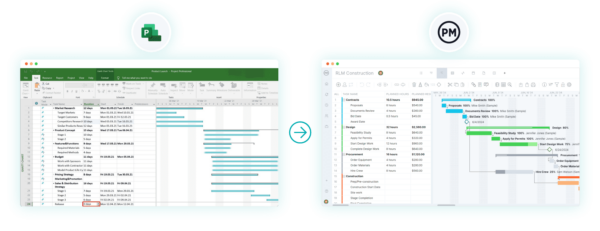
For construction companies, this integration helps preserve investments in existing project schedules while providing access to ProjectManager’s cloud-based collaboration, resource management and reporting tools. Teams can continue exchanging schedule data with owners, contractors, subcontractors and consultants who use Microsoft Project while managing projects in a more modern and collaborative environment.
ProjectManager Is the Best Construction Project Management Solution
ProjectManager offers a comprehensive construction project management software that combines advanced scheduling, resource management, cost tracking and team collaboration in a single platform. Construction managers can build Gantt charts, manage task dependencies, identify critical paths and monitor project performance without the expensive price tag and steep learning curve commonly associated with Microsoft Project.
In addition to traditional construction scheduling capabilities, ProjectManager includes AI-powered project insights, workflow automation and live performance tracking that help teams identify delays, manage risks and make better decisions.
One of the biggest advantages of ProjectManager is that it is fully cloud-based. While Microsoft Project Professional and Microsoft Project Standard are desktop applications, ProjectManager gives office staff, project managers, superintendents and field teams access to the same live project data from anywhere. Schedule updates, resource changes, timesheet submissions and project status information are immediately available, helping construction teams improve coordination and reduce communication delays.
Beyond scheduling, ProjectManager includes workload management, resource scheduling, portfolio roadmaps, real-time dashboards, kanban boards, timesheets and automated reports that help construction companies balance labor resources, monitor project costs and track performance across multiple projects. These tools provide greater visibility into schedules, budgets and resource utilization, making it easier to keep construction projects on track.
Watch the video below to learn more!
The platform also supports an open API and more than 1,000 integrations with tools like Acumatica, QuickBooks, Microsoft Project, Slack and Google Workspace, allowing construction companies to connect operational and project data across their existing systems. The Acumatica integration is particularly valuable for construction businesses because it connects project management workflows with ERP capabilities such as accounting, financial management and operational reporting.
For organizations looking for a modern construction project management platform that combines construction scheduling, resource planning, budget tracking, collaboration and ERP connectivity, ProjectManager is the best alternative to Microsoft Project.
ProjectManager is online construction project management software that empowers teams to plan, manage and track their projects in real time. We connect architects and engineers in the office with your work crew on the job site so they can share files and comments to foster better collaboration. Get started with ProjectManager today for free.