


General contractors juggle dozens of responsibilities across every phase of a construction project, making it essential to use software that supports both office and field teams. In this blog we’ll review how good Procore is for general contractors.
How Does Procore Help General Contractors?
Procore helps general contractors manage construction projects by bringing scheduling, subcontractor management, cost control, field communication, document management, resource planning and portfolio oversight into a single platform. It is commonly used to coordinate office and field teams, monitor project performance and keep construction projects on schedule and within budget. By centralizing project information and standardizing workflows, Procore gives general contractors better visibility into every stage of construction while improving collaboration with owners, architects and subcontractors.
That said, Procore isn’t the right fit for every general contractor. Its pricing is based on annual construction volume rather than a low monthly subscription, making it a significant investment for smaller companies. The platform also has a steeper learning curve than many construction management tools because of its broad feature set, so successful adoption requires training, implementation and standardized processes.
Another important aspect to consider is that many contractors point out that Procore delivers the most value when subcontractors, field teams and office staff consistently use the platform, since disconnected workflows can limit many of its collaboration benefits.
If you’re looking for software to plan, schedule and track construction projects from start to finish, at a fraction of the cost of Procore, try ProjectManager. ProjectManager is an award-winning project management solution that gives construction project managers the tools they need to ensure projects are completed on time, within budget and within scope. Create detailed construction schedules, estimate costs, allocate resources, set budgets, track progress and compare estimated versus actual project outcomes using real-time dashboards and reports to quickly identify delays or cost overruns. Get started with ProjectManager for free today and discover a better, cost-effective alternative to Procore.
Before our in-depth analysis, where we’ll establish the challenges that construction general contractors face and how Procore supports their efforts, here’s a table summarizing what we’ll cover.
| Area | Our Verdict | Summary |
| Project Scheduling | Very Good | Powerful scheduling tools with lookahead planning, but complex CPM projects may still rely on Primavera P6. |
| Subcontractor Management | Very Good | One of Procore’s strongest capabilities, centralizing bidding, contracts, communication and invoicing. |
| Cost Management | Very Good | Provides excellent visibility into budgets, commitments, forecasts and change orders. |
| Field Communication | Very Good | Keeps office and field teams aligned through mobile access and centralized communication. |
| Document Management | Very Good | Creates a single source of truth with version control and easy document access. |
| Punch Lists | Good | Makes tracking deficiencies easier and improves closeout coordination across project teams. |
| Resource Management | Good | Strong workforce planning tools that provide the most value for growing contractors. |
| Project Portfolio Management | Good | Gives leadership excellent visibility across projects, budgets and company-wide performance. |
| Ease of Use | Difficult | Feature-rich interface comes with a noticeable learning curve for new users. |
| Pricing | Expensive | Best suited for medium and large contractors due to its premium pricing model. |
| Implementation | Difficult | Requires planning, training and standardized processes to maximize value. |
The sections below examine how Procore performs across 7 critical operational areas, highlighting its key features, advantages and limitations so you can determine whether it fits your company’s workflows and project delivery needs.
1. Project Scheduling
Building a construction schedule is relatively straightforward compared to keeping it accurate. Once work begins, general contractors have to constantly adjust the sequence of activities as weather, inspections, permit approvals, material deliveries, design revisions and subcontractor availability change throughout the project.
Every adjustment creates a ripple effect because one trade can’t start until another finishes. A delayed concrete pour can postpone framing, electrical rough-ins, inspections and dozens of downstream activities. The challenge is knowing how every change affects the critical path, communicating updates quickly and keeping every subcontractor working from the latest schedule before minor setbacks become costly delays.
Key Features
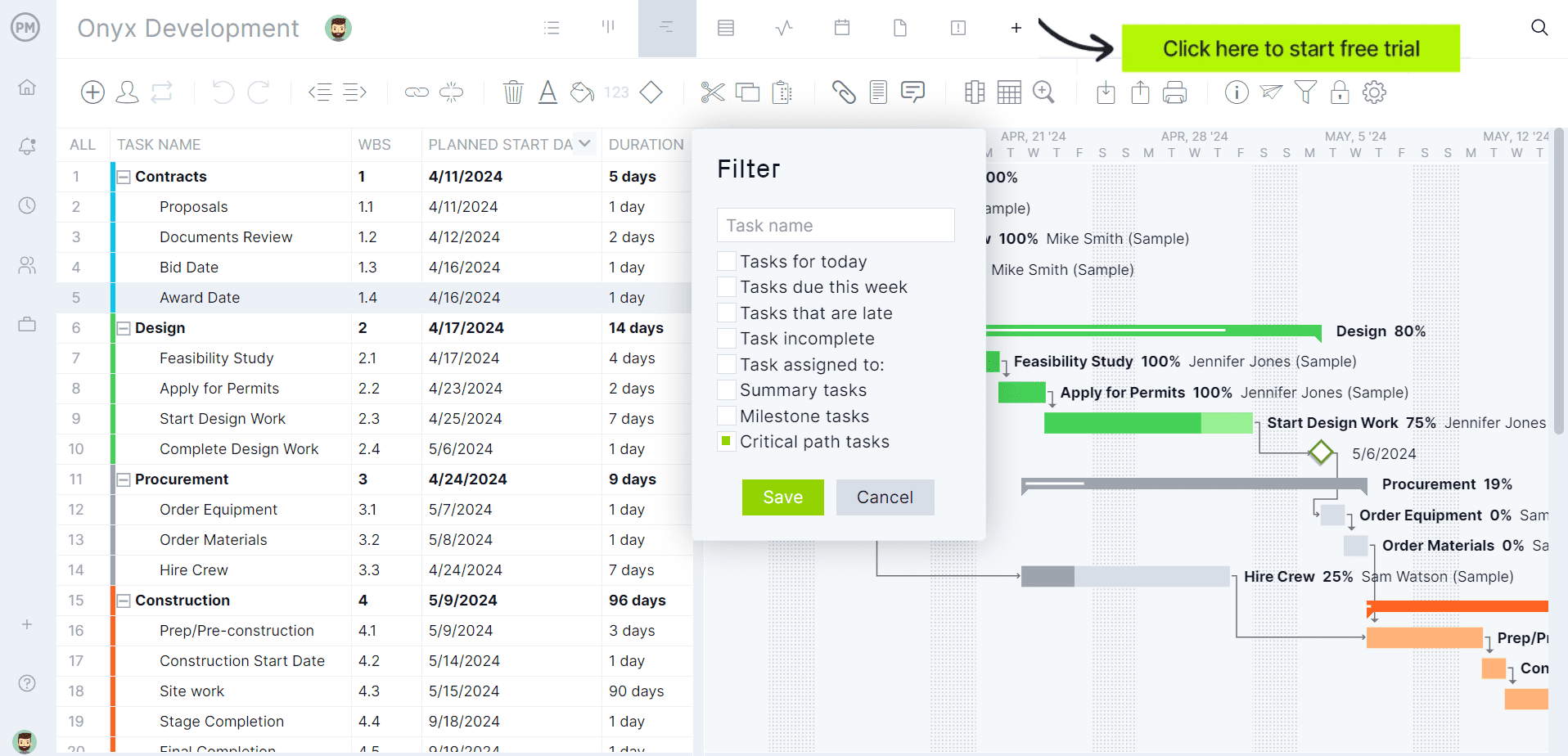
- Scheduling: Build project schedules from scratch or import Microsoft Project and Primavera P6 files.
- Gantt Chart: Visualize activities, durations, milestones and project progress.
- Activity Dependencies: Link tasks to maintain the correct construction sequence.
- Critical Path Tracking: Identify activities that directly affect the project completion date.
- Lookahead Schedules: Create weekly lookahead schedules plans without changing the master project schedule.
- Task Assignments: Assign activities to crews, subcontractors and responsible team members.
- Real-Time Collaboration: Office and field teams update schedules in the same platform.
- Schedule Filters: View activities by trade, responsibility, dates or other criteria.
Pros
- Supports both master schedules and short-term lookahead planning.
- Imports existing Primavera P6 and Microsoft Project schedules.
- Keeps office and field teams working from the same schedule.
- Links dependencies to improve schedule visibility and accountability.
- Allows teams to update progress without constantly exchanging spreadsheets.
Cons
- Advanced schedulers may still prefer Primavera P6 for highly complex CPM scheduling.
- Teams already invested in Microsoft Project may continue maintaining schedules there.
- Requires consistent schedule updates to remain reliable.
- Large schedules can take time for new users to navigate comfortably.
- Scheduling capabilities are most valuable when the entire project team adopts the platform.
Verdict
Procore is strong for project scheduling, but don’t mistake it for a full-blown scheduling powerhouse. It works well for coordination and lookahead planning, while complex CPM-heavy jobs may still belong in Primavera P6.
2. Subcontractor Management
Most construction work is performed by subcontractors, so general contractors spend much of their time coordinating companies they don’t directly manage. Every trade has its own schedule, crew availability, priorities and communication preferences, making it difficult to keep everyone aligned as the project evolves.
A subcontractor arriving late, missing information or working from outdated drawings can delay several other trades and increase costs across the project. Beyond scheduling, general contractors must manage bid invitations, contracts, change orders, invoices and day-to-day communication while maintaining strong working relationships with dozens of different companies at once.
Key Features
- Company Directory: Store subcontractor contact information in one centralized location.
- Bid Management: Invite subcontractors, collect bids and compare proposals.
- Subcontracts: Create and manage subcontract agreements within Procore.
- Commitments: Track subcontract values, statuses and purchase orders.
- Commitment Change Orders: Manage subcontract changes throughout the project.
- Subcontractor Invoicing: Let subcontractors submit invoices electronically.
- Correspondence: Keep communication organized with documented conversations.
- Single Contractor View: View company information and qualification data in one place.
Pros
- Centralizes subcontractor information instead of scattered spreadsheets and emails.
- Connects bidding, contracts and financials in one workflow.
- Makes subcontract changes easier to track throughout the project.
- Improves visibility into subcontractor invoices and payment status.
- Creates a documented record of communications and contract activity.
Cons
- Works best when subcontractors actively use the platform.
- Smaller trade partners may prefer email over dedicated software.
- Setting up company directories and trade partners requires upfront effort.
- Teams need consistent processes to keep subcontractor records accurate.
- Advanced qualification workflows may require additional configuration.
Verdict
Subcontractor management is one of Procore’s better arguments for existing. It brings order to bidding, commitments, communication and invoicing, but the value drops fast if trade partners refuse to use the platform consistently.
3. Cost Management
Controlling construction costs isn’t just about creating a budget at the beginning of the project. General contractors must deal with labor productivity changes, material prices fluctuate, subcontractors submit change requests and owners approve additional work throughout construction.
Those small financial changes quickly compound, making it easy for projects to exceed their original budget without anyone realizing it until it’s too late. General contractors need continuous visibility into committed costs, approved changes, remaining budgets and financial forecasts so they can identify problems early, protect profit margins and make informed decisions before overruns become impossible to recover.
Key Features
- Budget Tool: Track project budgets throughout the entire project lifecycle.
- Forecast to Complete: Forecast remaining costs before the project finishes.
- Budget Views: Customize financial views for different teams and reporting needs.
- Budget Modifications: Record approved budget changes without spreadsheets.
- Commitments: Track subcontract and purchase order costs.
- Direct Costs: Capture project expenses from multiple cost sources.
- Change Orders: Manage and approve cost changes in one workflow.
- Subcontractor Invoicing: Collect and review subcontractor invoices digitally.
- Financial Dashboards: Monitor budgets, forecasts and project financial performance.
Pros
- Provides real-time visibility into project budgets and committed costs.
- Makes forecasting more accurate with built-in Forecast to Complete.
- Connects budgets, change orders and commitments in one financial workflow.
- Reduces manual spreadsheet updates across the project team.
- Supports customizable budget views for different reporting needs.
Cons
- Financial setup requires careful planning before projects begin.
- Custom budget configurations can take time to learn.
- Forecast accuracy depends on timely field and financial updates.
- Advanced accounting still relies on ERP integrations.
- Smaller contractors may not need every financial management feature.
Verdict
Cost management is a major strength, especially for tracking budgets, commitments, forecasts and change orders. The catch is that setup matters a lot, and sloppy financial processes will still produce sloppy financial visibility.
4. Field Communication
Construction projects generate hundreds of conversations every day between superintendents, project managers, subcontractors, inspectors, architects and owners. The real challenge isn’t simply sharing information—it’s making sure everyone receives the same information at the right time.
Phone calls, text messages and emails often stay with the people who received them instead of the entire project team. As a result, crews may work from outdated instructions, miss important updates or duplicate work that was already completed. Clear, centralized communication keeps everyone aligned, reduces misunderstandings and creates a documented record of important project decisions.
Key Features
- Procore Mobile App: Access project information directly from the construction site.
- Daily Log: Record weather, labor, equipment and daily site activities.
- Correspondence: Track project communications in one searchable location.
- Meetings: Create agendas, assign action items and share meeting minutes.
- Observations: Document issues and assign corrective actions.
- Photos: Capture and organize jobsite photos with project records.
- Tasks: Assign work and monitor completion status.
- Notifications: Alert team members when project information changes.
Pros
- Keeps office and field teams connected through a shared platform.
- Reduces reliance on phone calls, texts and scattered emails.
- Creates a documented history of project communication.
- Mobile app lets field staff update information from the jobsite.
- Combines daily reporting, photos and task tracking in one place.
Cons
- Communication only improves if every stakeholder uses the platform consistently.
- Mobile adoption may vary among subcontractors.
- Frequent notifications can overwhelm users without proper settings.
- Teams need clear communication standards to avoid duplicate conversations.
- Some users may continue relying on text messages or email.
Verdict
Procore is very useful for field communication, but it is not magic. If superintendents, project managers and subcontractors keep using texts, calls and side emails, the platform becomes another inbox instead of a source of truth.
5. Document Management
Every construction project produces an enormous amount of documentation, including drawings, specifications, contracts, RFIs, submittals, permits, meeting minutes and inspection reports. The difficult part isn’t storing those files—it’s ensuring every stakeholder is always using the latest version.
Design revisions happen throughout construction, and one outdated drawing can lead to incorrect installations, failed inspections, expensive rework and disputes over responsibility. General contractors need a reliable way to organize project documents, control revisions, manage permissions and provide field teams with immediate access to current information wherever they’re working.
Key Features
- Documents Tool: Store project files in one centralized location.
- Drawing Management: Keep current drawing revisions available for every team member.
- Specifications Tool: Organize project specifications by division and section.
- Version Control: Track document revisions automatically.
- Document Permissions: Control who can view or edit files.
- Markup Tools: Add comments, annotations and hyperlinks to drawings.
- Mobile Access: View project documents from the field.
- Search: Quickly locate drawings, specifications and other project files.
Pros
- Creates a single source of truth for project documents.
- Helps teams work from the latest drawing revisions.
- Improves collaboration between office and field personnel.
- Reduces time spent searching for files.
- Provides controlled access through user permissions.
Cons
- Initial document organization requires planning and consistency.
- Incorrect uploads can still create confusion if not reviewed.
- Permission settings need ongoing administration.
- Large projects may require disciplined folder structures.
- Benefits depend on every team member using the platform consistently.
Verdict
Document management is one of Procore’s most practical features for general contractors. It helps prevent outdated drawings and scattered files, but only if teams maintain clean uploads, permissions and revision control from day one.
6. Resource Management
Managing construction resources goes far beyond assigning workers to a schedule. General contractors have to balance labor across multiple projects, match employees to the right skills, anticipate future staffing needs and react when priorities suddenly change.
One delayed project can leave crews sitting idle, while another may urgently require additional workers to stay on schedule. Equipment availability and workforce capacity must also be considered to avoid bottlenecks. Successful resource management means putting the right people in the right place at the right time while minimizing overtime, downtime and unnecessary labor costs.
Key Features
- Labor Scheduling: Assign workers to projects with digital schedules.
- Resource Assignments: Schedule people based on availability and skills.
- Resource Requests: Request additional workers for upcoming projects.
- Labor Forecasting: Plan workforce needs weeks, months or years ahead.
- People Management: Maintain worker profiles, certifications and skill sets.
- Availability Tracking: View upcoming assignments and employee availability.
- Assignment Gantt: Visualize workforce allocation across projects.
- Analytics: Analyze labor utilization and workforce performance.
- Communication Tools: Share assignments and workforce updates digitally.
Pros
- Replaces whiteboards and spreadsheets with centralized labor planning.
- Makes staffing decisions using worker availability and skill information.
- Helps forecast labor demand before projects begin.
- Provides visibility across multiple projects simultaneously.
- Improves communication between office staff and field crews.
Cons
- Requires accurate employee and project data to produce reliable plans.
- Initial setup can be time-consuming for larger organizations.
- Benefits increase as more workforce information is maintained consistently.
- Forecasts must be updated regularly as project schedules change.
- Smaller contractors may find the feature set more robust than necessary.
Verdict
Resource management is valuable, but it is not equally valuable for everyone. Larger contractors with multiple active jobs can benefit from workforce visibility, while smaller teams may find the module heavier than their needs require.
7. Project Portfolio Management
As construction companies grow, leadership can no longer focus on one project at a time. Instead, they need to understand how every active project is performing so they can make better business decisions across the entire organization.
A single project that’s falling behind schedule, exceeding its budget or consuming too many resources can affect cash flow, staffing and profitability elsewhere. Project portfolio management tools help general contractors compare project performance, identify risks early, prioritize executive attention and allocate resources where they’ll have the greatest impact before small issues spread across the business.
Key Features
- Portfolio Dashboard: Monitor multiple projects from one centralized dashboard.
- Portfolio Financials: Compare project budgets, forecasts and financial performance.
- Project Status: View key project metrics across the entire portfolio.
- Executive Dashboards: Display portfolio KPIs with customizable reports.
- Resource Planning Integration: Review workforce allocation across multiple projects.
- Portfolio Reporting: Generate reports covering company-wide project performance.
- Project Filters: Sort projects by status, region, team or other criteria.
- Real-Time Data: Monitor portfolio performance using current project information.
Pros
- Provides company-wide visibility across active construction projects.
- Helps executives identify struggling projects more quickly.
- Combines operational and financial information in one place.
- Supports better resource allocation across multiple jobs.
- Reduces time spent gathering portfolio reports manually.
Cons
- Portfolio insights depend on accurate project-level data.
- Executive dashboards require initial configuration.
- Organizations with few projects may not use every portfolio feature.
- Advanced business analytics may still require dedicated BI tools.
- Standardized project processes improve the quality of portfolio reporting.
Verdict
Portfolio management is useful for executives overseeing several projects, but it depends completely on clean project-level data. If each job is messy, the portfolio view simply gives leadership a prettier version of the mess.
Finally, here’s a summary of all of Procore’s features for general contractors for a quick reference.
| Area | Procore Features for General Contractors |
| Project Scheduling | Scheduling, lookahead schedules, antt charts, activity dependencies, critical path tracking |
| Subcontractor Management | Bid management, company directory, subcontracts, commitments, subcontractor invoicing |
| Cost Management | Budgeting, Forecast to Complete, commitments, change orders, financial dashboards |
| Field Communication | Mobile app, daily logs, correspondence, meetings, observations, tasks and notifications |
| Document Management | Document storage, drawing management, specifications, version control, markup tools |
| Punch Lists | Punch list items, photo attachments, task assignments, due dates, mobile updates |
| Resource Management | Labor scheduling, resource assignments, workforce forecasting, availability tracking, analytics |
| Project Portfolio Management | Portfolio dashboards, financial reporting, project status, executive dashboards, portfolio analytics |
ProjectManager Is the Best Construction Project Management Solution
ProjectManager is a construction project management software that combines advanced scheduling, resource management, cost tracking and team collaboration in a single platform. Construction managers can build Gantt charts, manage task dependencies, identify critical paths and monitor project performance at a much lower cost than Procore.
ProjectManager also includes AI-powered project insights, workflow automation and live performance tracking that help teams identify delays, manage risks and make better decisions.
One of the biggest advantages of ProjectManager is that it is fully cloud-based. ProjectManager gives office staff, project managers, superintendents and field teams access to the same live project data from anywhere. Schedule updates, resource changes, timesheet submissions and project status information are immediately available, helping construction teams improve coordination and reduce communication delays.
For organizations looking for a modern construction project management platform that combines construction scheduling, resource planning, budget tracking, collaboration and ERP connectivity, ProjectManager is the best alternative to Procore.
Watch the video below to learn more!
The platform also supports an open API and more than 1,000 integrations with tools like Acumatica, QuickBooks, Microsoft Project, Slack and Google Workspace, allowing construction companies to connect operational and project data across their existing systems. The Acumatica integration is particularly valuable for construction businesses because it connects project management workflows with ERP capabilities such as accounting, financial management and operational reporting.
ProjectManager is online construction project management software that empowers teams to plan, manage and track their projects in real time. We connect architects and engineers in the office with your work crew on the job site so they can share files and comments to foster better collaboration. Get started with ProjectManager today for free.