
Choosing accounting software is a long-term decision that affects estimating, billing, cash flow and project profitability. This guide explores QuickBooks for construction from a contractor’s perspective, examining where it performs well, where it falls short and which types of construction businesses are most likely to benefit from using it.
How Good Is QuickBooks for Construction?
QuickBooks is an accounting software that can be used to manage the financial side of construction projects. It is commonly used by contractors, builders and specialty trades to estimate jobs, track project costs, create progress invoices and monitor profitability. Its biggest strengths include job costing, project-based expense tracking, estimating and financial reporting, making it a practical choice for many small and midsize construction companies that need strong accounting capabilities without investing in a full construction ERP platform.
That high-level overview is only part of the picture. Whether QuickBooks is the right fit depends on factors such as company size, project complexity, operational workflows and the need for field collaboration or construction-specific project management capabilities. To provide a complete assessment, this guide evaluates the pros and cons of QuickBooks for construction by examining its performance across key construction use cases and how well it serves different types of construction professionals and businesses.
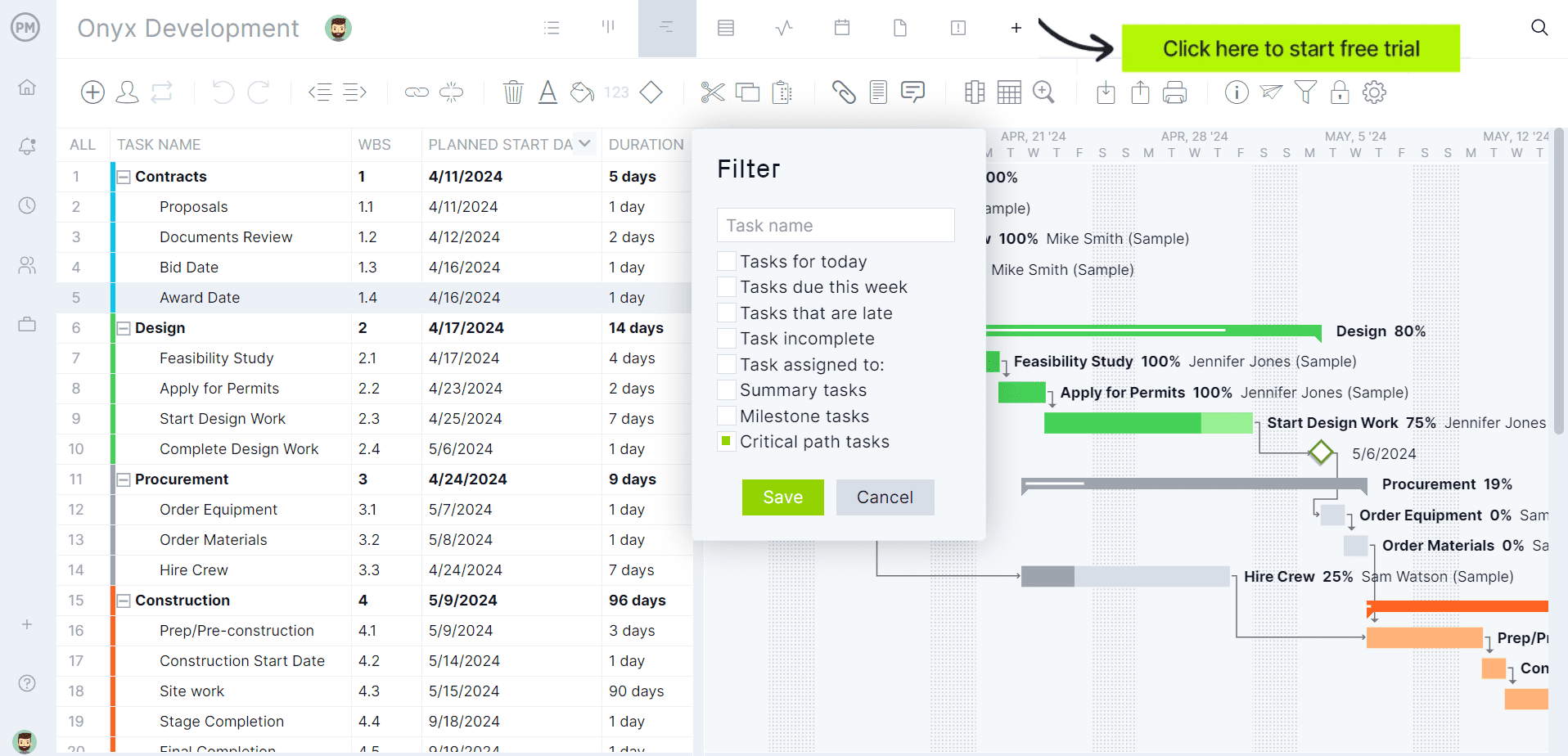
ProjectManager is award-winning construction project management software that integrates with quickbooks and gives construction companies tools to ensure projects are completed on time, within budget and within scope. It allows project managers to create detailed construction schedules, estimate costs, allocate resources, set budgets, track progress and compare estimated versus actual project outcomes using real-time dashboards and reports to quickly identify delays or cost overruns. Get started with ProjectManager for free today.
QuickBooks for Construction by Use Case
Construction companies use accounting software for far more than recording income and expenses. The right platform should support estimating, job costing, billing and financial reporting while providing accurate project data for decision-making. The sections below evaluate how well QuickBooks performs across the construction workflows contractors rely on every day.
QuickBooks for Construction Accounting
QuickBooks is well suited for construction accounting because it combines core financial management with features designed for project-based businesses. Contractors can track income and expenses by project, create estimates, issue progress invoices, manage change orders, reconcile bank accounts and generate financial reports that provide visibility into cash flow, job profitability and overall business performance.
Accounting is where QuickBooks is strongest, but it is not a complete construction financial management system. Larger contractors may outgrow its capabilities when they need advanced work-in-progress reporting, multi-entity accounting, detailed cost code structures, equipment accounting or more sophisticated construction-specific financial controls that are typically found in dedicated construction ERP software.
- Projects Organizes project-specific income, expenses and profitability into a single financial workspace.
- Progress Invoicing Creates multiple invoices from one estimate as construction milestones are completed.
- Estimates Builds customer estimates that can later be converted into invoices and compared against actual costs.
- Financial Reports Generates profit and loss, balance sheet, cash flow and project profitability reports.
- Expense Tracking Records bills, receipts and vendor expenses while assigning costs directly to construction projects.
QuickBooks for Job Costing
QuickBooks offers effective job costing tools that help contractors monitor the financial performance of individual projects. By assigning labor, materials, subcontractor expenses and overhead to specific jobs, users can compare estimated and actual costs, identify budget overruns early and measure project profitability with dedicated project reports throughout the construction lifecycle.
Its job costing capabilities depend on consistent data entry and disciplined project setup. QuickBooks does not provide the level of cost code management, production tracking, field data collection or operational reporting that many large commercial contractors require. As project complexity increases, many companies supplement QuickBooks with dedicated construction management software.
- Job Cost Tracking Assigns labor, materials, overhead and other expenses directly to individual construction projects.
- Project Profitability Reports Compares project revenue against accumulated costs to measure overall job performance.
- Estimate vs. Actual Analysis Helps identify budget variances by comparing estimated costs with recorded project expenses.
- Time Tracking Integration Captures employee labor costs and allocates payroll expenses to specific construction jobs.
- Project Dashboard Centralizes project transactions, income, expenses and profitability within a single project record.
QuickBooks for Construction by User
Construction businesses have different software requirements depending on their role in a project. A general contractor manages multiple moving parts, while subcontractors, project owners and other stakeholders prioritize different workflows. The following sections evaluate how well QuickBooks meets the needs of each type of construction user.
QuickBooks for Construction Contractors
QuickBooks is a strong choice for many general contractors because it combines construction accounting, estimating, job costing and invoicing within a single financial platform. Contractors can monitor project profitability, manage vendor expenses, create progress invoices, track labor costs and generate financial reports that support better budgeting and cash flow management.
As projects become larger and more operationally demanding, contractors may find QuickBooks less capable outside of accounting. It does not provide native scheduling, field collaboration, document control, RFI management or subcontractor coordination tools, requiring many growing construction firms to integrate additional project management software into their technology stack.
- Projects Organizes financial activity and profitability for every construction project in one location.
- Job Costing Tracks labor, materials and vendor expenses against individual construction jobs.
- Progress Invoicing Bills clients as project milestones or completed work are approved.
- Expense Management Records and categorizes construction-related purchases for accurate project accounting.
- Financial Reporting Produces reports that help contractors evaluate project and company performance.
QuickBooks for Project Owners
QuickBooks can work well for project owners who manage construction finances rather than day-to-day field operations. It simplifies budget tracking, invoice management, expense monitoring and financial reporting, providing greater visibility into project spending and helping owners maintain organized financial records throughout the construction process.
Project owners seeking complete oversight of construction execution may find QuickBooks insufficient on its own. It is not designed to manage schedules, RFIs, submittals, punch lists, document control or contractor collaboration, so owners often rely on dedicated construction management software for operational project oversight while using QuickBooks for accounting.
- Expense Tracking Records project-related spending to improve budget visibility throughout construction.
- Bill Management Organizes vendor invoices and tracks outstanding payment obligations efficiently.
- Financial Reports Generates reports that summarize project costs, cash flow and financial performance.
- Projects Consolidates project income, expenses and profitability into a single financial record.
- Invoice Management Creates, sends and tracks invoices while maintaining organized payment records.
QuickBooks for Subcontractors
QuickBooks is well suited for subcontractors who need reliable accounting without unnecessary complexity. Electrical, plumbing, HVAC, roofing and other specialty contractors can create estimates, invoice customers, track job costs, monitor expenses and manage cash flow while keeping financial records organized as projects progress.
Subcontractors working across numerous large commercial projects may eventually need capabilities beyond financial management. QuickBooks does not include specialized field productivity tools, crew scheduling, equipment management or construction document workflows, making it less suitable for subcontractors with complex operational requirements or rapidly expanding businesses.
- Estimates Creates professional estimates that can later become customer invoices after approval.
- Projects Tracks income, expenses and profitability separately for every subcontracting job.
- Time Tracking Records employee labor hours for payroll and project cost allocation.
- Expense Tracking Assigns material purchases and vendor costs directly to construction projects.
- Progress Invoicing Bills customers incrementally as subcontracted work reaches agreed milestones.
QuickBooks for Construction Project Managers
QuickBooks helps construction project managers monitor the financial health of their projects without leaving the accounting system. They can review job costs, compare estimates with actual expenses, track project profitability, monitor labor costs and oversee progress invoicing, giving them better visibility into project budgets and financial performance throughout execution.
Although it provides valuable financial insights, QuickBooks is not a comprehensive project management platform. Project managers will not find native scheduling, Gantt charts, resource planning, daily logs, RFIs, submittals, document management or field collaboration tools. Most construction teams pair QuickBooks with dedicated project management software to manage day-to-day project execution.
- Projects Centralizes project financial information, revenue, expenses and profitability within one workspace.
- Job Costing Tracks labor, materials and overhead costs for each construction project.
- Project Profitability Reports Measures financial performance by comparing project income with accumulated costs.
- Progress Invoicing Supports milestone-based billing while maintaining accurate project financial records.
- Time Tracking Captures employee labor hours that contribute directly to project cost reporting.
QuickBooks for Small Construction Companies
QuickBooks is an excellent fit for small construction companies because it delivers the accounting features most growing contractors need without the complexity of enterprise software. Owners can manage estimates, job costing, invoicing, payroll, cost tracking and financial reporting from a single platform while maintaining healthy cash flow and improving project profitability.
Growth can expose limitations as operations become more complex. Small companies expanding into multiple crews, larger commercial projects or higher project volumes may eventually require more advanced construction workflows, including resource scheduling, equipment management, document control and field collaboration, which are outside QuickBooks’ core capabilities.
- Estimates Creates professional project estimates that convert directly into customer invoices.
- Projects Tracks project-specific revenue, expenses and profitability from beginning to completion.
- Expense Tracking Records purchases and assigns costs directly to individual construction projects.
- Progress Invoicing Improves cash flow by billing customers as work progresses through milestones.
- Financial Reports Provides business owners with clear visibility into profitability and cash flow.
QuickBooks for Large Construction Companies
QuickBooks can support large construction companies by providing reliable accounting, job costing and financial reporting. Organizations that primarily need strong financial controls may benefit from its project profitability reporting, progress invoicing and integrations with other business applications, particularly when accounting is managed separately from field operations.
Large contractors typically require capabilities that extend well beyond accounting. Complex portfolios often demand enterprise resource planning, detailed cost code structures, equipment management, procurement workflows, document control, advanced scheduling and multi-project resource planning. For these organizations, QuickBooks generally serves best as an accounting component within a broader construction technology ecosystem.
- Job Costing Tracks project costs to support financial oversight across multiple construction jobs.
- Project Profitability Reports Helps leadership evaluate margins and overall financial performance by project.
- Advanced Reporting Provides customizable financial reports for deeper business analysis and decision-making.
- Progress Invoicing Supports staged billing that aligns invoices with completed construction work.
- App Integrations Connects QuickBooks with other business applications to extend construction workflows.
ProjectManager Integrates with QuickBooks
ProjectManager and QuickBooks complement each other by combining construction project management with construction accounting in a connected workflow. While QuickBooks manages estimates, job costs, invoices and financial reporting, ProjectManager provides the construction project management tools needed to plan schedules, assign resources, manage tasks, collaborate with field teams and monitor project progress in real time.

This combination is especially valuable for businesses that need robust construction accounting capabilities without sacrificing scheduling, resource management, dashboards and other project management features that QuickBooks alone does not provide.
ProjectManager Is the Best Construction Project Management Solution
ProjectManager offers a comprehensive construction project management software that combines advanced scheduling, resource management, cost tracking and team collaboration in a single platform. Construction managers can build Gantt charts, manage task dependencies, identify critical paths and monitor project performance without the expensive price tag and steep learning curve commonly associated with Microsoft Project.
In addition to traditional construction scheduling capabilities, ProjectManager includes AI-powered project insights, workflow automation and live performance tracking that help teams identify delays, manage risks and make better decisions.
One of the biggest advantages of ProjectManager is that it is fully cloud-based. ProjectManager gives office staff, project managers, superintendents and field teams access to the same live project data from anywhere. Schedule updates, resource changes, timesheet submissions and project status information are immediately available, helping construction teams improve coordination and reduce communication delays.
Beyond scheduling, ProjectManager includes workload management, resource scheduling, portfolio roadmaps, real-time dashboards, kanban boards, timesheets and automated reports that help construction companies balance labor resources, monitor project costs and track performance across multiple projects. These tools provide greater visibility into schedules, budgets and resource utilization, making it easier to keep construction projects on track.
Watch the video below to learn more!
The platform also supports an open API and more than 1,000 integrations with tools like Acumatica, QuickBooks, Microsoft Project, Slack and Google Workspace, allowing construction companies to connect operational and project data across their existing systems. The Acumatica integration is particularly valuable for construction businesses because it connects project management workflows with ERP capabilities such as accounting, financial management and operational reporting.
For organizations looking for a modern construction project management platform that combines construction scheduling, resource planning, budget tracking, collaboration and ERP connectivity, ProjectManager is the best alternative to Microsoft Project.
ProjectManager is online construction project management software that empowers teams to plan, manage and track their projects in real time. We connect architects and engineers in the office with your work crew on the job site so they can share files and comments to foster better collaboration. Get started with ProjectManager today for free.